
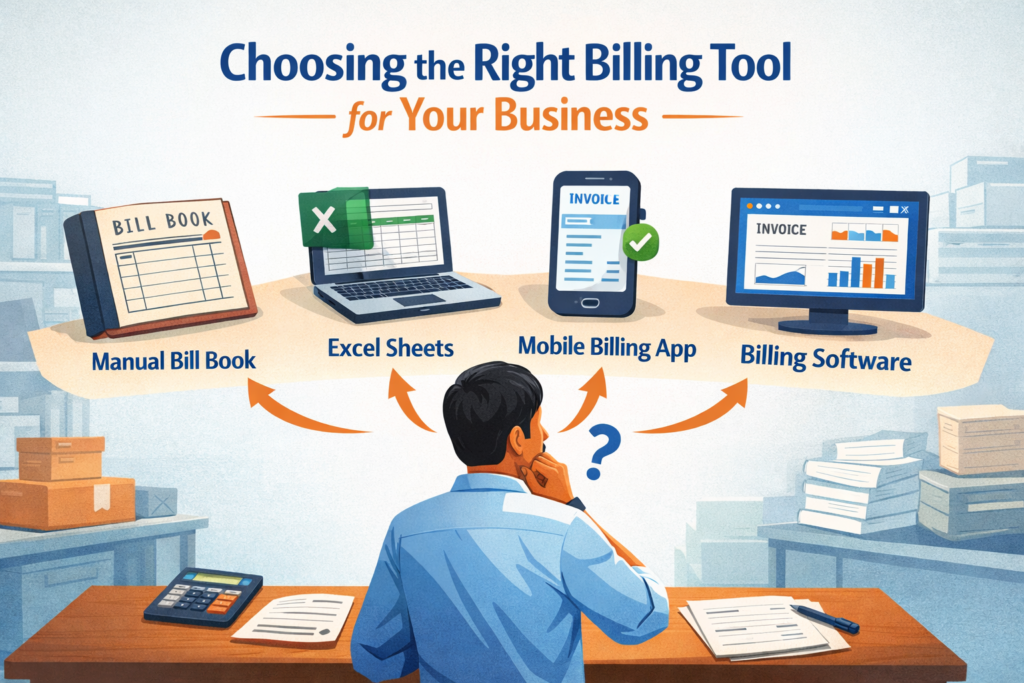
Every business needs a way to record sales, generate bills, and track payments. Over time, businesses use different methods to do this—manual bill books, Excel sheets, mobile apps, or full-fledged billing software. All of these are billing tools in some form.
The challenge for business owners is not whether to use a billing tool, but which type is right for their stage of business. This guide explains the types of billing tools available today and explains why billing software is often the most reliable option as businesses grow.
What is a Billing Tool?
A billing tool is any method or system used to create bills, record transactions, and track payments. It doesn’t have to be software. Even a handwritten bill book or an Excel sheet can function as a billing tool.
Billing tools help businesses:
- Record sales transactions
- Provide bills or invoices to customers
- Track payments and outstanding dues
- Maintain basic financial records
The difference lies in how efficiently and accurately these tasks are handled.
Types of Billing Tools Used by Businesses
Manual Billing (Paper Bill Books)
Manual billing uses handwritten bills recorded in physical registers or printed receipt books. This method is simple and low-cost, making it common among very small or new businesses.
However, manual billing becomes increasingly difficult as transaction volume increases. Bills can be misplaced, calculations may be incorrect, and tracking payments or past records can take time.
Also Read: Digital Billing vs Paper Billing: Key Differences
Excel and Spreadsheet-Based Billing
Excel is one of the most commonly used billing tools for small businesses. It supports basic calculations, structured records, and limited reporting.
While Excel billing offers flexibility, it depends heavily on manual data entry. As data grows, sheets become complex, errors increase, and tracking inventory, GST, or dues becomes difficult. Collaboration is also limited, especially when multiple people handle billing.
Basic Mobile Billing Apps
Many businesses move from Excel to basic mobile billing apps. These apps help generate bills faster and store data digitally. They are useful for simple billing needs and low invoice volumes.
However, basic apps often lack advanced features like inventory control, detailed reports, compliance support, and scalability. Businesses may outgrow these tools quickly.
Billing Software
Billing software like myBillBook is a purpose-built solution that manages billing, payments, inventory, and compliance in a single system. It automates calculations, securely stores data, and provides real-time visibility into business performance.
Billing software is built for speed, accuracy, and scale, making it suitable for businesses seeking greater operational control and growth.
Common Mistakes to Avoid While Choosing a Billing Tool
- Sticking with manual or Excel-based billing for too long
- Choosing a tool only because it is free or cheap
- Ignoring future business growth
- Using tools that are difficult for staff to understand
- Not considering data safety and backups
How to Choose the Right Billing Tool for Your Business
Understand Your Current Billing Volume
The number of bills you generate daily plays a big role in choosing a billing tool. Low-volume businesses may manage with basic tools, while higher-volume businesses require faster, more structured systems.
Identify How You Track Payments
If your business involves credit sales or delayed payments, your billing tool should clearly track dues, payment history, and customer balances. Manual tools and Excel often struggle here.
Consider Inventory Management Needs
Product-based businesses need a billing tool that automatically updates inventory with every sale and return. In inventory management, simple tools become difficult to manage.
Evaluate Ease of Use
A billing tool should be easy for you and your staff to use daily. If the tool requires constant training or is overly complex, it can slow operations rather than improve them.
Think About Compliance and Reporting
As businesses grow, reporting and compliance become important. A billing tool should help generate accurate invoices and structured reports without extra manual work.
Check Scalability for Future Growth
Choose a billing tool that can grow with your business. The right tool should handle more customers, products, and users without forcing you to switch systems later.
Test Before Finalising
Using a demo or trial helps you understand whether the billing tool fits your real workflow. Testing real scenarios avoids surprises after adoption.
Paper Bills Vs. Excel Vs. Apps Vs. Billing Software
| Feature / Criteria | Paper Bills | Excel Sheets | Billing Apps | Billing Software |
| Ease of Getting Started | Very easy | Easy | Easy | Easy |
| Speed of Billing | Slow | Medium | Fast | Very fast |
| Calculation Accuracy | Low (manual errors) | Medium (formula errors possible) | High | Very high |
| Data Storage | Physical registers | Local/cloud files | App-based | Centralized & secure |
| Payment Tracking | Very difficult | Manual | Limited | Automated & clear |
| Credit / Dues Management | Not practical | Manual tracking | Basic | Advanced & reliable |
| Inventory Management | Not possible | Difficult | Limited | Fully automated |
| Reporting & Insights | Not available | Manual creation | Basic | Detailed & real-time |
| GST / Compliance Support | Not supported | Manual | Partial | Built-in & compliant |
| Multi-User Access | Not possible | Limited | Limited | Fully supported |
| Data Backup & Safety | High risk | Medium risk | App-dependent | Secure & regular backups |
| Scalability | Very poor | Poor | Medium | Excellent |
| Best For | Very small businesses | Early-stage businesses | Small businesses | Growing businesses |
Why Billing Software Is the Best Billing Tool for Growing Businesses
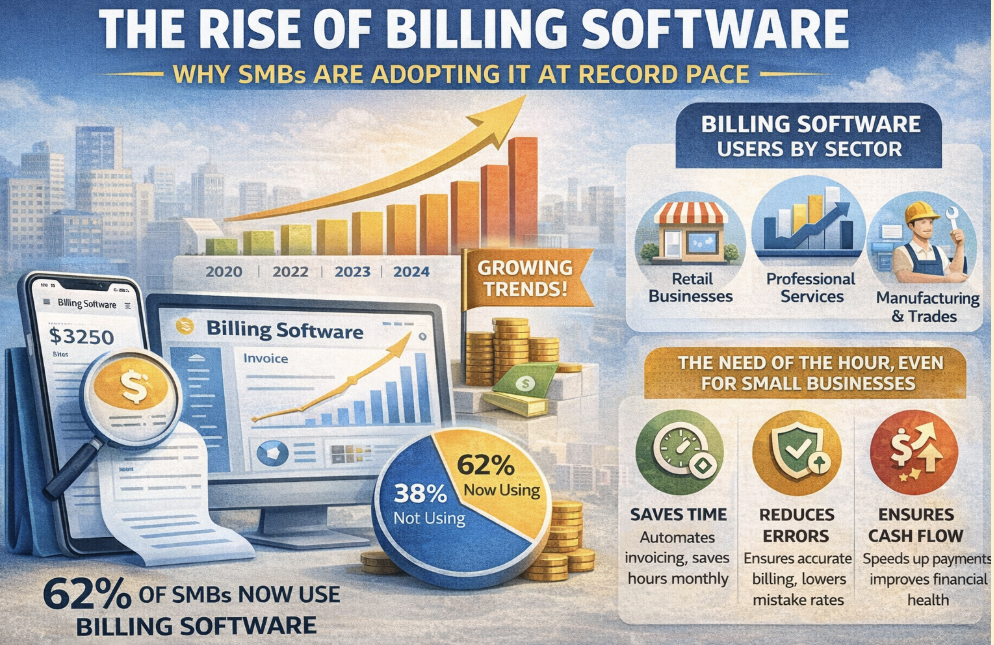
Across industries, businesses are rapidly shifting from manual and semi-digital methods to fully automated billing systems.
The global billing and invoicing software market – valued at around USD 8.2 billion in 2024 and projected to nearly USD 18.7 billion by 2034 – reflects strong adoption driven by the need for efficiency, error reduction, and digital financial workflows.
This growth shows that companies of all sizes are embracing digital billing tools as an essential part of operations rather than optional software. Small and medium enterprises, in particular, are a major adoption driver, as automated billing systems help streamline daily financial processes that were once managed by paper bills or spreadsheet entries
With billing software, businesses experience multiple measurable improvements that traditional tools struggle to provide:
- Accurate automated calculations: Errors from manual entry and formula mistakes in spreadsheets are greatly reduced, improving financial precision.
- Centralised data storage: All billing, customer, and payment information is stored in one secure system, eliminating fragmented records and lost files.
- Real-time tracking of bills and dues: Digital systems update instantly, making payment status and customer history easy to monitor and act upon.
- Automated inventory updates: Each sale and return adjusts stock levels automatically, preventing stock mismatches and reducing stock-out surprises.
- Compliance-friendly billing: Structured invoices and built-in reporting help businesses stay organised for GST filings and audits.
- Multi-user access: Teams can collaborate securely with role-based controls, avoiding the chaos of shared spreadsheets.
- Secure backups and data access: Cloud-enabled billing systems protect data with regular backups and easy recovery, even if local devices fail.
- Scalability without switching tools: As businesses grow, billing software supports higher transaction volumes, more users, and advanced workflows without forcing a move to new systems.
For growing businesses, billing software is more than a digital replacement for paper or Excel — it becomes a financial control hub that improves operational efficiency, supports compliance, and provides real-time performance insights.
myBillBook fits this modern billing paradigm by offering an easy-to-use yet powerful billing software designed specifically for Indian small and medium businesses.
With features like automated GST-compliant invoicing, real-time inventory tracking, centralised payment records, and cloud backup, myBillBook helps businesses eliminate manual errors, stay organised, and focus on growth rather than administrative burden. Its scalable platform lets you start simple and scale usage as your business grows, making it a practical, future-ready choice among billing solutions.
Frequently Asked Questions
Yes, many businesses use a combination of tools during transitions, such as generating bills in software while maintaining older records in Excel. However, long-term use of multiple billing tools often leads to data inconsistency and confusion.
Yes. Clear, professional bills, accurate totals, and easy payment tracking improve customer trust. Poorly managed billing can lead to disputes, delayed payments, and repeat customer queries.
When switching billing tools, businesses usually migrate customer, product, and balance data. Choosing a tool that allows easy data import and export reduces the risk of data loss during migration.
Modern billing tools, especially billing software, help with payment follow-ups, stock planning, sales analysis, and business insights. This makes billing data useful for decision-making, not just record-keeping.
