
Mobile Bookkeeping App for MSMEs in India
From daily expense tracking to GST-ready reporting, manage your business finances directly from your smartphone. Simple, fast, and designed for busy business owners who work on the move.
Trusted by 1 Crore+ Businesses

What is a Mobile Bookkeeping App?
A mobile bookkeeping app helps small business owners record daily sales, purchases, expenses, receipts and payments directly from a smartphone. It helps keep day-to-day books updated without waiting to use a desktop computer or manually transferring entries from notebooks or spreadsheets.
Businesses that need broader billing, inventory and accounting functions on their phone can also explore myBillBook’s Android accounting app.
With myBillBook Billing Software, businesses can also create invoices, check party balances, monitor payments and view available business reports from supported mobile devices. This makes mobile bookkeeping useful for shopkeepers, traders, distributors, freelancers and other business owners who manage transactions while on the move.
Businesses that need bookkeeping across both mobile and desktop can explore myBillBook’s broader bookkeeping software solution.
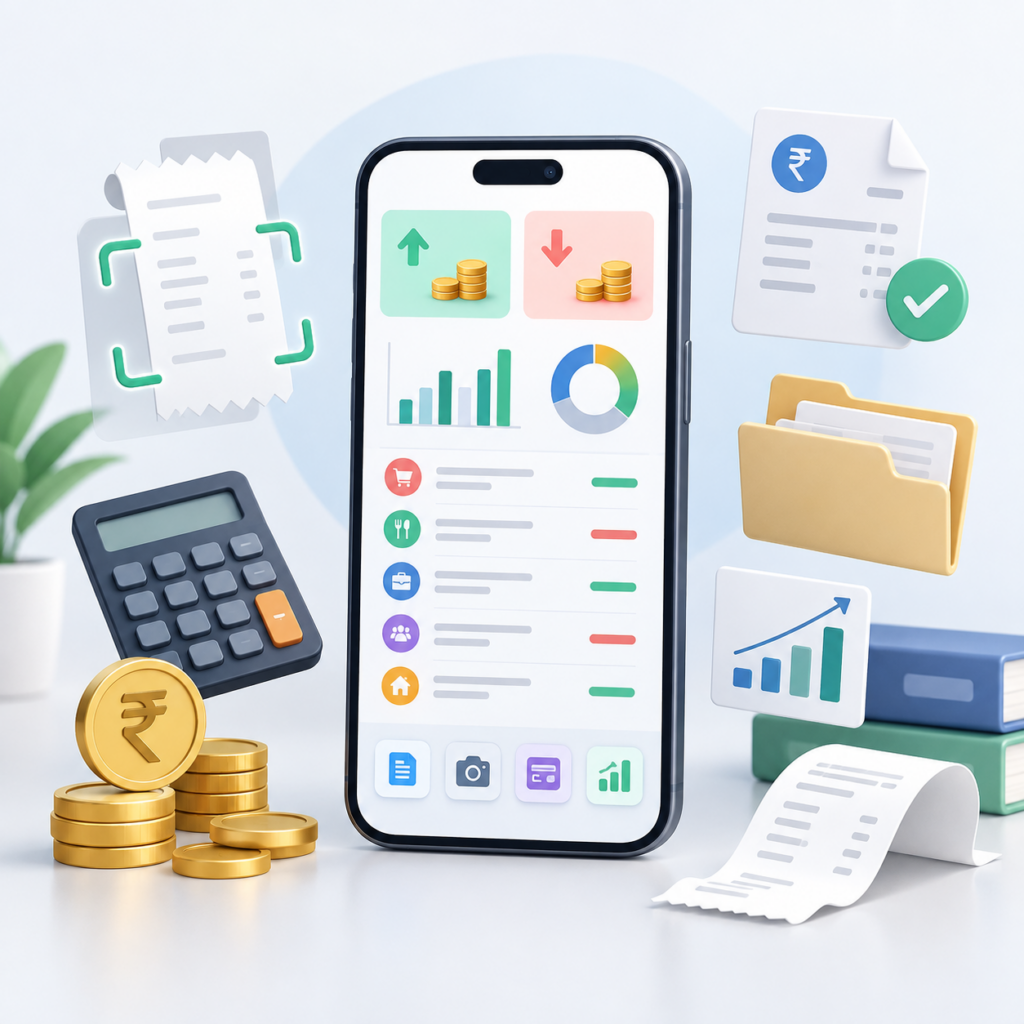
Features That Bring Your Bookkeeping to Your Fingertips
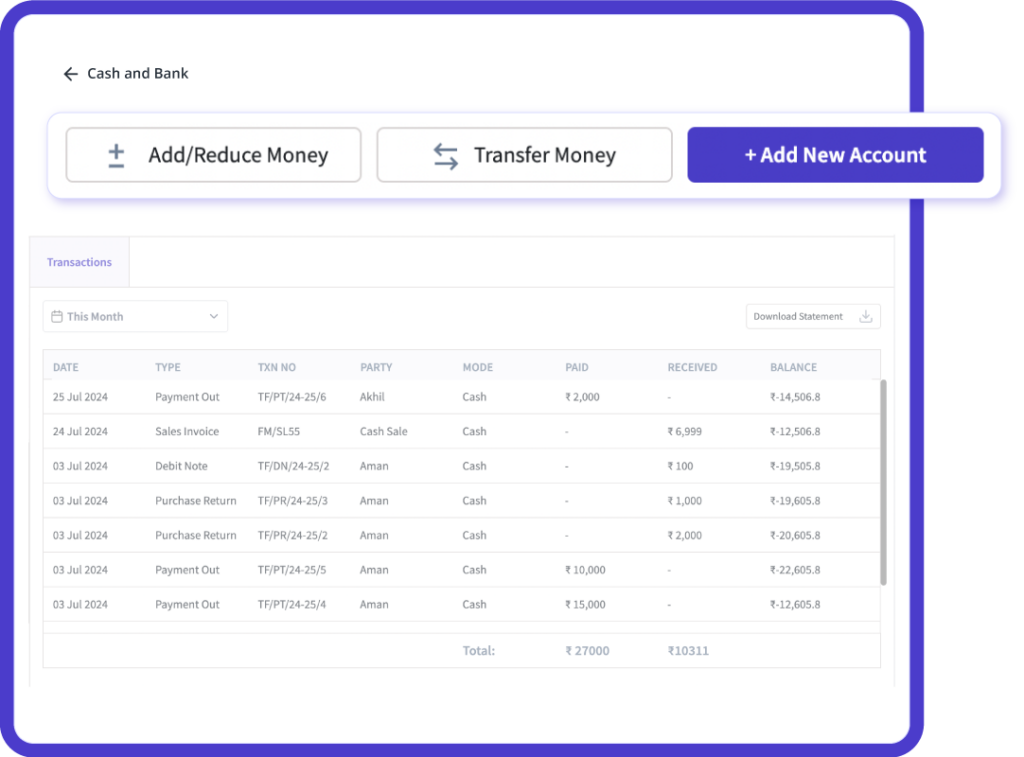
Record Transactions on the Go
With the myBillBook mobile app, you can quickly record any expense, sale, or payment right when it happens—straight from your phone. There's no need to wait until the end of the day.
This way, you won’t forget anything. Whether it’s small cash payments, money from customers, or bills from suppliers, everything is logged immediately and accurately.
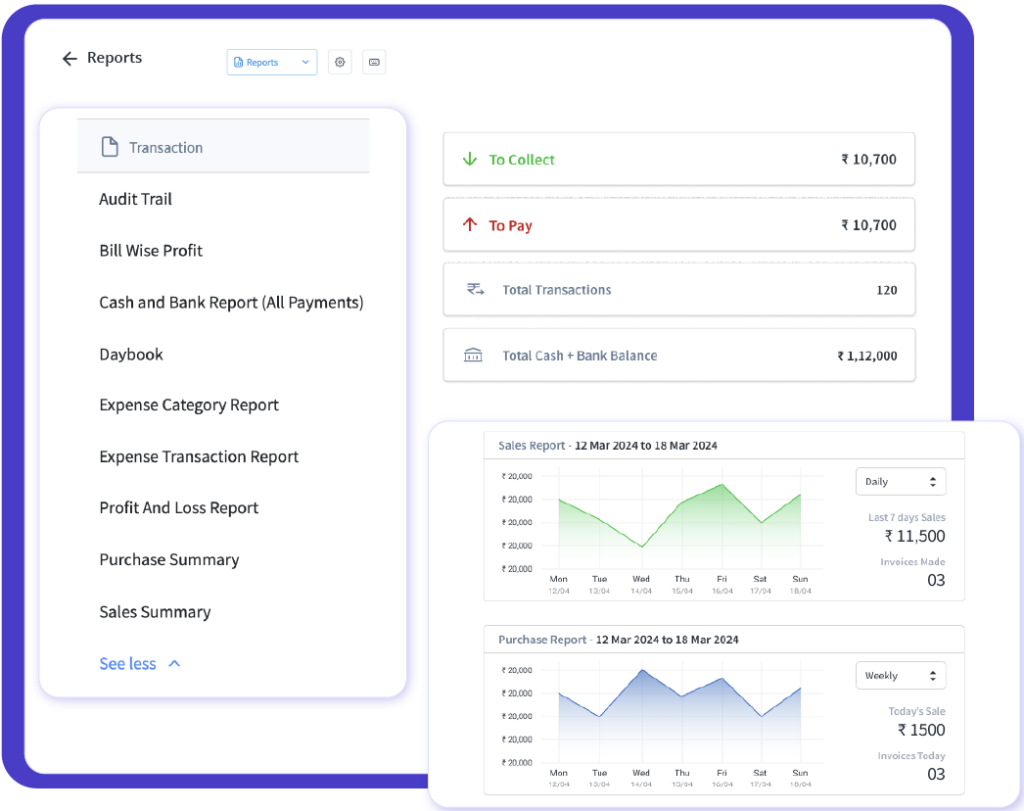
Real Time Financial Dashboard
Forget about dealing with complex spreadsheets or waiting for your accountant to provide updates. myBillBook gives you a real-time mobile dashboard where you can see your whole financial picture right on your phone.
You can easily check your income, expenses, profit, and cash flow in a simple layout that’s perfect for busy business owners.
Instant Invoice Sync
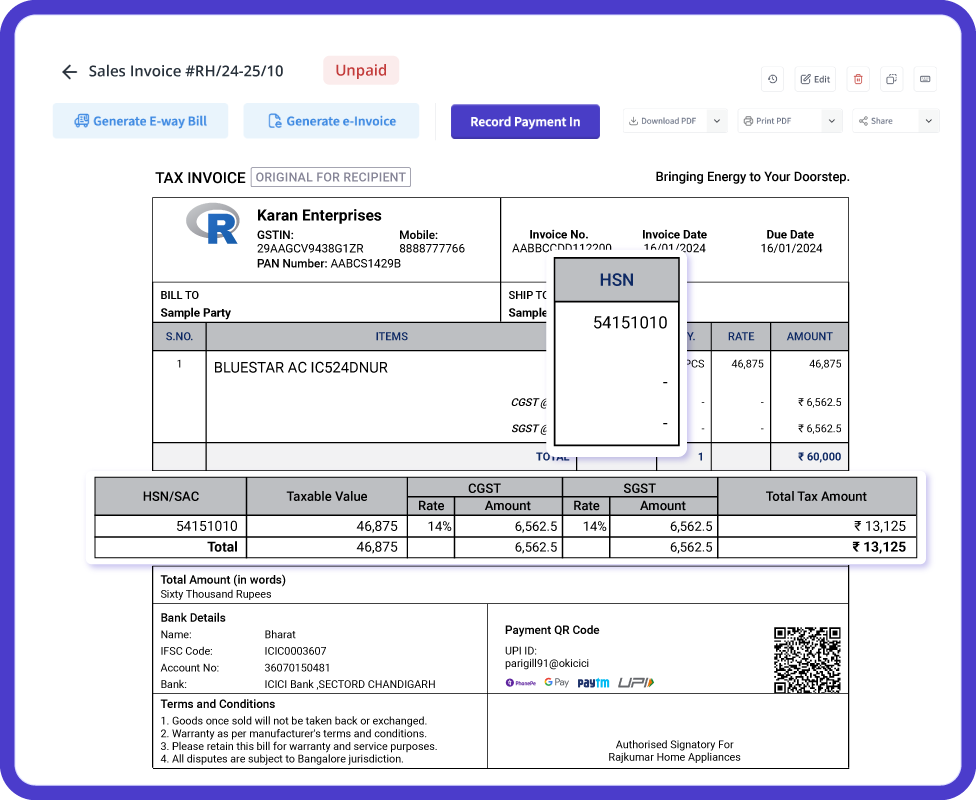
Every invoice you generate through myBillBook is automatically added to your books—no double entry, no missed records.
Your mobile app syncs invoices instantly, so your financial dashboard always reflects real-time numbers. Even multiple team members can access updated data simultaneously.
Mobile Reminders & Notifications
Keeping track of your payments is a lot easier with reminders from your phone. The myBillBook app sends you alerts for due payments, collections, and unpaid invoices.
You won't need to remember to follow up or check payment dates yourself—the app takes care of that for you.

GST-Ready Records on Mobile
Record GST details on applicable transactions and review available GST reports from your phone. myBillBook helps keep sales and purchase records organised for GST-related workflows without depending on separate spreadsheets.
This makes it easier to review taxes recorded on business transactions and keep the required information ready for applicable GST reporting and filing processes.
Why Business Owners Prefer myBillBook’s Mobile Bookkeeping App?
Stay in control of your finances with live dashboards, smart notifications, and GST-ready reports — anytime, anywhere.
I no longer have to wait to reach the shop to update my accounts. I record every sale and expense on my phone. It’s so simple and quick to use, and now I can track everything in real time without missing a single entry.

Suresh
Kirana Store Owner, Pune
Recommends myBillBook for:
Additional Features That Support Daily Business Management
Product Demo for Mobile Bookkeeping App


“Superb customer service. Helped me set up my account as required”
Real Experiences from Businesses Using myBillBook’s Mobile Bookkeeping App
This app has made bookkeeping much less stressful. I can check cash flow, income, and GST right on my mobile—even when I’m travelling between clients

Mahesh
Freelance Service Provider, Kochi
The best part is the instant invoice sync. I create an invoice, and it’s updated in my books immediately. No paperwork. And no double entry.

Ravi
Distributor, Hyderabad
The mobile reminders are a game-changer. I get alerts for payments due, so I never miss a follow-up. It’s like having an accountant in my pocket.

Neha
Pharmacy Owner, Delhi
Pricing plans
- Create unlimited invoices
- Access to 1 business, 1 user & 1 CA
- Inventory management
- Android, iOS & Web
- Custom Invoice Themes
- Create your Online Store
- Generate, Print & Scan Barcodes
- Desktop app
- SMS + WhatsApp marketing*
- Unlimited Godown management
- Print Barcode (Label printer)
- Bulk Download & Bulk Print Invoices
- Access to 2 businesses, 3 users & 1 CA
- e-Way Bills (Unlimited)
- Generate e-Invoicing
- Loyalty & Rewards
- Automate Recurring Billing
- POS Billing (Desktop App, Web app)
- Data Export to Tally (on request)
- User Activity Tracker
Who Should Use a Mobile Bookkeeping App?
Kirana & Retail Stores
Record daily sales and expenses directly from the counter and keep routine business records updated from your mobile.
Wholesalers & Traders
Record purchases, sales, payments, and outstanding amounts while managing orders and customer transactions throughout the day.
Pharmacies & Distributors
Track invoices, collections, payments, and applicable GST details while managing business records from your phone.
Freelancers & Service Providers
Record income, expenses, customer payments, and invoices while working remotely or travelling between clients.
Startups & MSMEs
Keep routine sales, purchases, expenses, and payment records updated without depending on separate notebooks or spreadsheets.
Owners on the Move
Manage everyday bookkeeping from your smartphone when you are away from the shop, office, or business location.
Benefits of Using a Mobile Bookkeeping App
Access Anytime, Anywhere
Review and update your business records even when you are away from your shop or office.
Real-Time Updates
Keep sales, purchases, expenses, invoices, and payments updated as transactions are recorded.
GST-Ready Records
Record applicable tax details and review GST-related transaction information directly from your mobile.
Paperless Record-Keeping
Maintain everyday business records digitally instead of relying on physical registers, files, or multiple spreadsheets.
Smart Business Insights
Review available reports and summaries to understand sales, expenses, payments, and overall business activity.
Timely Payment Reminders
Stay updated on pending collections and due payments with supported reminders and notifications.
Team Collaboration
Allow staff or accountants to access and update business records based on the permissions available with your plan.
Step-by-Step Guide: How to Use the Mobile Bookkeeping App
Step 1: Download the App
Download myBillBook from the Google Play Store or Apple App Store on your smartphone.
Step 2: Sign Up or Log In
Create an account or log in using your existing myBillBook account details.
Step 3: Add Your Business Information
Enter details such as your business name, contact information, and GSTIN where applicable.
Step 4: Record Transactions Instantly
Record sales, purchases, expenses, receipts, and payments as they happen.
Step 5: Create & Sync Invoices
Create invoices from your mobile and keep the related sales records updated within your business account.
Step 6: Review Reports & GST Records
Check available business reports and GST-related transaction records from your mobile dashboard.
Step 7: Set Payment Reminders
Use supported reminders for customer collections, outstanding payments, and follow-ups.
Step 8: Collaborate Securely
Add staff members or your accountant when additional access is needed, based on your selected plan.
Why Use myBillBook Mobile Bookkeeping App
Record Bookkeeping Entries Wherever You Work
Record sales, purchases, expenses and payments from your phone when they happen instead of waiting until you return to the shop or office. This helps keep everyday business records more complete and up to date.
Create and Share Invoices on the Go
Create invoices from your mobile device and share them with customers when required. Recording invoices as they are created also keeps the related sales and payment records organised in the same system.
Follow Up on Outstanding Payments
Check party balances and pending payments from your mobile and use available reminders to follow up with customers. This helps business owners stay aware of money that is still due even when they are away from the counter.
Check Business Performance from Your Phone
Review available reports and business summaries to understand sales, expenses, payments and overall financial activity without waiting to access a desktop system.
For broader financial-management and accounting workflows on mobile, explore myBillBook’s mobile accounting software.
Frequently Asked Questions
What can I record in myBillBook from my mobile?
Businesses can use supported myBillBook mobile workflows to record sales, purchases, expenses and payments, create invoices, review party balances and access available business reports. Features may vary by plan and platform.
Can I do bookkeeping on my phone without using a desktop?
Yes. Businesses that mainly need routine transaction recording can use supported myBillBook mobile features for everyday bookkeeping. Some advanced features may require web or desktop access depending on the selected plan.
Is a mobile bookkeeping app suitable for small businesses?
Yes. Mobile bookkeeping is useful for shopkeepers, traders, distributors, freelancers and service providers who need to update everyday business records while working away from a desktop.
Can I track customer payments and outstanding balances from my phone?
myBillBook supports party-wise balances and payment records, helping businesses check pending amounts and follow up on outstanding customer payments through supported mobile workflows.
Can a mobile bookkeeping app help with GST records?
A mobile bookkeeping app can help record applicable GST details on transactions and maintain organised sales and purchase records. myBillBook also provides GST-related reports for applicable reporting and return-preparation workflows.
Can I view bookkeeping reports on mobile?
myBillBook provides access to available business reports on supported devices, helping owners review sales, expenses, payments and other financial activity while away from the shop or office.
Can my staff or accountant access the same business records?
Supported myBillBook plans allow additional users or accountant access, helping businesses collaborate while controlling access according to the features available with their plan.
Is myBillBook available on Android and iPhone?
Yes. myBillBook supports mobile access on Android and iOS. Selected plans also provide web or desktop access for businesses that need to work across multiple devices.
Is a mobile bookkeeping app suitable for small businesses?
Yes. It’s designed especially for kirana stores, traders, freelancers, and small business owners who want simple bookkeeping without complicated software.