
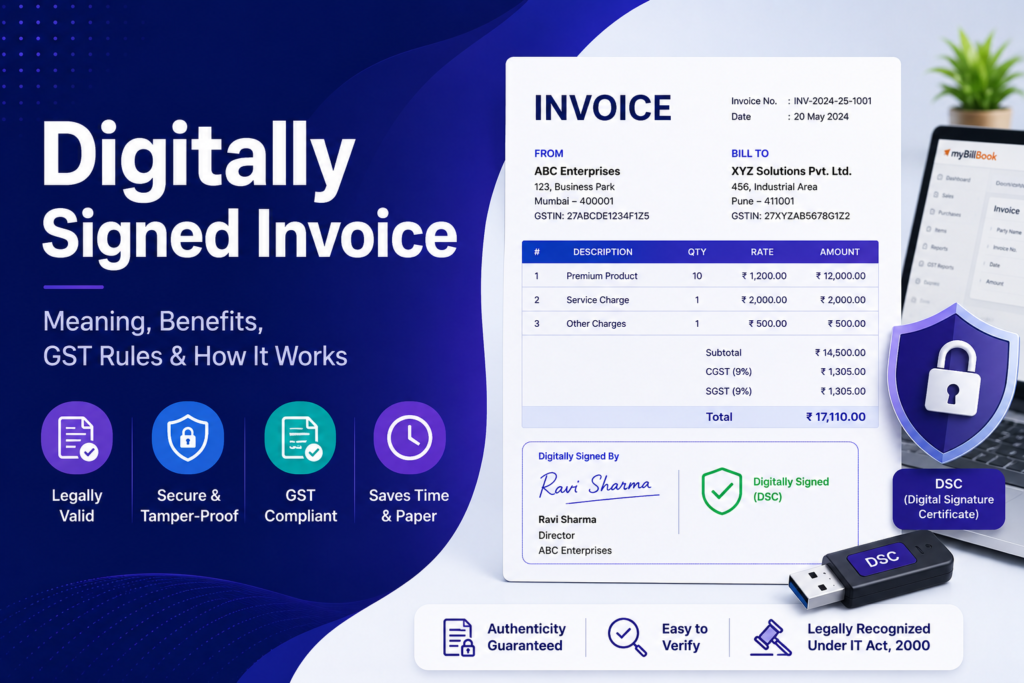
A digitally signed invoice is an electronic invoice authenticated using a digital signature. The signature helps verify the identity of the signer and detect whether the document has been altered after signing.
For businesses that exchange invoices electronically, digital signatures can make document verification easier and reduce dependence on printing, signing, scanning, and storing paper copies. However, a digitally signed invoice should not be confused with a GST e-invoice. The two serve different purposes.
What Is a Digitally Signed Invoice?
A digitally signed invoice is an invoice to which a cryptographic digital signature has been applied, usually using a Digital Signature Certificate (DSC). Unlike simply inserting an image of a handwritten signature into a PDF, a certificate-based digital signature can provide information that helps verify the signer and the integrity of the signed document.
If the signed file is changed after signing, signature-validation software may flag the document as modified or invalid.
How Does a Digital Signature on an Invoice Work?
Digital signatures use public-key cryptography. In simple terms, the signing process creates a unique cryptographic value linked to the document and the signer’s digital certificate.
A typical process is:
- The business prepares the invoice electronically.
- The authorised person selects a valid Digital Signature Certificate.
- The invoice is digitally signed using compatible software.
- The signed document is shared with the customer or other recipient.
- The recipient can open the document in compatible software and check the signature status, certificate details and whether the document has changed after signing.
The exact steps depend on the invoicing, PDF or digital-signature software being used.
Digital Signature vs Electronic Signature on an Invoice
The terms digital signature and electronic signature are often used interchangeably, but they are not always the same.
An electronic signature is a broader term for an electronic method used to indicate approval or acceptance. A digital signature generally uses certificate-based cryptography to authenticate the signer and help protect document integrity.
For example, placing an image of a handwritten signature on an invoice is different from applying a certificate-based digital signature that can be cryptographically verified.
Why Do Businesses Digitally Sign Invoices?
1. Verify authenticity
A valid digital signature can help a recipient verify information about the person or organisation that signed the document.
2. Detect document changes
Certificate-based signatures can indicate whether the invoice has been modified after it was signed, which can be useful when invoices pass between multiple parties.
3. Reduce paperwork
Businesses can sign and share invoices electronically instead of printing, signing, scanning and sending physical copies.
4. Speed up document workflows
Invoices can be signed and sent from a digital workflow, reducing the administrative effort involved in handling paper documents.
5. Improve record management
Electronic invoices are easier to organise, search, retrieve and archive when businesses maintain proper digital records. Businesses that also want control over invoice layout, fields and appearance can explore invoice customization options.
6. Support remote operations
Authorised users can complete signing workflows without requiring the recipient and signer to be in the same physical location.
Is a Digital Signature Required on a GST Invoice?
GST invoice requirements and GST e-invoicing requirements should be considered separately.
Rule 46 of the CGST Rules includes the signature or digital signature of the supplier or authorised representative among tax-invoice particulars, subject to applicable exceptions. For invoices issued electronically in accordance with the Information Technology Act, the applicable proviso should be checked before deciding whether a separate supplier signature is required.
Businesses should also distinguish an ordinary electronic GST invoice from an e-invoice reported to the Invoice Registration Portal (IRP). Businesses managing GST documentation may also find myBillBook’s GST reports useful for viewing GST-related business reports in one place. GST requirements can change, so businesses should verify the latest rules applicable to their transaction type and taxpayer category.
Digitally Signed Invoice vs GST E-Invoice
A digitally signed invoice and a GST e-invoice are not synonymous.
| Digitally signed invoice | GST e-invoice |
|---|---|
| An electronic invoice authenticated with a digital signature | Invoice data reported to an authorised Invoice Registration Portal under the GST e-invoicing system |
| Focuses on signer authentication and document integrity | Focuses on GST invoice registration and standardised electronic reporting |
| May be used in different business-document workflows | Applies to taxpayers and transactions covered by GST e-invoicing rules |
| A business or authorised signer may apply the digital signature | After successful validation, the IRP returns the registered invoice data with an IRN, digitally signed data and QR code |
The National Informatics Centre explains that under GST e-invoicing, B2B invoice information is authenticated electronically through the system and an Invoice Reference Number is issued. The IRP digitally signs the registered invoice data and returns it with the QR code.
Does the Supplier Need to Digitally Sign an Invoice Before Sending It to the IRP?
No separate supplier DSC is required merely to report invoice data to the IRP. After successful validation, the e-invoice system digitally signs the invoice data and returns the registered data along with the IRN and QR code.
This is an important distinction: digitally signing a PDF invoice yourself and generating a GST e-invoice through an IRP are different processes.
What Is a Digital Signature Certificate (DSC)?
A Digital Signature Certificate is an electronic certificate used to establish the identity associated with a digital signature. It is issued by an authorised Certifying Authority and can be used with compatible applications to digitally sign electronic documents.
Depending on the workflow, a DSC may be stored on a hardware token or used through another supported signing mechanism.
How to Add a Digital Signature to an Invoice
The interface varies by software, but the general workflow is straightforward:
- Create and review the final invoice.
- Export or open it in a format that supports digital signatures, commonly PDF.
- Connect or select your valid DSC using compatible signing software.
- Choose the digital-signature option and select the authorised certificate.
- Apply the signature to the invoice.
- Save the signed document without making further changes.
- Reopen the file and validate the signature before sending it to the customer.
If your billing or accounting system has an integrated signing feature, the steps may be completed directly during invoice export or sharing. If you specifically want a billing workflow that supports adding a signature while creating invoices, see myBillBook’s Add Signature to Invoice feature page.
How to Verify a Digitally Signed Invoice
When you receive a digitally signed invoice, check it using software that supports certificate validation. Depending on the application, you may be able to review:
- whether the signature is valid;
- the name or identity associated with the certificate;
- the certificate issuer;
- the signing time, where available;
- certificate validity information; and
- whether the document was changed after signing.
For GST e-invoices, verification is different. The QR code and registered invoice information are used to confirm that the invoice was reported through the e-invoicing system. GST-authorised IRP tools also provide mechanisms for verifying signed invoice data and QR codes.
Common Mistakes to Avoid
Confusing a signature image with a digital signature
An image of a handwritten signature placed on a PDF does not provide the same cryptographic verification as a certificate-based digital signature.
Editing the invoice after signing
Changes made after a digital signature is applied can cause the signature to show that the document has been modified. Finalise invoice details before signing.
Using an expired or inappropriate certificate
Check that the certificate is valid and suitable for the intended signing workflow before applying it.
Treating a digitally signed PDF as a GST e-invoice
A signed PDF alone does not complete the GST e-invoicing process for a transaction that is required to be reported to an IRP.
Ignoring the recipient’s document requirements
Some customers, procurement systems or contracts may specify how invoices must be signed or submitted. Check those requirements before sending the invoice.
When Is a Digitally Signed Invoice Useful?
Digital signing can be useful when businesses regularly exchange electronic invoices, require stronger document-authenticity checks, work with customers that request signed invoices, or want to reduce manual paper-based signing.
Whether it is necessary depends on the applicable law, the nature of the invoice, the customer’s requirements, contractual terms and the business’s internal controls.
Frequently Asked Questions
Is a scanned signature the same as a digital signature?
No. A scanned or image-based signature is a visual representation of a signature. A certificate-based digital signature uses cryptographic technology that can help verify the signer and detect subsequent changes to the document.
Can a PDF invoice be digitally signed?
Yes. PDF documents can support certificate-based digital signatures when they are created and opened using compatible software.
Can a digitally signed invoice be sent by email?
Yes. Once the invoice has been signed and validated, the electronic file can generally be shared through email or another agreed digital channel. Avoid editing the signed document before sending it.
Is a digitally signed invoice the same as an e-invoice under GST?
No. A digital signature authenticates an electronic document, while GST e-invoicing involves reporting prescribed invoice data to an authorised IRP and obtaining an IRN and QR code.
What happens if a digitally signed invoice is edited later?
A certificate-based signature is designed to reveal changes made after signing. Depending on the type of change and software used, the signature may be shown as modified or invalid.
Do all businesses need a DSC to create GST e-invoices?
A supplier does not need to apply its DSC merely to submit invoice data to the IRP. The IRP validates and digitally signs the registered invoice data and returns it with the IRN and QR code.
Final Takeaway
A digitally signed invoice can provide stronger authenticity and document-integrity checks than a simple signature image while making electronic invoice workflows easier to manage. The key is to distinguish digital signing from GST e-invoicing: signing authenticates a document, whereas GST e-invoicing is a statutory invoice-registration process for covered taxpayers and transactions.
Before implementing a signing workflow, check the latest GST requirements, certificate validity, customer or contractual requirements, and the capabilities of the software used to create and verify the invoice.
