
As a business grows, inventory becomes harder to manage with only product names and quantities. Knowing that you have 20 laptops in stock may be enough at one stage. But once you are handling multiple purchases, staff members, godowns, customer returns, warranties, and high-value products, you may also need to know which exact unit is in stock, which unit was sold, and who received it.
That is where inventory tracking and serialisation become useful. Inventory tracking tells you what stock is moving through the business, while serialisation gives selected products a unique identity at the individual-unit level. Used together, they can help growing businesses improve traceability without forcing every item into an unnecessarily complex process.
Summary
Inventory tracking helps a business monitor stock as it is purchased, stored, transferred, sold, returned, or adjusted. Serialisation takes this one level deeper by tracking selected units through a unique Serial Number or IMEI. It is most useful for high-value, warranty-based, repairable, or individually identifiable products such as mobile phones, laptops, electronics, appliances, machinery, and certain spare parts. Growing businesses should not serialise everything. The practical approach is to use quantity or SKU-level tracking for interchangeable goods and unit-level serialisation only where the value of traceability justifies the extra data entry and process discipline.
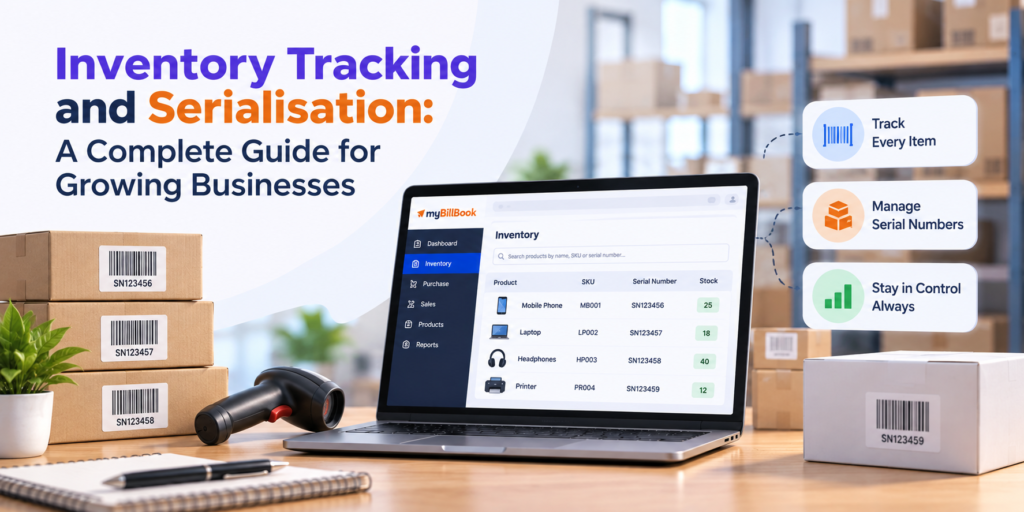
Table of Contents
- How Inventory Tracking Changes as a Business Grows
- What Is Inventory Serialisation?
- SKU, Batch, Barcode, and Serial Number: What Is the Difference?
- When Should a Business Use Serialisation?
- A Practical Inventory Tracking and Serialisation Workflow
- Example: A Growing Electronics Distributor
- Common Serialisation Mistakes to Avoid
- How to Move from Manual Tracking to Serialised Inventory
- What Your Inventory Software Should Support
- How myBillBook Can Help with Serialised Inventory
How Inventory Tracking Changes as a Business Grows
At a very small scale, inventory tracking may simply mean counting how many units of each item are available. A shop owner may be able to remember what was purchased, what sold, and what needs to be reordered.
That becomes difficult when the business adds more products, suppliers, staff, billing counters, godowns, or branches. Stock can now move through several points before it reaches the customer.
For example, a wholesaler may receive 30 units of the same inverter model from two suppliers. Ten may stay at the main shop, fifteen may move to a godown, and five may already be sold. If the products also carry warranties, knowing that “20 units remain” may not answer an important question: which 20 units remain?
This is the point where growing businesses need to separate two ideas:
- Quantity-level tracking: How many units of this product do we have?
- Unit-level tracking: Which specific unit do we have, and what happened to it?
Serialisation is one way to add unit-level tracking without changing how every product in the business is managed.
If your immediate challenge is basic stock discipline rather than unit-level traceability, start with this guide to retail inventory management for small shops. The rest of this article focuses specifically on the next layer: serialised stock.
What Is Inventory Serialisation?
Inventory serialisation, also written as inventory serialization, is the practice of recording a unique identifier for each individual unit of a selected product.
Instead of treating ten identical laptops as one stock line with quantity “10”, a serialised system records ten individual units, each with its own serial number. For mobile phones, that unique identifier may be an IMEI number.
This lets the business answer questions such as:
- Is this exact unit still in stock or already sold?
- Which supplier did this unit come from?
- Which customer received it?
- Which invoice contains the unit?
- Was the same unit returned later?
- Is a customer presenting the same unit that was originally sold?
The main purpose is traceability. Serialisation does not replace normal inventory tracking. It adds an identity layer to products where tracking only the total quantity is not enough.
For a detailed product workflow, myBillBook also has a dedicated guide to its Serial Number and IMEI tracking feature.
SKU, Batch, Barcode, and Serial Number: What Is the Difference?
These terms are often mixed together, but they solve different inventory problems.
| Tracking Method | What It Identifies | Example | Best Used For |
|---|---|---|---|
| SKU or Item Code | A product type or variant | AC-1.5T-WHITE | Grouping identical products by model, size, colour, or variant |
| Batch or Lot Number | A group of units received or produced together | BATCH-SEP26-04 | Products where group-level traceability, manufacturing date, or expiry matters |
| Serial Number / IMEI | One individual physical unit | SN7K42A91 | High-value, warranty-based, repairable, or individually identifiable products |
| Barcode | A machine-readable way to capture data | Printed barcode on a label | Faster item identification, billing, or scanning of SKU/serial information |
A barcode and a serial number are not competing systems. A barcode can represent an item code, and in some workflows it can also be used to scan a serial number. The important question is what information the business needs to capture when stock enters, moves, and leaves the business.
Similarly, batch tracking and serial tracking are not interchangeable. A batch tells you which group a product belongs to. A serial number tells you which exact unit it is.
India-specific note: a product serial number or IMEI is also different from the serial number of a GST invoice. The invoice number identifies the invoice document; the product serial number identifies the physical unit being sold.
When Should a Business Use Serialisation?
Serialisation is useful when knowing the exact unit creates real operational value. It should not be added simply because the software supports it.
Use serialisation when each unit has meaningful individual identity
Products such as smartphones, laptops, air conditioners, televisions, industrial tools, machinery, networking equipment, and some high-value spare parts may look identical at the SKU level but still need to be distinguished unit by unit.
If a customer returns one laptop, the business should be able to verify that the serial number matches the unit originally sold.
Use it when warranty, repair, or replacement depends on the exact unit
A serial number helps connect a physical product with the original sale. This can make warranty checks, repair records, exchanges, and replacement discussions easier because staff do not need to rely only on model name, purchase date, or customer memory.
Use it when stock is expensive enough to justify tighter control
The higher the value of each unit, the more costly a missing, duplicated, or wrongly issued item can become. Unit-level identification can improve accountability when products move between staff, counters, stores, or godowns.
Use it when similar-looking units should not be treated as interchangeable
Two products may share the same model and price but have different serial histories. One may have been returned, repaired, or reserved for another customer. Serialisation lets the business distinguish them even when the SKU is identical.
Do not serialise low-value bulk items without a clear reason
Serialising every packet, cable, notebook, grocery item, or low-value consumable can create more work than value. For these products, SKU-level quantity tracking or batch tracking may be enough.
A useful decision rule is:
Serialise a product when the business may later need to prove exactly which unit was received, stored, transferred, sold, returned, repaired, or replaced.
A Practical Inventory Tracking and Serialisation Workflow
Serialisation works only when serial numbers are captured consistently throughout the stock journey. Recording them once during setup but ignoring them later defeats the purpose.
1. Decide which products require serial tracking
Do not enable serialisation across the full catalogue by default. Create a simple rule based on product value, warranty, repair needs, theft risk, customer disputes, or supplier requirements.
For example:
- Smartphones: serialised through IMEI
- Laptops and routers: serialised
- Chargers and cables: quantity or SKU-level tracking
- Medicine cartons: usually batch and expiry tracking rather than unit serialisation
- Garments: size, colour, SKU, and barcode tracking may be enough
2. Capture serial numbers when stock comes inward
The best time to record identity is when the physical units enter the business. Serial numbers can be entered or scanned against the purchase or opening stock, depending on the system being used.
At this stage, check that:
- the number is readable;
- the same serial is not entered twice;
- the correct product is selected;
- the recorded quantity matches the number of serials captured; and
- staff do not leave unidentified units in stock for later correction.
This creates a clean starting point for later transactions.
3. Preserve identity when stock moves internally
If a business has more than one godown, branch, counter, or storage location, the physical unit and the system record should move together.
Suppose five routers are transferred from the main godown to a retail outlet. A quantity-only system may record “5 transferred.” A serialised workflow should also preserve which five units moved.
This becomes increasingly important as more staff handle the same stock.
4. Select the exact serial number during billing
When the product is sold, staff should select or scan the serial number of the exact physical unit being handed to the customer.
This is one of the most important controls in the entire process. If staff pick one unit from the shelf but choose a different serial in the software, the total stock quantity may still look correct while unit-level records become unreliable.
Where relevant, showing the selected Serial Number or IMEI on the invoice can also make future warranty, service, or replacement checks easier.
5. Handle returns against the same unit
A return should not be treated as only “one unit added back.” The business should identify which serial number is coming back and verify its transaction history.
This helps answer:
- Was this unit actually sold by us?
- Which invoice was it part of?
- Was it sold to this customer?
- Should it return to saleable stock or be kept separately for inspection or service?
6. Reconcile physical stock with serial records
Periodic stock checks should compare more than just total quantity for serialised products. If the system says there are eight laptops in stock, the team should also be able to account for the eight serial numbers physically present.
This helps reveal a type of error that quantity-only stock counts can miss: the count is correct, but one physical unit has been swapped with another.
Example: A Growing Electronics Distributor
Consider an electronics distributor that sells Wi-Fi routers and CCTV recorders to retailers and installers.
When the business was small, the owner tracked stock by model:
- Router Model A: 24 units
- Router Model B: 18 units
- DVR Model C: 12 units
This worked until the business added a second godown, two sales staff, and more customer returns.
A retailer then returned a Router Model A and said it had been purchased from the distributor two months earlier. The model matched, but the team had no easy way to confirm whether the specific unit was originally sold by them.
After moving selected products to serialised tracking, the workflow changed:
- Each incoming router serial number is recorded when stock is received.
- The exact serial moves with the unit if it is transferred to another location.
- Sales staff select the physical unit’s serial number while creating the invoice.
- If the product returns, the serial can be checked against the original sale.
The distributor still tracks low-value accessories such as connectors and basic cables by quantity. Only the products that benefit from unit-level traceability are serialised.
This mixed approach is usually more practical for a growing SMB than treating every item in the catalogue the same way.
Common Serialisation Mistakes to Avoid
Serialising too many products
The biggest mistake is assuming more detail always means better inventory control. Every serialised unit creates an additional capture step. If the business gains no value from tracking that exact piece, the process becomes unnecessary overhead.
Entering serial numbers after the transaction
If staff bill first and promise to update serial numbers later, records can quickly drift away from physical reality. Capture the serial while the unit is physically in front of the person handling the transaction.
Using serialisation without clear staff responsibility
Decide who records serials during inward stock, who checks transfers, and who selects them while billing. If everyone assumes someone else will correct mistakes later, the data loses value.
Allowing duplicate or inconsistent numbers
Serial data should follow the number printed on the product or supplier documentation. Avoid informal shortcuts, missing characters, extra spaces, or staff-created nicknames that make later searches unreliable.
Confusing serial number tracking with barcode billing
Barcode scanning can speed up item selection, but it does not automatically mean every unit is individually tracked. A business should define whether the scan identifies the product type or the exact unit.
If you use barcodes heavily at the counter, this guide on barcode and IMEI scanning for mobile and electronics shops explains the two workflows in more detail.
Ignoring returns and stock adjustments
Serialisation should continue after the original sale. Returns, replacements, corrections, and stock adjustments need the same unit-level discipline, otherwise the record becomes incomplete.
How to Move from Manual Tracking to Serialised Inventory
A growing business does not need to stop operations and serialise its entire catalogue in one day. A phased rollout is usually easier to control.
Step 1: Identify the products that genuinely need unit-level tracking
Start with high-value, warranty-based, repairable, theft-sensitive, or frequently returned products. Keep the first list small enough for the team to manage consistently.
Step 2: Clean the product master
Before importing or entering serialised stock, make sure product names, item codes, models, units, tax details, and categories are consistent. Duplicate product records can split serial histories across multiple item names.
If you are setting up inventory software for the first time, use the preparation checklist in this inventory management app setup guide.
Step 3: Physically verify opening serial numbers
For existing stock, do not rely only on an old spreadsheet. Match the serial number printed on each physical unit with the item being entered into the system.
If a serial is unreadable or missing, resolve it before treating the opening inventory as clean.
Step 4: Test the complete transaction cycle
Before rolling the process out to all staff, test one complete workflow:
- purchase or stock inward;
- serial capture;
- internal movement, if relevant;
- sale and invoice;
- return or replacement; and
- serial lookup after the transaction.
A system that records serials during purchase but makes them difficult to find during returns will create problems later.
Step 5: Train staff on the physical workflow, not only the software
Staff should understand that the unit in their hand and the serial selected on screen must match. This is an operating rule, not just a software field.
Step 6: Review exceptions regularly
During the first few weeks, check for duplicate serials, unidentified stock, sold units still appearing as available, or returns recorded without the correct serial. Fixing these exceptions early helps the process become reliable before volumes increase.
What Your Inventory Software Should Support
If serialised stock is important to your business, do not evaluate inventory software only on whether it has a field called “Serial Number.” Check whether the full workflow is practical.
Look for the ability to:
- enable serial tracking only for selected products;
- record or scan serial numbers during stock inward;
- select the exact available serial number while selling;
- search a serial number later;
- see whether the unit is available or sold;
- connect the serial number with the relevant purchase or sales transaction;
- show the serial number or IMEI on the invoice where required;
- handle returns and adjustments without losing unit history;
- use barcode scanning where it reduces manual entry; and
- keep normal quantity-level inventory for products that do not need serialisation.
For a broader view of stock tools such as low-stock tracking, barcodes, batches, godowns, and reports, see the myBillBook inventory management app page.
How myBillBook Can Help with Serialised Inventory
myBillBook supports Serial Number and IMEI tracking for businesses that need to identify individual stock units. Businesses can enable serialisation for relevant items, add Serial Number or IMEI details, and select the exact number while creating transactions.
This is especially useful for businesses such as mobile shops, electronics retailers, appliance sellers, IT hardware businesses, and distributors that need tighter unit-level records alongside billing and inventory.
Serialised inventory can also work as part of a broader billing and stock workflow. Instead of maintaining product quantity in one place and serial details in a separate register, the goal is to keep item identity connected with the transaction where the unit was purchased or sold.
For businesses that also handle non-serialised stock, myBillBook can support regular inventory workflows such as stock updates, barcode management, low-stock visibility, reports, and other inventory controls depending on the business setup and plan.
Want to check whether unit-level tracking fits your business? Explore Serial Number and IMEI tracking in myBillBook and test the workflow with a few of your real products before expanding it across your inventory.
Conclusion
Growing businesses do not always need more inventory complexity. They need the right level of control for each type of stock.
For everyday interchangeable products, quantity and SKU-level tracking may be enough. For products where warranty, returns, value, accountability, or customer history depend on the exact unit, serialisation adds an important layer of traceability.
The most practical approach is to use both methods together: keep simple stock simple, and use serialised tracking only where individual identity matters. As product volume, locations, and staff grow, this gives the business more control without creating unnecessary work across the entire catalogue.
