
Mobile and electronics shops handle two very different types of stock. Accessories such as chargers, cables, covers, earphones, and power banks are usually sold by product and quantity. Smartphones and other high-value devices, however, must often be tracked as individual units through their IMEI or serial number.
This is why barcode and IMEI scanning in billing are not optional convenience features for a growing mobile or electronics shop. Barcode scanning helps staff identify and bill the correct product quickly. IMEI scanning helps the shop record the exact device sold. Used together, they improve billing speed, inventory accuracy, returns, exchanges, warranty support, and accountability at the counter, and these two features can be used together with the help of mobile shop billing software.
Summary
Mobile and electronics shops need barcode scanning for fast, accurate billing of accessories and SKU-based products. They need IMEI scanning to track the exact handset or device sold. Barcode scanning reduces item-selection errors and updates quantity-based stock, while IMEI scanning creates unit-level records for devices. Together, these features connect purchase entry, sales billing, inventory, returns, exchanges, and warranty records in one workflow.
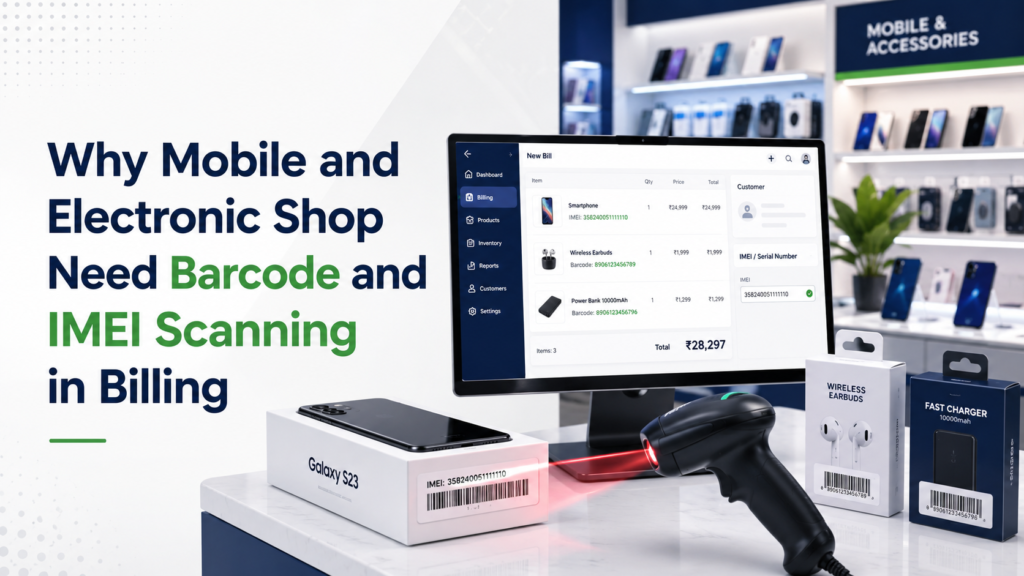
Table of Contents
- Why Mobile and Electronics Shops Need Both Features
- Why Shops Need Barcode Scanning
- How Barcode Scanning Helps the Business
- Why Shops Need IMEI Scanning
- How IMEI Scanning Helps the Business
- How Barcode and IMEI Scanning Work Together
- Where These Features Help in Daily Operations
- Problems Shops Face Without Scanning
- What to Check in Billing Software
- How myBillBook Supports the Workflow
- Practical Setup Checklist
Why Mobile and Electronics Shops Need Both Barcode and IMEI Scanning
A mobile or electronics shop cannot manage all stock using only quantity. Ten identical charging cables can be treated as ten units of the same item. Ten identical smartphones cannot be treated in exactly the same way because every handset has its own IMEI number.
This creates two different tracking requirements:
- Product-level tracking for accessories and packaged electronics
- Unit-level tracking for mobile phones and other serialised devices
Barcode scanning handles product-level identification. IMEI or serial-number scanning handles unit-level identification. A shop that uses only one of these methods will still have gaps in billing and inventory.
| Feature | What it identifies | Typical use in a shop |
|---|---|---|
| Barcode scanning | A product, SKU, model, or variant | Chargers, cables, covers, earphones, power banks, packaged electronics, and accessories |
| IMEI scanning | One specific mobile device | Smartphones and other devices carrying an IMEI |
| Serial-number scanning | One specific electronic unit | Laptops, monitors, appliances, and other serialised products |
Why Mobile and Electronics Shops Need Barcode Scanning
Electronics shops often stock hundreds of similar-looking products. A charger may differ by wattage, connector type, brand, warranty, or price. A phone cover may fit only one model, even though it looks similar to several others.
When staff search for these items manually, they can easily choose the wrong product entry. That can result in an incorrect price, GST rate, discount, or stock deduction. Using a Billing Software for electronics shop with Barcode scanning gives the shop a faster and more reliable way to identify the exact item being sold.
To manage a large number of similar products
Mobile shops usually carry many low-value accessories in multiple variants. Generic item names such as “charger” or “mobile cover” are not enough for accurate stock management. Each commercially different product should have its own item entry and barcode mapping.
For example, a shop may stock:
- 20W, 25W, 33W, and 65W chargers
- USB-A to USB-C and USB-C to USB-C cables
- Model-specific phone covers
- Different power-bank capacities
- Wired, wireless, and true wireless earphones
Scanning helps staff bill the correct variant without relying only on product names or memory.
To handle faster counter billing
A customer buying a phone may also purchase a case, screen protector, cable, charger, or earphones. Searching and entering every product manually slows down the transaction. During busy hours, this can create queues and increase mistakes.
With barcode billing software, the counter staff can scan each product and add it directly to the bill.
To keep stock updated after every sale
When the scanned item is linked to inventory, billing can automatically reduce the correct product quantity. This is more dependable than billing one item while manually updating another stock register later.
How Barcode Scanning Helps Mobile and Electronics Shops
Faster billing with fewer selection errors
Scanning reduces the need to type product names or search through a long item list. It also lowers the chance of selecting a similar but incorrect product.
Accurate prices, taxes, and discounts
Once a barcode is mapped to an item, the billing system can pull the saved selling price, GST rate, unit, and other details. Staff do not have to remember these values for every accessory.
Better stock visibility by product and variant
Instead of seeing only a broad category such as “mobile accessories,” the owner can review which charger, cable, case, or earphone model is selling and which stock is not moving.
Easier stock verification
Staff can use barcodes during physical stock checks to confirm whether the products on the shelf match the quantities recorded in the software.
Consistent billing across staff members
Barcode scanning reduces dependence on the experience of one salesperson. New or temporary staff can identify products more reliably when the item database is properly configured.
Why Mobile and Electronics Shops Need IMEI Scanning
Barcode scanning identifies the phone model or SKU, but it does not identify the exact handset sold. Two phones may have the same brand, model, colour, storage, price, and product barcode, while still carrying different IMEI numbers.
IMEI scanning is therefore necessary when the shop needs to connect the invoice to one specific device.
To know exactly which handset was sold
Suppose the shop has five units of the same smartphone model. Quantity-based inventory can show that one unit was sold, but it cannot show which one. Scanning the IMEI during billing marks the exact handset as sold.
To avoid typing long IMEI numbers manually
IMEI numbers are long, and even one incorrect digit can create confusion later. Scanning reduces manual-entry errors and makes it easier to match the invoice with the box and device.
To create a searchable device history
When the IMEI is stored digitally against the purchase and sale, the shop can trace when the device arrived, which supplier supplied it, when it was sold, and which customer invoice contains it.
For a detailed explanation of device identification, read why IMEI numbers matter in electronics billing.
How IMEI Scanning Helps Mobile and Electronics Shops
Clear proof of the exact device sold
An invoice containing the correct IMEI creates a clear connection between the sale and the handset. This is useful when the customer returns for service, warranty support, or purchase verification.
Safer returns and exchanges
During a return or exchange, staff can match the IMEI on the device with the IMEI recorded on the original invoice. This helps prevent another handset of the same model from being returned by mistake.
Better warranty and service support
Customers often need a valid invoice for warranty claims. Recording the IMEI correctly makes it easier for the shop and customer to verify the original purchase.
Reduced risk of duplicate device billing
A well-configured system can warn staff when an IMEI has already been sold or used in another bill. This prevents the same device number from being assigned to multiple invoices.
Stronger inventory accountability
The owner can compare the list of unsold IMEIs in the software with the physical devices in the shop or godown. This provides better control than checking only total quantities.
How Barcode and IMEI Scanning Work Together During Billing
The biggest benefit comes when both features are used in the same transaction.
Consider a customer buying:
- One smartphone
- One phone case
- One screen protector
- One charger
The salesperson can scan the barcodes of the case, screen protector, and charger. The software identifies each product, adds the correct price and tax details, and prepares the quantity-based stock deduction.
For the smartphone, the salesperson selects the model and scans the IMEI of the exact box being handed to the customer. The invoice can then show the device details and IMEI, while the system marks that specific handset as sold.
After the bill is completed:
- The accessory quantities reduce automatically
- The exact phone IMEI is moved out of available stock
- The customer receives one complete GST invoice
- The shop retains a searchable sale record
- The invoice can be used later for warranty, return, or exchange verification
This is more reliable than maintaining one register for IMEIs, another for stock, and a separate billing system.
Where Barcode and IMEI Scanning Help in Daily Shop Operations
During purchase entry
When new stock arrives, the shop can record accessories against their product barcodes and enter phones against their IMEI numbers. This creates the base record before the products reach the sales counter.
During sales billing
Staff can scan accessories, select the correct phone model, capture the relevant IMEI, and create one invoice without switching between registers or spreadsheets.
During physical stock checks
Barcode-based products can be counted by item and quantity. Phones can be verified against the list of available IMEIs. This makes it easier to identify missing stock, duplicate entries, or devices that were sold but still appear as available.
During returns and exchanges
The shop can search the original bill and verify the product, barcode, IMEI, or serial number before accepting the item back into stock.
During warranty or service enquiries
Staff can retrieve the invoice using the customer name, bill number, IMEI, or device details instead of searching through paper files.
When multiple staff members use the billing system
Scanning creates a more standard process. Staff are less likely to use different item names, enter inconsistent device details, or make unauthorised stock changes.
Problems Shops Face Without Barcode and IMEI Scanning
Wrong product billed
Similar products can be confused during manual search, causing the wrong price, GST rate, or stock item to be used.
Stock reports that do not match physical stock
If staff bill products under generic names or forget to update stock separately, the software quantity may differ from what is actually available.
IMEI recorded only on paper
Writing the IMEI on a printed bill does not create a searchable digital record. The shop may struggle to retrieve the device history later.
IMEI entered only at the time of sale
If the device was not recorded during purchase entry, the shop cannot easily trace which supplier supplied it or verify the complete list of available units.
Returns accepted without device verification
Matching only the phone model is not enough. Without IMEI verification, staff may accept a different handset of the same model.
Duplicate or incorrect IMEI entries
Manual typing can lead to missing digits, duplicate entries, or an IMEI being linked to the wrong invoice.
What to Check in Billing Software for Barcode and IMEI Scanning
A barcode scanner alone does not make the complete workflow reliable. Mobile and electronics shop owners should check whether the software supports both billing and inventory requirements.
- Barcode scanning during billing
- Support for manufacturer barcodes
- Barcode generation and label printing for products without barcodes
- Separate item creation for models and variants
- IMEI or serial-number entry during purchase
- IMEI selection or scanning during sales
- Duplicate or already-sold IMEI alerts
- IMEI or serial number printing on invoices
- Automatic stock updates after purchase, sale, return, and exchange
- Searchable purchase and sales history
- GST invoice creation
- Item-wise sales, stock, and profit reports
- Multi-user access with suitable permissions
- Mobile and desktop access based on the shop’s needs
Our guide on how to choose mobile shop billing software covers the broader factors to evaluate before selecting a billing system.
How myBillBook Supports Barcode and IMEI-Based Billing
myBillBook helps mobile and electronics retailers manage GST billing, inventory, barcode-based item billing, IMEI details, payments, and business reports in one system.
A shop can use barcode billing for accessories and other SKU-based products, while maintaining device-specific IMEI records for mobile phones. This helps staff complete bills faster and gives the owner better control over both quantity-based and unit-level inventory.
Businesses evaluating this setup can explore billing software for electronics shops and review whether the workflow suits their products, billing volume, and staff structure.
Practical Setup Checklist for Shop Owners
- Create separate items for every commercially different model or variant.
- Map each accessory to the correct barcode.
- Enter the opening stock before starting live billing.
- Record the IMEI or serial number of every existing device.
- Confirm GST rates, selling prices, and product descriptions.
- Decide which device details must appear on the invoice.
- Test one purchase, sale, return, and exchange transaction.
- Train staff to match the box, device, and invoice before completing a sale.
- Restrict sensitive actions such as price changes and stock edits.
- Complete a physical stock check after setup.
Conclusion
Mobile and electronics shops need barcode scanning because they handle many similar products and variants that must be billed quickly and deducted from stock accurately. They need IMEI scanning because every handset must be tracked as an individual unit.
Barcode scanning improves product identification and quantity-based inventory. IMEI scanning improves device-level tracking, warranty records, returns, and accountability. When both features are connected to billing and inventory, the shop gets a faster counter process and a more reliable record of every product and device sold.
