
A small business owner is rarely seated at a desk all day. You may be serving customers, visiting a supplier, checking stock in a godown, collecting a payment, or travelling between branches. Accounting software for small business owners lets you handle many of these daily financial tasks directly from your phone instead of waiting to return to a computer or update a register later.
The purpose of a mobile accounting app is not to turn every owner into an accountant. It is to make routine business records easier to create, check, and share while the transaction is still fresh. Depending on the app, you may be able to create GST invoices, record expenses, monitor customer dues, check stock, review reports, and share information with your CA.
This guide explains what you can realistically manage on mobile, which tasks may still be easier on desktop, and what Indian small businesses should check before choosing an app.
Summary
A mobile accounting app helps small business owners create GST and non-GST invoices, record sales, purchases and expenses, track customer dues, update payments, monitor inventory, review reports and share organised records with their CA directly from a smartphone. Mobile access is most useful for quick daily actions and remote visibility, while desktop access remains better for high-volume billing, large data entry and detailed accounting review. The right app should connect billing, stock, payments and reports instead of treating them as separate records.
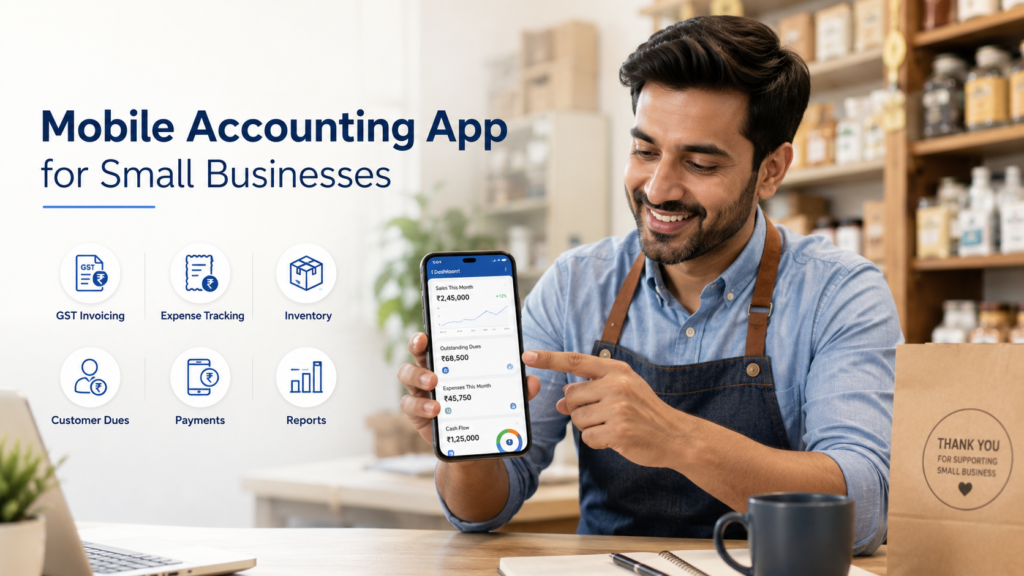
Table of Contents
- What Is a Mobile Accounting App?
- What Can Small Business Owners Do on Mobile?
- Create GST and Non-GST Invoices
- Record Sales and Purchases as They Happen
- Track Business Expenses
- Check Customer Dues and Supplier Payables
- Record Payments and Send Reminders
- Monitor Inventory from Anywhere
- View Daily Business Reports
- Share Data with Your CA
- Manage Staff Access and Remote Oversight
- Handle Quotations and Orders on the Go
- Mobile App vs Desktop Accounting: Which Is Better?
- What Should You Check Before Choosing an Accounting App?
- Common Mistakes to Avoid
- How myBillBook Supports Mobile Business Management
What Is a Mobile Accounting App?
A mobile accounting app is a business application that helps you record and view financial activity through a smartphone. It may combine accounting with billing, inventory, payment tracking, expense management, and business reporting.
For a small shop or service business, this can mean recording a sale when it happens, checking whether a customer has an unpaid balance, or viewing the day’s collections without opening a laptop. For a wholesaler or distributor, it can mean creating an invoice at the customer’s location and checking available stock before confirming an order.
A mobile app does not necessarily replace every desktop accounting task. Detailed year-end review, large data imports, complex reconciliation, and extensive report analysis may still be more comfortable on a larger screen. The value of mobile access is that it keeps daily records current and gives the owner visibility from anywhere.
What Can Small Business Owners Do on Mobile?
The exact features vary between apps, but the following are the most useful mobile accounting functions for Indian SMBs.
1. Create GST and Non-GST Invoices
One of the most common mobile tasks is creating and sharing an invoice. A suitable app should let you select a customer, add items or services, apply the correct tax rate, record discounts, choose a payment mode, and generate the final bill.
For GST-registered businesses, useful invoice fields include:
- GSTIN of the seller and buyer, where applicable
- HSN or SAC codes
- CGST, SGST, or IGST breakup
- Invoice number and date
- Place of supply
- Item quantity, rate, discount, and taxable value
- Payment terms and bank or UPI details
For example, a distributor visiting a retailer can create the invoice immediately after confirming the order. A repair technician can issue a service invoice at the customer’s premises. A small retailer can create a quick bill even when the main billing computer is unavailable.
Mobile invoicing is especially useful when the app can also share the bill through WhatsApp, email, or PDF. This reduces the need to write the transaction separately and enter it again later.
2. Record Sales and Purchases as They Happen
Delayed entry is a common reason business records become incomplete. Owners may remember the total amount but forget the item, party, tax, or payment details by the end of the day.
A mobile accounting app can help you record:
- Cash sales
- Credit sales
- Purchase bills
- Sales returns
- Purchase returns
- Discounts
- Additional charges
- Payment mode
Suppose a shop owner purchases emergency stock from a local supplier while away from the shop. Recording the purchase on mobile helps keep the supplier balance and inventory data updated. Similarly, a salesperson collecting an order can record the transaction without sending handwritten notes to the office.
The important point is not simply mobility. It is reducing the gap between the real transaction and the accounting record.
3. Track Business Expenses
Small expenses are easy to miss because they may not come with a formal invoice. Delivery charges, fuel, packaging, tea, repairs, loading fees, and local transport can add up over time.
A mobile app can make expense recording easier by allowing you to enter:
- Expense category
- Amount
- Date
- Payment mode
- Supplier or payee
- Note or description
- Bill image or attachment, if supported
For example, a wholesaler can record an unloading charge immediately instead of keeping the receipt in a pocket. A restaurant owner can log an urgent market purchase before the details are forgotten.
Consistent expense entries make the profit picture more meaningful. A sales total alone does not show how much the business actually earned.
4. Check Customer Dues and Supplier Payables
Many Indian small businesses sell to regular customers on credit. When credit entries are maintained in notebooks, it can be difficult to know the exact pending amount, due date, or payment history.
On mobile, an owner should be able to check:
- Party-wise outstanding balance
- Unpaid and partially paid invoices
- Due dates
- Payment history
- Customer ledger
- Supplier payable balance
- Ageing of pending amounts, where available
Consider a hardware shop owner who receives a call from a contractor asking for more material on credit. Before approving it, the owner can check the contractor’s existing dues from the phone. A distributor collecting payments in the market can open the party ledger before meeting each retailer.
This is one of the most practical differences between a simple invoice maker and a more complete business accounting app: the transaction remains connected to the party balance.
5. Record Payments and Send Reminders
Creating an invoice is only the beginning of the collection process. A mobile accounting app can also help you record when money is received or paid.
Useful mobile actions include:
- Record full or partial payment
- Select cash, UPI, bank, card, or other mode
- Adjust payment against an invoice
- Issue or share a receipt
- Add a payment note
- Send a reminder for an overdue amount
- Share a live or updated ledger, where supported
For instance, when a customer pays part of an outstanding amount through UPI, the owner can record it immediately. The remaining balance then stays visible instead of being calculated manually from messages and bank entries.
Automated or ready-to-send reminders can also make follow-up more consistent without requiring the owner to draft a fresh message for every customer.
6. Monitor Inventory from Anywhere
For businesses that sell products, accounting and stock records are closely connected. Every sale should reduce stock, while every purchase or return should update it.
A mobile inventory view can help an owner check:
- Current item quantity
- Low-stock products
- Out-of-stock items
- Item-wise purchase and sales movement
- Stock value
- Batch or expiry details, where relevant
- Stock across godowns or locations, if supported
Imagine a retailer visiting a supplier. Before placing an order, the owner can check which products are actually running low. A pharmacy owner away from the counter may review stock availability before confirming whether a medicine is available. A garment seller can check size- or colour-wise quantity before promising an item to a customer.
For a detailed look at stock features, visit the inventory management software page.
7. View Daily Business Reports
A good mobile app should not only store entries. It should summarise them in a way that helps the owner understand the business.
Useful reports on mobile may include:
- Daily and monthly sales
- Purchase report
- Cash-in and cash-out summary
- Profit and loss overview
- Outstanding receivables
- Supplier payables
- Expense summary
- Item-wise sales
- Stock report
- Tax summary
- Payment mode report
For example, an owner who is not at the shop can check whether sales are on track, how much was collected through cash and UPI, and whether any major payment is overdue. This supports quicker decisions without calling staff repeatedly for updates.
Reports should be easy to read and based on up-to-date entries. A complicated dashboard is not useful if the owner cannot understand what action to take from it.
8. Share Data with Your CA
Small business owners and CAs often spend time collecting invoices, ledgers, purchase records, and tax summaries at the end of the month. A mobile-friendly system can reduce this back-and-forth when records are maintained consistently.
Depending on the app, you may be able to:
- Share GST reports
- Export sales and purchase data
- Share party ledgers
- Send invoice copies
- Provide accountant or user access
- Export data for another accounting system
The app does not replace professional tax advice. It helps keep the underlying records organised so that your CA has cleaner information to review.
Before choosing an app, ask what can be shared, in which format, and whether the CA can access only the information they need.
9. Manage Staff Access and Remote Oversight
When several people work in the business, the owner may not want everyone to see or change every record. Multi-user access and permissions can make mobile accounting more controlled.
An owner may want a staff member to create invoices but not view profit. A manager may need stock access but not permission to delete transactions. A salesperson may need access only to assigned parties.
Look for features such as:
- Separate user logins
- Role-based permissions
- Activity tracking
- Restrictions on editing or deleting entries
- Access across mobile and desktop
- Real-time data sync
This is useful for stores, distributors, restaurants, pharmacies, and businesses with field staff or multiple counters. The owner can stay informed while employees continue their assigned work.
10. Handle Quotations and Orders on the Go
Not every customer interaction becomes an immediate sale. Some businesses first send a quotation, estimate, or sales order.
On mobile, a service provider can prepare an estimate during a site visit. A wholesaler can issue a quotation after discussing quantities and rates. Once the customer confirms, the document may be converted into an invoice, depending on the app.
This avoids creating the same customer and item details repeatedly and helps maintain a clearer trail from enquiry to sale.
Mobile App vs Desktop Accounting: Which Is Better?
Mobile and desktop access serve different purposes. One is not automatically better than the other.
Mobile is usually better for:
- Quick invoice creation away from the counter
- Checking customer dues before a meeting
- Recording payments and expenses immediately
- Monitoring sales and stock remotely
- Sharing bills and ledgers
- Owners who operate mainly through smartphones
Desktop is usually better for:
- High-volume counter billing
- Barcode billing with connected hardware
- Large data entry or imports
- Detailed report analysis
- Extensive invoice printing
- Complex reconciliation and year-end work
For many growing businesses, the practical choice is an application that works on both mobile and desktop with synced data. Staff can use the desktop at the counter while the owner checks the same business from a phone.
What Should You Check Before Choosing an Accounting App?
Do not select an app only because it has a long feature list. Test whether it matches your daily workflow.
Check the following:
- Is the mobile interface simple enough for regular use?
- Can it create GST and non-GST invoices correctly?
- Does it connect billing with inventory and party balances?
- Can you record partial payments and expenses?
- Are reports easy to understand on a small screen?
- Does data sync across mobile and desktop?
- Can staff permissions be controlled?
- Can information be exported or shared with your CA?
- Is customer support available when required?
- Are backups and account security handled properly?
- Will the app support more products, users, or branches as the business grows?
Also check which features are included in the selected plan. Mobile access may be available while advanced inventory, multiple users, or desktop access may depend on the plan.
Common Mistakes to Avoid
Using the App Only for Invoices
If you create bills but do not record purchases, expenses, or payments, the reports will remain incomplete. Decide which records your team must update every day.
Entering Transactions Much Later
A mobile app is most useful when entries are recorded close to the actual transaction. Delayed updates create the same problems as manual registers.
Giving Every User Full Access
Use permissions instead of sharing one login with all employees. This helps protect sensitive reports and reduces accidental changes.
Ignoring Data Export and CA Sharing
Before adopting an app, understand how your information can be exported, backed up, and shared. Your business records should not become difficult to access later.
Expecting Mobile to Replace Every Accounting Task
Mobile is ideal for daily operations and quick visibility. Complex accounting review may still require a desktop and guidance from your accountant.
How myBillBook Supports Mobile Business Management
myBillBook helps Indian small businesses manage daily billing and business records through mobile as well as desktop access. Owners can use it for GST and non-GST invoicing, inventory tracking, party balances, payment follow-ups, expenses, and business reports, depending on the selected features and plan.
This can be useful for retailers, wholesalers, distributors, service businesses, pharmacies, restaurants, garment stores, electronics shops, and other SMBs that need to work beyond a fixed billing desk.
Rather than keeping separate records on paper, WhatsApp, and spreadsheets, the owner can maintain connected billing, stock, and payment information and access it across devices.
Conclusion
An accounting app for small business owners can turn a smartphone into a practical tool for everyday financial control. You can create invoices, record purchases and expenses, track dues, update payments, monitor stock, review reports, and share organised records with your CA without waiting to return to the office.
The best app is not the one that tries to place every accounting function on a small screen. It is the one that makes frequent tasks simple, keeps records connected, and gives you reliable visibility when you are away from the counter.
