
Accounting software or Excel is a common question for small business owners who want to manage sales, expenses, GST bills, stock, and payments without making daily work complicated. Excel feels simple because you can open a sheet and start entering data. Accounting software feels more structured because it is built to manage business records, invoices, payments, and reports together.
The right answer depends on your business stage. A very small business with limited transactions may manage with Excel for some time. But once invoices, GST, credit sales, inventory, staff access, or CA sharing become regular, accounting software is usually the safer and more practical option.
Summary
Excel is useful when your business has very few transactions, simple records, and one person managing the sheet carefully. Accounting software is better when you need GST invoices, automatic totals, payment tracking, stock updates, reports, user access, and organised records for your CA.
For Indian SMBs, the decision should not be based only on cost. It should be based on how much time you spend correcting entries, finding old bills, checking dues, calculating GST, updating stock, and preparing reports.
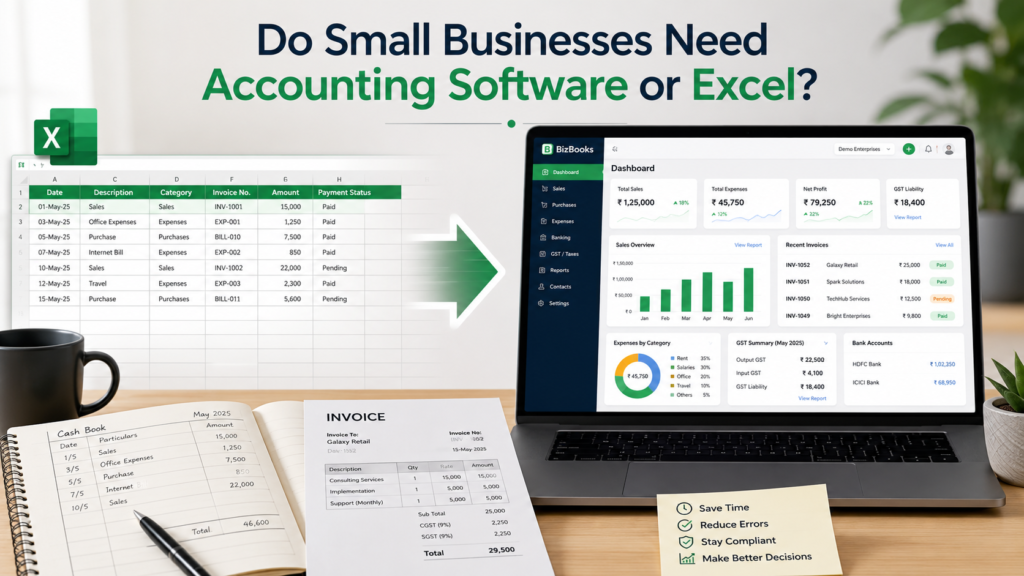
Table of Contents
- When Excel Works for Small Businesses
- Where Excel Starts Creating Problems
- How Accounting Software Helps
- Accounting Software or Excel: Comparison Table
- Examples for Indian Businesses
- Signs You Should Move from Excel
- How to Choose the Right Option
- Where myBillBook Fits In
- Conclusion
When Excel Works for Small Businesses
Excel is not a bad tool. Many small businesses start with Excel because it is familiar, flexible, and easy to customise. You can create a simple sheet for sales, purchases, expenses, customer payments, and monthly totals.
Excel may work when your business is still at a very basic stage. For example, a freelancer with a few clients, a home-based seller with limited orders, or a new shop owner who only wants to note daily income and expenses can start with a simple spreadsheet.
Excel is useful when:
- You have very few daily transactions.
- You do not need regular GST invoices.
- Only one person updates the records.
- You do not manage large product-wise inventory.
- You are comfortable with formulas and manual checks.
- Your CA can work with the sheet without repeated corrections.
If you want to understand basic Excel-based record keeping, you can also refer to this guide on Excel accounting software. But Excel should be treated as a starting point, not always as a long-term business system.
Where Excel Starts Creating Problems
Excel becomes difficult when your business starts moving faster than the sheet. The issue is not only about entering numbers. The bigger problem is that every important task depends on manual discipline.
For example, if a shop owner forgets to update one sale, the closing stock becomes wrong. If a GST rate is entered incorrectly, the invoice value may change. If a payment entry is missed, the customer’s outstanding amount may not match the actual balance.
Common Excel problems for SMBs
- Manual errors: A wrong formula, deleted row, or incorrect copy-paste can affect totals.
- No automatic billing flow: You may have to create invoices, update stock, and record payments separately.
- Difficult credit tracking: Party-wise outstanding can become confusing when customers make partial payments.
- Limited stock control: Excel can track stock, but it does not automatically update inventory unless the sheet is carefully maintained.
- Version confusion: Staff, owner, and accountant may work on different copies of the same file.
- Slow reporting: Monthly sales, purchase, tax, and profit summaries may require extra manual work.
- Weak access control: It is difficult to control who changed what unless you use advanced setup and strict file discipline.
These problems may look small in the beginning. But as transactions increase, they can lead to wrong reports, delayed follow-ups, missed payments, and extra work during GST filing or CA review.
How Accounting Software Helps
Accounting software is built for business records. Instead of depending on separate sheets, formulas, and manual updates, it keeps invoices, payments, expenses, stock, and reports connected.
For example, when you create a GST invoice in accounting software, the sale gets recorded, the tax details are captured, the customer balance is updated, and the stock can reduce automatically. This reduces duplicate entry and makes daily records easier to review.
Accounting software is useful for:
- Creating GST and non-GST invoices.
- Tracking paid, unpaid, and partially paid bills.
- Managing sales, purchases, and expenses.
- Maintaining customer and supplier balances.
- Updating inventory after sales and purchases.
- Generating business reports without rebuilding sheets.
- Sharing organised data with your CA or accountant.
- Using the same records on mobile and desktop.
If you want a broader understanding of how accounts are maintained, this guide on accounting for small business explains the basics. This article focuses only on the tool decision: when Excel is enough and when software becomes necessary.
Accounting Software or Excel: Comparison Table
| Business Need | Excel | Accounting Software |
|---|---|---|
| Basic expense tracking | Works well for simple records | Works with better structure and reports |
| GST invoice creation | Possible with templates, but manual | Faster with GST fields and tax calculation |
| Payment tracking | Needs manual updates | Tracks paid, unpaid, and partial payments |
| Inventory updates | Needs formulas and careful maintenance | Can update stock after sales and purchases |
| Customer dues | Can become difficult with many parties | Party-wise outstanding is easier to check |
| Reports | Requires manual formatting and formulas | Reports are generated from recorded data |
| Staff usage | Risk of file edits and version mismatch | User access can be controlled better |
| CA sharing | Requires clean sheets and explanations | Data can be shared in a more organised way |
| Scalability | Suitable for very small operations | Better for growing businesses |
The simple rule is this: Excel is fine for recording. Accounting software is better for running daily business with connected records.
Examples for Indian Businesses
Different businesses face different problems. That is why the Excel versus accounting software decision should be made based on your daily workflow.
Retail shop
A retail shop may start with Excel for daily sales. But once the shop has many products, GST bills, barcode items, staff at the counter, and regular customer payments, Excel becomes slow. Accounting software with billing and inventory features is more practical.
Wholesaler or distributor
A wholesaler usually has party-wise credit sales, purchase records, supplier payments, and outstanding balances. In Excel, one missed payment update can change the party balance. Software helps keep invoices, payments, and reports connected.
Pharmacy
A pharmacy needs item-wise billing, GST, stock checks, and product details. If stock is managed in Excel and billing is done separately, mismatches can happen. Software is better when billing and inventory need to move together.
Restaurant or food counter
A restaurant needs quick billing, daily sales visibility, staff access, and payment tracking. Excel can record end-of-day totals, but it cannot easily support live billing, multiple users, and item-wise sales control.
Service business
A service provider with a few clients may manage invoices and expenses in Excel. But when recurring invoices, payment follow-ups, GST records, and client-wise balances increase, accounting software becomes easier to manage.
Signs You Should Move from Excel
You do not need to wait for Excel to completely fail before moving to accounting software. A good time to switch is when manual work starts taking away time from sales, customer service, or business decisions.
Move to software when:
- You create GST invoices regularly.
- You check customer dues every day or every week.
- You sell products on credit.
- You manage stock across many items.
- You spend time correcting formulas or sheets.
- Your staff also needs to create bills or update records.
- Your CA asks for cleaner sales, purchase, or tax data.
- You need reports quickly instead of preparing them manually.
- You use both mobile and desktop for business work.
Another important point for registered companies is audit trail and record control. If your business is incorporated under the Companies Act, speak to your CA about software and audit trail requirements before depending only on spreadsheets for books of account.
How to Choose the Right Option
Before choosing Excel or accounting software, write down the actual work your business needs to manage. Do not choose based only on what another business is using.
Use this simple checklist
- Billing: Do you need GST invoices, quotations, or delivery challans?
- Payments: Do customers pay later or in parts?
- Inventory: Do you need item-wise stock tracking?
- Reports: Do you need daily sales, expense, and profit visibility?
- Users: Will staff, owner, and accountant use the same data?
- Devices: Do you need access on both mobile and desktop?
- Compliance: Do you need organised GST and CA-ready records?
If your answers are mostly “no,” Excel may be enough for now. If your answers are mostly “yes,” accounting software will save time and reduce manual dependency.
If you are also comparing whether you need a billing-first tool or a deeper accounting setup, this guide on accounting software vs billing software can help you understand the difference.
Where myBillBook Fits In
Many Indian SMBs do not want separate tools for billing, stock, payments, and basic business reports. They want one simple system that works for everyday operations and also gives organised records when needed.
myBillBook online accounting software helps businesses create GST invoices, track payments, manage inventory, check reports, and share business data with their accountant. It is useful for retailers, wholesalers, distributors, restaurants, pharmacies, supermarkets, garment shops, electronics shops, and other small businesses that need daily control without complicated setup.
If inventory is a major part of your decision, you can also explore inventory management software.
The goal is not to stop using Excel for everything. You can still use Excel for planning, analysis, or custom calculations. But your core business records should ideally be managed in a system that reduces manual work and keeps billing, payments, stock, and reports connected.
Conclusion
Excel is a useful starting point for very small businesses, but it depends heavily on manual updates and careful checking. Accounting software is better when your business needs regular invoices, GST records, payment tracking, stock control, reports, and CA-ready data.
So, do small businesses need accounting software or Excel? Use Excel when your records are simple and low-volume. Move to accounting software when your daily business depends on accurate billing, payments, inventory, and reports.
