
Mobile Shop Billing Software for GST, IMEI & Inventory
myBilBook billing software for mobile shops helps you create GST bills with IMEI details, manage phone and accessory stock, scan barcodes, track customer payments and access your mobile store's billing from both mobile and desktop.
Built for smartphone retailers, mobile accessory stores and multi-brand mobile shops.
Trusted by 1 Crore+ Businesses Across India

Trusted by 1 Crore+ Businesses Across India
What is Mobile Shop Billing Software
Mobile shop billing software helps smartphone and mobile accessory retailers create GST invoices, record IMEI numbers, manage model-wise stock, scan barcodes, track customer payments, and maintain sales and inventory from one system.
For mobile stores, billing often involves smartphones, accessories, IMEI numbers, warranties, customer payments, supplier purchases, and fast-moving stock. myBillBook helps keep billing, inventory, customer records, payments, and reports organised so mobile shop owners can manage daily sales more easily.
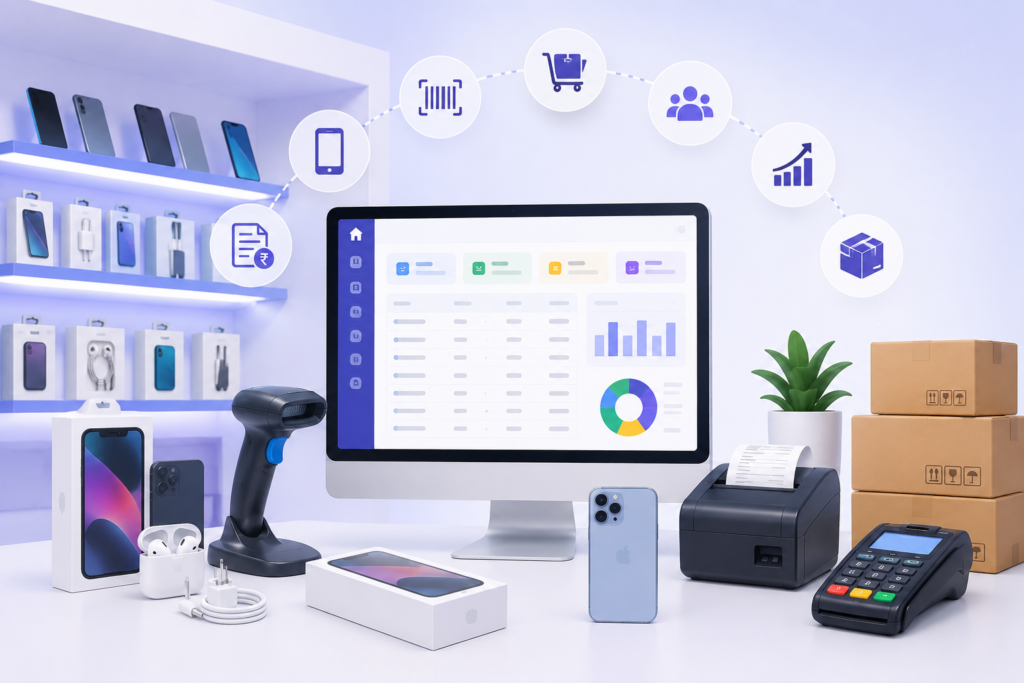
Features of Mobile Shop Billing Software
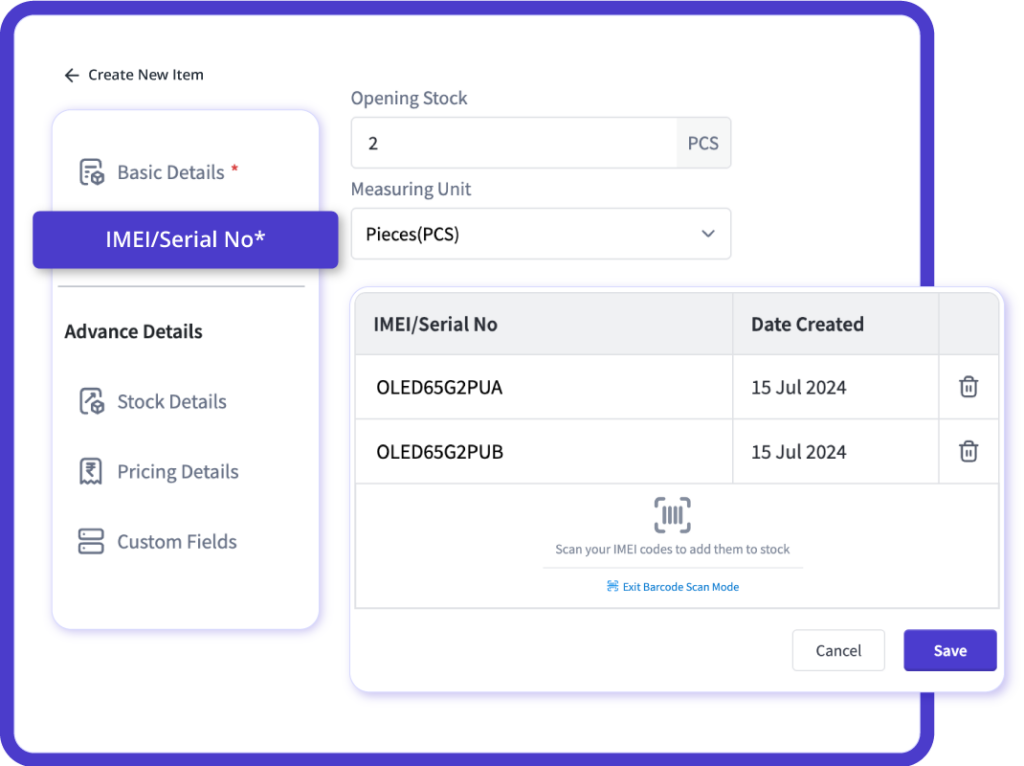
IMEI-Linked Mobile Billing
Every phone sale needs to be accurate and secure, and with myBillBook, we make it effortless. We link the unique IMEI number of every phone directly to its bill. This means whether you're selling a budget phone or a premium smartphone, its specific identity is automatically recorded.
Forget the hassle of misplaced invoices or confused customers. When a customer has a complaint, your team can simply search using the phone's IMEI to instantly pull up the full invoice. This not only eliminates confusion and validates the purchase but also builds strong trust with your customers. It's especially powerful for stores that handle warranty claims and service requests directly.
Phone Model & Accessory Tracking
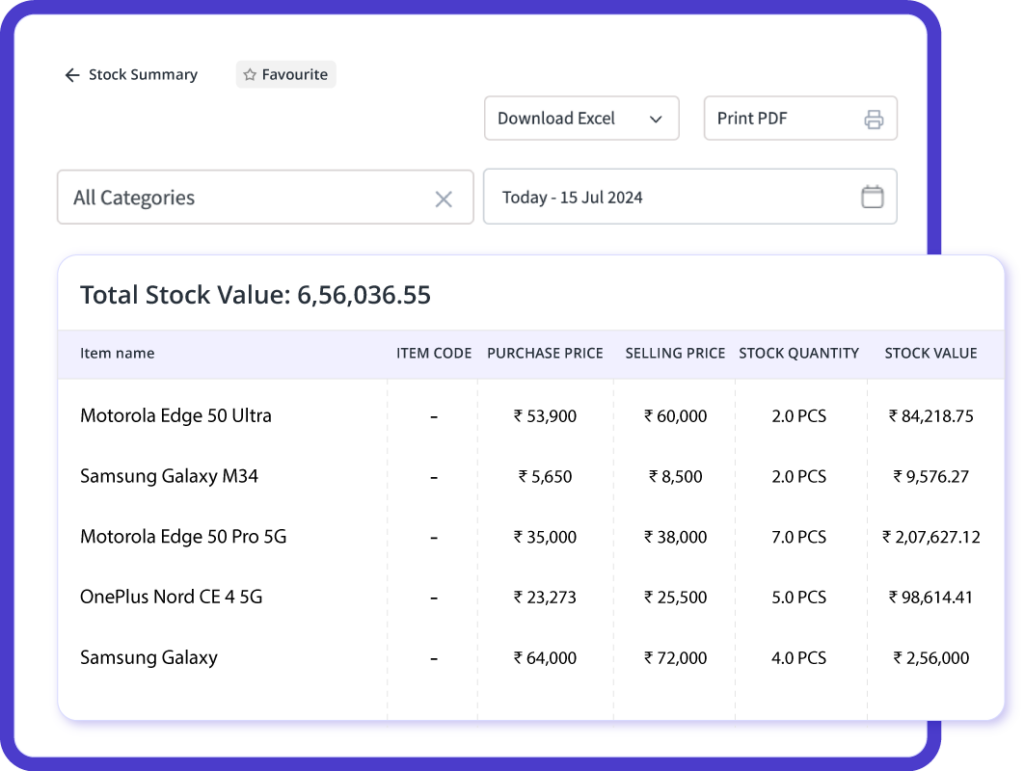
Managing your mobile store's inventory, from tiny chargers to expensive smartphones, is simple with myBillBook. You can track every single item, whether it's a phone or an accessory, all from one easy screen. Each item is tagged by brand, model, and type, making your stock management incredibly efficient.
When you make a sale, myBillBook helps your cashier quickly add the phone model. It also shows you which items are selling fast and which are not.
Customer Payment and Due Tracking
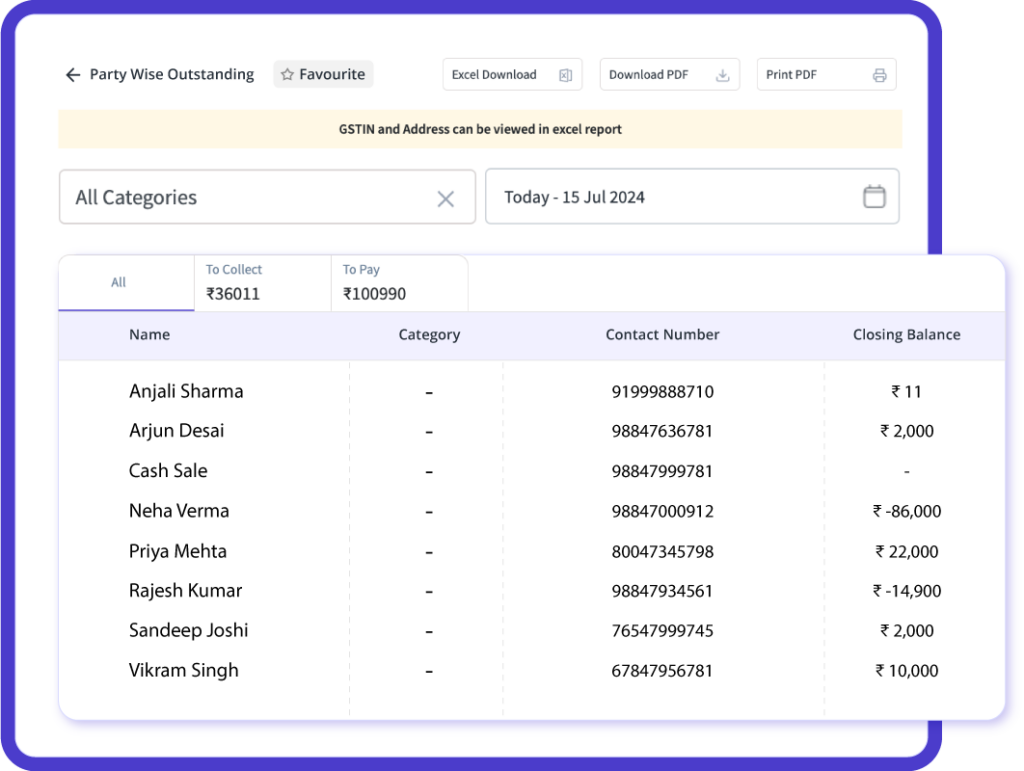
Record cash, UPI, card and credit payments while creating mobile phone and accessory invoices. myBillBook maintains customer-wise transaction records, helping you keep completed and pending payments organised in one place.
Review outstanding balances and previous transactions whenever a customer makes a part payment or clears their dues. This helps mobile shop owners follow up on credit sales and maintain accurate payment records without relying on separate registers.
Cell Phone & Accessory Barcode Label Printing
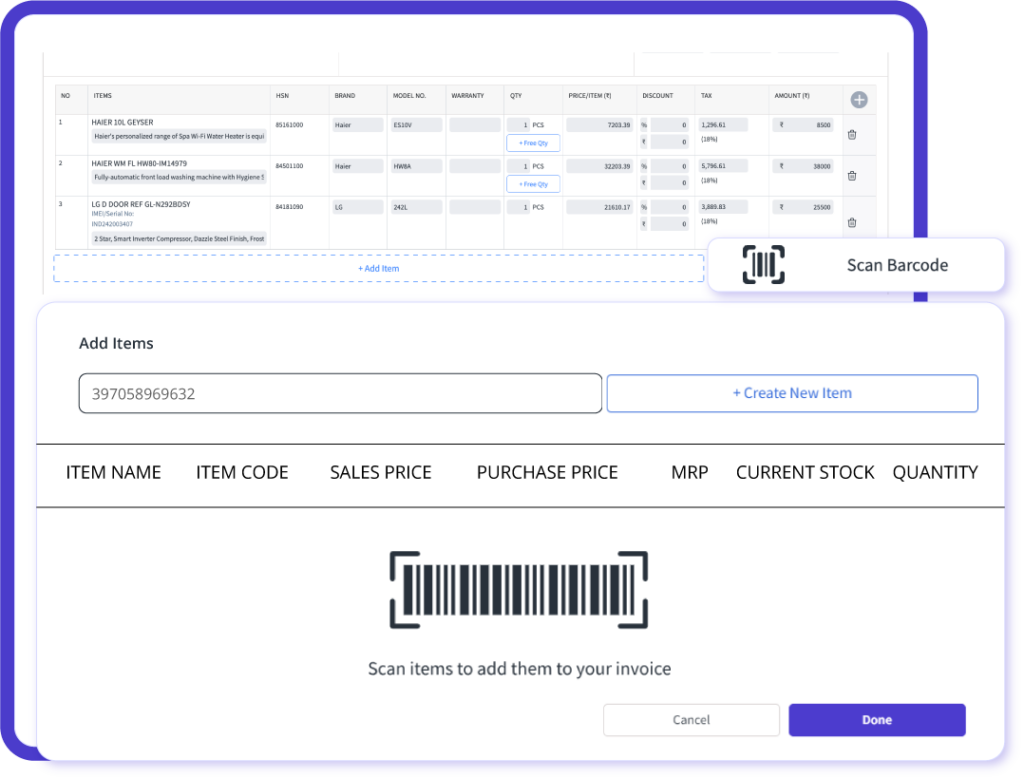
Running a mobile shop means juggling many items daily. myBillBook simplifies this with barcode labels for every single product, from phones to accessories. You print these barcodes directly from the software, then stick them on items for easy identification and billing.
Once barcoded, your staff simply scans items during billing. This eliminates errors, speeds up checkout, and ensures every sale links to the correct product. For similar-looking accessories, barcode scanning guarantees perfect accuracy.
WhatsApp Mobile Promotions
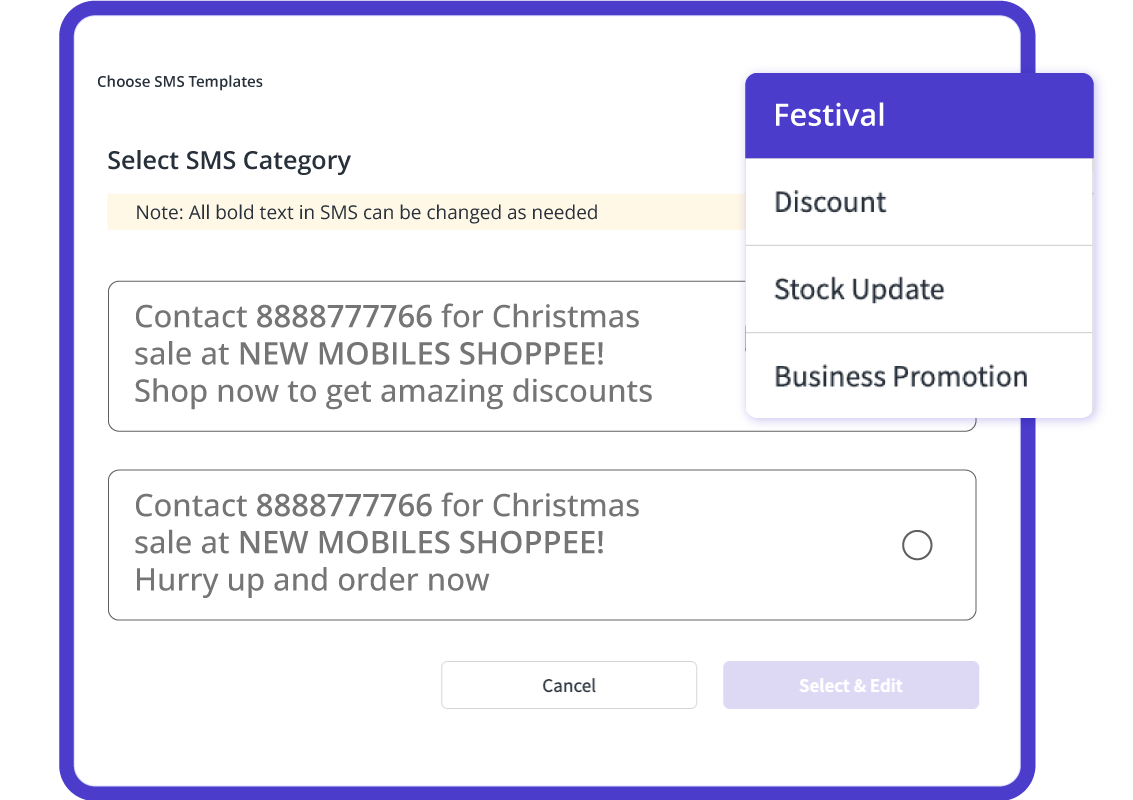
For your mobile shop, myBillBook's WhatsApp promotion feature is your direct line to customers. You can instantly send out exciting offers, new catalogue links, or even gentle payment reminders straight to their WhatsApp, all managed directly from your billing software. It's a simple, powerful way to get your message seen.
With every sale, myBillBook automatically saves your customer contact details. This lets you smartly segment your audience – think all your Samsung phone buyers, or folks who haven't visited in six months. Then, launch super-targeted campaigns like "Flat ₹500 off on Samsung accessories" or "Exchange your old phone and save up to ₹2,000," ensuring your message reaches the right ears.
How to Create a Mobile Shop Bill with IMEI in myBillBook
- Add or select the customer: Enter the customer name, mobile number and GST details when required.
- Add the phone or accessory: Select the brand, model, variant, quantity and selling price from your item list.
- Capture the IMEI or serial number: Record the device identifier on the invoice so the sale can be found later for warranty, exchange or service queries.
- Review GST and payment details: Confirm the applicable tax, discount and whether the customer paid by cash, UPI, card or credit.
- Save and share the bill: Print the invoice or send it digitally to the customer while stock and payment records stay organised.
This workflow helps mobile retailers create traceable GST bills while keeping device, inventory and customer payment records organised in one place.
Why Mobile Shops Need Specialised Billing Software
Mobile shops operate differently from regular retail stores. Each phone has a unique IMEI number, accessories move fast, variants change frequently, and accurate GST billing is essential.
Using general billing software often leads to:
- Missing or duplicated IMEI entries
- Confusion between phone and accessory inventory
- Errors during GST filing
- Difficulty tracking payments and dues
Mobile shop billing software helps manage IMEI-linked sales, phone and accessory inventory, GST invoices, customer payments, purchases, and reports from one system designed for mobile retailers.
Watch How myBillBook Works for Mobile Shops
Manual Billing vs General Software vs myBillBook
| Mobile shop requirement | Manual billing | General billing software | myBillBook |
|---|---|---|---|
| GST invoice creation | Entered and calculated manually | Usually supported | GST billing with customer and item details |
| IMEI-linked sales records | Written on bills or registers | May require manual fields | IMEI and serial-number tracking |
| Phone Model & Accessory Inventory | Updated separately | Basic stock tracking | Stock updates through sales and purchases |
| Barcode billing | Not available | Depends on the product | Barcode scanning and label support |
| Customer dues and payments | Tracked in a separate register | Varies by software | Customer-wise payments, ledgers and pending dues |
Who Can Use myBillBook Mobile Shop Billing Software?
Mobile Phone Shops
Create GST bills with IMEI details, customer records, payments, and stock updates.
Smartphone Retailers
Manage phone sales, model-wise inventory, barcode billing, and daily reports.
Mobile Accessory Stores
Track chargers, covers, earbuds, cables, power banks, and accessory stock.
Mobile Repair Shops
Create service bills, add spare parts, record payments, and manage customer details.
Refurbished Mobile Phone Sellers
Manage billing for refurbished and second-hand phones with IMEI details, customer records, payments, and stock tracking.
Multi-Brand Stores
Track purchases, stock, payments, and sales across multiple phone brands.
myBillBook Mobile Billing Software - Trusted by Mobile Shop Owners Across India
Pricing plans
- Create unlimited invoices
- Access to 1 business, 1 user & 1 CA
- Inventory management
- Android, iOS & Web
- Custom Invoice Themes
- Create your Online Store
- Generate, Print & Scan Barcodes
- Desktop app
- SMS + WhatsApp marketing*
- Unlimited Godown management
- Print Barcode (Label printer)
- Bulk Download & Bulk Print Invoices
- Access to 2 businesses, 3 users & 1 CA
- e-Way Bills (Unlimited)
- Generate e-Invoicing
- Loyalty & Rewards
- Automate Recurring Billing
- POS Billing (Desktop App, Web app)
- Data Export to Tally (on request)
- User Activity Tracker
Guide to Mobile Shop Billing Software
Getting Started with Mobile Shop Billing Software
Once you have selected a plan, the next step is to set up the software around the way your mobile shop operates. A well-planned setup makes daily billing faster and prevents incorrect stock, tax and customer records later.
1. Prepare Your Existing Business Data
Before starting, collect the information currently stored in notebooks, spreadsheets or another billing application.
This may include:
- Mobile phones and accessories currently in stock
- Brand, model, colour and storage details
- IMEI or serial numbers
- Purchase prices and selling prices
- Applicable GST rates and HSN codes
- Supplier details
- Customer balances and pending dues
- Opening cash and bank balances
Clean and organise this information before adding or importing it. Duplicate products, incorrect IMEI numbers or outdated balances can create confusion after the new system goes live.
2. Organise Phones and Accessories Properly
Create a consistent product structure so staff can find items quickly while billing.
For mobile phones, record details such as:
- Brand
- Model
- Colour
- Storage capacity
- IMEI or serial number
- Purchase price
- Selling price
- GST rate
- Warranty information
Create separate categories for accessories such as chargers, covers, cables, earbuds, screen protectors and power banks. A consistent naming system makes billing, stock checks and reporting easier.
3. Customise Your Mobile-Shop Invoice
Set up the invoice format before generating live customer bills.
Your invoice should include:
- Shop name and contact details
- GSTIN, where applicable
- Customer information
- Invoice number and date
- Product brand and model
- IMEI or serial number
- HSN code and GST breakup
- Price, discount and final amount
- Payment method
- Warranty or return terms
Create one or two test invoices and verify every field before using the format for actual sales.
4. Enter Opening Stock Carefully
Opening stock becomes the starting point for future inventory calculations. Confirm physical stock before entering quantities into the software.
For mobile phones, verify each handset against its IMEI or serial number. For accessories, check quantities category by category.
If the opening stock is incorrect, future stock reports will remain unreliable even when every new sale is recorded correctly.
5. Record a Complete Test Transaction
Before going live, test the entire workflow:
- Create or select a customer.
- Add a phone and its IMEI number.
- Add an accessory to the same bill.
- Apply the correct GST and discount.
- Record the payment method.
- Save and print or share the invoice.
- Confirm that stock and payment records were updated correctly.
Testing the complete transaction helps identify missing settings before staff begin using the software with customers.
6. Train Staff on One Standard Process
Everyone working at the billing counter should follow the same process.
Staff should know how to:
- Select the correct product
- Record the correct IMEI number
- Apply discounts
- Record cash, UPI, card and credit payments
- Handle cancelled or corrected bills
- Find previous invoices
- Check available stock
- Record customer dues
A short written checklist near the billing counter can help prevent mistakes during the first few days.
Moving from Manual Billing or Another Software
Switching billing systems is easier when it is done in stages. Choose a suitable closing date for the old system and avoid maintaining the same transactions in two systems for an extended period. Complete pending entries, confirm stock and customer balances, and retain a backup of historical invoices before moving.
If you are migrating from another billing application, confirm which information can be imported and which records must be entered manually. Keep old records accessible for warranty claims, customer queries and accounting requirements. Do not delete or discard existing bills immediately after the switch.
How to Choose the Right Billing Software Plan for Your Mobile Shop
The lowest-priced plan may not always be the most suitable. Choose a plan based on how the shop operates today and what it is likely to need as it grows.
Consider:
- Number of counters and staff members
- Mobile, web or desktop access
- Number of businesses or outlets
- IMEI and serial-number requirements
- Barcode printing and scanning
- Inventory and godown requirements
- GST reports, e-Invoicing and e-Way Bills
- Data export requirements
- User permissions
- Customer support and onboarding
A single-counter mobile shop may need a different plan from a multi-brand retailer with several users and locations. Read our blog on How to Choose Mobile Shop Billing Software for a detailed guide.
Is Free Mobile Shop Billing Software Enough?
Free billing software for a mobile shop can be useful for testing the basic billing experience or starting with a limited number of requirements. However, the most important question is whether the available features match your daily operations.
Before choosing a free option, check:
- Whether IMEI or serial numbers can be recorded
- Whether stock updates after sales and purchases
- Whether desktop access is included
- Whether invoices can be printed and shared
- Whether barcode features are available
- Whether multiple users are supported
- Whether reports and data exports are included
- Whether usage or storage limits apply
Users searching for mobile shop billing software free download should compare the free and paid features carefully. Advanced capabilities may depend on the selected myBillBook plan.
FAQs about Mobile Shop Billing Software
What is mobile shop billing software?
Mobile shop billing software helps mobile retailers create GST invoices, capture IMEI numbers, manage phone and accessory stock, track payments, maintain customer records, and view sales reports from one platform.
Can I add my existing mobile-shop stock to myBillBook?
Existing phones and accessories can be entered as opening stock. Verify physical quantities and IMEI or serial-number details before adding them so future inventory reports begin with accurate data.
What should I test before using the software for live billing?
Create a sample invoice containing a phone, IMEI number, accessory, GST, discount and payment method. Then verify the printed bill, inventory update and customer payment record.
Which is the best billing software for a mobile shop?
The best billing software for a mobile shop should support GST billing, IMEI-linked invoices, phone and accessory inventory, barcode billing, payments, customer records, purchase tracking, and reports. myBillBook offers these features for mobile retailers.
Is there free billing software for mobile shops?
myBillBook offers a free mobile app plan that helps small mobile shop owners start basic billing from mobile. Businesses can upgrade to paid plans for advanced features, desktop access, inventory, barcode billing, and reports.
Does mobile shop billing software support IMEI tracking?
Yes, myBillBook helps mobile shops add IMEI numbers to invoices, making it easier to maintain phone-wise sales records, support warranty queries, and track previous transactions.
What information should I prepare before setting up the software?
Prepare your product list, opening stock, selling prices, GST rates, HSN codes, supplier records, customer balances and pending dues. You should also decide which details must appear on customer invoices.
Can I download mobile shop billing software for free?
Yes. You can download the myBillBook app for free and start using basic billing features immediately. The app is available on both Android and iOS.
Can I manage phone and accessory inventory?
Yes, myBillBook helps mobile shops manage inventory for smartphones, chargers, earphones, power banks, covers, cables, speakers, and other accessories. Stock can be updated through sales and purchases.
Does myBillBook support barcode billing for mobile shops?
Yes, myBillBook supports barcode-based billing, helping mobile shops scan phones, accessories, and packed products faster during checkout.
Can I keep my previous invoices after switching?
Yes. Retain a backup of invoices and reports from the previous system. Older invoices may be needed for warranties, customer queries, tax records or accounting reconciliation.
Can mobile shop owners use myBillBook on mobile and desktop?
Yes, myBillBook can be used on mobile and desktop depending on the selected plan, helping shop owners manage billing, inventory, payments, and reports across devices.