
A daybook report is a date-wise record of the transactions entered in a business. It helps business owners, accountants, and managers review what happened on a particular day—from sales and purchases to receipts, payments, expenses, and journal entries.
For an Indian small business, this report works like a daily financial activity register. Instead of checking separate invoice files, payment notes, purchase bills, and expense registers, you can use the daybook to review recorded transactions in chronological order.
This guide explains the meaning of a daybook report, its format, common entries, practical examples, and how small businesses can use it for daily checking and bookkeeping.
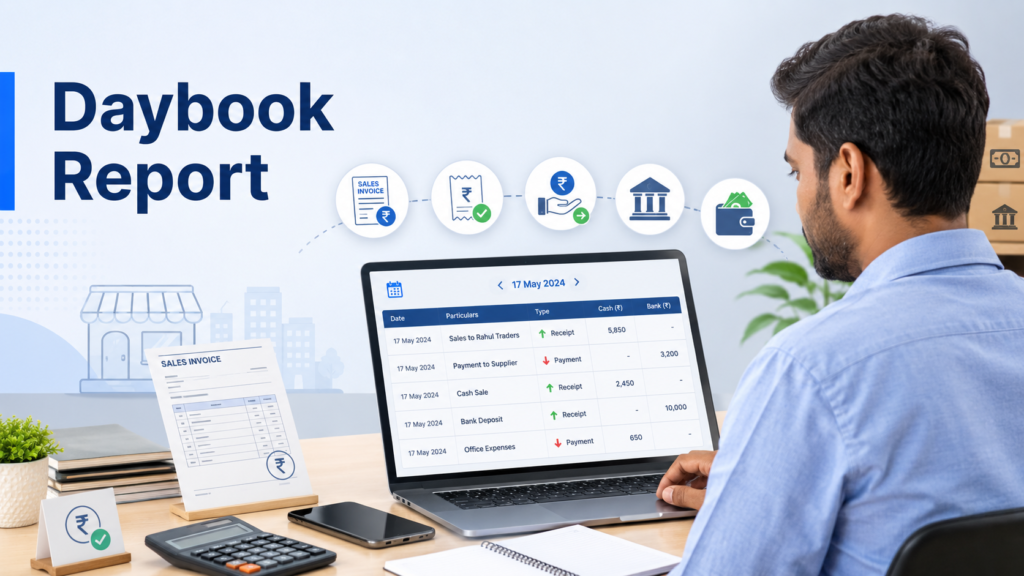
Table of Contents
- What Is a Daybook Report?
- Purpose of a Daybook in Accounting
- Daybook Report Format
- Daybook Report Example
- Types of Transactions Included
- Daybook vs Other Accounting Reports
- Why Daybook Reports Matter for Small Businesses
- How to Review a Daybook Report
- Common Daybook Mistakes
- Manual vs Digital Daybook
- Conclusion
What Is a Daybook Report?
A daybook report is a chronological statement of business transactions recorded during a selected day or date range. Transactions normally appear in the same order in which they were entered or occurred.
A typical daybook may include:
- Sales invoices
- Purchase invoices
- Sales returns
- Purchase returns
- Cash receipts
- Cash and bank payments
- Business expenses
- Customer collections
- Supplier payments
- Credit notes and debit notes
- Journal entries
In traditional bookkeeping, transactions were first written in physical books of original entry and later posted to ledgers. In accounting software, the entries can update the relevant ledgers and reports automatically after they are recorded.
What Is the Purpose of a Daybook in Accounting?
The main purpose of a daybook is to provide a complete, date-wise view of recorded business activity. It helps answer a simple but important question: What transactions were recorded today?
Business owners can use the report to:
- Review daily sales, purchases, receipts, and payments
- Check whether bills and expenses have been entered
- Identify incorrect amounts or duplicate entries
- Trace a transaction through its voucher or reference number
- Compare recorded cash activity with actual cash available
- Prepare records for an accountant or CA
- Maintain a clearer audit trail
A daybook does not replace the ledger, profit and loss statement, cash flow statement, or balance sheet. It supports them by showing the underlying transactions in date order.
Daybook Report Format
The exact format differs between manual registers and accounting software. However, most daybook reports contain the following fields:
| Field | What It Shows |
|---|---|
| Date | Date of the transaction or voucher |
| Voucher type | Sale, purchase, receipt, payment, expense, journal, return, or another entry type |
| Voucher number | Unique reference number of the transaction |
| Party or account | Customer, supplier, cash account, bank account, or ledger affected |
| Particulars | Short description of the transaction |
| Payment mode | Cash, bank transfer, UPI, card, cheque, or credit, where applicable |
| Debit amount | Amount debited to an account |
| Credit amount | Amount credited to an account |
| Total amount | Total value of the voucher or transaction |
| User or entry time | Person who entered the transaction and when it was created, if the software supports it |
Some software also allows users to filter entries by voucher type, date, party, payment mode, branch, user, or transaction status.
Daybook Report Example
Suppose a retail store records the following transactions on 15 July:
- Cash sale of ₹8,000
- Credit sale of ₹5,500 to Amit Traders
- Purchase of stock worth ₹12,000 from Kiran Distributors
- Electricity expense of ₹2,200 paid through UPI
- Customer payment of ₹3,000 received against an earlier credit invoice
- Supplier payment of ₹6,000 made through bank transfer
The daybook may display them like this:
| Date | Voucher Type | Voucher No. | Particulars | Mode | Amount |
|---|---|---|---|---|---|
| 15 July | Sale | INV-201 | Cash retail sale | Cash | ₹8,000 |
| 15 July | Sale | INV-202 | Sale to Amit Traders | Credit | ₹5,500 |
| 15 July | Purchase | PUR-088 | Stock from Kiran Distributors | Credit | ₹12,000 |
| 15 July | Expense | EXP-041 | Electricity bill | UPI | ₹2,200 |
| 15 July | Receipt | REC-109 | Payment from customer | Cash | ₹3,000 |
| 15 July | Payment | PAY-064 | Payment to supplier | Bank | ₹6,000 |
This example gives the owner one place to confirm whether the day’s important transactions were entered. The related ledgers can then show how each transaction affected customer balances, supplier balances, cash, bank, sales, purchases, or expenses.
Types of Transactions Included in a Daybook
Sales Transactions
Sales entries show goods or services sold during the selected period. Depending on the report, cash sales, credit sales, GST invoices, non-GST invoices, and sales returns may appear separately.
Purchase Transactions
Purchase entries record goods, materials, or services bought from suppliers. These entries help the business verify stock purchases, input tax details, supplier balances, and payment obligations.
Receipt Entries
Receipts show money received from customers or other sources. For example, a customer may pay an outstanding invoice through cash, UPI, cheque, or bank transfer.
Payment Entries
Payment vouchers record money paid to suppliers, employees, service providers, or other parties. They can also include rent, transport, utility, and operating payments.
Expense Entries
Expense entries cover day-to-day business costs such as electricity, delivery charges, repairs, stationery, fuel, and staff-related expenses.
Journal Entries
Journal entries are used for accounting adjustments that may not involve a direct sale, purchase, receipt, or payment. Examples include depreciation, provisions, corrections, or transferring an amount between accounts.
Returns and Adjustment Vouchers
Sales returns, purchase returns, credit notes, and debit notes adjust earlier transactions. Reviewing these entries in the daybook helps the owner understand why sales, purchases, customer dues, or supplier balances changed.
How Is a Daybook Different from Other Accounting Reports?
Daybook vs Ledger
A daybook arranges transactions by date. A ledger groups transactions by account, such as cash, bank, sales, purchases, a customer, or a supplier.
For example, the daybook may show every transaction recorded on 15 July. The Amit Traders ledger will show only transactions affecting Amit Traders across multiple dates.
Daybook vs Cash Book
A daybook can include cash, bank, credit, purchase, expense, and journal transactions. A cash book mainly focuses on cash receipts and cash payments, and may also include bank transactions depending on the accounting system.
Daybook vs Journal
A traditional journal records accounting entries with debit and credit details before they are posted to ledgers. A modern daybook report may present multiple voucher types together in chronological order, including invoices, payments, receipts, expenses, and journal vouchers.
Daybook vs Trial Balance
A daybook shows transaction-level details. A trial balance shows the closing debit or credit balance of each ledger account for a selected period.
Daybook vs Profit and Loss Statement
A daybook lists individual entries. A profit and loss statement summarises income and expenses to show whether the business earned a profit or incurred a loss during a period.
Why Daybook Reports Matter for Indian Small Businesses
Daily Closing and Cash Checking
A shop owner can compare cash sales and cash receipts in the daybook with the cash available at closing time. Any difference can be investigated before it becomes difficult to trace.
Tracking Credit Sales and Collections
Retailers, wholesalers, and distributors often sell on credit. The daybook helps them confirm whether credit invoices and customer collections were recorded on the correct date.
Purchase and Supplier Review
A business can review the day’s purchase bills and payments to suppliers. Missing purchase entries may lead to incorrect stock, supplier balances, or GST-related records.
Expense Control
Small expenses are easy to overlook when they are kept on loose slips or communicated verbally. Recording them and checking the daybook can provide a more complete view of daily outflows.
GST Record Preparation
The daybook helps owners review whether GST sales and purchase transactions have been recorded. However, GST returns should be prepared using the relevant GST reports and reviewed carefully before filing.
Accountant and CA Coordination
When an accountant asks about a transaction, the owner can search by date, voucher number, party, or amount instead of checking multiple registers. The supporting invoice or payment proof should still be retained where required.
How to Review a Daybook Report Correctly
Step 1: Select the Correct Date
Start with the business date you want to review. For daily closing, select the current day. For investigation or reconciliation, choose a custom date range.
Step 2: Check Voucher Types
Confirm that all expected transaction types appear, including sales, purchases, receipts, payments, expenses, returns, and journal entries.
Step 3: Match Important Documents
Compare high-value entries with invoices, supplier bills, payment receipts, bank records, UPI records, or expense proofs.
Step 4: Review Cash and Bank Entries
Check whether the payment mode was selected correctly. A cash transaction wrongly recorded as bank or credit can affect balances and reconciliation.
Step 5: Look for Missing or Duplicate Entries
Search for repeated voucher numbers, identical amounts, unusual parties, or missing daily expenses. Correct entries only after checking the supporting records.
Step 6: Check Credit Transactions
Verify whether customer receipts and supplier payments were adjusted against the correct party and invoice where applicable.
Step 7: Share Exceptions with the Accountant
Instead of sending the full report without context, flag entries that need clarification, correction, or supporting documents.
Common Daybook Mistakes to Avoid
Recording Transactions on the Wrong Date
Using the entry date instead of the actual transaction or invoice date can create confusion during daily review and period-end reconciliation.
Selecting the Wrong Voucher Type
Entering a supplier payment as an expense or a customer receipt as a sale can affect multiple reports. Choose the voucher type according to the nature of the transaction.
Mixing Personal and Business Expenses
Personal withdrawals should not be recorded as normal operating expenses. They should be classified correctly based on the business structure and the accountant’s guidance.
Ignoring Small Cash Expenses
Tea, local delivery, loading, stationery, and minor repair costs may appear insignificant individually, but missing entries can create a cash difference.
Recording the Wrong Payment Mode
A UPI or bank payment entered as cash can make the cash balance inaccurate and complicate bank reconciliation.
Treating the Daybook as a Financial Statement
The daybook is a transaction report, not a final measure of profit, cash flow, or financial position. Use the appropriate accounting report for each decision.
Manual Daybook vs Digital Daybook Report
A manual daybook can work for a very small number of transactions, but it requires entries to be written, totalled, transferred, and checked manually. Finding an old transaction may also take time.
A digital daybook report is generated from transactions already recorded in billing or accounting software. It can make date-wise review, filtering, voucher tracing, exporting, and sharing easier. Its accuracy still depends on whether the original invoices, purchases, expenses, receipts, and payments were entered correctly.
Conclusion
A daybook report gives business owners a practical, date-wise view of recorded financial activity. Used regularly, it can help identify missing entries, verify cash and bank transactions, review customer and supplier activity, and maintain cleaner books.
With myBillBook, you can record daily business transactions and access reports from mobile or desktop without maintaining separate paper registers. Start using myBillBook to organise billing, payments, purchases, expenses, and business reports in one place.
