
Invoicing software for Mac is a billing tool that helps business owners create, send, track, and manage invoices from a MacBook, iMac, or any macOS device. Instead of preparing bills manually in Word, Excel, Pages, or a physical bill book, a Mac invoicing tool lets you enter customer details, products, GST, discounts, payments, and invoice numbers in a structured way.
For Indian small businesses, the need is not just to make a neat invoice on a Mac. The software should also help with GST billing, payment tracking, inventory updates, customer records, and easy sharing with accountants. This is especially useful for shop owners, wholesalers, distributors, service providers, and growing SMBs that want a cleaner billing process without depending on handwritten bills or scattered spreadsheets.
Summary
Invoicing software for Mac helps businesses create and manage invoices from a MacBook or iMac without relying on manual templates or spreadsheets. For Indian SMBs, the right tool should support GST invoices, payment tracking, inventory updates, customer records, reports, and easy invoice sharing.
It is useful for business owners who use Mac devices but still need a practical billing system that works across everyday sales, credit payments, stock management, and accountant-ready records.
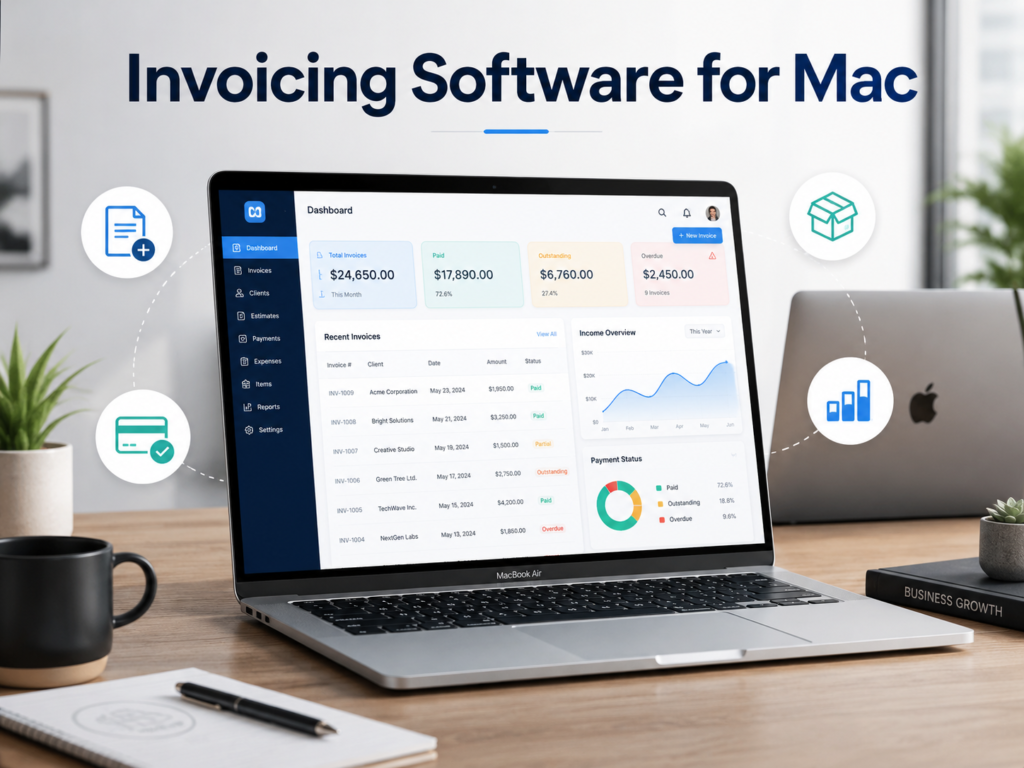
Table of Contents
- What Does Invoicing Software for Mac Mean?
- Why Do Mac Users Need Invoicing Software?
- How Invoicing Software for Mac Works
- Key Features to Look for in Invoicing Software for Mac
- Who Should Use Invoicing Software for Mac?
- What Indian SMBs Should Check Before Choosing Mac Invoicing Software
What Does Invoicing Software for Mac Mean?
Invoicing software for Mac simply means invoicing or billing software that can be used on macOS. It may work in different ways depending on the product:
- As a Mac desktop app installed on your MacBook or iMac
- As cloud-based billing software opened through a browser on Mac
- As a cross-device billing system where Mac, mobile, and desktop users can access the same business account
The purpose remains the same: to make invoice creation faster, more accurate, and easier to manage.
For example, a garment wholesaler using a MacBook can create a GST invoice, add items from the product list, apply tax, include discounts, record partial payment, and share the invoice on WhatsApp or email. The same invoice can later be used for payment follow-up, business reporting, and GST-related records.
Why Do Mac Users Need Invoicing Software?
Many Mac users start with simple tools like Apple Pages, Numbers, Excel, or invoice templates. These are fine for creating a basic bill, but they become difficult to manage when the business grows.
A template can help you design one invoice. It cannot automatically track which customer has paid, which invoice is pending, which product stock has reduced, or which GST details need to be maintained.
That is where invoicing software becomes useful.
A Mac invoicing tool is helpful when you want to:
- Create invoices without typing the same details again and again
- Maintain customer and vendor records
- Track paid, unpaid, and partially paid invoices
- Avoid calculation errors in totals, tax, and discounts
- Save invoice history for future reference
- Share invoices digitally with customers
- Manage stock after every sale
- Keep records ready for your CA or accountant
For an Indian SMB, this matters because billing is connected to almost every daily business activity. A bill is not just a document given to the customer. It affects inventory, payments, accounting, GST filing, and business reports.
How Invoicing Software for Mac Works
Most invoicing software for Mac follows a simple flow.
1. Add Business Details
You first add your business name, address, GSTIN if applicable, contact details, logo, and invoice preferences. This information appears on your invoices automatically.
2. Add Customers and Items
You can save customer details, product names, item codes, prices, GST rates, units, and opening stock. Once these are added, you do not have to type everything from scratch for every invoice.
3. Create the Invoice
When a customer buys something, you select the customer, add items, apply quantity, discount, tax, and payment details. The software calculates the total invoice amount.
4. Share or Print the Invoice
Depending on your business need, you can print the invoice, download it as a PDF, or share it through WhatsApp, email, or SMS.
5. Track Payments and Records
After creating the invoice, you can track whether payment is received, pending, or partially paid. This helps you follow up with customers and maintain cleaner books.
Key Features to Look for in Invoicing Software for Mac
Not every invoice tool is suitable for Indian SMBs. Some tools are made mainly for freelancers or global service businesses. Indian retailers, wholesalers, distributors, and shop owners usually need more than a simple invoice creator.
Here are the features worth checking.
GST Invoice Creation
If your business is GST registered, the software should help you create GST-compliant invoices with tax breakup, GSTIN, HSN/SAC details, taxable value, CGST, SGST, IGST, and invoice numbering.
For example, an electronics retailer selling to customers within the same state may need CGST and SGST on the invoice, while an interstate B2B sale may need IGST. Doing this manually can lead to mistakes if the process is not structured.
Custom Invoice Formats
Your invoice should look professional and include the right details for your business. A good invoicing tool should allow basic customisation such as logo, terms, invoice fields, item details, payment details, and print format.
This is useful for businesses that want printed bills at the counter as well as digital invoices for customers.
Payment Tracking
Creating invoices is only one part of billing. The bigger challenge is often knowing who has paid and who has not.
For wholesalers, distributors, and service businesses that sell on credit, payment tracking is important. The software should help you view pending dues, received payments, and customer-wise balances.
Inventory Management
If you sell products, choose invoicing software that updates stock when you create a bill. This helps you avoid situations where your invoice says an item is sold, but your stock record is still unchanged.
For example, a pharmacy owner using a Mac for billing needs item-wise stock visibility. A supermarket may need barcode billing and quick item search. A garment seller may need size, colour, or category-wise stock tracking. In such cases, a simple invoice template is not enough.
Multi-Device Access
Many Indian businesses do not work from only one device. The owner may use a MacBook, the billing staff may use a Windows desktop, and the sales team may use mobile phones.
A cloud-based billing system is useful because everyone can work on the same business data without maintaining separate files.
Reports and Accounting Support
Good invoicing software should help you understand sales, purchases, expenses, payments, taxes, and inventory movement. These reports help business owners make decisions and share cleaner records with their CA.
Easy Sharing with Customers and CA
Indian SMBs often share invoices and ledgers on WhatsApp. A useful invoicing tool should make sharing simple so customers can receive bills quickly and accountants can access the right records when needed.
Who Should Use Invoicing Software for Mac?
Invoicing software for Mac is useful for any business owner who prefers working on a MacBook or iMac and wants a more organised billing process.
It is especially helpful for:
Retail Shops
Retail shops can use Mac invoicing software to create quick bills, print invoices, scan barcodes, manage stock, and track daily sales.
Wholesalers and Distributors
Wholesalers and distributors often deal with credit sales, repeat customers, bulk orders, transport details, and payment follow-ups. Invoicing software helps keep all these records organised.
Service Businesses
Consultants, agencies, repair centres, and service providers can create professional invoices, track customer payments, and maintain invoice history.
Pharmacies and Medical Stores
Pharmacies need accurate item billing, stock visibility, expiry awareness, GST billing, and quick invoice generation. A structured billing tool can reduce manual effort.
Restaurants and Food Businesses
Restaurants and food outlets may need quick billing, customer invoices, order-level records, and daily sales reports. A simple template will usually not support these needs well.
Garment and Electronics Businesses
Garment sellers may need stock by design, size, or category. Electronics businesses may need serial number or item-level tracking. Invoicing software helps manage these details better than manual billing.
What Indian SMBs Should Check Before Choosing Mac Invoicing Software
Before choosing any invoicing software for Mac, check whether it fits your actual business workflow.
Check GST Requirements
If you create GST invoices, make sure the software supports GST details needed in Indian invoices. This includes GSTIN, tax breakup, HSN/SAC codes, invoice number series, and GST-ready records.
Check Whether It Works Across Devices
Do not choose a tool only because it works on Mac. Check whether your staff can also use it on other devices if needed. Many Indian businesses use a mix of Mac, Windows, Android, and iOS devices.
Check Printing and Sharing Options
If your business prints invoices at the counter, check printer compatibility and invoice format. If you mostly share invoices digitally, check whether PDF, WhatsApp, email, and SMS sharing are easy.
Check Inventory Needs
A service provider may not need detailed inventory. But a retailer, wholesaler, distributor, supermarket, pharmacy, or electronics shop usually needs stock tracking. Choose software based on your business type.
Check Ease of Use for Staff
The software should be simple enough for billing staff to use during busy hours. A complicated tool can slow down billing and create training issues.
Check Data Safety and Backup
Invoices, customer details, payment records, and stock data are important business records. Prefer software that helps keep data backed up and easy to access when devices change.
