Cloud Based Inventory Management Systems: A Practical Guide for Indian SMBs

For a small business, inventory problems rarely start with a complicated warehouse issue. They usually start with simple questions: How much stock is actually available? Did today’s sales reduce the stock count? Which items are running low? Is the stock shown at the shop the same as the stock in the godown?

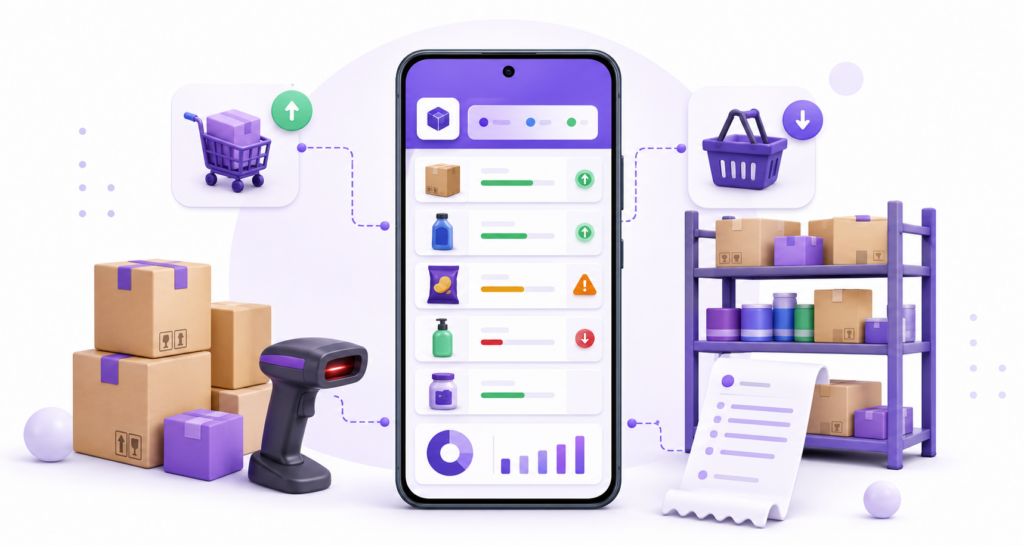
Cloud based inventory management systems are designed to answer these questions from a shared online system instead of relying on paper registers, disconnected spreadsheets, or stock files saved on one computer. Because the inventory data is stored and synchronised through the cloud, authorised users can work with the same updated records across supported devices and locations.

For Indian SMBs, the real value of a cloud inventory system is not simply that it works online. The bigger advantage is that stock can stay connected with everyday activities such as purchases, billing, returns, barcode scanning, GST invoicing and business reporting. This guide explains how that workflow works, when moving to the cloud makes sense, what to evaluate before choosing a system, and how to implement one without creating unnecessary disruption.

Summary

Cloud based inventory management systems keep stock records in an online, centrally accessible system so purchases, sales, returns, transfers and adjustments can update inventory without maintaining separate files at every location. For Indian SMBs, a suitable cloud system should be evaluated on real-time stock updates, billing integration, product-level tracking, godown or location support, user permissions, reports, GST-related workflows, data access and implementation practicality. Businesses should choose the system based on their actual transaction flow rather than moving to the cloud only because it sounds more modern.

Table of Contents

What Are Cloud Based Inventory Management Systems?

A cloud based inventory management system is software that stores and manages inventory information through online infrastructure rather than keeping the main database only on a local computer or a physical register.

The system can maintain information such as item names, quantities, purchase prices, selling prices, stock locations, transaction history, reorder levels and other product details. When connected with sales and purchase workflows, the inventory quantity can change as transactions are recorded.

For example, imagine a wholesaler with a shop and a separate godown. If five cartons are sold and the transaction is recorded in the same system, the available stock can be updated for the relevant location. The owner does not need to wait for the shop and godown teams to exchange separate Excel sheets at the end of the day.

This is different from the broader concept of inventory management itself. If you want to understand stock planning, control methods, ordering and inventory basics, read our guide to inventory management. This article focuses specifically on what changes when the inventory system is cloud based.

How Does a Cloud Inventory Management System Work?

The exact workflow depends on the software, but most practical cloud inventory setups follow the same basic cycle.

1. Products Are Created in a Central Item List

The business first creates or imports its product catalogue. Depending on the system, an item record may contain the item code, unit, tax rate, purchase price, selling price, opening quantity, category, barcode, batch details, serial number or other relevant information.

2. Purchases Add Stock

When goods arrive from a supplier and the purchase is entered, inventory should increase for the selected item and location. This reduces the need to update a purchase register and a separate stock sheet.

3. Sales Reduce Stock

When a sale is billed, the sold quantity should reduce from available inventory. This is especially useful for businesses where billing volume is high and manual stock deduction would be difficult to maintain accurately throughout the day.

4. Returns, Transfers and Adjustments Change the Record

Real inventory is not affected only by purchases and sales. Customer returns, supplier returns, damaged goods, stock transfers and physical-count corrections also change what is available. A useful cloud system should record these movements clearly rather than allowing users to change the final quantity without context.

5. The Updated Data Becomes Available to Authorised Users

Because the records are centrally stored, supported devices can access the latest synced information. This allows an owner, cashier, purchase manager or accountant to work from the same business data according to the access given to them.

This shared-data model is the main operational difference. The cloud itself does not fix poor inventory discipline; it simply makes it easier for every authorised user to work from one system. Accurate results still depend on recording purchases, sales, returns and adjustments consistently.

Cloud Inventory vs Desktop Software vs Spreadsheets

Cloud inventory is not automatically the right answer for every business. The better question is which system matches the way the business operates.

Area Cloud Inventory System Traditional Desktop-Only System Spreadsheet or Manual Register
Primary data location Central online system Mainly one local installation or local database Separate files or physical records
Access Can support access across devices and locations Usually centred around the installed machine or local setup Depends on where the file or register is kept
Stock updates Can update as connected transactions are recorded Can update quickly on the local system Often requires manual entry
Multi-user work Can support simultaneous authorised access Depends on local network and software configuration Version conflicts and duplicate files can become a problem
Backups and updates Often managed within the service May require local backup and software maintenance Usually depends on the person maintaining the records
Internet dependency Internet quality can affect cloud access or syncing Core local functions may continue without internet Offline by default
Best fit Businesses needing connected access, shared data and scalable workflows Businesses comfortable with a fixed local setup Very small or low-volume operations with simple stock

The important point is not that spreadsheets or desktop tools are always wrong. A very small shop with a short product list and one person managing everything may be able to work with a simple system. The case for cloud inventory becomes stronger as transaction volume, staff, product count, locations or reporting requirements increase.

When Should an Indian SMB Move to Cloud Inventory?

Moving to a cloud inventory system is usually worth evaluating when the current method is creating repeated operational problems.

You Maintain the Same Stock in More Than One Place

If the shop, godown, owner and accountant each keep separate records, the business may spend more time reconciling files than understanding the stock itself. A central system can reduce the number of duplicate records.

You Cannot See Current Stock Without Calling Someone

An owner should not have to call the cashier or storekeeper every time a supplier asks whether an item needs replenishment. Cloud access can make current records easier to review when the business owner is away from the shop.

Billing and Inventory Are Disconnected

If staff create bills in one tool and update stock separately later, missed entries become more likely. For product-based businesses, linking billing with inventory can reduce duplicate work.

You Are Adding Staff, Counters or Locations

A system that works for one person may become difficult when several people create bills, receive purchases or transfer stock. Cloud systems can make it easier to centralise access while still controlling which users can perform specific tasks.

Your Purchase Decisions Depend on Old Reports

If purchasing decisions are based on last week’s spreadsheet instead of current transactions, the business may reorder an item that is already overstocked or miss an item that is selling quickly. Timely stock reports are particularly useful when working capital is tied up in inventory.

What Should You Check Before Choosing a Cloud Inventory System?

The word “cloud” tells you where and how the system is delivered. It does not tell you whether the software will fit your business. Use the following checks before finalising a system.

1. Transaction-Linked Stock Updates

Check whether purchases increase stock and sales reduce it automatically. Also test sales returns, purchase returns and stock adjustments. If the business still needs to update quantities in a separate screen after every bill, the workflow may not remove much manual effort.

2. Location or Godown-Level Visibility

A total quantity across the whole business may not be enough. A distributor might need to know whether 80 units are in the main godown, 20 in the shop and another 10 in transit or a second location. Confirm whether the system can show stock where you actually store it.

3. Product-Level Tracking That Matches Your Industry

Different products need different controls. A supermarket may depend heavily on barcodes. A pharmacy may need batch and expiry tracking. An electronics shop may need serial number or IMEI records. A garment shop may need size and colour variants.

If barcode-based stock movement is important for your business, our barcode inventory system guide explains how barcode-based tracking works in more detail.

4. Multi-User Access and Permissions

Do not assume that “multi-user” means every user sees and edits everything. A cashier, owner, purchase staff member and accountant may need different access. Check whether the software can restrict sensitive reports, settings or editing rights where required.

5. Useful Inventory Reports

A stock report should help the business take action, not just show numbers. Useful views may include current quantity, low-stock items, stock value, item movement, purchase history and item-wise sales. Businesses reviewing stock efficiency may also use measures such as the inventory turnover ratio to understand how efficiently inventory is moving.

6. Billing and GST Workflow

For many Indian retailers, wholesalers and distributors, inventory is closely connected with invoices. If the business is GST registered, check whether product details, tax rates, HSN information and sales quantities flow through the billing process correctly. If billing itself also needs to work across locations, a cloud billing software workflow can help keep invoicing and stock in the same connected system.

7. Data Import and Migration

A system may be easy to use after setup but painful to implement if hundreds or thousands of items must be entered manually. Check whether opening stock, product lists and relevant master data can be imported in a practical format.

8. Internet and Device Practicality

A cloud workflow depends on reliable connectivity for online access or syncing. Before rollout, test the software on the actual devices and internet connection used at the billing counter, shop floor and godown. Also understand what happens if connectivity is temporarily unavailable.

9. Security, Backup and Account Recovery

Ask practical questions: How is access controlled? Are backups handled by the service? Can the owner remove a staff member’s access? What happens if a phone or laptop is lost? How is account recovery managed? Cloud convenience should be paired with basic access discipline inside the business.

How Cloud Inventory Works in Different Indian SMBs

Retail Shop

A retail shop can connect billing with stock so each completed sale reduces the relevant item quantity. The owner can then review low-stock items without waiting for a physical count at the end of the week.

Wholesaler or Distributor

A wholesaler may use cloud inventory to track purchases, bulk sales, returns and stock across a shop and godown. The benefit is not merely remote access; it is having the sales and purchase teams work from the same stock record.

Pharmacy

A pharmacy may need to separate different batches of the same medicine and track expiry dates. In this case, choosing a cloud system without batch-level inventory would solve the access problem but not the actual stock-control problem.

Electronics Store

An electronics retailer may sell multiple units of the same model but still need to identify the exact device sold. Serial number or IMEI tracking can therefore be more important than a simple total quantity.

Supermarket

A supermarket may have a large item list and frequent counter transactions. Barcode scanning, fast item search and automatic stock reduction after billing become critical because manual quantity updates are difficult to maintain at high billing volumes.

These examples show why the correct cloud system is defined by the business workflow, not by a generic list of “advanced” features.

Cloud Inventory Implementation Checklist

A careful setup is more important than a fast setup. Use this sequence before moving the whole business to a new system.

  1. Clean the item master: remove duplicate product names and standardise units, item codes and categories.
  2. Count opening stock: start with a physical count rather than importing quantities that are already known to be inaccurate.
  3. Map locations: decide how shops, godowns or storage points will be represented in the system.
  4. Assign user roles: decide who can bill, purchase, adjust stock, view reports and change settings.
  5. Import a test set first: test a manageable group of real products before uploading the full catalogue.
  6. Run full transaction cycles: test purchase, sale, return, transfer and adjustment workflows.
  7. Check GST and invoice details: verify tax rates, HSN details, invoice numbering and item pricing where applicable.
  8. Test devices and printers: check phones, desktops, barcode scanners and printers used in daily operations.
  9. Train the actual users: include cashiers, purchase staff and storekeepers rather than training only the owner.
  10. Reconcile after rollout: compare physical stock with the system during the initial period and correct process gaps early.

One of the most common implementation mistakes is migrating an inaccurate spreadsheet exactly as it is. Cloud software can synchronise bad data just as efficiently as good data, so the starting records matter.

Common Mistakes to Avoid

Choosing “Cloud” Instead of Choosing a Workflow

Cloud access is only one requirement. The software still needs to match how goods are purchased, sold, returned, transferred and counted.

Ignoring the Internet Setup

A shop may have excellent connectivity in the office but weak coverage near the godown or billing counter. Test the system where staff will actually use it.

Giving Every User Full Access

Convenience should not mean uncontrolled access. Give staff only the permissions they need for their work.

Skipping Physical Stock Verification

If opening quantities are wrong, every future report starts from the wrong base. A physical count before migration is worth the effort.

Buying an Enterprise-Level System Too Early

A small retailer may need centralised stock, billing, low-stock visibility and reports—not a complicated warehouse or manufacturing platform. Extra complexity can make adoption harder without improving daily control.

Keeping Parallel Records for Too Long

During testing, parallel records can be useful. But if staff permanently update a cloud system, an Excel file and a register, differences are likely to return. Once the new workflow is stable, define which system is the source of truth.

How myBillBook Can Fit into a Cloud Inventory Workflow

For Indian SMBs that want billing and inventory connected rather than maintained as two separate systems, myBillBook inventory management software is one option to evaluate.

myBillBook can connect day-to-day stock records with sales and purchase transactions, GST billing and business reports. Based on the relevant plan and setup, businesses can also evaluate capabilities such as low-stock visibility, barcode management, batch and expiry tracking, serial-number tracking, godown management and multi-user access.

This type of setup can be useful for retailers, wholesalers, distributors, pharmacies, supermarkets and other product-based businesses that want a more connected view of stock without maintaining separate inventory records for every transaction.

Before switching, test myBillBook—or any cloud inventory system—with your own products, devices, staff roles and transaction flow. A short real-world test will tell you more than a long feature list.

Scroll to Top