
When business owners compare billing software features, long feature lists can be misleading. A useful billing system is not the one that simply offers the most options. Its important features should work together so that one sale can create the invoice, record the payment, update the relevant stock, maintain the customer balance and contribute to business reports without the same transaction being entered repeatedly.
For Indian SMBs, the right feature set also depends on how the business operates. A retailer may care about barcode billing and fast checkout, a wholesaler may need party-wise outstanding tracking, and a pharmacy may need stronger item-level stock controls. This guide focuses specifically on the capabilities billing software should provide and what each feature should actually do in daily business.
If you are still understanding the basics, first read our guide on what billing software is and how it works. This article goes one step further and focuses only on the features that make a billing system practical.
Summary
Every billing software should make invoice creation simple, maintain accurate transaction records, support relevant tax details, track payments, protect business data and provide useful reports. For product-based businesses, inventory should stay connected with sales and purchases. Depending on the business, barcode billing, POS billing, multi-user access, e-invoicing, e-way bills and mobile-desktop access may also become important. The most valuable feature is not one that exists only on a menu; it is one that reduces repeated work and keeps connected business records updated when a transaction happens.
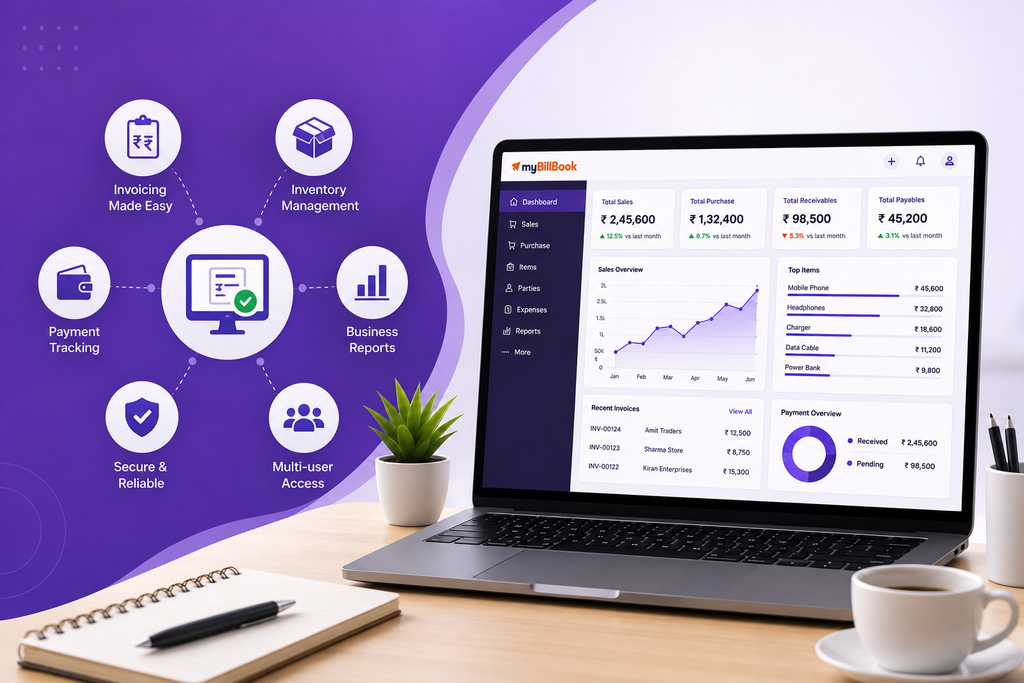
Table of Contents
- What Makes a Billing Software Feature Essential?
- 1. Fast Invoice Creation with Reusable Business Data
- 2. GST-Ready Billing and Tax Handling
- 3. Payment and Outstanding Tracking
- 4. Inventory Connected with Billing
- 5. Purchase and Supplier Records
- 6. Barcode and POS Billing for Faster Counters
- 7. Useful Business Reports
- 8. Multi-User Access for Growing Teams
- 9. Mobile, Desktop, Sync and Backup
- 10. Data Export and CA-Friendly Sharing
- 11. Flexible Invoice Printing and Sharing
- 12. E-Invoicing and E-Way Bill Support When Applicable
- How These Features Should Work Together
- Which Features Matter Most by Business Type?
- Where myBillBook Fits
What Makes a Billing Software Feature Essential?
A feature becomes useful when it solves a regular business task, not simply because it appears in a product brochure.
For example, an inventory feature is valuable only if stock changes when sales, purchases and returns are recorded. A payment feature is valuable only if the owner can later see which invoice is paid, partially paid or still pending. A reporting feature is useful only if it uses the same everyday transaction data instead of forcing staff to maintain a separate spreadsheet.
For most small businesses, good billing software features should do at least one of these jobs:
- reduce repetitive data entry;
- make invoices and transaction records more consistent;
- connect billing with stock, payments or customer balances;
- make daily business information easier to review;
- support the tax or business documents the company actually uses;
- make records accessible without weakening control over business data.
Not every business needs every advanced feature. A service business may not need barcode billing. A small non-GST business may not need e-invoicing. The core system should still be strong enough to handle billing, payments, records, reports and data safely.
1. Fast Invoice Creation with Reusable Business Data
The first job of billing software is still to create a clear bill or invoice without making the user type the same information every time.
A practical system should let the business save frequently used information such as:
- customer or party details;
- product or service names;
- prices and units;
- tax rates and HSN/SAC details where relevant;
- discount preferences;
- payment terms;
- business details used on invoices.
Once these masters are set up, the user should be able to create the next bill by selecting the customer and items instead of rewriting their details.
Consider a wholesaler who supplies the same 150 products to regular retailers. If every invoice requires the user to re-enter product descriptions, tax rates and party information, the software is only replacing handwriting with typing. Reusable masters are what make digital billing meaningfully faster.
The invoice workflow should also support the documents the business uses regularly, such as invoices, quotations, estimates, credit notes, debit notes or delivery-related documents where relevant.
2. GST-Ready Billing and Tax Handling
For a GST-registered business, the billing system should help maintain the tax details required in its normal invoices. This can include GSTIN information, HSN or SAC codes, configured tax rates, taxable value and the applicable CGST, SGST or IGST breakup.
The important point is consistency. The software should use the saved tax settings when invoices are created so staff do not manually calculate the same tax repeatedly.
Good software should also make it easy to correct genuine business transactions through the appropriate document workflow, such as a credit note or debit note, rather than forcing users to edit old records in an unclear way.
Software cannot fix incorrect master data by itself. Businesses still need to maintain the correct GSTIN, product classification, tax rate and transaction details. The feature should reduce repetitive calculation and record-keeping work, not replace tax judgment.
3. Payment and Outstanding Tracking
Billing does not end when an invoice is generated. For many Indian businesses, the harder task is knowing whether the money was actually received.
Billing software should be able to record the payment status against the transaction. Ideally, the business should be able to distinguish between:
- fully paid invoices;
- partially paid invoices;
- credit sales or unpaid invoices;
- cash, UPI, card, bank or other supported payment modes.
For businesses that sell regularly to the same customers, party-wise outstanding balances are particularly useful. A wholesaler may issue five invoices to the same retailer during a month and receive payments in parts. The software should help the owner see the remaining balance without calculating it from paper bills.
This feature matters because an invoice value and a collected amount are not always the same thing. A business should be able to review sales separately from money still due.
4. Inventory Connected with Billing
For retailers, wholesalers, distributors, pharmacies, supermarkets and other product-based businesses, inventory is one of the most important billing software features.
The key word is connected. Stock should not exist as a separate list that staff update occasionally. When a sale, purchase or return is recorded, the corresponding quantity should update in the inventory records supported by the software.
Useful inventory capabilities can include:
- item-wise stock quantity;
- purchase and sale movement;
- low-stock visibility or alerts;
- stock valuation or inventory reports;
- godown or location-wise stock where required;
- batch and expiry tracking for businesses that need it;
- serial number or IMEI tracking for relevant products.
A garment store may care about size and colour variants, while a pharmacy may care about batch and expiry information. That is why inventory depth should match the business rather than follow a single generic checklist.
Businesses that need deeper stock control can explore inventory management software rather than depending on a basic invoice-only tool.
5. Purchase and Supplier Records
A billing system becomes more useful when it records what comes into the business as well as what goes out.
For a product business, purchase entries can increase stock and keep supplier transactions connected with the same item records used during sales. This reduces the need to maintain sales in one system and purchases in another.
Supplier records are also useful for checking how much was purchased from a party, what remains payable and how purchase activity affects stock.
For example, if a supermarket receives 50 units of an item and sells 18, the available stock should reflect the purchase and sales activity together. If the purchase is recorded only in a notebook while sales are recorded in software, inventory will quickly become unreliable.
6. Barcode and POS Billing for Faster Counters
Barcode and POS features are not essential for every business, but they become important when billing happens repeatedly at a customer-facing counter.
A retail counter should be able to find products quickly, add them to the bill, adjust quantities, apply the usual discounts or taxes and move to payment without unnecessary steps. Barcode scanning can speed up item selection when products are already labelled with usable codes.
Businesses such as supermarkets, grocery stores, apparel shops, pharmacies and electronics stores may benefit more from this workflow than a consultant who creates a few service invoices each week.
If fast checkout is a major part of the business, compare a regular invoice screen with a dedicated POS billing software workflow. Retailers preparing barcode-based billing can also refer to our barcode billing guide for small shops.
7. Useful Business Reports
Billing software already records valuable business data. It should turn that data into reports the owner can actually use.
Common reports may include:
- sales by day, week or month;
- purchase reports;
- item-wise sales;
- stock reports;
- customer or party outstanding reports;
- payment-mode summaries;
- tax-related reports;
- profit or margin-related reports where the required cost data is maintained.
The purpose is not to create more dashboards. It is to answer practical questions such as: What sold today? Which customers still owe money? Which items are running low? How much was collected through UPI? Which products are moving slowly?
A report is most useful when it is generated from transactions staff already entered during normal business activity. If employees must rebuild the same numbers manually in Excel every evening, the billing system is not giving the business full value from its data.
8. Multi-User Access for Growing Teams
A single-owner business may begin with one login. As the business grows, the cashier, purchase staff, manager and owner may all need access to the same records.
Multi-user billing software can help different people work from a common set of business data. Depending on the software, the business may also be able to control what different users can view or change.
This matters because separate files create version problems. If a cashier records sales on one computer while the owner maintains a different spreadsheet and the purchase person updates stock somewhere else, the business can end up with three versions of the same day.
Even if a business does not need multiple users today, it is useful for the system to support a structured way to add users later instead of sharing one password across the entire team.
9. Mobile, Desktop, Sync and Backup
Modern small businesses often use more than one device. Billing may happen on a desktop while the owner checks sales from a phone, or one branch may use a computer while another user reviews records elsewhere.
Good billing software should make it clear where the business data is stored, how supported devices stay in sync and what happens if the main device is lost or damaged.
Important capabilities include:
- supported mobile, desktop or web access;
- data synchronisation where multi-device access is offered;
- backup and recovery options;
- a clear process for signing in on a replacement device;
- protection against accidental loss of business records.
A desktop-heavy business should pay particular attention to continuity. If your counter mainly runs on a computer, our guide on choosing billing software for a PC covers compatibility, printer setup, internet dependency and recovery in more detail.
10. Data Export and CA-Friendly Sharing
Business data should not become difficult to use outside the billing screen.
Owners may need to share sales records, tax reports, ledgers or transaction summaries with a CA or accountant. They may also want to analyse data in a spreadsheet, keep a local copy or migrate to another system later.
That makes export options an important feature. Depending on the record, useful formats may include Excel, PDF or other supported accounting-friendly exports.
This is especially important for small businesses where the owner handles daily billing but an external accountant handles periodic review or filing. The billing system should make collaboration easier without requiring the CA to reconstruct the business from screenshots and paper bills.
11. Flexible Invoice Printing and Sharing
Customers may need invoices in different formats. A wholesale buyer may expect a detailed A4 invoice, while a retail customer may need a compact thermal receipt. Some customers may prefer a digital copy.
Billing software should therefore support the invoice output methods relevant to the business, such as:
- A4 printing;
- thermal receipt printing where supported;
- PDF invoices;
- digital sharing through supported channels;
- basic invoice customisation such as business details, logo and terms.
The goal is not unlimited design. The goal is to produce a clear invoice in the format the business and its customers actually use.
12. E-Invoicing and E-Way Bill Support When Applicable
Some Indian businesses need e-invoicing or e-way bill workflows for applicable transactions. In such cases, handling these tasks from the same business system can reduce repeated entry between billing records and separate portals.
This is not a feature every small business must use. Its importance depends on the business, its applicable compliance requirements and the type of movement or invoice involved.
Businesses that need these workflows should check whether the software supports the required process, how data moves from the invoice to the compliance document and what happens when a transaction needs correction.
You can explore dedicated e-invoicing software workflows if e-invoicing applies to your business.
How These Features Should Work Together
The biggest difference between a useful billing system and a collection of disconnected features is what happens after one transaction.
Imagine a retailer sells three products to a regular customer:
- The cashier scans or selects the items.
- The software pulls the saved price and tax details.
- The invoice is created and the customer pays partly by UPI and partly on credit.
- The sold quantities reduce from available stock.
- The received amount is recorded under the payment mode.
- The unpaid amount remains visible against the customer.
- The sale contributes to the day’s sales and item reports.
If the software forces the owner to update stock, payment dues and reports separately after creating the invoice, it may technically have many features but they are not working as one business system.
This connected workflow is the practical standard businesses should expect from modern billing software.
Which Features Matter Most by Business Type?
The core billing features are similar across businesses, but the priority changes depending on how the business sells and manages stock.
| Business Type | Features to Prioritise |
|---|---|
| Retail or Kirana Shop | Fast billing, barcode support, inventory updates, payment modes, thermal printing, daily sales reports |
| Wholesaler or Distributor | Party-wise billing, credit and outstanding tracking, purchases, inventory, GST records, data export |
| Pharmacy or Medical Store | GST billing, batch/expiry-oriented stock controls where required, purchases, inventory and payment tracking |
| Restaurant or Food Counter | Fast counter billing, POS-style workflow where needed, payment modes, taxes, day-end sales reports |
| Garment or Apparel Store | Barcode billing, item variants, stock tracking, returns/exchanges and retail checkout |
| Electronics or Mobile Shop | GST invoicing, stock management, barcode support and serial/IMEI tracking where required |
| Service Business | Invoice creation, customer history, payment tracking, estimates, digital sharing and reports |
This is why a feature list should be interpreted in the context of the business. A small service firm should not reject simple software because it lacks supermarket-style POS functions, and a busy retailer should not accept an invoice-only tool when stock and checkout speed are central to daily operations.
Where myBillBook Fits
myBillBook is built for Indian SMBs that want billing connected with everyday business records. Businesses can use it for GST and non-GST invoicing, inventory management, payment and outstanding tracking, business reports and invoice sharing.
Depending on the business workflow and plan, relevant capabilities also include barcode billing, POS billing, e-invoicing, e-way bills, multi-user access, mobile and desktop billing, and data sharing or export for accounting workflows.
The useful question is not whether your business will use every available feature. It is whether the features you depend on are connected to the same billing data and reduce the number of separate records your team has to maintain.
Conclusion
The top features every billing software should have are the ones that keep everyday transactions connected. Fast invoicing matters, but it becomes far more useful when the same invoice can update payment status, stock, party balances and reports.
For Indian SMBs, GST-ready billing, payment tracking, reporting, data backup and export form a strong foundation. Product businesses should also expect connected inventory. Barcode billing, POS, multi-user access, e-invoicing, e-way bills and cross-device access become important when the business workflow requires them.
Instead of counting features, look at the complete transaction: what happens before the bill, while it is being created and after the customer pays. Billing software is most useful when one transaction updates the records that the business needs next.
