
Restaurant owners often use the terms billing software and POS software as if they mean the same thing.
They are closely related, but they are not always the same.
For a small restaurant, café, bakery, food truck, cloud kitchen, or takeaway counter, choosing between restaurant billing software and restaurant POS software depends on how your business works every day.
Do you only need to create bills and record payments?
Or do you need to manage orders, tables, staff, payments, and reports from one system?
This guide will help you understand the difference clearly, so you can choose the right setup for your food business without paying for tools you may not need.
Summary
Restaurant billing software mainly helps food businesses create bills, record payments, and maintain invoice records. Restaurant POS software is broader. It supports billing along with order handling, counter operations, table or service flow, payment tracking, and daily business visibility. If your restaurant only needs simple billing, billing software may be enough. If your business handles dine-in, takeaway, delivery, multiple staff, or high order volume, restaurant POS software is usually a better fit.
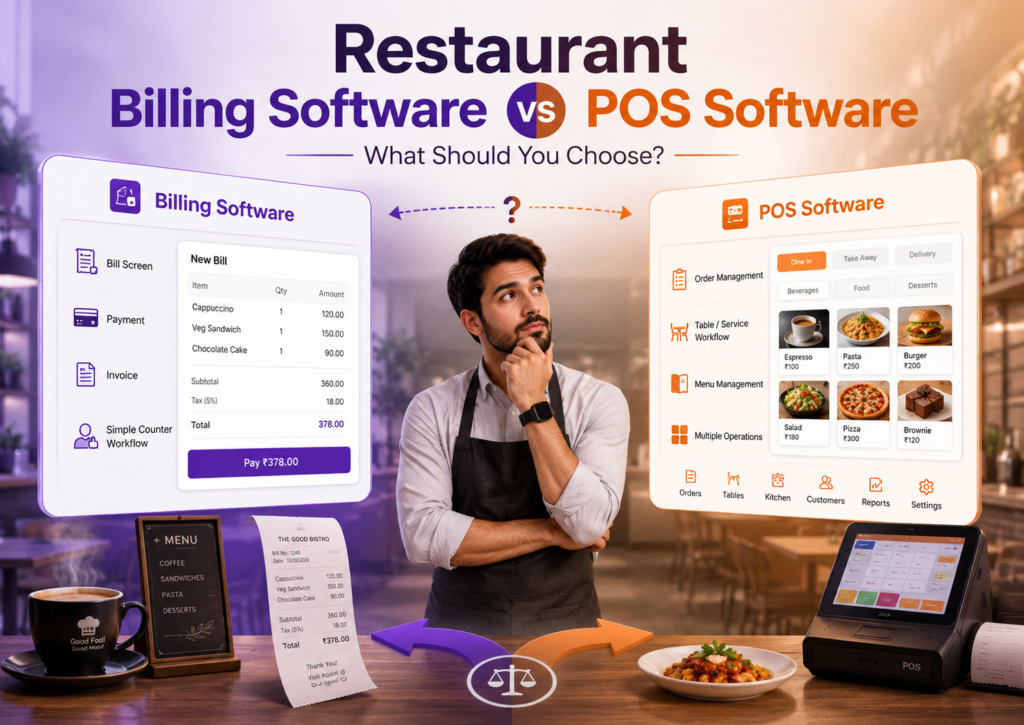
Table of Contents
- Quick Difference Between Billing Software and POS Software
- When Restaurant Billing Software Is Enough
- When Restaurant POS Software Makes More Sense
- Billing Counter vs Restaurant Operations
- Small Food Business Examples
- Which One Should You Choose?
- Comparison Table
- Final Thoughts
Quick Difference Between Billing Software and POS Software
The easiest way to understand the difference is this:
Restaurant billing software focuses on the bill.
Restaurant POS software focuses on the full order-to-payment flow.
Billing software is useful when your main need is to create invoices, record payments, and maintain sales records.
POS software is useful when your restaurant needs a smoother counter or service workflow. It helps connect order taking, billing, payments, staff usage, and daily tracking in one place.
In simple terms:
| Software Type | Main Purpose |
|---|---|
| Restaurant billing software | Create bills and record payments |
| Restaurant POS software | Manage orders, billing, payments, and restaurant operations |
Both can be useful, but the right choice depends on your business type and order volume.
When Restaurant Billing Software Is Enough
Restaurant billing software may be enough if your food business has a simple billing process.
For example, you may only need to create a bill, collect payment, print or share the invoice, and check daily sales.
This works well for businesses like:
- Small food stalls
- Juice shops
- Small bakeries
- Sweet shops
- Tea counters
- Small takeaway counters
- Low-volume food businesses
You may not need a full POS setup if:
- You do not manage many tables
- You do not have multiple counters
- Your menu is simple
- Only one or two people handle billing
- You do not need detailed order coordination
- You mainly want invoice and payment records
In this case, a simple restaurant billing software can help you move away from manual billing without making the setup complicated.
When Restaurant POS Software Makes More Sense
Restaurant POS software makes more sense when your business has more moving parts.
This usually happens when billing is not the only task. Orders need to be created, modified, tracked, settled, and reviewed.
A POS system is more suitable if your food business handles:
- Dine-in orders
- Takeaway orders
- Delivery orders
- Multiple staff members
- Frequent menu changes
- Rush-hour billing
- Table-wise service
- Split or mixed payments
- Multiple counters or devices
- Daily order and payment review
For example, a café with dine-in and takeaway orders may need more than simple bill creation. A small restaurant may need to manage table orders and final settlement. A cloud kitchen may need better visibility into order flow and daily collections.
In such cases, restaurant POS software gives better control over the full workflow.
Billing Counter vs Restaurant Operations
This is the main decision point.
If your challenge is only at the billing counter, restaurant billing software may be enough.
But if your challenge is across restaurant operations, POS software is usually better.
Think about where the problem is:
| Your Problem | Better Fit |
|---|---|
| Bills are slow or handwritten | Billing software |
| Payment records are unclear | Billing software or POS software |
| Orders get mixed up during rush hours | POS software |
| Staff needs one screen for orders and billing | POS software |
| You need table-wise or service-wise control | POS software |
| You only want clean invoices and daily sales records | Billing software |
| You want order, payment, and counter visibility together | POS software |
Do not choose POS software only because it sounds more advanced. Choose it if your daily operations actually need it.
Similarly, do not choose basic billing software if your restaurant has already outgrown a simple billing counter setup.
Small Food Business Examples
Here is how different food businesses can decide.
Small Tea or Juice Shop
A tea shop or juice counter may only need quick billing and payment records. If order flow is simple, billing software may be enough.
Bakery
A bakery may start with billing software if it mainly sells ready items at the counter. But if it handles custom cake orders, takeaway, delivery, and advance payments, POS software may be more useful.
Café
A café usually benefits from POS software because it may handle dine-in, takeaway, menu changes, and multiple payment modes throughout the day.
Food Truck
A food truck usually needs a compact and fast billing setup. If order volume is high and space is limited, a simple POS setup can be more practical than basic billing software.
Small Restaurant
A small restaurant with dine-in service should consider POS software if it needs table-wise order handling, staff access, and clear end-of-day settlement.
Cloud Kitchen
A cloud kitchen may not need table management, but it may need better order and payment tracking. In that case, POS software can help if it supports delivery-focused workflows.
Which One Should You Choose?
Choose restaurant billing software if your goal is simple:
- Create bills
- Record payments
- Maintain invoices
- Check daily sales
- Avoid handwritten billing
Choose restaurant POS software if your goal is broader:
- Manage orders and billing together
- Handle dine-in, takeaway, or delivery
- Give staff an easy order screen
- Track payment settlement
- Review daily operations
- Support growth beyond one simple counter
The best choice is not about which tool has more features. It is about which tool matches your current business stage.
For a very small food business, billing software can be a good start.
For a growing restaurant, café, bakery, food truck, or cloud kitchen, POS software is usually a stronger long-term choice.
Comparison Table
| Factor | Restaurant Billing Software | Restaurant POS Software |
|---|---|---|
| Best for | Simple billing needs | Order-to-payment operations |
| Main use | Bills and payments | Orders, billing, payments, reports |
| Suitable for | Small counters, food stalls, simple shops | Restaurants, cafés, bakeries, food trucks, cloud kitchens |
| Staff usage | Usually simple cashier usage | Better for multiple staff roles |
| Service flow | Basic billing flow | Dine-in, takeaway, delivery, counter flow |
| Setup complexity | Lower | Slightly broader setup |
| Growth fit | Good for early-stage businesses | Better for growing food businesses |
| Decision trigger | “I need to create bills faster” | “I need to manage orders and billing together” |
Final Thoughts
Restaurant billing software and restaurant POS software are connected, but they solve different levels of problems.
Billing software is enough when your food business mainly needs clean bills and payment records. POS software is better when your restaurant needs to manage the full order, billing, and payment workflow.
If you are just moving away from handwritten bills, start with a simple billing setup. If your staff handles multiple orders, service types, or rush-hour billing, choose a POS system that gives better operational control.
