
Running a small food business is very different from running a regular shop. Orders change quickly, customers expect fast service, staff members handle multiple tasks, and every delay at the billing counter can affect the overall dining or takeaway experience.
Whether you run a small restaurant, café, bakery, cloud kitchen, food truck, juice shop, pizza outlet, or quick-service food counter, your billing software should support the way food orders actually move — from menu selection to payment, kitchen coordination, invoice generation, and daily sales tracking.
The right restaurant billing software should not feel complicated. It should help you take orders faster, reduce billing mistakes, manage payments clearly, and understand how your food business is performing every day.
This guide will help small food business owners choose restaurant billing software based on real daily operations, not just feature lists.
Summary
Small food businesses should choose restaurant billing software that is easy to use during rush hours, supports dine-in, takeaway, and delivery orders, handles menu changes quickly, records payments clearly, tracks daily sales, and gives simple reports. The software should fit your food business type, staff size, order volume, counter setup, and future growth plans.
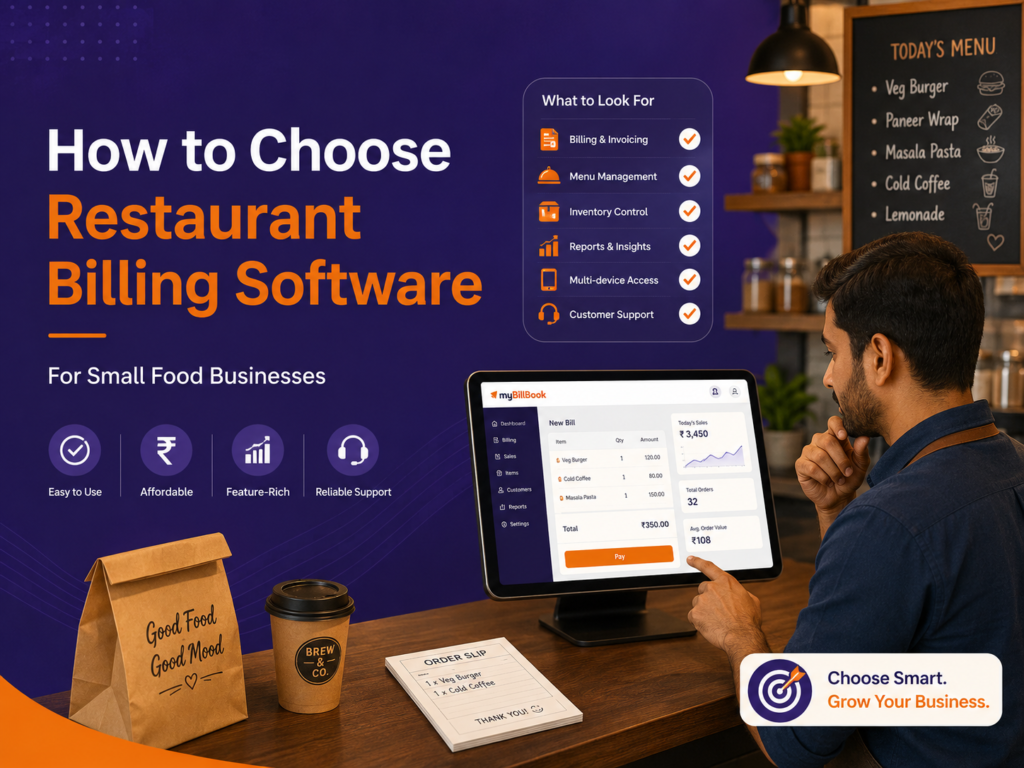
Table of Contents
- Start With Your Food Business Type
- Check How Fast Orders Can Be Created
- See If It Supports Your Service Style
- Make Sure Menu Changes Are Easy
- Check Payment and Bill Settlement Options
- Look for Simple Staff Usage
- Check Daily Sales and Order Reports
- Choose Software That Fits Your Setup
- Final Checklist Before Choosing
Start With Your Food Business Type
Before choosing restaurant billing software, first be clear about the type of food business you run.
A small café does not work the same way as a food truck. A bakery does not bill like a dine-in restaurant. A cloud kitchen may need faster delivery order handling, while a pizza outlet may need easy menu and add-on management.
Ask yourself:
- Do customers dine in, take away, or order for delivery?
- Do you have tables or only a billing counter?
- Do you change menu items often?
- Do you sell fixed-price items or customised orders?
- Do you need quick billing during peak hours?
- Do you accept cash, UPI, card, or credit payments?
- Do multiple staff members handle orders?
This matters because the software should match your food business model. Do not choose software only because it says “restaurant billing”. Choose one that fits how your orders are taken, billed, and settled.
For example, a small food truck may need a simple mobile-friendly billing setup, while a dine-in restaurant may need table-wise order handling and bill settlement.
For mobile food businesses, a food truck POS system can be more useful than a traditional counter-based setup.
Check How Fast Orders Can Be Created
Speed is one of the most important factors for small food businesses.
During lunch, dinner, or evening rush, your staff should be able to create orders quickly without searching through too many screens. If billing takes too long, customers wait, staff gets stressed, and service slows down.
Check whether the software allows you to:
- Add menu items quickly
- Search food items easily
- Repeat common orders
- Apply discounts when needed
- Create bills without unnecessary customer details
- Print or share invoices quickly
- Record payment without delay
The software should reduce counter pressure, not add to it.
A good test is simple: ask your staff to create a sample order during a demo. If they can understand the flow quickly, the software is suitable for small food business operations.
See If It Supports Your Service Style
Small food businesses usually handle more than one type of order.
A restaurant may have dine-in and takeaway. A café may handle counter orders and table service. A bakery may sell packaged items and fresh items. A cloud kitchen may focus mainly on delivery orders.
Before choosing software, check whether it supports your main service style.
For dine-in businesses, check whether orders can be managed table-wise.
For takeaway counters, check whether bills can be created quickly.
For delivery-focused businesses, check whether orders can be tracked clearly.
For food trucks, check whether the billing flow works well on a compact setup.
If your business needs dine-in, takeaway, and counter billing in one setup, a restaurant POS software can help manage orders and billing more smoothly.
The software does not need to be overloaded with features. It needs to support the order flow that matters most to your business.
If your food business has more than one service type, choose software that can handle them without confusing your staff.
Make Sure Menu Changes Are Easy
Food businesses change menu items more often than many other businesses.
Prices may change. Items may go out of stock. Seasonal dishes may be added. Combos may be updated. Some dishes may be available only during certain hours.
Your restaurant billing software should make menu updates simple.
Check whether you can:
- Add new dishes easily
- Edit item prices
- Hide unavailable items
- Group items by category
- Update taxes if required
- Manage combos or add-ons if needed
- Keep the billing screen clean for staff
This is especially useful for cafés, bakeries, quick-service restaurants, food trucks, and snack counters where menu movement is frequent.
If every menu change requires too much effort, staff may continue billing manually or make mistakes during orders.
Check Payment and Bill Settlement Options
Food businesses receive payments in different ways.
Some customers pay in cash. Some use UPI. Some split bills. Some pay by card. Some orders may be cancelled or modified before settlement.
Before choosing software, check whether payments can be recorded clearly.
Look for:
- Cash payment entry
- UPI payment entry
- Card payment entry
- Split payment support
- Credit or pending payment entry, if needed
- Refund or cancellation handling
- End-of-day payment summary
This is important because restaurant owners need to know whether cash, UPI, and card collections match the day’s sales.
The billing software should make daily settlement easier. At the end of the day, you should be able to check total sales and payment collections without depending on rough notes.
Look for Simple Staff Usage
A small food business often has staff members who handle multiple roles.
The same person may take orders, manage the counter, collect payments, and help in service. That is why the software should be simple enough for regular staff to use during busy hours.
Check whether staff can:
- Select menu items quickly
- Modify orders when needed
- Add or remove items safely
- Apply discounts only if allowed
- Record payment correctly
- Print or share bills
- Avoid accidental changes
Also check whether staff access can be controlled.
For example, a cashier may need billing access, but not full access to sales reports or settings. The owner should have control over what each user can view or change.
Simple staff usage is one of the biggest reasons small businesses successfully shift to billing software.
Check Daily Sales and Order Reports
A small food business owner needs simple reports, not complicated dashboards.
At the end of the day, you should be able to answer:
- How much did we sell today?
- Which items sold the most?
- Which payment mode was used most?
- How many orders were created?
- What were the peak sales hours?
- Are any payments pending?
- Which items should we prepare more or less tomorrow?
The reports should help you make practical decisions.
For example, if a dish sells well every evening, you can prepare better for that time. If a menu item rarely sells, you can rethink pricing, promotion, or availability.
Choose software that gives clear daily visibility without making reports difficult to understand.
Final Checklist Before Choosing
Use this checklist before choosing restaurant billing software for your small food business:
| What to Check | Why It Matters |
|---|---|
| Business type fit | Software should match café, restaurant, bakery, food truck, or cloud kitchen needs |
| Fast order creation | Helps manage rush hours without slowing service |
| Service style support | Should support dine-in, takeaway, delivery, or counter billing as needed |
| Easy menu updates | Helps manage price changes, unavailable items, and new dishes |
| Payment recording | Keeps cash, UPI, card, and split payments organised |
| Staff usability | Makes daily adoption easier for non-technical staff |
| Access control | Helps owners control what staff can view or change |
| Daily reports | Shows sales, orders, payment modes, and top-selling items |
| Device compatibility | Should work with your counter, mobile, or printer setup |
| Growth readiness | Should support more users, devices, or outlets later |
Choosing restaurant billing software for a small food business should not be based only on price or a long feature list.
The right software should fit your actual food business workflow. It should help your staff create orders faster, manage menu changes easily, record payments clearly, and give you useful daily sales insights.
For small restaurants, cafés, bakeries, food trucks, cloud kitchens, and quick-service counters, the best billing software is the one that makes daily operations simpler without adding unnecessary complexity.
