
Choosing jewellery billing software is not the same as choosing billing software for a regular retail shop. A jewellery bill often includes gold rate, purity, gross weight, net weight, making charges, wastage, stone value, GST, HUID details, advance payments, repairs, old-gold exchange, and customer records. If your software cannot handle these details clearly, your staff may still depend on registers, calculators, and Excel sheets.
For a jewellery shop, the right software should help you create accurate GST invoices, manage stock by weight and item, track customer payments, record orders and repairs, and give clear reports without slowing down the counter. This guide will help you choose software that fits the way Indian jewellery businesses actually work.
Summary
The best jewellery billing software for your shop should support jewellery-specific billing fields, GST invoices, item-wise and weight-wise stock tracking, barcode or item-code billing, customer ledgers, repair and order records, payment tracking, and useful business reports. Before buying any tool, check whether it can handle gold, silver, diamond, imitation jewellery, making charges, wastage, old-gold exchange, advance payments, staff access, and accountant-friendly reports.
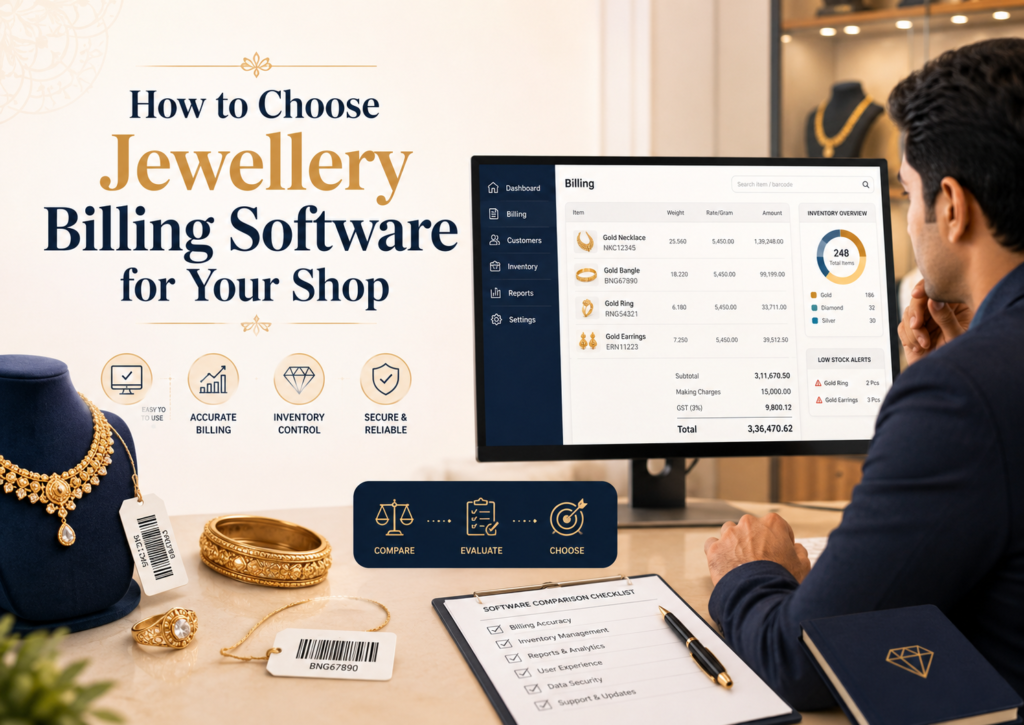
Table of Contents
- Understand What Your Jewellery Shop Actually Needs
- Check Whether It Supports Jewellery-Specific Billing
- Make Sure GST Billing Is Easy and Clear
- Look for HUID and Hallmarking Record Support
- Choose Software That Tracks Inventory by Item, Weight, and Category
- Check How It Handles Gold Rate Changes
- See Whether It Supports Orders, Advances, and Custom Jewellery
- Check Old-Gold Exchange and Repair Tracking Needs
- Look for Barcode, Item Code, or Tag-Based Billing
- Check Payment Tracking and Customer Ledgers
- Review Staff Access and Data Control
- Look for Reports That Help You Make Better Decisions
- Check Invoice Customisation for Jewellery Bills
- Compare Pricing with Value, Not Just Cost
- Questions to Ask Before Finalising Jewellery Billing Software
- Common Mistakes to Avoid While Choosing Jewellery Billing Software
Understand What Your Jewellery Shop Actually Needs
Before comparing software, start with your daily shop workflow. A small silver jewellery shop, a gold showroom, a diamond jewellery store, and an imitation jewellery outlet may all need billing software, but their billing details are different.
Ask yourself:
- Do you sell gold, silver, diamond, platinum, imitation jewellery, or a mix?
- Do you calculate bills using weight, purity, current rate, making charges, and wastage?
- Do you sell ready-made items, custom-made jewellery, or both?
- Do you take advance payments for orders?
- Do you accept old gold in exchange?
- Do you handle repairs, polishing, resizing, or stone replacement?
- Do you need barcode or item-code labels?
- Do you sell only from one shop or multiple counters/branches?
- Do you want to share data with your CA for GST filing?
Do not choose software only because it creates invoices. Choose it based on whether it reduces manual calculation and record-keeping at your jewellery counter.
Check Whether It Supports Jewellery-Specific Billing
A normal retail invoice usually needs product name, quantity, price, discount, and GST. Jewellery billing needs more detail.
Your software should allow you to record fields such as:
- Item name and design code
- Metal type, such as gold or silver
- Purity, such as 22K, 18K, 14K, 925 silver, or other categories
- Gross weight and net weight
- Stone weight and stone value, if applicable
- Gold or silver rate used for billing
- Making charges, either fixed or percentage-based
- Wastage, if your shop uses it
- Discount, if any
- GST breakup
- Final payable amount
For example, if a customer buys a 22K gold ring with stone work, your staff should not have to calculate the metal value, stone value, making charges, GST, and final amount separately on a calculator. The software should make the billing process clear and repeatable.
This is where jewellery shops should be careful. If the tool only supports simple item billing, it may work for imitation jewellery but may not be enough for gold and diamond jewellery billing.
Make Sure GST Billing Is Easy and Clear
If your jewellery shop is GST-registered, GST billing should be one of your first checks.
Your software should help you create GST invoices with:
- GSTIN and business details
- Customer details, if required
- Invoice number and date
- HSN code
- Taxable value
- CGST, SGST, or IGST breakup
- Discounts and additional charges
- Payment mode
- Credit note or sales return records, if applicable
For jewellery businesses, invoice clarity is important because customers often want a proper bill for ownership proof, resale, exchange, warranty, and valuation records. Your CA also needs clean data for filing and reconciliation.
You can also connect this requirement with GST billing and invoicing software if your main need is creating GST-ready invoices and sharing them easily with customers.
Look for HUID and Hallmarking Record Support
Gold jewellery billing in India is closely linked with trust. Customers may ask for purity, hallmarking, and HUID details. The Bureau of Indian Standards explains hallmarking as certification of precious metal purity and lists HUID-related hallmarking resources for jewellers and consumers on its official website.
Your jewellery billing software should help you record important product details such as purity, item code, certificate details, and HUID wherever your shop needs it. This does not replace BIS compliance, but it helps you keep your selling records organised.
A practical example:
A customer comes back after six months, asking for the HUID details of a bangle purchased from your shop. If the details are stored in the invoice or item record, your staff can find them quickly instead of searching old files or handwritten registers.
Choose Software That Tracks Inventory by Item, Weight, and Category
Inventory is one of the biggest reasons jewellery shops should not depend only on manual registers.
A jewellery item is not just “one product”. It may have different weights, purity, design, making charge, supplier, and selling price. Two bangles may look similar but have different weights and values.
Good jewellery billing software should help you track:
- Item-wise stock
- Category-wise stock, such as rings, chains, bangles, earrings, coins, anklets, and pendants
- Metal-wise stock, such as gold, silver, diamond, and imitation jewellery
- Weight-wise stock
- Purchase entries
- Sales entries
- Stock value
- Low-stock items
- Slow-moving designs
- Returned or exchanged items
If your shop has hundreds of designs, barcode or item-code-based stock tracking becomes useful. You can connect stock management with inventory management software when you want every sale and purchase to update your stock records automatically.
Check How It Handles Gold Rate Changes
Jewellery prices change because metal rates change. Your software should make it easy to update gold and silver rates without disturbing old bills.
Before choosing software, ask:
- Can I update today’s gold or silver rate easily?
- Will old invoices remain unchanged after the rate is updated?
- Can staff see the correct rate while billing?
- Can I apply different rates for different purity levels, if needed?
- Can I review the rate used in a past bill?
This matters because jewellery billing mistakes can be expensive. A small manual error in rate, weight, or making charges can affect margin and customer trust.
See Whether It Supports Orders, Advances, and Custom Jewellery
Many jewellery shops do not only sell ready items. They also take custom orders for weddings, festivals, gifting, resizing, repairs, and redesigning old jewellery.
Your software should help you record:
- Customer order details
- Design or item description
- Estimated weight
- Advance received
- Balance payment
- Delivery date
- Order status
- Staff notes
- Final invoice after delivery
For example, a customer orders a custom necklace and pays an advance. After two weeks, the final weight changes slightly and the customer pays the remaining amount. Your software should help you connect the advance payment with the final bill, instead of maintaining a separate notebook.
Check Old-Gold Exchange and Repair Tracking Needs
Old-gold exchange, repairs, and alterations are common in many Indian jewellery shops. These workflows need proper records because they involve customer trust and item movement.
Check whether the software can help you maintain details for:
- Old jewellery received from customers
- Estimated value or weight recorded at the counter
- Exchange adjustment in the final sale
- Repair job details
- Polishing or resizing charges
- Stones added or replaced
- Delivery date and customer acknowledgement
Even if your software does not have a dedicated “repair module”, it should at least allow you to record service invoices, notes, customer details, and payment status clearly.
Look for Barcode, Item Code, or Tag-Based Billing
Barcode billing is not only for supermarkets. Jewellery shops can also use barcode labels, item codes, or tag numbers to identify products faster.
This is useful when your shop has many designs or when multiple staff members handle stock. Instead of searching by item name, staff can scan or enter the code and pick the correct item.
Check whether the software supports:
- Barcode generation
- Barcode printing
- Item-code search
- Product tags
- Quick item lookup
- Counter-friendly billing
If your store has a billing counter, scanner, and printer setup, POS billing software can help you understand what to look for in a counter-ready billing system.
Check Payment Tracking and Customer Ledgers
Jewellery purchases often involve split payments. A customer may pay partly by UPI, partly by card, and partly in cash. Some customers may pay an advance first and settle the balance later.
Your software should help you track:
- Cash, UPI, card, bank transfer, and credit payments
- Advance payments
- Pending dues
- Customer-wise ledger
- Invoice-wise payment status
- Refunds and adjustments
- Payment history
This is useful for both retail and repeat customers. For example, if a family buys jewellery during a wedding season and makes payments in parts, your staff should be able to see how much has been paid and how much is pending without checking multiple registers.
Review Staff Access and Data Control
Jewellery businesses need strong control over billing and stock data. Not every staff member should have access to every report or setting.
Before choosing software, check whether it supports:
- Multi-user access
- Role-based permissions
- Separate access for cashier, manager, owner, and accountant
- User-wise billing activity
- Data backup
- Mobile and desktop access
- Easy access removal when staff changes
For example, your cashier may need billing access, but not profit reports. Your manager may need inventory access, but not the ability to delete invoices. These controls help you run the shop with more confidence.
Look for Reports That Help You Make Better Decisions
Jewellery shop owners often track sales manually, but software reports can show patterns that are easy to miss.
Useful reports include:
- Daily sales report
- Item-wise sales report
- Category-wise sales report
- Metal-wise sales report
- Customer outstanding report
- Payment mode report
- Purchase report
- Stock report
- Profit report, if supported
- GST report
For example, reports can help you see whether lightweight gold chains are selling faster than heavy bangles, whether silver articles move better during festive periods, or which customers still have pending payments.
Choose software that gives reports you can understand quickly. Complicated reports that your team never uses will not help your business.
Check Invoice Customisation for Jewellery Bills
Jewellery invoices should be clear and professional. Customers may keep the bill for years, so it should include the details they may need later.
Look for invoice customisation options such as:
- Shop logo and address
- GSTIN
- Customer name and mobile number
- Item description
- Purity and weight details
- Making charges and discounts
- Payment details
- Terms and conditions
- QR code or bank details
- Signature field
You do not need to overload the invoice with unnecessary information. The goal is to make the bill clear enough for the customer, your shop, and your accountant.
Compare Pricing with Value, Not Just Cost
The cheapest software is not always the right choice for a jewellery shop. A low-cost tool may look attractive, but it can become expensive if it cannot handle jewellery billing fields, stock records, reports, or customer payments properly.
While comparing pricing, check:
- Is training included?
- Is support included?
- Does it work on desktop and mobile?
- Are there limits on users, invoices, or items?
- Can it manage inventory and reports?
- Can your staff learn it easily?
- Can your CA get useful reports?
- Will it support your business as you add more products or counters?
Do not ask only, “How much does it cost?” Ask, “How much manual work and confusion will it reduce?”
Questions to Ask Before Finalising Jewellery Billing Software
Before you make a decision, take a demo and test the software using your own shop examples.
Ask the provider:
- Can I create a gold jewellery bill with weight, rate, making charge, wastage, and GST?
- Can I record HUID or item-specific details?
- Can I manage gold, silver, diamond, and imitation jewellery separately?
- Can I track stock by item and weight?
- Can I manage old-gold exchange or repair entries?
- Can I record advance payments for custom orders?
- Can I print and share invoices through WhatsApp or PDF?
- Can I restrict staff access?
- Can I view customer-wise pending payments?
- Can I share GST and sales reports with my CA?
A good demo should not only show features. It should show whether the software fits your actual billing counter.
Common Mistakes to Avoid While Choosing Jewellery Billing Software
Many jewellery shop owners make the wrong decision because they compare software too generally.
Avoid these mistakes:
- Choosing software only because it is cheap
- Selecting a generic billing tool without checking jewellery fields
- Ignoring inventory and stock value tracking
- Not testing gold rate updates before buying
- Not checking old invoice and rate history
- Giving all staff members full access
- Not checking support and training
- Not asking whether reports are useful for GST and CA work
- Not testing the software during realistic billing scenarios
The right software should make daily work simpler. If it adds more steps at the counter, your team may stop using it properly.
