
Sales Bill Format – Free Excel, Word & PDF Templates
Download a ready-to-use sales bill format to record seller and customer details, items sold, quantities, rates, discounts, taxes, payment information and the final bill amount. Choose an editable Excel or Word template or a ready-to-print PDF format.
- Free Excel, Word and PDF sales bill templates
- Editable for your business details, items, taxes and payment terms
- Suitable for retailers, wholesalers, traders and small businesses
Powered by myBillBook - India's #1 Billing Software

Download Free Sales Bill Formats in Excel, Word, & PDF
Choose a free sales bill template in Excel, Word or PDF to record customer purchases, item details, prices, taxes and payment information. Each template can be used as a starting point for creating professional sales bills.
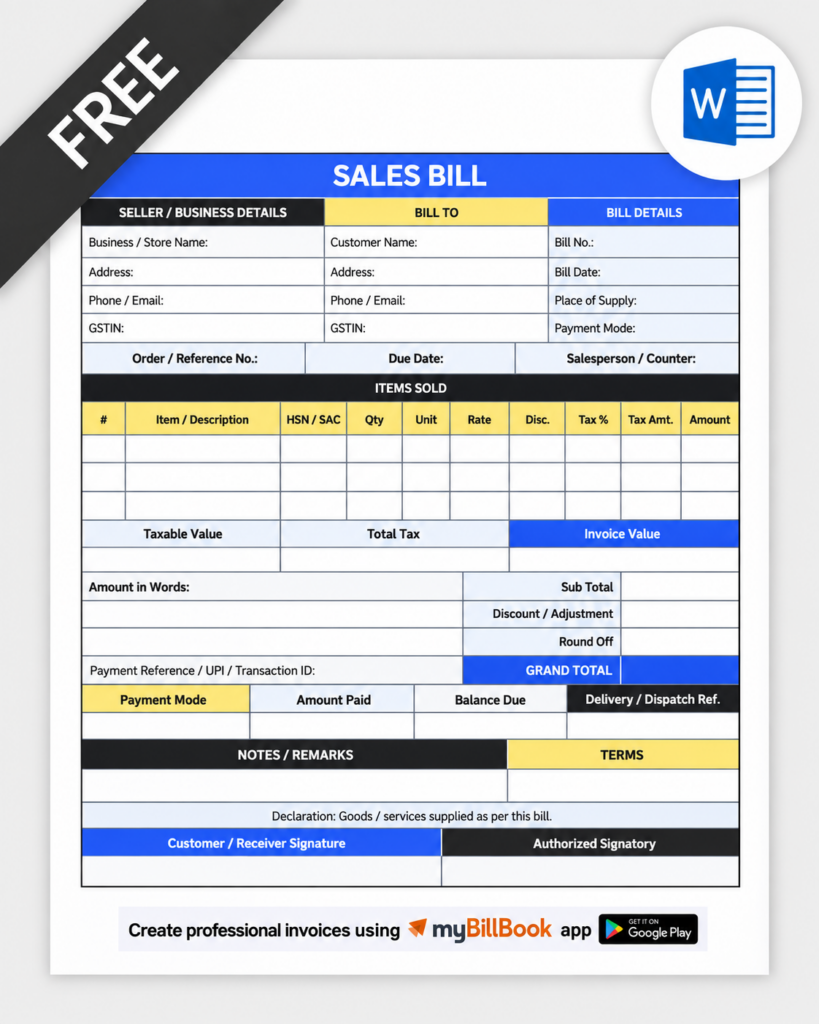
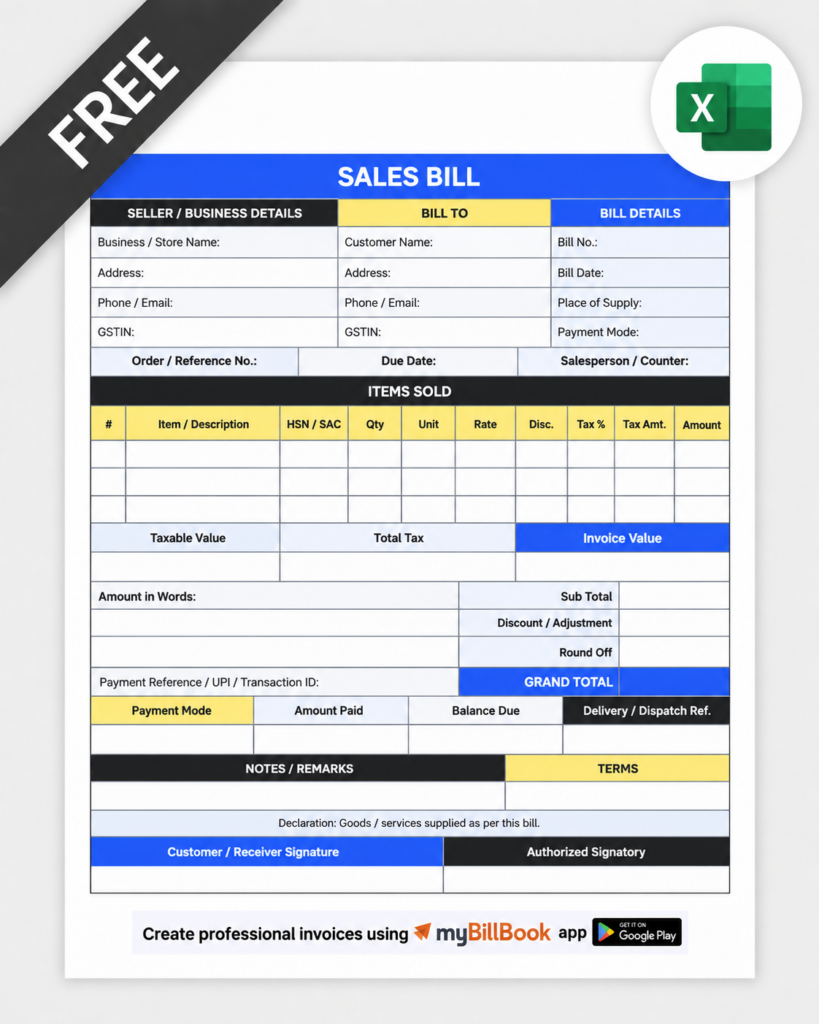
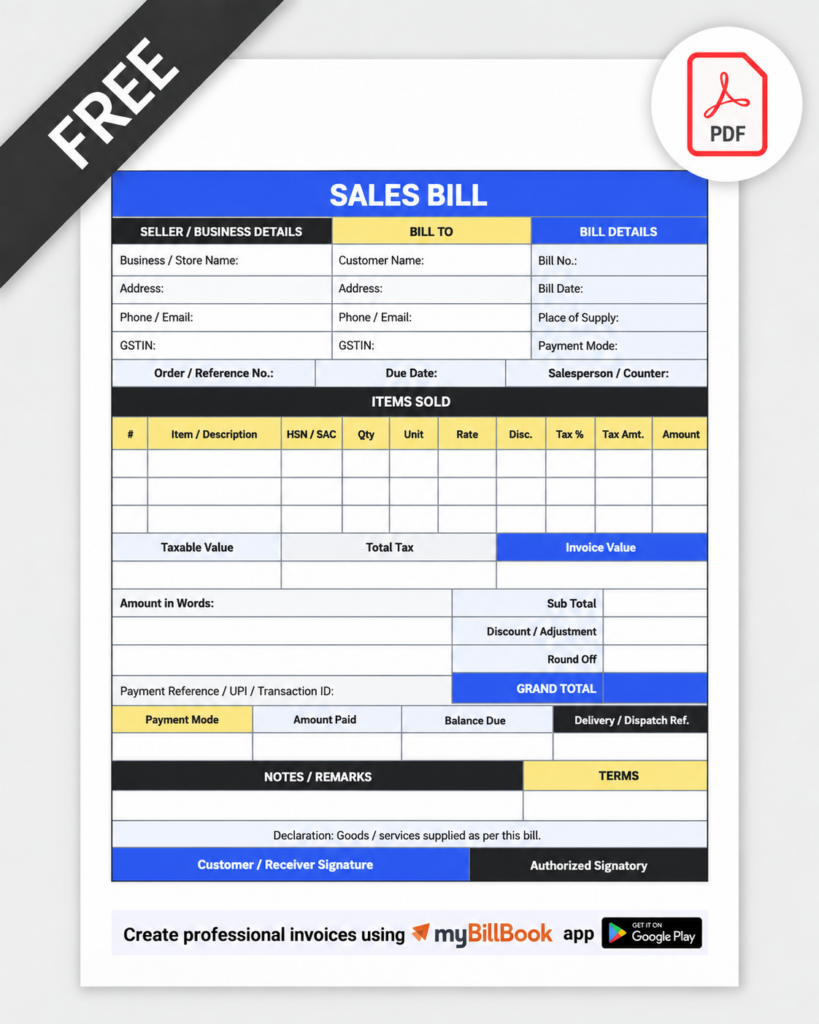
What is Sales Bill Format or Sales Invoice Template?
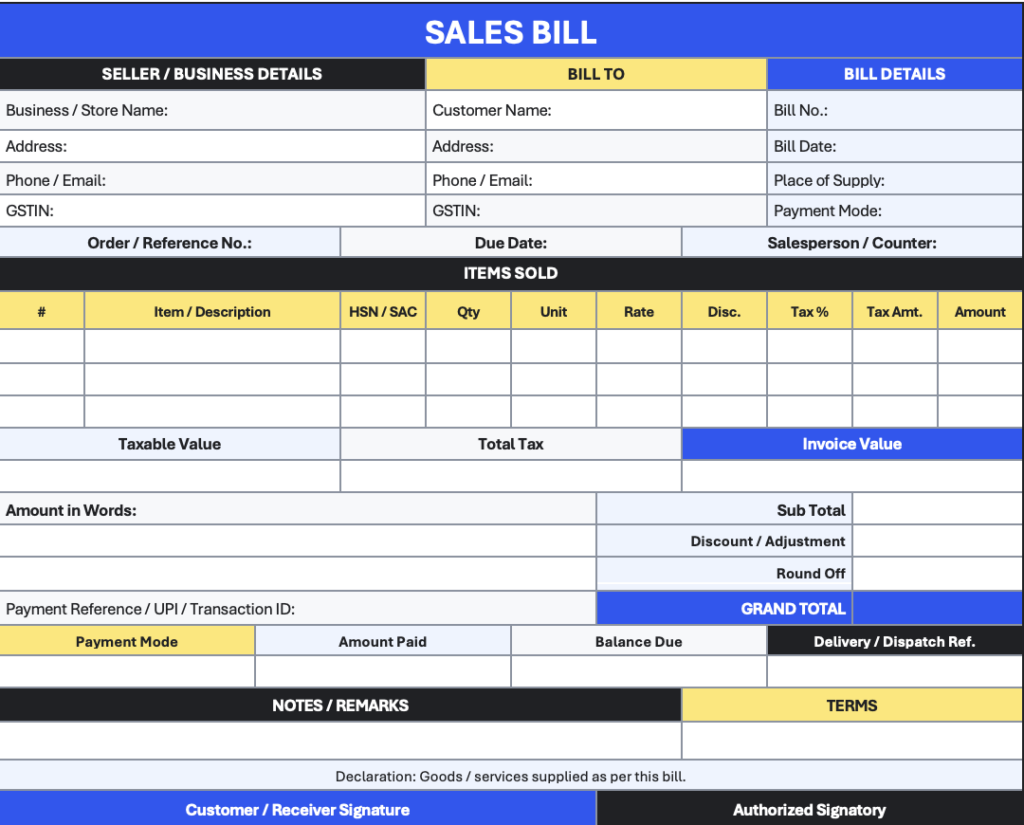
A sales bill format is a standard document layout used to record a sale between a business and a customer. It contains seller and buyer details, bill number, date, items sold, quantities, rates, discounts or taxes, payment details and the final amount payable.
Businesses use sales bills to give customers a record of the transaction and maintain their own sales records. A sales bill is also commonly called a sales invoice, although additional particulars are required when the document is issued as a GST tax invoice.
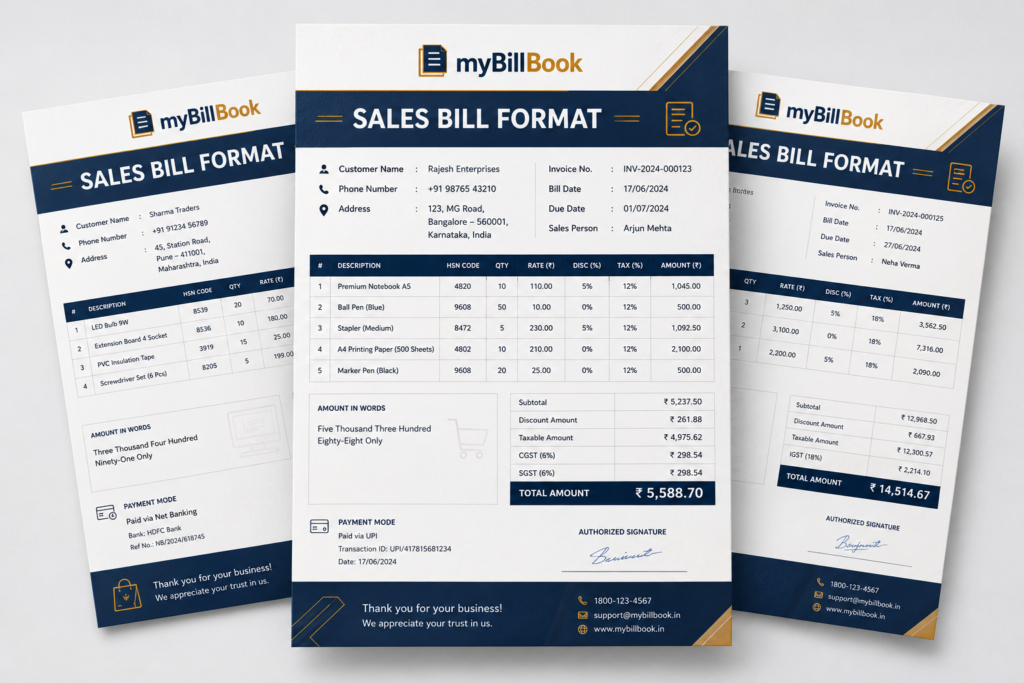
Sample Sales Bill Format
A sample sales bill shows how seller details, customer details, bill information, item-wise charges, taxes, discounts and the final amount are arranged in one document. Use the sample below as a reference when creating your own sales bill.
What Should a Sales Bill Include?
Basic Sales Bill Details
A simple sales bill generally contains:
- Seller or business name and contact details
- Customer name and contact details, where required
- Unique bill number
- Bill date
- Item or service description
- Quantity and unit
- Rate per unit
- Discount, if any
- Additional charges, if any
- Payment mode or payment terms
- Final amount payable
- Signature or authorised confirmation, where required
Additional Details for a GST Tax Invoice
When the sales document is issued as a GST tax invoice, additional particulars may be required depending on the transaction, including GSTIN, HSN/SAC, taxable value, applicable tax rate, tax amount and place-of-supply information.
Is There a Fixed Sales Bill Format Under GST?
GST rules prescribe the information that must appear on a tax invoice rather than requiring every business to use one identical visual design. Businesses can therefore customise their invoice layout as long as the applicable mandatory particulars are included.
For example, Rule 46 of the CGST Rules specifies particulars such as the supplier GSTIN, invoice number and date, recipient details where applicable, HSN/SAC, description, taxable value, tax rate and tax amount.
How to Fill a Sales Bill Format in myBillBook
1. Add your business details
Enter the business name, address, contact information and GSTIN if applicable.
2. Enter the bill number and date
Use a clear bill or invoice number and the date of issue.
3. Add customer details
Enter the customer name, address and GST details where required.
4. Add the items sold
Enter the item or service, quantity, unit and rate.
5. Calculate discounts and applicable taxes
Show the taxable amount, discounts and applicable tax values separately where needed.
6. Show the final payable amount
Add payment terms or payment mode and clearly display the final total.
Sales Bill Format in Excel, Word, PDF
Sales Bill Format in Excel
A sales bill format in Excel is useful when you regularly enter quantities, rates, discounts and taxes because formulas can calculate subtotals and final amounts automatically. You can also edit business details, customer fields and item columns to match your billing requirements.
Businesses looking for other spreadsheet-based invoice layouts can also explore our invoice format in Excel.
Sales Bill Format in Word
A sales bill format in Word is useful when you want greater control over the document layout. You can change the business name, logo, customer fields, item table, terms, signature area and other design elements before printing or saving the bill as a PDF.
Sales Bill Format in PDF
A sales bill format in PDF is useful when you need a fixed-layout document for printing, sharing or keeping as a final customer copy. Unlike Word or Excel, the layout remains consistent across most devices when the file is opened or printed.
Sales Bill vs Sales Invoice vs Cash Memo
| Document | Typical purpose |
|---|---|
| Sales Bill | General record of a sale between a seller and customer |
| Sales Invoice | Formal invoice recording a sale; may function as a GST tax invoice when applicable requirements are met |
| Cash Memo | Usually records a sale where payment is received immediately |
In everyday business usage, “sales bill” and “sales invoice” are often used interchangeably. The document’s required contents depend on how it is being used and whether GST invoice requirements apply.
Pricing Plans
- Create unlimited invoices
- Access to 1 business, 1 user & 1 CA
- Inventory management
- Android, iOS & Web
- Custom Invoice Themes
- Create your Online Store
- Generate, Print & Scan Barcodes
- Desktop app
- SMS + WhatsApp marketing*
- Unlimited Godown management
- Print Barcode (Label printer)
- Bulk Download & Bulk Print Invoices
- Access to 2 businesses, 3 users & 1 CA
- e-Way Bills (Unlimited)
- Generate e-Invoicing
- Loyalty & Rewards
- Automate Recurring Billing
- POS Billing (Desktop App, Web app)
- Data Export to Tally (on request)
- User Activity Tracker
FAQs on Sales Bill Format
Is the sales bill format free to download?
Yes. You can download the sales bill templates available on this page in Excel, Word and PDF formats and customise the editable versions for your business requirements.
Can I use the sales bill format for products and services?
Yes. The item table can be adapted for products or services by changing fields such as description, quantity, unit, rate or service details according to your requirements.
Can I add my business logo to the sales bill?
Yes. The editable Excel and Word versions can be customised with your business name, logo, contact details, payment information and other required fields.
Can a non-GST business use a sales bill format?
Yes. A business can use a basic sales bill for recording sales. GST-specific fields such as GSTIN and GST tax breakup should be used only where they are applicable to the business and transaction.
Can I print the sales bill after editing it?
Yes. After entering the required details in Excel or Word, you can print the document directly or save it as a PDF before sharing it with the customer.