
Purchase Order Software for Indian Businesses
Create, approve and track purchase orders, manage suppliers, handle GST-ready POs and connect purchasing with inventory, payments and reports using myBillBook purchase order software.
India’s Trusted Purchase Order Software

What Is Purchase Order Software?
Purchase order software helps businesses create, send, approve, track and manage purchase orders digitally. It keeps supplier, item, GST, payment and order information organised so purchasing can be managed without relying on spreadsheets or paper records.
myBillBook purchase order management software is built for Indian MSMEs, retailers, wholesalers, distributors and manufacturers that need better visibility across suppliers, purchases, inventory and payments.
Need only a quick one-time PO? Use the free purchase order generator.
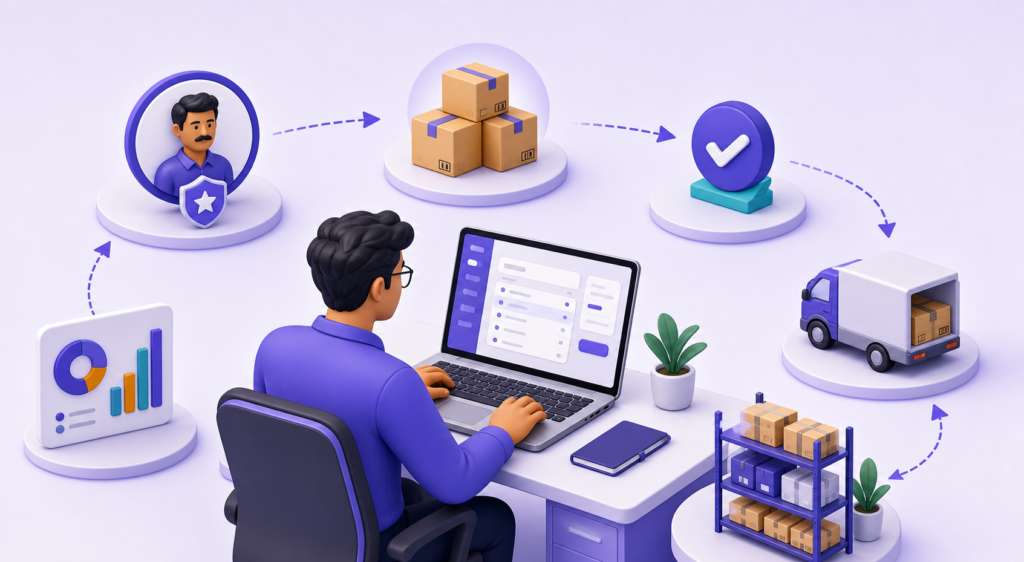
How Does Purchase Order Software Work?
Purchase order software records supplier and item details, creates a PO, routes it for approval, shares it with the supplier, tracks its status and connects the resulting purchase with inventory, payments and reports.
- Add supplier details: Save vendor name, GSTIN, contact information and payment terms.
- Create the PO: Add products, quantities, prices, GST and delivery terms.
- Review and approve: Use approval workflows and role-based access before sending the order.
- Share with the supplier: Send or download the purchase order from the system.
- Track order status: Monitor pending, approved and delivered POs in real time.
- Match received goods: Verify received items against the original order.
- Update business records: Convert approved POs into bills and keep inventory, payments and reports updated.
Key Features of myBillBook Purchase Order Management Software
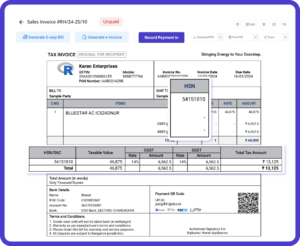
One-Click Purchase Order Creation
Create purchase orders in a few clicks using saved supplier, product, pricing and GST details. This reduces repeated manual entry and helps your team issue accurate POs faster.
Vendor & Supplier Management
Maintain supplier profiles with order history, contact details, payment status and purchase records in one centralised system. This makes recurring purchases and vendor follow-ups easier to manage.
Real-Time PO Tracking & Status
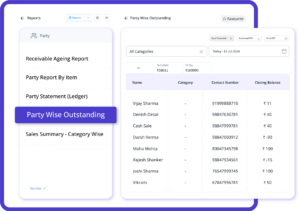
Track purchase orders by status, including pending, approved and delivered. You can also verify whether received items match the original order, giving your team better visibility over the purchase cycle.
GST-Ready PO Generation
Create GST-ready purchase orders with applicable CGST, SGST or IGST details based on supplier and product information. This helps keep purchase documentation structured and reduces manual tax handling.
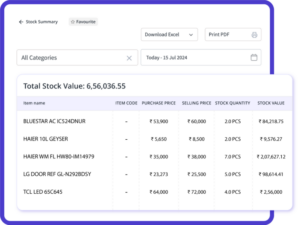
Cost Reports & Inventory Insights
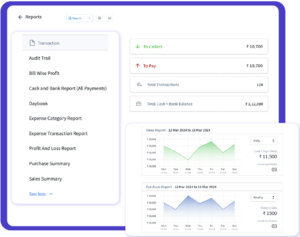
Review supplier performance, product costs, spending patterns and payment timelines. These purchase insights help you control costs, plan purchases and negotiate with vendors more effectively.
Benefits of Using Purchase Order Software
Faster Purchase Order Creation
Create and share POs in a few clicks using saved supplier, item, pricing and GST information.
Better Purchase Tracking
See where each order stands and identify pending, approved or delivered purchase orders without chasing updates manually.
Improved Accuracy & GST Handling
Reduce manual entry and tax calculation mistakes by keeping GST information connected to supplier and product details.
Stronger Cost Control
Use purchase reports, vendor history and payment information to understand spending and negotiate with suppliers more effectively.
Connected Inventory & Billing
Match received items with POs, convert approved orders into bills and keep purchasing connected with inventory records.
Who Should Use Purchase Order Software?
Also useful for: service providers with recurring vendor purchases and multi-branch businesses that need central visibility over supplier transactions.
Purchase Order Software vs Purchase Order Generator
| Purchase Order Generator | Purchase Order Software |
|---|---|
| Creates individual PO documents | Manages an ongoing purchasing workflow |
| Useful for occasional PO creation | Better for recurring supplier purchases |
| Primarily document-focused | Connects suppliers, approvals, tracking, purchases and reports |
| Usually task-based | Designed for continuous purchase management |
Need only a one-time purchase order? Try the free online PO generator. For recurring procurement, use purchase order management software.
Purchase Order Software vs Excel & Manual POs
| Capability | Excel / Manual Process | myBillBook PO Software |
|---|---|---|
| PO creation | Repeated manual entry | Saved supplier, item and tax details |
| Approvals | Calls, messages or separate files | Role-based approval workflow |
| PO tracking | Manual follow-up | Pending, approved and delivered status |
| Vendor records | Spread across files | Centralised supplier history |
| GST handling | Manual tax entry | GST-ready PO workflow |
| Inventory connection | Separate stock updates | Received-item matching and inventory updates |
| Reports | Manual summaries | Purchase and cost insights |
What Should the Best Purchase Order Software Include?
The best purchase order software should make purchasing easier to control from PO creation to receiving and reporting. Before choosing a tool, check whether it supports:
- Fast PO creation with reusable supplier and item data.
- Supplier management with purchase history and payment visibility.
- Approval workflows and role-based user access.
- Purchase order tracking across pending, approved and delivered stages.
- GST-ready purchase orders for Indian business requirements.
- Inventory connection to compare ordered and received goods.
- Purchase reports for vendor, product cost and spending analysis.
- Mobile and multi-device access for teams working away from a single desktop.
Success Stories from Businesses Using myBillBook Purchase Order Software
“We work with over 15 suppliers across the states. myBillBook has made it easy to manage them from one dashboard. Tracking deliveries, payments and PO status is much simpler now.”
Ashok Pillai
Supermarket Owner, Kochi
“Managing GST on purchase orders used to be difficult. Now the software applies everything automatically, and the reports make purchase review much easier.”
Rakesh Verma
Manufacturing Business, Ludhiana
“The cost reports help me see where we spend the most and negotiate better deals with vendors. Our purchase planning is much more structured.”
Sangeeta Nair
Electronics Distributor, Pune
Purchase Order Software Pricing
- Create unlimited invoices
- Access to 1 business, 1 user & 1 CA
- Inventory management
- Android, iOS & Web
- Custom Invoice Themes
- Create your Online Store
- Generate, Print & Scan Barcodes
- Desktop app
- SMS + WhatsApp marketing*
- Unlimited Godown management
- Print Barcode (Label printer)
- Bulk Download & Bulk Print Invoices
- Access to 2 businesses, 3 users & 1 CA
- e-Way Bills (Unlimited)
- Generate e-Invoicing
- Loyalty & Rewards
- Automate Recurring Billing
- POS Billing (Desktop App, Web app)
- Data Export to Tally (on request)
- User Activity Tracker
Frequently Asked Questions
What is purchase order software and how does it work?
A digital solution that automates creation, approval, tracking of purchase orders. It centralizes supplier, product, and status workflows to reduce manual steps.
What are the benefits of using purchase order software?
Improves speed of procurement, ensures tax compliance, gives visibility into spending, reduces errors, and streamlines vendor communication.
Why do I need purchase orders for my business?
Purchase orders formalize orders to suppliers, control spending, avoid disputes, and keep a legal, auditable record of all purchases.
Can a purchase order software handle GST compliance?
Yes. It can auto-apply CGST, SGST, or IGST based on vendor location and product classification, ensuring tax-ready POs in India.
Is it possible to track the status of POs in real time?
Yes. Modern software shows live status updates (pending, approved, delivered) and flags mismatches between orders and receipt entries.
Can multiple users access the PO software simultaneously?
Yes. The software supports role-based access, letting team members create, approve, or view POs without compromising security.
Is purchase order software accessible on mobile?
You can create, track, and approve purchase orders from your phone or tablet — ideal for business on the move.
How secure is my purchase order data with software?
Data is stored in encrypted cloud servers with access controls and backups to ensure your PO records remain safe and recoverable
How does purchase order software integrate with inventory?
Upon PO approval or receipt, inventory levels are automatically updated. This ensures synchronization between purchased goods and stock records.