
Free Mobile Shop Bill Format in PDF, Word & Excel
Download ready-to-use mobile shop bill templates for mobile phones, accessories, repairs and recharge transactions.
Choose PDF for printing, Word for editing or Excel for automatic calculations.
Powered by myBillBook - India's #1 Billing Software

What Is a Mobile Shop Bill Format?
A mobile shop bill format is a ready-to-use invoice layout used by mobile retailers, phone stores, and service centres to bill customers for mobile phones, accessories, repairs, recharge services, and related products. It usually includes shop details, customer details, invoice number, billing date, product name, model, IMEI or serial number, quantity, price, GST details, discount, payment mode, and total amount.
Mobile shop owners commonly use bill formats in PDF, Word, Excel, or Google Sheets to create printable and shareable bills. However, for regular billing, stock tracking, IMEI-wise product records, warranty details, and GST-ready invoices, using billing software like myBillBook is more reliable than editing manual templates every time.
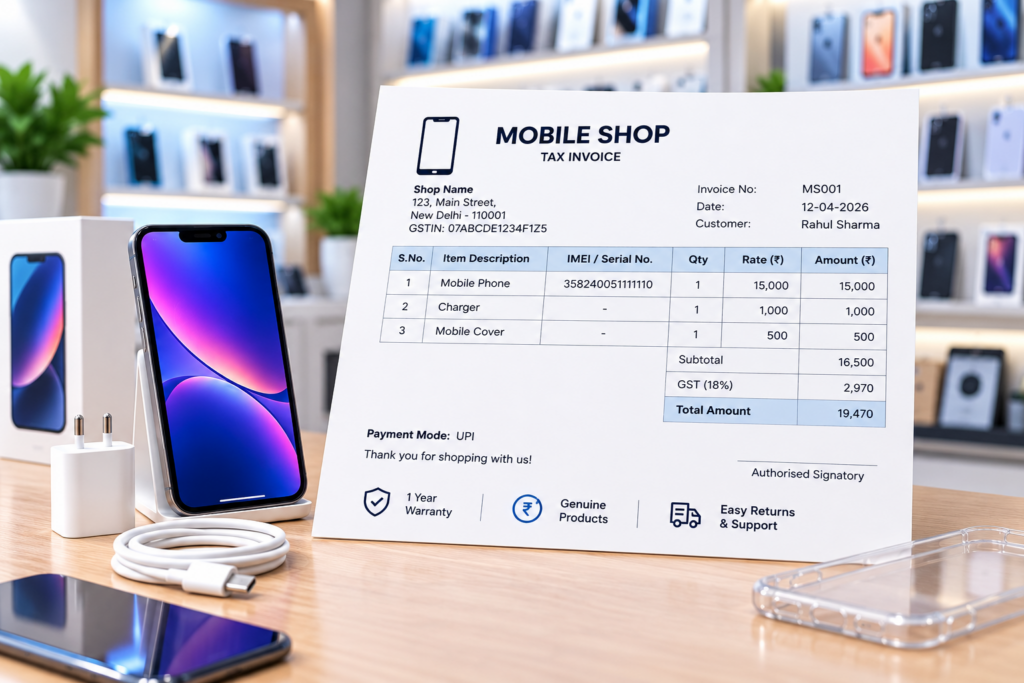
Free Mobile Shop Bill & Bill Book Formats
Download free mobile shop bill book formats in PDF, Word, Excel, Google Docs and Google Sheets. Use them for handset sales, accessories, repairs, recharge services and GST invoices with IMEI, warranty and payment details.
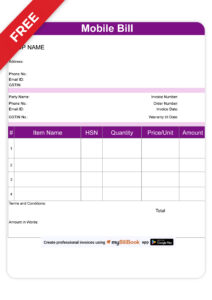
Simple Mobile Bill Format
Easily generate bills for mobile phones, accessories, and repair services with a professional mobile bill format. This simple bill format includes essential details like product name, IMEI number, quantity, price, GST, and total amount. Perfect for small and medium mobile shops. Download in Word, Excel, or PDF and start invoicing instantly!
Advanced Mobile Bill Formats
Upgrade your billing with advanced mobile shop bill formats designed for seamless transactions. These mobile invoice formats are ideal for mobile retailers and service centres; these formats help you maintain organized records and enhance customer trust. Download in Word, Excel, or PDF and streamline your invoicing process today!
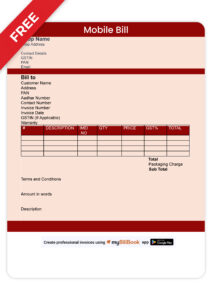
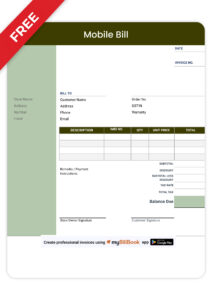
Stylish Mobile Bill Format
Make your invoices stand out with a stylish mobile bill format that reflects your brand’s identity. These bill formats come with modern layouts, custom branding options, and sleek designs, allowing you to add your logo, business details, signature, and watermark. Perfect for mobile retailers who want a polished and premium look for their invoices.
Create Mobile Shop Bills with myBillBook
myBillBook helps mobile retailers move beyond manual bill templates by creating GST invoices with IMEI or serial details, maintaining phone and accessory inventory, recording customer payments, and printing or sharing bills digitally.
Choosing the Right Mobile Bill Formats
Mobile Bill Format Mandatory Fields to Include
A mobile shop bill should include all important invoice, product, GST, and payment details so that the bill can be used for customer reference, warranty claims, stock records, and tax filing. If your business is GST registered, make sure the GST invoice includes the required GST-related fields.
A mobile shop bill format should include:
- Mobile shop name, address, phone number, and GSTIN, if registered
- Invoice number or bill number
- Billing date
- Customer name and phone number
- Product name, brand, and model number
- IMEI number, serial number, or barcode number, wherever applicable
- HSN code, if applicable
- Quantity and unit price
- Discount, if any
- Taxable value
- GST rate and GST amount such as CGST, SGST, IGST, UTGST, or cess
- Total bill amount
- Payment mode such as cash, UPI, card, or bank transfer
- Warranty period or warranty note
- Repair or service charges, if applicable
- Terms and conditions
- Signature or digital signature of the supplier
For mobile phones and high-value accessories, adding IMEI number, serial number, warranty details, and payment mode makes the bill more useful for both the shop owner and the customer.
Which Mobile Shop Bill Format Should You Use?
Choose the format based on how you create and share bills. PDF works best for printing and sharing, Word for quick editing, and Excel for calculations and frequent billing.
| Format | Best For | Main Benefit |
|---|---|---|
| Printing and sharing bills | Keeps the bill layout fixed across devices | |
| Word | Editing bill details and design | Easy to customise without formulas |
| Excel | Regular billing and calculations | Helps calculate totals, GST and discounts |
| Google Docs/Sheets | Online editing and sharing | Access and edit bills from different devices |
Mobile Shop Bill Format in Word, Excel, PDF and Google Docs
Now that you know the mandatory fields to include in the mobile shop bill format let us tell you how to create a mobile shop bill format in different ways. Some of the most commonly used invoice formats include mobile shop bill format in PDF, mobile store bill format in Excel, cell phone shop invoice format in Word and mobile store bill format in Google Docs. Let’s check each one of them in detail.
Mobile Shop Bill Format in Word
A mobile shop bill format in Word is useful when you want a simple editable bill template. You can add your shop name, customer details, product details, IMEI number, GST breakup, payment mode, and terms before printing or sharing the bill. Word format is best for shops that need basic customisation without using formulas.
Mobile Shop Bill Format in Excel
A mobile shop bill format in Excel is useful when you want automatic calculations for price, quantity, discount, GST, and total amount. It also helps you maintain structured records of mobile phones, accessories, IMEI numbers, repair charges, and payment details. Excel is better than Word when you want simple calculation support in the bill format.
Mobile Shop Bill Format in PDF
A mobile shop bill format in PDF is useful when you want a fixed, shareable, and print-ready invoice. PDF bills are harder to edit after sharing, which makes them suitable for customer copies, warranty records, mobile repair bills, and GST invoice records.
Mobile Repair Bill Format & Bill Book
A mobile repair bill format is used by mobile service centres and repair shops to bill customers for screen and battery replacements, spare parts, labour charges, software repairs, and other service work. It should include the customer name, phone number, device model, IMEI or serial number, repair description, spare parts used, service charges, GST details, warranty note, and total amount.
For repair businesses, using a billing software is better than a manual template because it helps maintain service history, payment records, spare part usage, and customer details in one place.
A mobile repair bill should include:
- Customer name and mobile number
- Device brand and model
- IMEI or serial number
- Repair/problem description
- Spare parts used
- Labour/service charges
- GST details, where applicable
- Warranty on repair or replaced parts
- Final amount and payment mode
Why IMEI Number is Important in a Mobile Bill
IMEI number is important in a mobile bill because it helps identify the exact mobile device sold to the customer. For mobile shops, adding the IMEI number or serial number in the invoice helps with warranty claims, return verification, stock tracking, and customer record management.
A mobile bill should mention the IMEI number only for the device actually sold by the shop. Avoid creating or downloading bills using only an IMEI number unless the bill is generated from the shop’s original billing records.
Can I Download My Original Mobile Bill Using an IMEI Number?
No. An IMEI number alone cannot retrieve an original purchase invoice. If you have lost your bill, contact the retailer or seller and request a duplicate invoice from their original sales records.
A mobile bill template should only be used to create genuine bills for actual transactions; it cannot replace or recreate an original retailer invoice.
Using Billing Software to Generate Mobile Shop Bill Format
If you find creating a mobile shop bill format difficult using Word, Excel or any other online tools, you can try using a billing and accounting software like myBillBook.
myBillBook is a billing software for mobile shops designed to simplify the billing and accounting needs of small and medium businesses like your mobile shop in India.
- Besides providing pre-designed invoice templates, the billing app also allows you to create custom invoices of your choice.
- You can generate invoices in seconds using myBillBook
- The software automatically calculates the transaction’s tax amount and total value and applies discounts and promotions, if any, thus avoiding time-consuming manual calculations.
For retail businesses, especially mobile shops, billing software for retail shops can streamline the entire billing process, offering features such as inventory tracking, automated tax calculations, and detailed reporting, ensuring smooth financial operations.
- It also helps you keep track of all your sales and makes tax filing easy and efficient.
Frequently Asked Questions
What is mobile bill format PDF?
Mobile bill format PDF is a bill format available in PDF. A PDF document is uneditable hence can be shared to customers securely.
Can a mobile bill format be customised?
If you’re using a free online template, there is no option to edit it. You simply need to download it, fill it out manually and share it with your customers. If you’re using an online invoice generator, you can fill out the fields as required but cannot modify or add new fields. You can then download and share.
Only when you’re using billing software like myBillBook can you customise the invoices according to your requirements. You can add or remove fields, change colours, add brand logos, watermarks, signatures, and other customisations as available.
Can I add custom fields to my mobile shop invoice?
Using billing software like myBillBook billing software, you can add custom fields and delete irrelevant fields for your mobile business.
Is myBillBook billing software for mobile shops expensive?
The main mission of myBillBook is to enable SMBs and MSMEs to digitise their businesses. Hence, the software is offered at an affordable price, and based on the features and customisations it allows, the plan might vary. Check myBillBook pricing plans.
Can I use mobile shop bill software on my mobile phone?
Yes, you can use mobile shop bill software on your mobile, provided the billing software offers a mobile application. myBillBook offers both web and mobile apps enabling mobile shop owners to generate invoices from anywhere.
What is the best format for a mobile shop bill?
The best mobile shop bill format should include shop details, customer details, invoice number, product name, model number, IMEI number, quantity, price, GST breakup, payment mode, warranty note, and total amount. PDF is best for sharing, Excel is useful for calculations, and Word is useful for simple editing.
Can I add IMEI number in a mobile bill format?
Yes, mobile shop owners can add the IMEI number or serial number in a mobile bill format. It helps track the exact device sold, manage warranty claims, verify returns, and maintain proper stock records.
Can I create a mobile repair bill using this format?
Yes, a mobile bill format can be used for mobile repair services if it includes repair details, spare parts used, labour charges, GST details, warranty note, payment mode, and total amount.