
Work Order Format
Manage tasks, assign work, and track job progress with simple, ready-to-use work order formats.
- Create clear job instructions with structured work order formats
- Assign tasks, track progress, and avoid miscommunication
- Download free templates in Word, Excel & PDF formats
Powered by myBillBook - India's #1 Billing Software

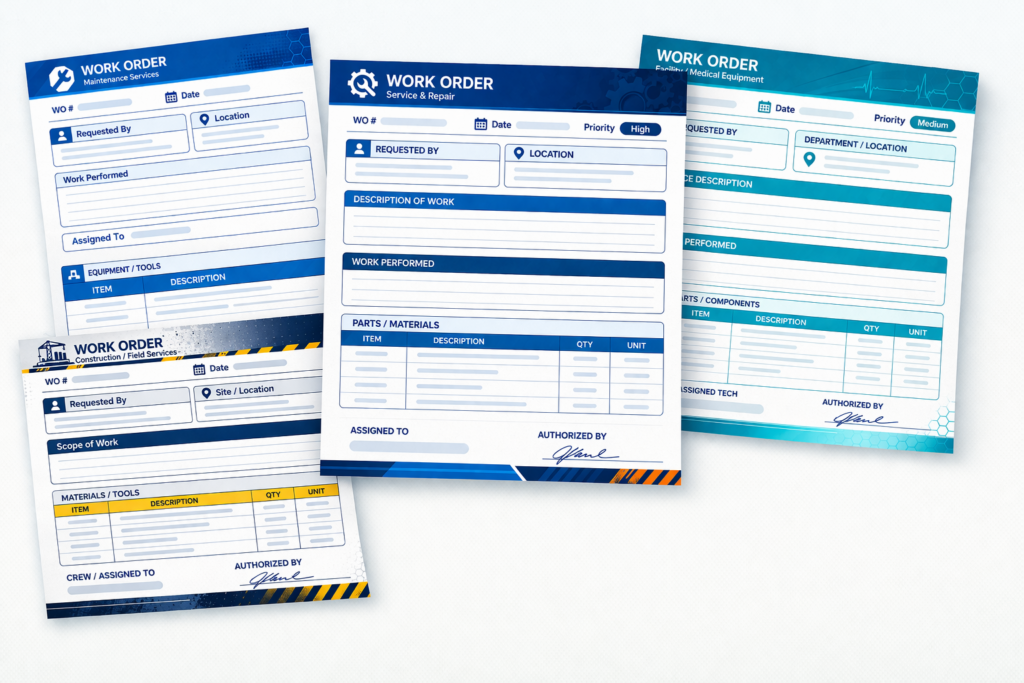
What Is a Work Order Format?
A work order format is a structured document used by businesses to assign, manage, and track specific tasks or jobs. It includes important details such as the job description, assigned person or team, work location, required materials, deadlines, and estimated costs. This format helps ensure that everyone involved clearly understands what work needs to be done and how it should be executed.
Work order formats are commonly used in industries like construction, maintenance, manufacturing, and service businesses to streamline operations and improve accountability. By standardising how tasks are documented and communicated, businesses can reduce errors, avoid delays, and maintain proper records for tracking progress and billing.
Download Ready To Use Work Order Templates
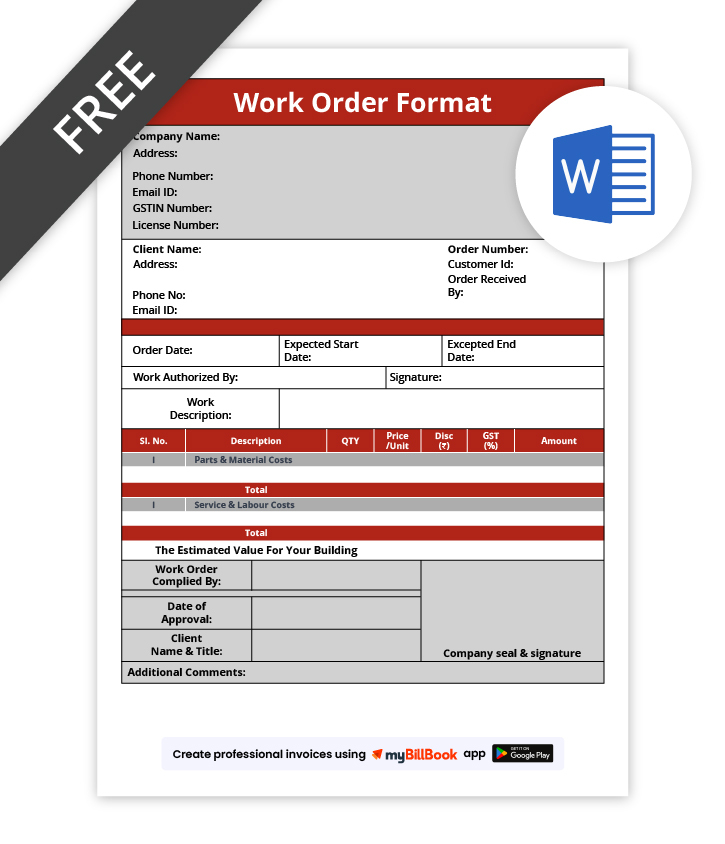
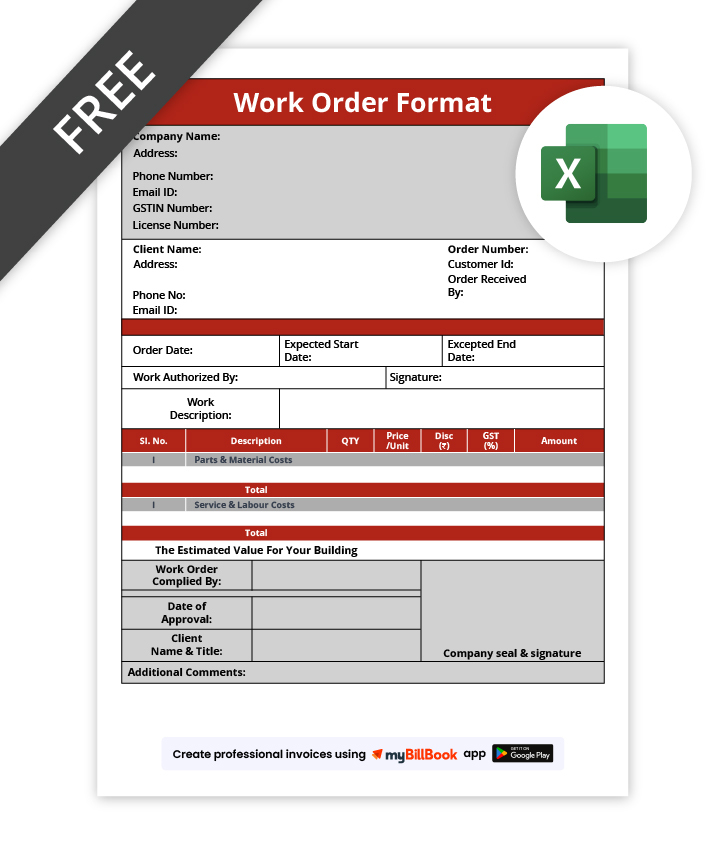
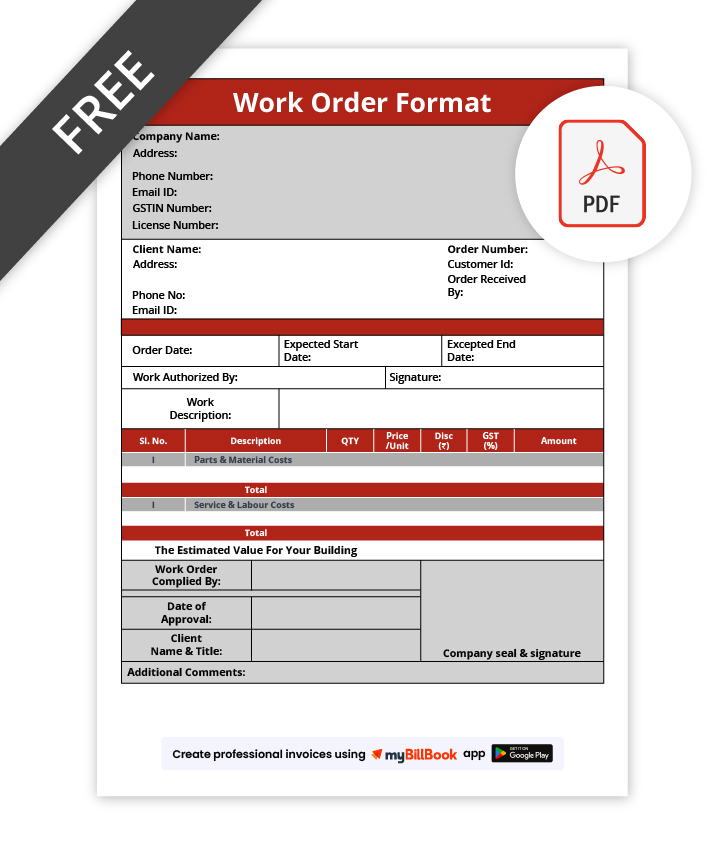
How to Create a Work Order Format?
Templates Are Useful—But There’s a Smarter Way to Work
Templates help you get started, but managing everything manually can take time and effort. Use free invoicing software to simplify your workflow, reduce errors, and save time.
Types of Work Order Formats
How Does Work Order Format Differ From Invoice Format
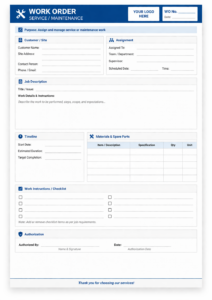
Work Order Format
A work order format is created before the job starts to define what work needs to be done, who will perform it, and when it should be completed. It focuses on task execution, resource planning, and ensuring smooth workflow management.
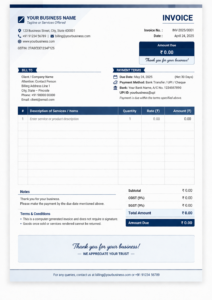
Invoice Format
An invoice format is generated after the work is completed to request payment from the customer. It includes billing details such as itemized charges, taxes, total amount, payment terms, and due dates to ensure timely and accurate transactions.
Key Components of Work Order Format
Company and Client Details
This section includes the business name, contact information, and client details to clearly identify who is assigning the work and for whom it is intended.
Work Order Number and Date
A unique work order number and issue date help in tracking, organising, and referencing the job easily for future records and documentation.
Job Description
Provides a clear explanation of the task to be performed, ensuring everyone involved understands the scope, requirements, and expected outcome of the work.
Work Location
Specifies where the task will be carried out, helping teams reach the correct site and avoid confusion or delays during execution.
Assigned Personnel
Mentions the individual or team responsible for completing the task, ensuring accountability and proper coordination throughout the work process.
Materials and Resources
Lists all tools, equipment, and materials required to complete the job, helping teams prepare in advance and avoid interruptions.
Timeline and Priority
Defines start date, deadline, and urgency level to ensure timely completion and better management of critical or high-priority tasks.
Cost Estimation
Includes estimated labour and material costs to give clarity on expenses and help in budgeting and financial planning.
Approval and Signature
Captures authorisation from managers or clients, confirming that the work order is reviewed, approved, and ready for execution.
Why Use Digital Work Orders Instead of Paper?
Who Uses Work Order Formats?
🏗️ Construction Businesses
Construction companies use work orders to assign tasks, manage labour, track materials, and ensure smooth coordination across different teams working on-site projects.
🔧 Maintenance & Repair Services
Service providers such as electricians, plumbers, and technicians use work orders to manage repair jobs, track service requests, and ensure timely task completion.
🏭 Manufacturing Units
Manufacturers use work orders to manage production tasks, machine maintenance, and workflow processes, helping maintain efficiency and reduce operational downtime.
🚚 Logistics & Operations Teams
Logistics companies use work orders to manage deliveries, assign drivers, track shipments, and ensure smooth execution of transportation and operational activities.
🏢 Facility Management Teams
Facility managers use work orders to handle maintenance requests, inspections, and daily operations across buildings, ensuring everything runs smoothly and efficiently.
Understanding Work Order Formats: Word, Excel & PDF
Work Order Format in Word
A Word work order format is ideal for creating simple, customizable documents. It allows you to easily edit job details, add descriptions, and format the layout as per your business needs. Word formats are best suited for businesses that prefer flexibility and manual documentation with a clean, professional look.
Work Order Format in Excel
An Excel work order format is useful for managing data systematically, with built-in calculations. It helps track multiple work orders, estimate costs, and organise tasks efficiently using rows, columns, and formulas. Excel is ideal for businesses that regularly handle large volumes of work orders.
Work Order Format in PDF
A PDF work order format is perfect for securely sharing finalised documents. It maintains a consistent layout across devices and prevents unauthorised edits. PDF formats are commonly used for approvals, client sharing, and maintaining official records with a professional appearance.
Looking to simplify your invoicing process?
Go digital and manage invoices easily with our free invoicing software

Frequently Asked Questions
Who creates a work order in a business?
Work orders are typically created by managers, supervisors, or business owners after reviewing a requirement or request. They are responsible for defining the scope of work, assigning tasks, and ensuring that the job is properly documented and executed.
What are the common types of work orders?
Common types of work orders include maintenance, service, inspection, preventive, corrective, and emergency work orders. Each type is used based on the nature of the task, urgency, and whether the work is planned or requires immediate action.
Is a work order a legally valid document?
A work order can be considered legally valid if it clearly defines the scope of work, terms, and conditions, and is approved or signed by both parties. It helps avoid disputes by documenting agreed responsibilities and expectations.
When should a work order be created?
A work order should be created after a task or request is approved and before the work begins. This ensures proper planning, clear communication, and assignment of responsibilities, helping teams execute tasks efficiently without confusion or delays.
Can small businesses use work order formats?
Work Order Formats are highly useful for small businesses as they help organize tasks, assign responsibilities, and maintain proper records. They improve efficiency, reduce miscommunication, and bring structure to daily operations even with limited resources.
What is the purpose of using a work order format?
The main purpose of a work order format is to clearly define, assign, and track work within a business. It ensures accountability, improves coordination, and helps maintain records of tasks, making operations more organized and efficient.
Why are digital work orders better than paper formats?
Digital work orders offer real-time tracking, easy sharing, and better record management compared to paper-based formats. They reduce manual errors, prevent document loss, and help businesses manage tasks more efficiently as operations grow.