


Android POS Software
Turn your Android phone or tablet into a powerful billing system. Create invoices, manage inventory, and accept payments — all from one app.
Trusted by 1 Crore+ Businesses

What is Android POS Software?
Android POS software is a billing and business management solution that runs on Android devices, such as smartphones and tablets. It allows businesses to generate bills, accept payments, manage inventory, and track sales using a single mobile-based system.
Instead of relying on bulky POS machines or manual billing, businesses can use Android POS software to handle daily operations quickly and accurately. It is designed for ease of use, making it ideal for small and growing businesses that want a simple, affordable, and flexible way to manage billing and store activities digitally.
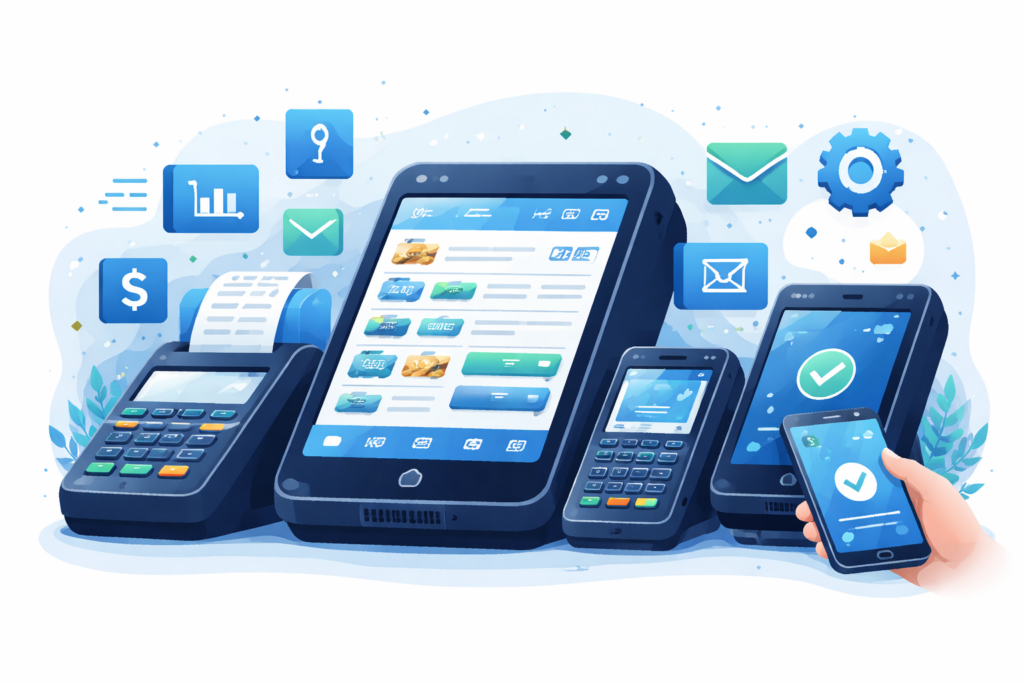
Key Features of Android POS Software
Why Businesses Are Switching to Android POS Systems?
Lower Setup Cost
No need to invest in expensive POS terminals. Use your existing Android phone or tablet to get started with minimal investment.
Easy Device Availability
Android devices are affordable and easily available across India. You can start billing with a device you already own.
Mobility & Flexibility
Take your billing system anywhere. Bill customers at their doorstep, at events, or move between store locations effortlessly.
Faster Staff Onboarding
Staff are already familiar with Android interfaces. Training takes minutes instead of days, reducing downtime.
Scales with Your Business
Add more devices as your business grows. Expand to multiple counters or locations without buying new POS hardware.
How Android POS Software Works
Who Can Use Android POS Software?
Retail Shops
General stores, stationery shops, and retail outlets benefit from quick billing and on-the-go inventory tracking.
Kirana & Grocery Stores
Manage daily sales, khata records, and stock for hundreds of products with simple android pos software.
Restaurants & Cafés
Take orders tableside, manage KOT, and process payments faster with tablet-based POS systems.
Pharmacies
Track medicine expiry dates, manage batches, and generate compliant invoices with drug licence details.
Apparel & Footwear Stores
Handle size and colour variants, seasonal discounts, and customer preferences with ease.
Electronics & Mobile Shops
Manage IMEI numbers, warranty tracking, and serialised inventory with detailed product records.
Service-Based Businesses
Salons, repair shops, and consultants can bill for services, track appointments, and manage client history.
Android POS Software vs Traditional POS Systems
| Feature | Android POS Software | Traditional POS Systems |
|---|---|---|
| Works on Mobile & Tablet | ✅ | ❌ |
| Low Setup Cost | ✅ | ❌ |
| Easy & Fast Installation | ✅ | ❌ |
| Portable & Mobile-Friendly | ✅ | ❌ |
| Billing on the Go | ✅ | ❌ |
| GST-Ready Invoicing | ✅ | ✅ |
| Inventory Management | ✅ | ✅ |
| Barcode Scanning Support | ✅ | ✅ |
| Multiple Payment Modes | ✅ | ✅ |
| Cloud Data Backup | ✅ | ❌ |
| Multi-User Access | ✅ | ❌ |
| Real-Time Reports | ✅ | ❌ |
| Easy Software Updates | ✅ | ❌ |
| Hardware Dependency | ❌ | ✅ |
| High Maintenance Cost | ❌ | ✅ |
Advantages of Using myBillBook Android POS Software
Simple Android-First Experience
myBillBook Android POS software is designed specifically for Android devices, making billing, inventory, and payments easy to manage even for first-time users.
Faster Billing & Checkout
Create bills quickly on mobile or tablet, reduce customer waiting time, and handle peak-hour sales smoothly without depending on bulky POS machines.
GST-Ready & Compliance Friendly
Generate GST-compliant invoices automatically with accurate tax calculations, helping businesses stay compliant and simplify return filing.
Real-Time Inventory Control
Track stock levels instantly, receive low-stock alerts, and avoid missed sales due to inventory shortages across all your products.
Multiple Payment Options
Accept UPI, cash, cards, and digital wallets in one Android POS app while keeping all payment records organised in a single dashboard.
Work From Anywhere
Access sales, invoices, and reports anytime from mobile or desktop with secure cloud sync, giving you complete control even when you’re away from the store.
Multi-User & Staff Management
Add staff members with controlled permissions, monitor billing activity, and manage daily operations efficiently across multiple users.
Scalable for Growing Businesses
myBillBook Android POS software grows with your business, supporting more products, users, and locations without complex setup or additional hardware.
Simple, Affordable Plans
Diamond Plan
₹217
Per month. Billed annually. Excl. GST @18%
✅ Create unlimited invoices
✅ Add up to 1 business + 1 user
✅ Inventory management
✅ App + Web support
✅ Priority customer support
✅ GSTR reports in JSON format Popular
Platinum Plan
₹250
Per month. Billed annually. Excl. GST @18%
Everything on Diamond Plan +
✅ Add up to 2 business + 2 user
✅ 50 e-Way bills/year
✅ Staff attendance + payroll
✅ Godown management
✅ Whatsapp and SMS marketing Popular
Enterprise Plan
₹417
Per month. Billed annually. Excl. GST @18%
Everything on Platinum Plan +
✅ Custom invoice themes
✅ Create your online store
✅ Generate and print barcode
✅ POS billing on desktop app
✅ Unlimited e-Invoices & e-Way bills
Frequently Asked Questions
How does Android POS software integrate with existing business systems?
Most Android POS systems integrate with accounting, GST reporting, inventory, and payment tools. This allows businesses to sync sales data, reduce manual work, and maintain consistent records across systems.
How can I choose the best Android POS software for my business?
Look for ease of use, Android compatibility, GST compliance, inventory tracking, payment support, cloud backup, and reliable customer support. Choosing software designed for Indian businesses simplifies daily operations.
What factors should I consider when evaluating Android POS software vendors?
Consider pricing transparency, feature completeness, ease of setup, data security, regular updates, customer support quality, and whether the software can scale as your business grows.
Why is data security important in Android POS software?
Android POS software stores sensitive business and customer data. Strong security ensures data protection, prevents unauthorised access, and keeps financial records safe from loss or misuse.
Why should I choose a cloud-based Android POS solution?
Cloud-based Android POS software allows data to sync automatically across devices, enables remote access to reports, ensures backups, and reduces dependency on a single device or location.
Why are regular software updates important for Android POS systems?
Regular updates improve security, fix bugs, add new features, and ensure compliance with changing tax rules. Updated Android POS systems remain reliable and future-ready.
When should a business upgrade to a new Android POS software system?
Businesses should upgrade when billing becomes slow, reports are inaccurate, inventory tracking fails, or the current system cannot scale with growing sales and operational needs.
When does Android POS software deliver the highest return on investment?
Android POS software delivers the most ROI when businesses handle frequent billing, multiple payment modes, inventory turnover, and need real-time visibility to reduce errors and save operational time.
Who benefits the most from using Android POS software?
Retailers, restaurants, pharmacies, wholesalers, service providers, and growing SMBs benefit the most due to faster billing, better control, and mobile-first business management.
What are the best tools and software for Android POS Software?
The best Android POS software combines billing, inventory, payments, and reporting in one platform. Solutions like myBillBook are built specifically for Indian SMBs using Android devices.
