
Cloud Based Inventory Management System
Keep stock records connected across shops and godowns. Track sales, purchases, stock movements and item-wise availability in myBillBook.
Trusted by 1 Crore+ Businesses

What Is a Cloud-Based Inventory Management System?
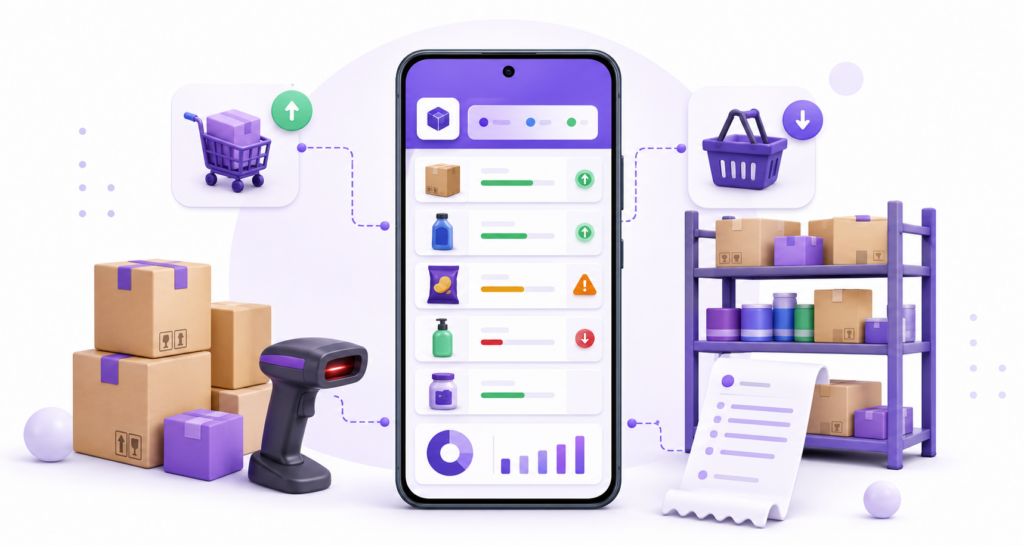
A cloud-based inventory management system stores stock records centrally and makes synchronised information available on supported connected devices. Teams can view recorded quantities without depending on separate spreadsheets or the shop computer.
For Indian retailers, wholesalers and distributors, the main benefit is connecting purchases, sales, returns and location-wise stock to a shared record. Cloud connectivity does not replace physical stock verification or correct data entry.
Why Do Small Businesses Use Cloud Inventory?
Businesses adopt cloud inventory to replace disconnected ledgers and files with a shared stock picture. The aim is greater visibility into quantities, purchases and movement across staff and locations—not simply storing documents online.
Shared stock visibility
Keep a central record of available items so staff and owners use consistent information.
Purchases and sales connected
Record incoming and outgoing goods in the same workflow rather than reconciling disconnected files.
Better restocking decisions
Use item-level and low-stock views to plan replenishment and investigate slow-moving goods.
How Does a Cloud Inventory System Work?
Create items: Enter SKUs, units, opening stock and item identifiers.
Record purchases: Add goods received from suppliers to the relevant stock records.
Capture sales and returns: Record outgoing and returned quantities against the correct items.
Synchronise records: Authorised devices retrieve updated information when connectivity allows.
Review stock: Check item-wise quantities, godown balances and replenishment needs.
Example: A wholesaler starts with 80 cartons, receives 20 and sells 15. The recorded balance is 85 cartons, assuming the transactions have been entered correctly.
Cloud Inventory vs Desktop Software vs Excel
| Requirement | Cloud inventory | Local desktop | Excel or register |
|---|---|---|---|
| Shared stock records | Centrally accessible online | Depends on local network setup | Often manually shared |
| Multiple locations | Possible with location support | Depends on configuration | Separate files commonly used |
| Stock linked to sales | Where billing is connected | Software-dependent | Manual or formula-driven |
| Remote access | Supported with internet and access | May require remote setup | Depends on file sharing |
| Internet use | Needed for access and syncing | Can be local | Offline possible |
Decision point: Cloud inventory becomes more useful when goods move between several employees, counters or godowns.
Important Cloud Inventory Features for Indian Businesses
Focus on the movement and product details your business needs. Not every cloud tool offers the same depth of barcode, batch, serial, expiry, transfer or godown support.
Godown-Wise Inventory
Know which location holds an item and record location-level movement where supported.
Low-Stock and Item Reports
Spot replenishment requirements using quantity summaries and item activity.
Barcode, Batch and Serial Tracking
Match identifiers and tracking capabilities to the type of products you sell.
Who Benefits from Cloud Based Inventory Management?
Cloud stock management can suit a small retailer, a multi-counter shop or a wholesaler with several storage locations. The best feature set depends on how products are identified and moved.
Retail Stores
Manage frequently changing quantities as products are purchased and sold.
Wholesalers and Distributors
Review bulk stock, purchases, dispatched quantities, returns and godowns.
Pharmacies and Electronics
Assess expiry or batch tracking for medicines and serial tracking for devices.
What Should You Check Before Choosing Cloud Based Inventory Software?
- Can authorised employees check the same updated item and godown balance?
- How are sales, purchases, returns, adjustments and transfers recorded?
- What happens when the internet disconnects or a device is offline?
- Does the selected plan include the number of locations and devices you need?
- Are barcode, expiry, batch or serial controls available for your products?
- Can you export records and review backup, support and user-access options?
Before adopting any system, test one real purchase, one sale, one return and one godown movement. Check the resulting quantities against physical stock.
How myBillBook Helps with Cloud-Based Inventory
myBillBook connects item records with sales and purchase workflows for Indian small businesses. Owners can review stock on supported connected devices, while advanced capabilities such as multiple godowns, batches, serial numbers and barcodes depend on the applicable subscription and setup.
Start by entering items and opening stock, record supplier purchases, issue sales invoices and review item-wise stock summaries. Confirm access rights, godown transfers and device compatibility before rollout.
How to Move Inventory from Excel to the Cloud
- Remove duplicate item names and standardise units and SKUs.
- Count physical opening stock and resolve discrepancies.
- Prepare the product list in the supported import format.
- Configure users and godown records where supported.
- Test sales, purchases, returns and transfers using actual products.
- Compare quantities and train employees before fully switching.
Frequently Asked Questions
Can I track stock for multiple godowns online?
Cloud inventory software can support godown-wise records. In myBillBook, godown features depend on the selected subscription plan.
Does a cloud inventory system work without internet?
Cloud access and synchronisation require connectivity. Offline functionality varies by software and device, so verify it before purchase.
Is cloud inventory the same as a mobile inventory app?
No. Cloud inventory refers to centrally synchronised stock records; a mobile app describes how users interact with software on a phone.
Will sales automatically reduce stock?
When sales billing is connected to inventory and the relevant items are configured, recording a sale updates stock records. Review handling of returns and corrections.
Is cloud inventory suitable for a small retailer?
Yes, particularly when a retailer needs shared records, remote visibility or connected purchase and sales workflows.
Is warehouse management software the same as cloud inventory?
Not always. Warehouse management may include bin placement, picking, packing and fulfilment operations beyond inventory quantity tracking.