
GST Reconciliation Software for GSTR-2B & ITC
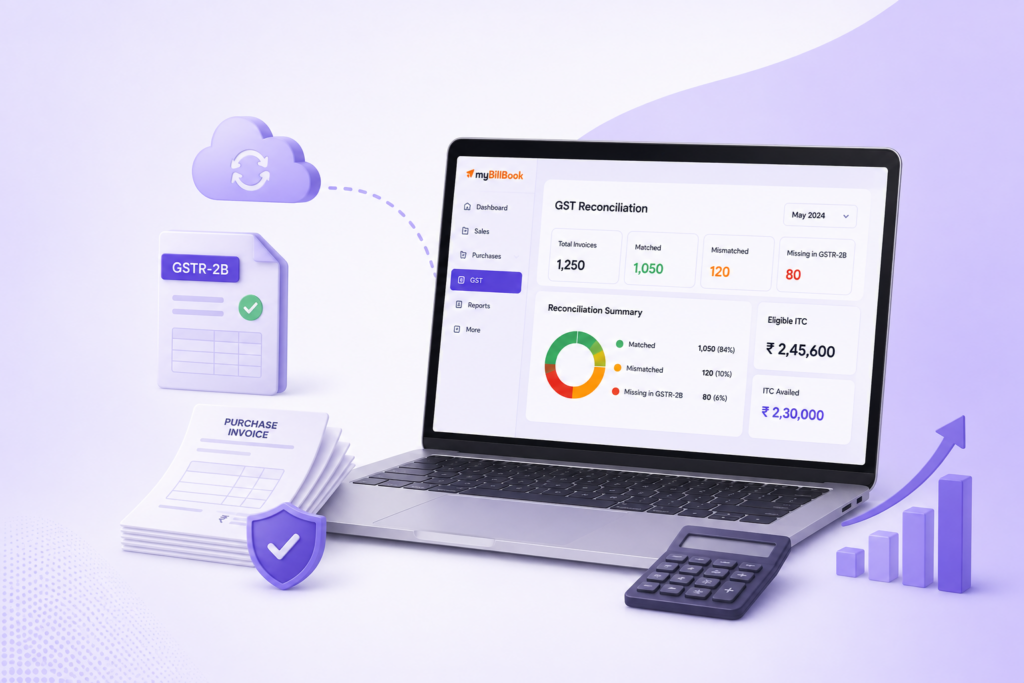
Automatically match your purchases with GSTR-2B, track eligible Input Tax Credit, and generate GSTR-1, GSTR-2 and GSTR-3B reports with myBillBook GST reconciliation software.
Trusted by 1 Crore+ Businesses

What is GST Reconciliation Software?
GST reconciliation software helps businesses compare purchase records with GST data such as GSTR-2B, identify invoice-level mismatches, and review eligible Input Tax Credit before filing returns.
For businesses handling large numbers of supplier invoices, manual spreadsheet matching can become difficult. myBillBook helps bring purchase records, GST reports and reconciliation workflows together so your team can focus on exceptions instead of checking every invoice line by line.
Why Businesses Need GST Reconciliation Software
Key GST Reconciliation Features in myBillBook
How GST Reconciliation Works with myBillBook
- Record purchases: Keep supplier invoices updated with GSTIN, invoice number, taxable value and GST details.
- Match with GSTR-2B: Use myBillBook to auto-match your purchase records with GSTR-2B data.
- Review exceptions: Focus on invoices and values that require attention instead of manually rechecking every transaction.
- Track eligible ITC: Review eligible tax credits alongside the matched purchase data.
- Generate GST reports: Create GSTR-1, GSTR-2 and GSTR-3B reports automatically.
- Share with your CA: Send reports to your CA for faster filing and reconciliation.
What GST Reconciliation Can Help You Detect
| Reconciliation Result | What It Means | What to Review |
|---|---|---|
| Matched | Purchase record and GST data correspond | Usually no further matching needed |
| Missing in GST Data | Purchase exists in your books but not in the compared GST data | Supplier filing or status |
| Missing in Books | GST data contains an invoice not recorded in your books | Purchase records |
| Value Mismatch | Invoice or taxable value differs | Invoice value and amendments |
| GST Amount Mismatch | Tax amount differs | GST calculation and invoice details |
| Needs Review | Transaction requires manual verification | Source invoice or accountant review |
GST Reconciliation Software vs Excel
| GST Reconciliation Software | Manual Excel Reconciliation |
|---|---|
| Structured reconciliation workflow | Requires manual sheet setup |
| Auto-matching with GSTR-2B | Manual lookup and comparison |
| Easier exception tracking | Exceptions can be spread across files |
| ITC tracking within the workflow | Requires manual calculation and tagging |
| GST reports from business records | Data often needs repeated export and formatting |
| Easier collaboration with your CA | Files must be exchanged and updated manually |
When is Excel enough? Excel may work for businesses with very few purchase invoices and simple GST records. As transaction volume grows, matching and exception management become harder to maintain manually.
Who Should Use GST Reconciliation Software?
GST Reconciliation Software Pricing
Choose a myBillBook plan based on your billing, GST, accounting and reconciliation requirements.
- Create unlimited invoices
- Access to 1 business, 1 user & 1 CA
- Inventory management
- Android, iOS & Web
- Custom Invoice Themes
- Create your Online Store
- Generate, Print & Scan Barcodes
- Desktop app
- SMS + WhatsApp marketing*
- Unlimited Godown management
- Print Barcode (Label printer)
- Bulk Download & Bulk Print Invoices
- Access to 2 businesses, 3 users & 1 CA
- e-Way Bills (Unlimited)
- Generate e-Invoicing
- Loyalty & Rewards
- Automate Recurring Billing
- POS Billing (Desktop App, Web app)
- Data Export to Tally (on request)
- User Activity Tracker
How to Choose the Best GST Reconciliation Software
- Check GSTR-2B matching: Confirm the software can compare purchase records against GSTR-2B.
- Look for invoice-level visibility: Matched, missing and mismatched records should be easy to review.
- Review ITC tracking: Make sure eligible tax credits can be tracked within the reconciliation workflow.
- Check GST reporting: Prefer software that generates GST reports from the same business records used for accounting.
- Consider accountant collaboration: Your CA should be able to receive or review the required reports easily.
- Compare pricing with workflow needs: Evaluate the plan against users, businesses and additional GST features you need.
GSTR-2A vs GSTR-2B for Reconciliation
GSTR-2A is dynamic and can change as suppliers upload or modify return information. GSTR-2B provides a period-based ITC statement that businesses use while reviewing Input Tax Credit and preparing GST records.
For current reconciliation workflows, GSTR-2B should be the primary comparison point for purchase matching and ITC review. For a detailed explanation, read our GSTR-2B reconciliation guide.
Why Use myBillBook for GST Reconciliation?
Reconciliation + Business Records
Keep billing, purchases, GST reporting and reconciliation workflows connected instead of maintaining separate systems for everyday accounting and GST review.
Built for Indian Businesses
Use myBillBook to manage GST billing, purchase records, GSTR reports and GSTR-2B reconciliation from one business platform. One of the best GST billing software options in India.
Frequently Asked Questions About GST Reconciliation Software
What is GST reconciliation software?
GST reconciliation software compares transactions in your accounting records with GST data such as GSTR-2B to identify matched invoices, missing transactions and differences requiring review.
What is GSTR-2B reconciliation software?
GSTR-2B reconciliation software compares purchase records with GSTR-2B information to help businesses identify matches, exceptions and eligible ITC before filing.
Does myBillBook automatically match purchases with GSTR-2B?
Yes. myBillBook can automatically match your purchases with GSTR-2B and help you keep track of eligible Input Tax Credit during GST reconciliation.
Can I generate GST reports in myBillBook?
Yes. myBillBook can automatically generate GSTR-1, GSTR-2 and GSTR-3B reports and lets you share them with your CA for faster filing and reconciliation.
Can GST reconciliation be done in Excel?
Yes. Businesses can compare purchase and GST records in Excel, but the process becomes harder to manage as invoice volume and exception tracking increase.
What is the difference between GSTR-2A and GSTR-2B?
GSTR-2A is dynamic and changes as supplier filings change, while GSTR-2B is a period-based statement commonly used while reviewing Input Tax Credit.
Who should use GST reconciliation software?
Retailers, wholesalers, distributors, manufacturers and growing businesses handling regular GST purchases can use reconciliation software to reduce manual matching work.
What is the price of GST reconciliation software?
Pricing depends on the plan, number of users and GST/accounting features required. Review myBillBook plans above or book a demo to choose the right setup.