
Restaurant Bill Format
Create a standard restaurant bill format to record food items, quantities, rates, taxes, discounts, payment mode, and the final amount for dine-in, takeaway, or delivery orders. Download editable restaurant bill templates in Word, Excel, and PDF or create digital restaurant bills using myBillBook.
- Pre-designed formats for clear and itemised restaurant billing
- Suitable for restaurants, cafes, dhabas, and cloud kitchens
- Useful for dine-in, takeaway, and delivery billing
Powered by myBillBook - India's #1 Billing Software

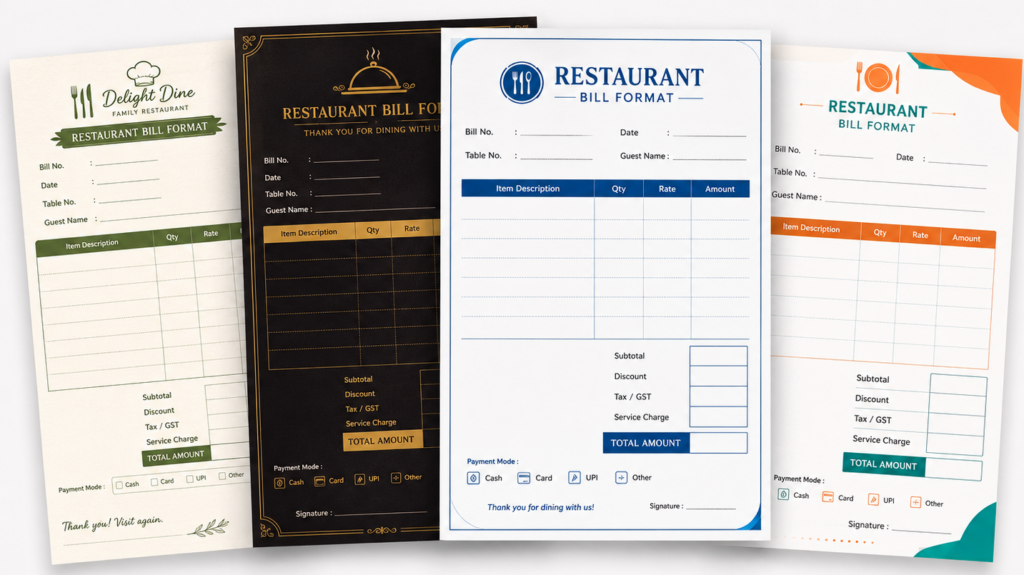
What is Restaurant Bill Format?
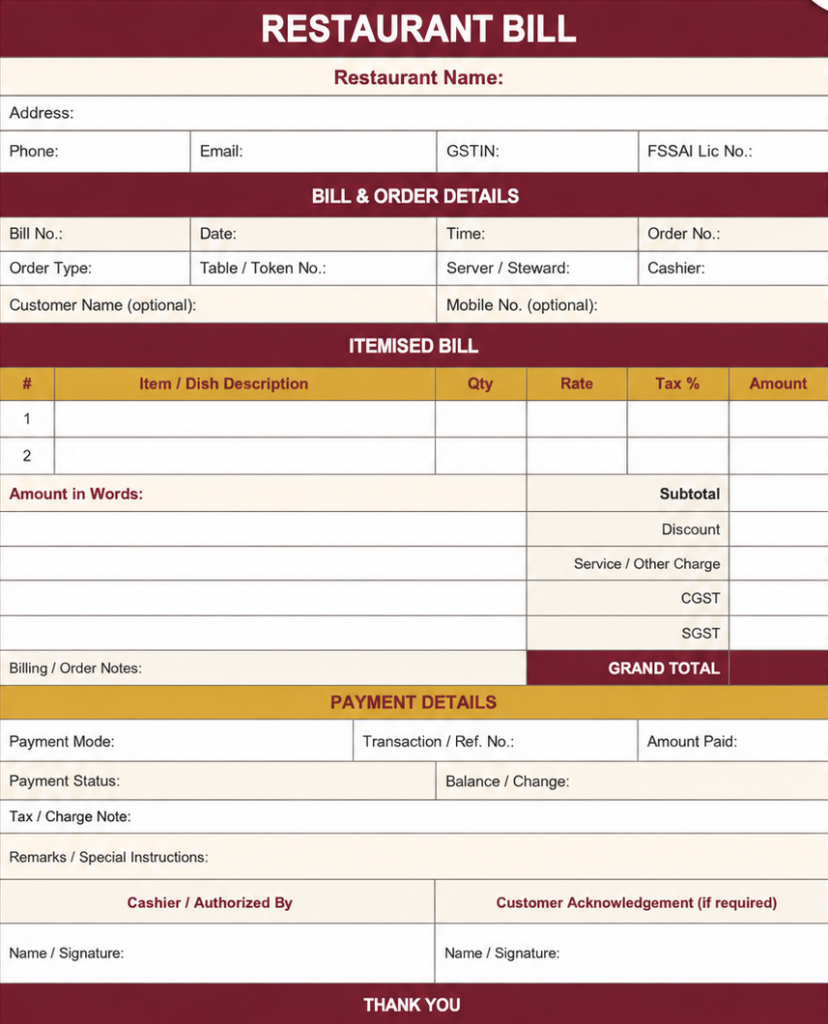
A restaurant bill format is a structured template used by restaurants, cafes, dhabas, cloud kitchens, and food counters to create bills for dine-in, takeaway, or delivery orders. It includes details such as bill number, date, customer details, food items, quantity, price, discount, GST, payment mode, and total amount.
Using a clear restaurant bill format helps food businesses generate accurate bills, track daily sales, maintain GST records, and avoid confusion during payments. Businesses can use ready-made formats in Word, Excel, or PDF, or create restaurant bills faster using restaurant billing software.
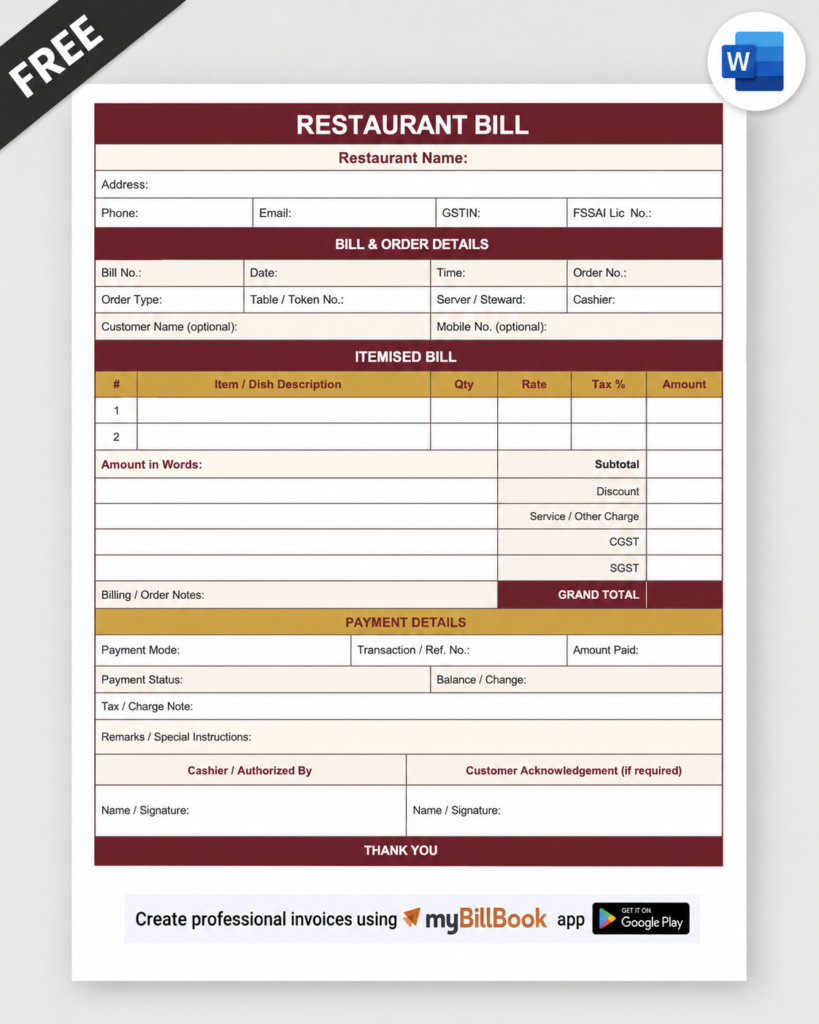
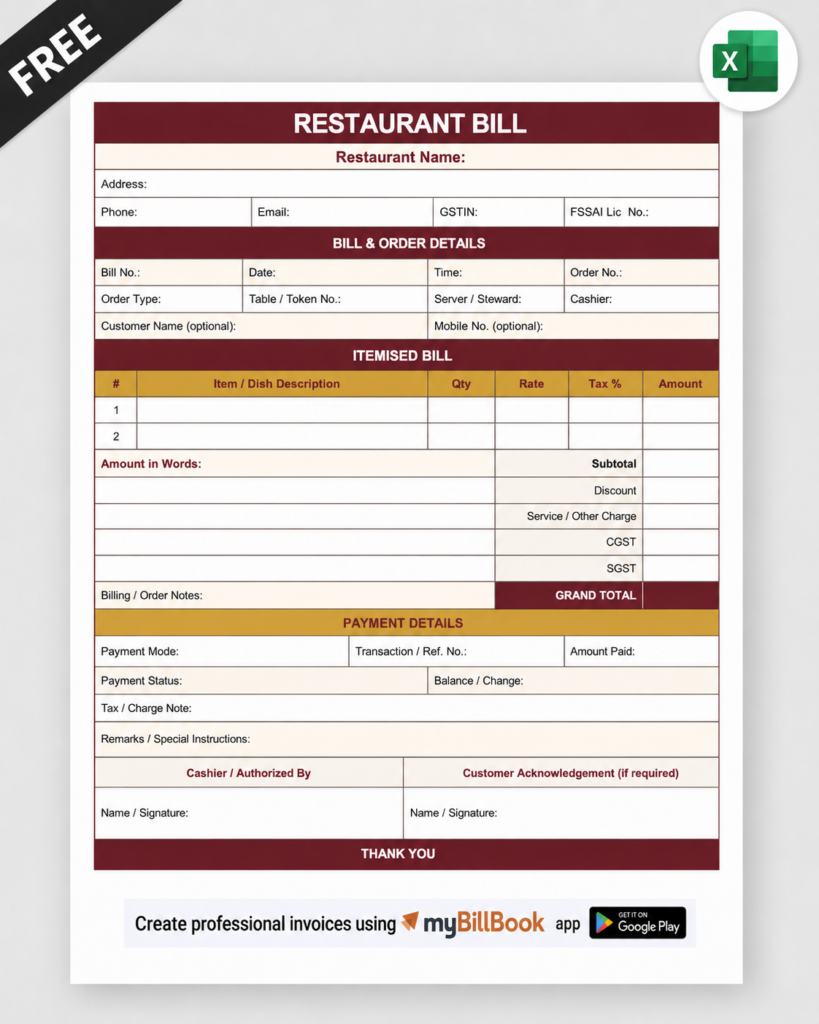
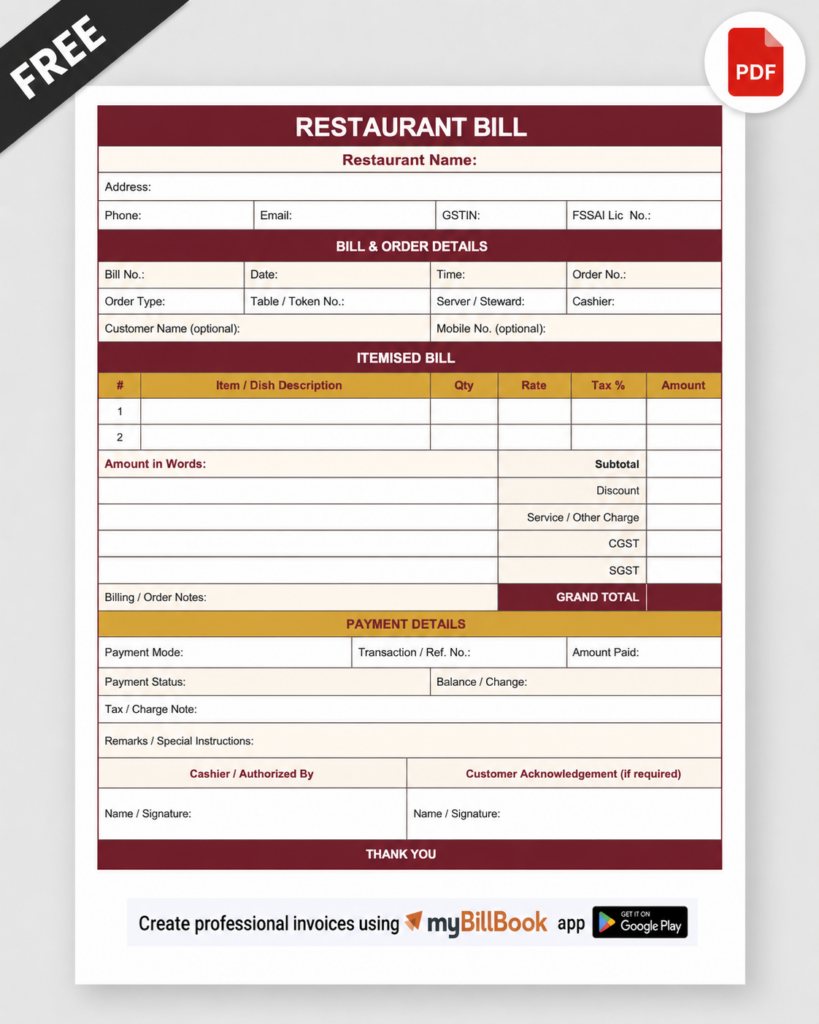
Download Free Restaurant Bill Formats in Word, Excel, & PDF
What Should a Restaurant Bill Format Include?
Why Use a Standard Restaurant Bill Format?
Using the same restaurant bill format for every order helps maintain consistency in how food items, prices, taxes, discounts, and payment details are presented.
A structured bill also makes it easier for customers to verify their order and final amount while helping restaurants maintain organised billing and sales records.
Sample Restaurant Bill Format (Food Bill Example)
Below is an example of a restaurant food bill showing ordered items, quantities, prices, applicable taxes, and the final payable amount. Restaurants, cafes, and dhabas can use this sample to understand how to prepare an itemised bill for customers. Download the free restaurant bill format above to customise the details for your business.
Who Can Use This Restaurant Bill Format?
This restaurant bill format can be used by restaurants, cafes, dhabas, cloud kitchens, food trucks, canteens, mess services, bakeries, snacks counters, and hotel restaurants. It is useful for creating dine-in, takeaway, delivery, and food service bills in Word, Excel, or PDF format.
Restaurant Bill Format in Word
A restaurant bill format in Word is useful for creating editable food bills without using billing software. Download the ready-made template and customise it with your restaurant name, contact details, FSSAI number, bill number, and food items.
Enter each food item’s quantity and price, calculate applicable taxes and discounts, and add the final payable amount. The completed food bill can be printed or saved as a PDF for sharing with customers.
You can reuse this Word template for dine-in, takeaway, and delivery orders by updating the order details for each bill.
Restaurant Bill Format in Excel
You can also use MS Excel to create a restaurant bill format. Excel is a versatile tool to create detailed and organised restaurant bill templates efficiently. Using Excel, you can add separate sections for the restaurant’s name/ address/contacts, food cost, taxes, total cost, etc. One added advantage of bill templates in Excel is that some data, such as the date, item-wise totals, and total bill amount, can be auto-populated with simple Excel formulas. This reduces the instances of manual errors and makes your restaurant billing a little more efficient compared to a Word bill template.
Restaurant Bill Format in PDF
A restaurant bill format in PDF is useful when you need a fixed version of a completed bill for printing, sharing, or maintaining digital records. The layout remains consistent across devices and is less likely to be accidentally edited.
Restaurants can create the bill in Word, Excel, or billing software and save or export the completed restaurant bill as a PDF when required.
Restaurant Bill Format for Different Order Types
Dine-In Restaurant Bills
A dine-in bill can include the table number, number of guests, ordered food and beverages, quantities, rates, taxes, discounts, payment mode, and final payable amount.
Takeaway Restaurant Bills
A takeaway bill usually focuses on order number, customer details where required, packed food items, quantities, rates, applicable charges, taxes, and total amount payable.
Delivery Restaurant Bills
A delivery bill may additionally include customer contact details, delivery address, order reference, delivery charges where applicable, payment mode, and the final bill amount.
Restaurant Bill Format for Reimbursement and Expense Claims
Restaurant bills are often used as supporting documents for business travel, employee meal reimbursements, and expense claims. For such purposes, the bill should clearly identify the restaurant and provide enough transaction details for verification.
A restaurant bill used for reimbursement should ideally include the restaurant name and address, bill number, date, itemised food charges, applicable taxes, total amount, payment details, and required business registration information. Customers should also check their employer’s reimbursement policy because additional details may be required for a claim to be accepted.
FAQs about restaurant bill
How to make a restaurant bill format?
A restaurant bill format should include the restaurant details/logo, contact details, client information field(if applicable), empty fields to enter ordered items with quantities and prices, subtotal, taxes, tips, total payment figure and the payment terms.
How to add GST field on a restaurant bill format?
If your food business is GST-registered, add a GST field in the bill with the applicable GST rate, taxable value, GST amount, and final bill amount. You can also mention whether menu prices are inclusive or exclusive of GST.
Is there a standard format or layout that should be followed for a restaurant bill?
There is no standard format in which to generate invoices; food businesses are at free to select formats that contain all the necessary particulars required by their firms and customers. However, if your food business is GST registered, you must make sure your invoices contain all the required information as mandated by GST law.
How do you write a food bill in PDF format?
To write a food bill in PDF format you can use Microsoft Word or Google Docs word processor to create your bill. Once you have formatted your bill and it is ready for use, you can save it as a PDF file by going through “Save As” option and choosing PDF as the file format. Otherwise there are some online tools and software which help you in converting your document into PDF format.
How can I create a free bill format for my restaurant store?
To create a free billing format for your restaurant store, try using online invoicing tools and templates. These platforms offer customisable free templates that enable one to develop professional bills for his/her restaurant.
What is a Food Bill Format?
Food bill format, also known as food invoice format or restaurant bill format, is a pre-designed template for quickly and easily creating food-related bills. Restaurant bill formats include fields for bill number, date, customer name, item numbers, descriptions, rates and totals. They also include the restaurant’s address and contact signature fields.
Should the FSSAI number be mentioned on a restaurant bill?
Food businesses should include their applicable FSSAI licence or registration number on bills, receipts, invoices, and related documents issued for food sales.
Can the same bill format be used by cafes and dhabas?
Yes. Restaurants, cafes, dhabas, cloud kitchens, canteens, food counters, and similar businesses can use the same basic restaurant bill structure and customise it according to their billing requirements.
Can I add my other food outlets to my BillBook?
myBillBook supports multiple businesses and branches of the same food chain. You can add all your outlets and manage them with a single software. No need for separate subscriptions. The number of food outlets/businesses you can add to your software depends on the type of plan you opt for.
What is the difference between a restaurant bill and an invoice?
The terms are often used interchangeably in everyday restaurant billing. However, when a formal GST tax invoice is required, the document must contain the applicable particulars prescribed under GST rules.
Can myBillBook create restaurant bills?
Yes. myBillBook can be used to create itemised restaurant bills, apply applicable taxes and discounts, record payment modes, manage running or table-wise bills, and print invoices using compatible printers.