
Accounting App for Android
Manage billing, accounting, inventory and payments directly from your Android phone with myBillBook.
Create GST invoices, record business transactions, track stock, check outstanding payments and view business reports wherever you work.
What is an Accounting App for Android?
An accounting app for Android helps businesses manage everyday financial activities directly from an Android phone. Businesses can use it to create invoices, record sales and purchases, track expenses and payments, manage inventory and review business reports without depending entirely on a desktop computer.
myBillBook brings billing, accounting and inventory management together in one Android app built for Indian small businesses.
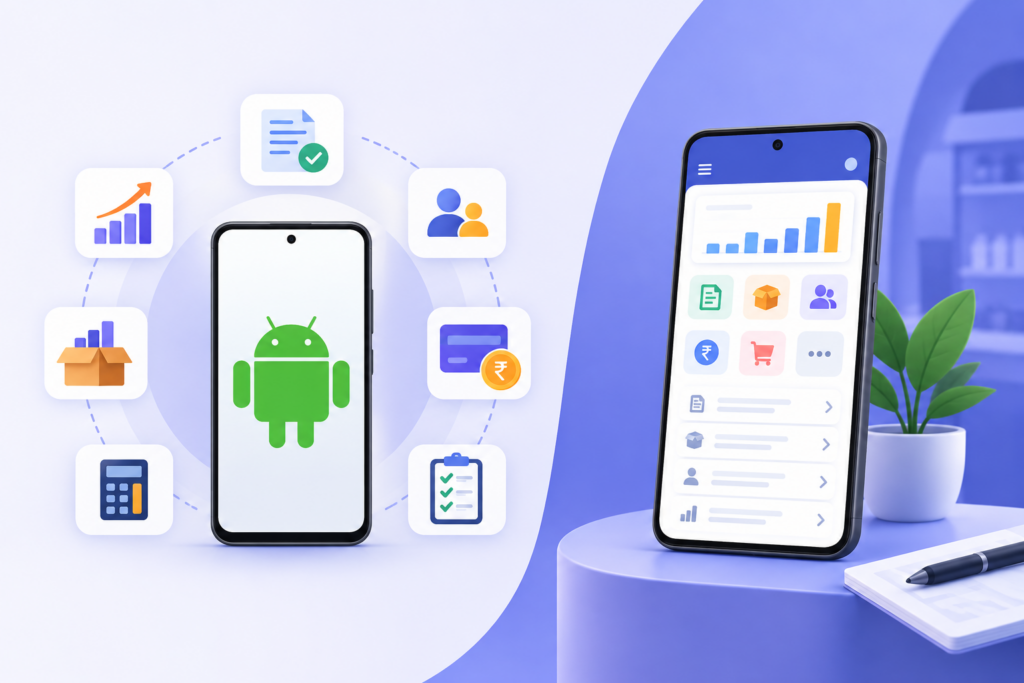
Key Features of the myBillBook Android Accounting App
Mobile Billing & Accounting
Handle regular billing and accounting activities directly from your Android phone. Create invoices, record transactions and check business information while working from your shop or outside it.
GST-Compliant Invoicing
Create GST-compliant invoices with applicable tax details. This helps GST-registered businesses maintain structured invoices while reducing repetitive manual calculations.
Inventory Management
Maintain product and stock records alongside your billing activities. Inventory information stays connected with your day-to-day business transactions.
Payment Tracking
Check party balances and outstanding payments from your Android device. This gives business owners a clearer view of amounts they need to collect.
Business Reports
Access available business reports to review sales, purchases, inventory and other important business information without waiting to return to a desktop.
Automatic Data Sync
When your device is connected to the internet, myBillBook automatically syncs supported business data between mobile and other compatible devices linked to the account.
What Can You Do with myBillBook on Android?
Create GST Invoices
Create professional GST invoices from your Android phone while serving customers at your shop, office or on the go. Add items, quantities, prices, discounts and applicable taxes without maintaining bills manually.
Record Sales, Purchases and Expenses
Maintain your day-to-day business transactions digitally. Record sales, purchases and expenses so that important business records remain organised and easier to review.
Manage Inventory
Track available stock and keep your inventory records updated as business transactions take place. This makes it easier to understand what is available without relying only on physical registers.
Track Payments and Outstanding Dues
Keep track of customer balances and pending payments from your phone. Access party records and follow up on outstanding amounts without going through multiple notebooks or spreadsheets.
View Business Reports
Check available sales, purchase, stock and other business reports from your mobile device to understand how your business is performing.
Share Invoices Digitally
Share invoices with customers directly from your phone through supported sharing options, including WhatsApp, making billing more convenient for both businesses and customers.
Who Should Use an Accounting App for Android?
An Android accounting app is useful for business owners who need to manage everyday transactions and access business information from their phone.
Retail Shop Owners
Create invoices, check stock and track customer dues from your Android phone.
Wholesalers & Distributors
Manage sales, purchases, inventory and outstanding payments while on the move.
Small Business Owners
Handle everyday billing and accounting without depending on a computer.
Service Businesses
Create invoices, record expenses and manage customer payments from anywhere.
Multi-Location Businesses
Access business information while working across shops, offices or warehouses.
Field & Mobile Businesses
Record transactions and check business details while working away from the office.
Why Use an Accounting App on Android?
For many small businesses, accounting does not happen only at a desk. Sales, purchases, collections and stock movements can happen throughout the working day.
An Android accounting app makes everyday business management more accessible by keeping important records available on the device you already carry.
Manage Your Business from Anywhere
Check important business information without having to return to your shop or office computer.
Record Transactions When They Happen
Enter sales, purchases, expenses and payments closer to the time of the actual transaction instead of updating records later.
Reduce Dependence on Paper Records
Maintain digital business records instead of managing separate notebooks for sales, expenses, inventory and customer dues.
Keep Billing and Accounting Connected
Invoices, payments, stock and business records can be managed within the same system rather than across unrelated tools.
Access Updated Business Information
Synced records help you access updated business information across compatible devices whenever an internet connection is available.
How to Start Using myBillBook on Android
Getting started with myBillBook on an Android phone takes only a few steps.
Step 1: Download the myBillBook App
Download myBillBook from the Google Play Store and install it on your Android device.
Step 2: Set Up Your Business
Add your basic business information and configure the details required for your invoices and business records.
Step 3: Add Products and Parties
Add the products or services you sell along with your customer and supplier details.
Step 4: Start Recording Transactions
Create invoices and record sales, purchases, expenses and payments as they occur.
Step 5: Monitor Your Business
Use the available reports, inventory records and party balances to keep track of your day-to-day business performance.
Android Accounting App vs Desktop-Only Accounting Software
| Android Accounting App | Desktop-Only Accounting Software |
|---|---|
| Can be accessed from an Android phone | Primarily accessed from a computer |
| Useful while working away from the billing counter | Usually requires access to the installed computer |
| Suitable for quick billing and transaction updates | Better suited to fixed-desk workflows |
| Easy to carry between business locations | Device remains at the office or shop |
| Useful for owners who manage business on the move | Useful for businesses primarily working from desktops |
An Android accounting app is useful when mobility is important. Businesses that require more extensive desktop workflows can use myBillBook plans that support additional platforms and features.
Why Choose myBillBook as Your Accounting App for Android?
myBillBook is designed for Indian small businesses that want billing, inventory and accounting tools without complicated accounting workflows.
With the Android app, businesses can manage invoices, transactions, stock, customer dues and reports from their phone while keeping supported business data synced across compatible devices.
Built for Indian Businesses
Manage everyday billing and business records with features designed around the requirements of Indian small businesses.
GST Invoicing
Create GST-compliant invoices with applicable tax details directly from your Android device.
Billing, Accounting and Inventory Together
Instead of maintaining separate systems, manage invoices, transactions, stock and party balances within myBillBook.
Works Across Supported Devices
Your myBillBook account can be accessed through supported mobile, web and desktop options depending on your plan.
Easy to Start
The mobile interface makes everyday activities such as creating invoices, checking stock and viewing party balances accessible to business owners without complex accounting processes.
Pricing for myBillBook Accounting App
Frequently Asked Questions
Which accounting app is suitable for Android small businesses?
An Android accounting app should support the everyday activities your business needs, such as invoicing, sales and purchase records, expense tracking, inventory, outstanding payments and reports. Indian GST-registered businesses should also check whether the app supports GST-compliant invoicing.
Is myBillBook available for Android?
Yes. myBillBook has an Android mobile app that businesses can download and use to manage supported billing, inventory and accounting activities from their phone.
Can I create GST invoices on an Android phone?
Yes. myBillBook allows businesses to create GST-compliant invoices from an Android phone by adding the required business, customer, item and applicable tax details.
Can I manage inventory from the myBillBook Android app?
Yes. myBillBook includes inventory management capabilities that help businesses maintain product and stock records alongside their billing activities.
Can I access myBillBook from another phone?
Yes. You can access the same myBillBook account from multiple compatible mobile devices using the OTP sent to the registered mobile number. Access and features may depend on your subscription plan.
Do I need to manually sync myBillBook between mobile and PC?
No. When an internet connection is available, supported data is automatically synced between myBillBook mobile and compatible web or desktop access.
What happens to my data if I lose my Android phone?
Your business data is linked to your myBillBook account rather than only the physical device. You can access the account again after logging in with your registered mobile number and OTP.
Can I use an Android accounting app without accounting knowledge?
Apps such as myBillBook are designed to simplify routine activities such as invoicing, recording transactions, tracking stock and checking customer balances. However, businesses should consult a qualified professional when they need accounting, GST or tax advice.
Is an Android accounting app enough for a growing business?
It depends on your workflow. An Android app can handle many routine billing and accounting activities, while growing businesses may eventually need additional users, businesses, desktop access, godown management or other advanced capabilities available in higher plans.
Can I use the same myBillBook account on Android and the web?
Yes. myBillBook supports Android and web access, with available features and device access depending on the plan you choose.