
POS Billing Software to Run Your Entire Billing Counter
Run a complete POS system on your laptop or desktop. Create bills faster, scan items instantly, track inventory, and manage payments - without investing in expensive POS machines.
Trusted by 1 Crore+ Businesses

What is a POS System and How Does It Work?
POS billing software is a point-of-sale system used at the checkout counter to create bills, record payments and automatically update inventory after every sale. Businesses can use it with supported computers and optional devices such as barcode scanners and receipt printers instead of relying on a dedicated billing machine.
Modern POS billing software replaces traditional billing machines by allowing businesses to run their entire billing counter on a laptop or computer. It combines billing, inventory management, and payment tracking into one system.
For retail stores, this becomes even more useful when billing, POS, stock updates, and GST invoices work together. Explore our Retail Shop Billing Software for a solution built specifically for retail businesses.
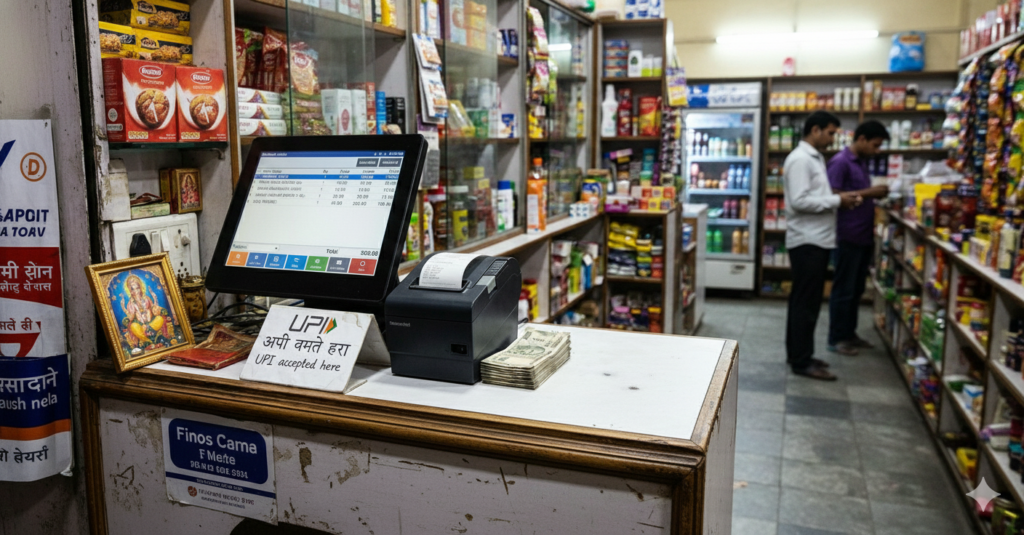
Key Features of POS Billing Software
Run faster billing, reduce errors, and handle customer rush smoothly with these key POS features.
Watch myBillBook POS Billing Software in Action
See how myBillBook helps businesses scan items, create bills faster, accept payments, update inventory, and manage POS billing from laptop or desktop
How a POS Billing System Works
A POS (Point of Sale) system helps you complete billing quickly at your counter by combining billing, payments, and inventory updates into one process. Here’s how it works:
Step 1
Add or Scan Items
Select items manually or scan barcodes to add products to the bill instantly.
Step 2
Generate Bill
The system calculates totals, GST, and discounts automatically in real time.
Step 3
Accept Payment
Complete the transaction using cash, UPI, or card directly at the bill counter.
Step 4
Update Inventory
Stock levels are updated automatically after each sale.
Step 5
Record Sales Data
All transactions are saved for reports, tracking, and future reference.
POS Billing Software for Different Business Needs
Explore POS solutions designed for different business types and billing setups.
Find Your Solution Today
Set Up Your POS Billing System in Minutes
Start billing quickly without any technical setup or expensive hardware. Follow these simple steps to get started.
✅ Install the app on laptop or desktop
✅ Add your products, prices, and GST details
✅ Customise invoices and business settings
✅ Enable inventory tracking automatically
✅ Start billing at your POS counter instantly
“No dedicated POS terminal required. Use your supported computer and connect peripherals when needed.”
For broader invoicing, accounting and inventory workflows beyond the checkout counter, explore billing software for PC.
POS Billing Software vs Traditional Billing Machine
Understand why modern POS billing software is a better choice than traditional billing machines for today’s businesses.
| POS Billing Software | Traditional Billing Machine |
|---|---|
| ✅ No dedicated POS machine required | ❌ Requires dedicated hardware |
| ✅ Works on desktop, or laptop | ❌ Limited to billing machine setup |
| ✅ Easy to update and customize | ❌ Limited flexibility and updates |
| ✅ Tracks inventory in real time | ❌ No real-time inventory tracking |
| ✅ Accepts cash, UPI, and card payments | ❌ Limited payment handling options |
| ✅ Access sales data anytime | ❌ Data stays limited to the machine |
How to Choose the Right POS Billing Software
The right POS billing software should make billing faster while connecting payments, inventory and business reporting in one system. Indian businesses should also check GST billing, barcode support, hardware compatibility, supported devices, pricing and the number of counters or users required.
1. Billing speed
Look for barcode scanning, quick product search, keyboard shortcuts and the ability to manage more than one active bill during rush hours.
2. Inventory updates
Choose POS software that automatically adjusts stock after every completed sale so inventory remains connected with billing.
3. GST billing
For GST-registered businesses, the POS should support tax calculations, GST invoice details and the reports needed for regular accounting workflows.
4. Payment recording
Check whether the software can record the payment methods your customers commonly use, such as cash, UPI and cards.
5. Hardware compatibility
Confirm whether your existing computer, barcode scanner and receipt printer can be used before investing in dedicated POS hardware.
6. Device and counter support
Check exactly which devices support the POS interface and whether your plan allows the number of counters, users or business locations you require.
7. Reports
A useful POS system should connect daily sales with stock and payment reports so owners can review business performance without maintaining separate records.
8. Pricing
Compare the plan that actually includes POS functionality rather than choosing software only by its lowest advertised subscription price.
What Businesses Say About Our POS Billing Software
See how businesses are using POS billing software to simplify billing, reduce errors, and speed up checkout.
“Billing is much faster & easier now”

Switching to this POS billing software helped us reduce billing time during peak hours.
"No need for expensive POS machines"

We started using the POS system on our existing laptop. Setup was simple and no extra hardware was needed.
"Managing high billing volume is easy now"

Handling multiple customers at once is much easier. Real-time sync and reporting help us stay in control.
Pricing plans
- Create unlimited invoices
- Access to 1 business, 1 user & 1 CA
- Inventory management
- Android, iOS & Web
- Custom Invoice Themes
- Create your Online Store
- Generate, Print & Scan Barcodes
- Desktop app
- SMS + WhatsApp marketing*
- Unlimited Godown management
- Print Barcode (Label printer)
- Bulk Download & Bulk Print Invoices
- Access to 2 businesses, 3 users & 1 CA
- e-Way Bills (Unlimited)
- Generate e-Invoicing
- Loyalty & Rewards
- Automate Recurring Billing
- POS Billing (Desktop App, Web app)
- Data Export to Tally (on request)
- User Activity Tracker
Why Choose Cloud-Based POS Billing Software
Choosing a cloud-based POS billing software helps businesses operate faster, smarter, and more efficiently. Unlike traditional systems, cloud POS gives you flexibility, real-time data access, and better control over your operations.
With myBillBook cloud POS, you get:
- Real-time data sync across multiple devices and counters
- Access your business data anytime, anywhere
- Cloud storage and syncing reduces the risk of losing business data because of local device failure.
- Lower setup cost compared to traditional POS systems
- Easy scalability as your business grows
- Built-in GST billing and automatic tax calculations
Cloud POS ensures your business stays connected, efficient, and ready to scale without technical complexities.
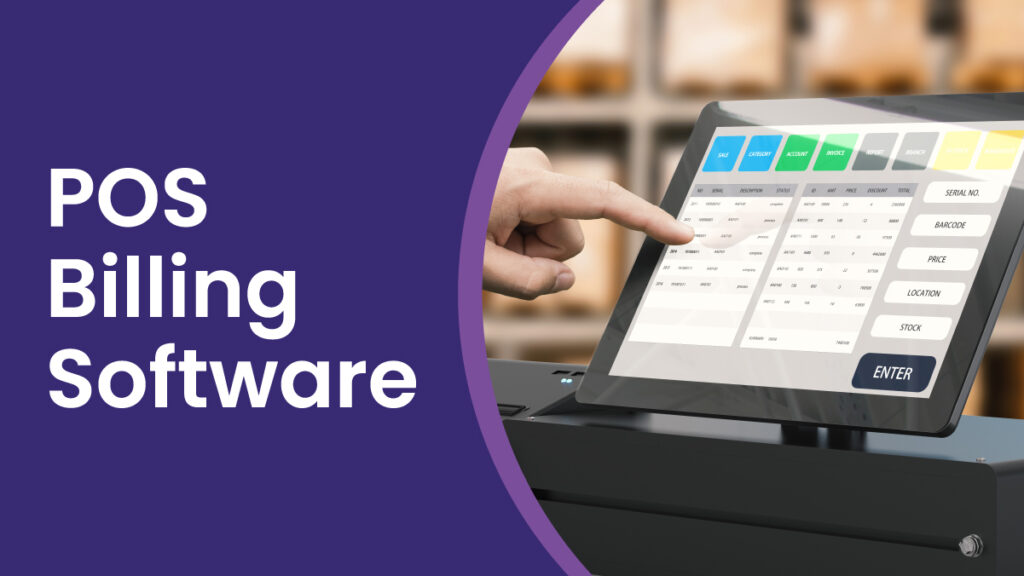
How Cloud POS Software is Different from Traditional POS Software
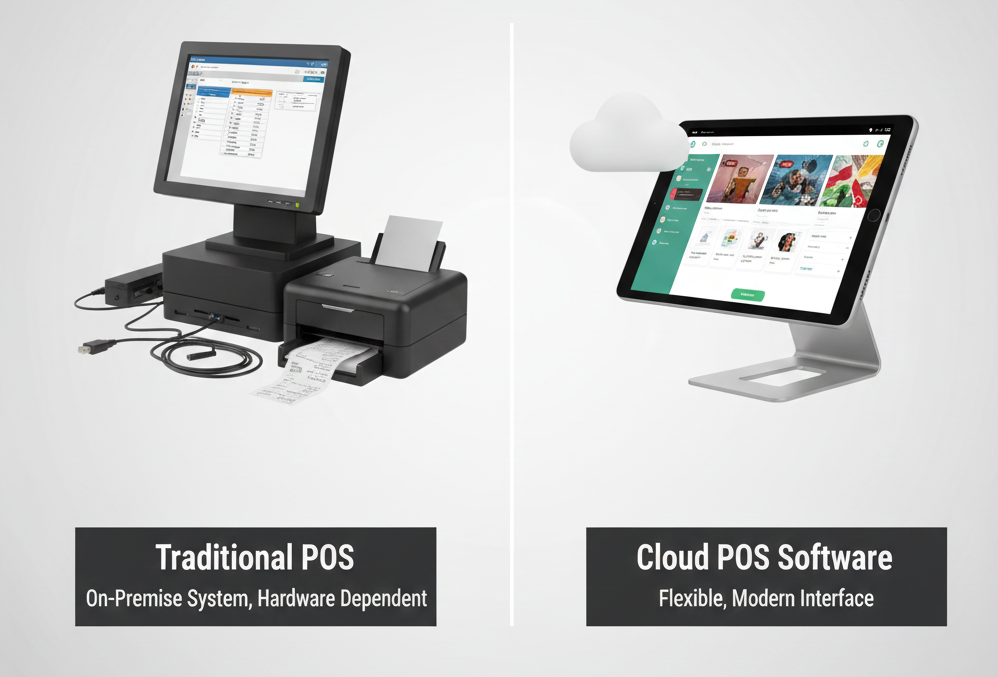
Cloud POS Software offers a more flexible, scalable, and cost-effective solution for modern businesses compared to traditional POS software.
Data Storage:
Cloud POS Software: Data is stored remotely on cloud servers. This allows businesses to access sales, inventory, and customer data from anywhere, on any device with internet access.
Traditional POS Software: Data is stored locally on the hardware or server where the POS software is installed. This means data can only be accessed on-site or within the local network, limiting flexibility.
Accessibility:
Cloud POS Software: Since it’s web-based, cloud POS systems allow remote access. Business owners and employees can manage sales, view reports, and monitor inventory from any location.
Traditional POS Software: Typically requires being on-site, meaning access is limited to the physical POS terminal or the local network, making it less flexible.
Real-Time Data Syncing:
Cloud POS Software: Provides real-time syncing across all devices and locations, ensuring that sales, inventory, and customer data are up to date across all touchpoints.
Traditional POS Software: May require manual syncing or limited synchronization, meaning data updates across multiple devices or locations could be delayed or inconsistent.
Scalability:
Cloud POS Software: Easy to scale as your business grows. You can add new devices, counters, and locations without significant additional hardware investment. The software updates and maintenance are handled by the provider.
Traditional POS Software: Scaling often requires additional hardware or software upgrades and can be costly and time-consuming.
Maintenance and Updates:
Cloud POS Software: Updates and maintenance are done automatically by the provider. This means the software is always up to date with the latest features and security patches without needing user intervention.
Traditional POS Software: Requires manual updates and installations on every system. Users may face downtime during the update process, and older systems may not support newer features.
Security:
Cloud POS Software: Typically offers advanced security features such as encrypted data transmission, secure cloud storage, and automatic backups. Cloud service providers usually have robust security measures in place.
Traditional POS Software: Security depends on the local system’s setup, which can be more vulnerable to physical theft, hardware failure, or data loss unless properly backed up and secured.
Cost:
Cloud POS Software: Often comes with a subscription-based pricing model (monthly or annually), which makes it more affordable initially, as there’s no need for costly hardware and maintenance.
Traditional POS Software: Requires a larger upfront cost for purchasing hardware and software licenses, along with ongoing costs for maintenance and upgrades.
Integration:
Cloud POS Software: Integrates easily with other cloud-based tools like accounting software, CRM systems, inventory management, and e-commerce platforms. These integrations allow seamless data flow between different business functions.
Traditional POS Software: Integration with other systems can be more complex and costly, especially if the systems are not cloud-based or require custom development.
FAQs on Cloud POS Billing Software
What is POS billing software and how does it work?
POS billing software helps businesses complete sales transactions at the billing counter by generating invoices, processing payments, and updating inventory automatically in real time.
What should you look for in the best POS billing software in India?
The best POS billing software for an Indian business should combine fast checkout, GST billing, inventory updates, barcode support, payment tracking and useful sales reports. The right option also depends on your business type, number of counters, supported devices, hardware requirements and budget.
myBillBook is designed for Indian small businesses that want billing, inventory and business management in the same system. Check the current plan details on this page to confirm POS availability for your setup.
Do I need separate equipment to use POS billing software?
No, POS billing software like myBillBook works on your existing laptop, tablet, or desktop. You can optionally connect devices like barcode scanners or printers.
Do all myBillBook plans include POS billing?
POS billing availability depends on the myBillBook plan you choose. Check the latest pricing table on this page to see which plan includes POS billing for the Desktop App and Web App, or speak with our team for the right setup for your business.
Does POS billing software support multiple payment methods?
Yes, POS billing software supports multiple payment methods like cash, UPI, cards, and digital wallets, ensuring smooth and flexible checkout for customers.
Is POS billing software GST compliant?
Yes, POS billing software like myBillBook is GST compliant. It automatically calculates taxes, generates GST invoices, and provides reports for easy filing.
Is there a free trial available?
Yes, myBillBook offers a free trial and demo so you can explore features and understand how the POS system works before purchasing.
How does multi-store management work in POS software?
Cloud-based POS software allows you to manage multiple stores from a single dashboard with real-time sales, inventory tracking, and centralized reporting.
What hardware is compatible with POS billing software?
POS software works with standard devices like barcode scanners, receipt printers, cash drawers, and weighing scales, depending on your business needs.