
Grocery POS Software
Use the POS billing feature in myBillBook to handle faster grocery counter checkout with barcode scanning, quick item selection, item-first billing and multiple active bills.
Trusted by 1 Crore+ Businesses

What is a Grocery POS Software
Grocery POS software is checkout-focused software used at grocery and kirana counters to scan or select products, create customer bills, record payments and complete frequent walk-in transactions quickly.
In myBillBook, POS is a billing feature designed for this faster counter workflow. Broader grocery-store activities such as purchases, suppliers, accounting and complete inventory management remain part of the wider billing software.
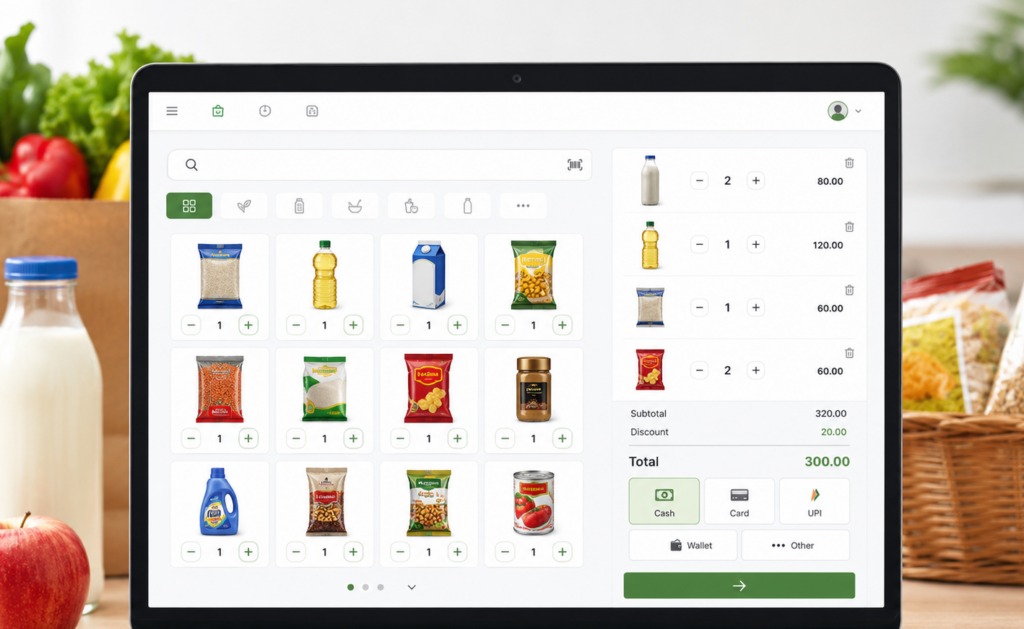
How Does POS Billing Help at a Grocery Counter?
How Does Grocery POS Billing Work with myBillBook?
The POS billing feature in myBillBook keeps the grocery checkout process focused on selecting items, preparing the bill and completing the customer transaction with fewer unnecessary steps.
Step 1 — Start with the Customer’s Items
Begin a new POS bill and add products directly without making customer details the first step for a typical walk-in sale.
Step 2 — Scan or Select Products
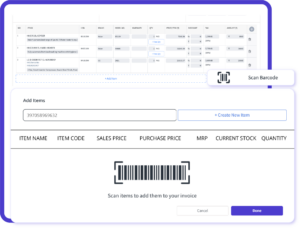
Scan supported packaged-product barcodes or search for an item when scanning is unavailable.
Step 3 — Review the Bill
Check the selected products, quantities, prices and applicable bill-level details before completing checkout.
Step 4 — Record Payment and Complete
Record the supported payment mode used by the customer and complete the transaction.
How Is Grocery POS Software Different From Grocery Billing Software?
Grocery POS software focuses specifically on the customer checkout workflow, while grocery billing software supports the wider financial and store-management activities of the business. In myBillBook, POS is one specialised billing feature within the broader software.
| Grocery POS Software | Grocery Billing Software |
|---|---|
| Counter checkout | Wider business billing |
| Item-first transactions | Complete invoice workflows |
| Barcode/item selection | Purchases and suppliers |
| Multiple active bills | Broader inventory management |
| Payment completion | Accounting and business records |
Need the wider store-management capabilities? Explore Grocery Billing Software.
Why Use myBillBook for Grocery POS Billing?
Grocery Basket Billing
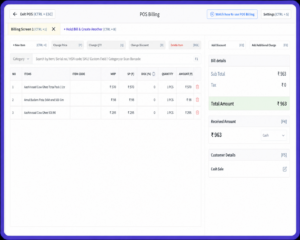
Start with the customer’s products and build the bill directly from the POS screen, making frequent walk-in grocery transactions easier to handle.
Barcode and Item Selection
Scan supported packaged-product barcodes or search for items directly from the checkout screen when scanning is unavailable.
Multiple Active Bills
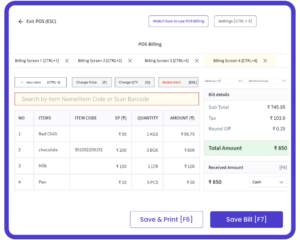
Keep more than one customer transaction active and switch between bills when a shopper needs extra time at the counter.
Payment and Checkout
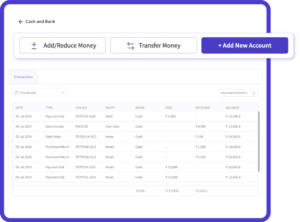
Record the customer’s supported payment mode and complete the sale from the POS billing workflow.
Simple, Affordable Plans
- Create unlimited invoices
- Access to 1 business, 1 user & 1 CA
- Inventory management
- Android, iOS & Web
- Custom Invoice Themes
- Create your Online Store
- Generate, Print & Scan Barcodes
- Desktop app
- SMS + WhatsApp marketing*
- Unlimited Godown management
- Print Barcode (Label printer)
- Bulk Download & Bulk Print Invoices
- Access to 2 businesses, 3 users & 1 CA
- e-Way Bills (Unlimited)
- Generate e-Invoicing
- Loyalty & Rewards
- Automate Recurring Billing
- POS Billing (Desktop App, Web app)
- Data Export to Tally (on request)
- User Activity Tracker
Frequently Asked Questions
Can grocery POS software handle products without barcodes?
Yes. Grocery POS software can allow cashiers to search and select products manually when a barcode is missing, damaged or unavailable. This is useful for local, loose or unlabelled items that still need to be added during checkout.
Is grocery POS software useful for a small kirana store?
Yes. It can be useful for kirana stores that handle frequent walk-in transactions and want a faster checkout workflow. The need depends more on transaction frequency and counter workflow than on the physical size of the store.
Does grocery POS software require a dedicated POS machine?
No. POS software and a POS machine are different. Software can run on a compatible computer or supported device, while a complete POS system may also include scanners, printers, payment terminals and other hardware.
Can I use the POS billing feature in myBillBook for a grocery store?
Yes. Grocery stores can use myBillBook's POS billing feature for supported counter workflows such as item-first billing, barcode-based product selection, multiple bills and payment recording, depending on the applicable platform and plan.
Can grocery sales update stock after checkout?
When billing and inventory are connected, products sold through checkout can be reflected in stock records. Full inventory management, purchases, supplier tracking and stock planning are broader functions beyond the POS checkout workflow itself.