
Civil Work Quotation Format
Prepare clear, item-wise civil work estimates for labour, materials, quantities, rates, taxes, timelines, and payment terms. Use the format for residential, commercial, renovation, and labour-contract work.
- Built for measurable civil work such as RCC, masonry, plastering, flooring, excavation and finishing
- Supports item-wise quantity, unit, rate and amount calculations
- Useful for contractors, civil engineers, builders and labour contractors
Powered by myBillBook - India's #1 Billing Software

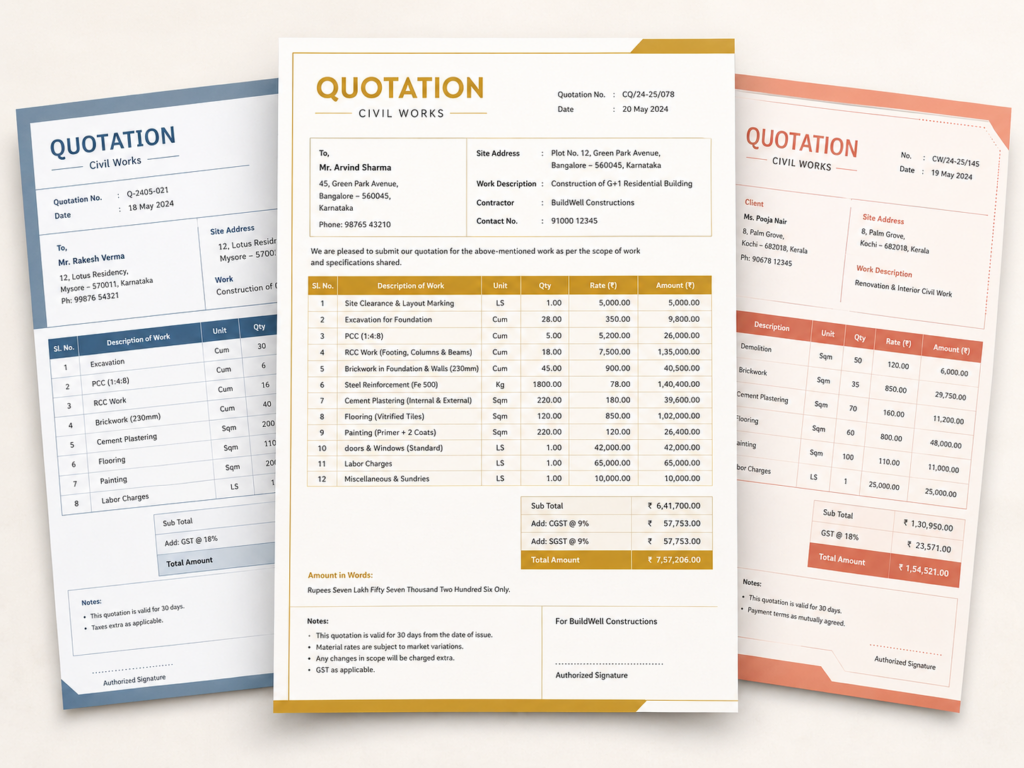
What Is a Civil Work Quotation Format?
A civil work quotation format is a structured cost proposal used before starting civil construction work. It explains exactly what work will be carried out, how it will be measured, the rate for each item, and the estimated amount payable.
Unlike a basic price quote, civil work estimates often need measurable units such as sq. ft., sq. m., cu. ft., cu. m., running feet, kilograms, numbers, or lump-sum quantities. Typical items include excavation, PCC, RCC, steel reinforcement, brickwork, blockwork, plastering, waterproofing, tiling, flooring, painting, and site labour.
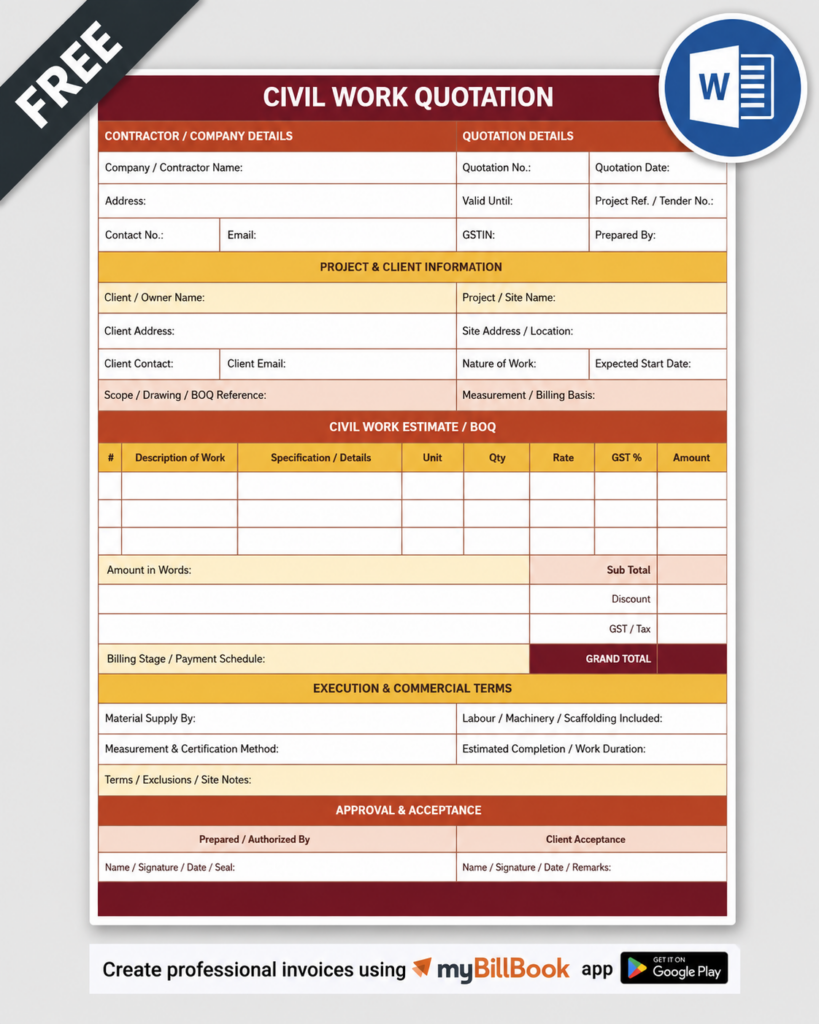
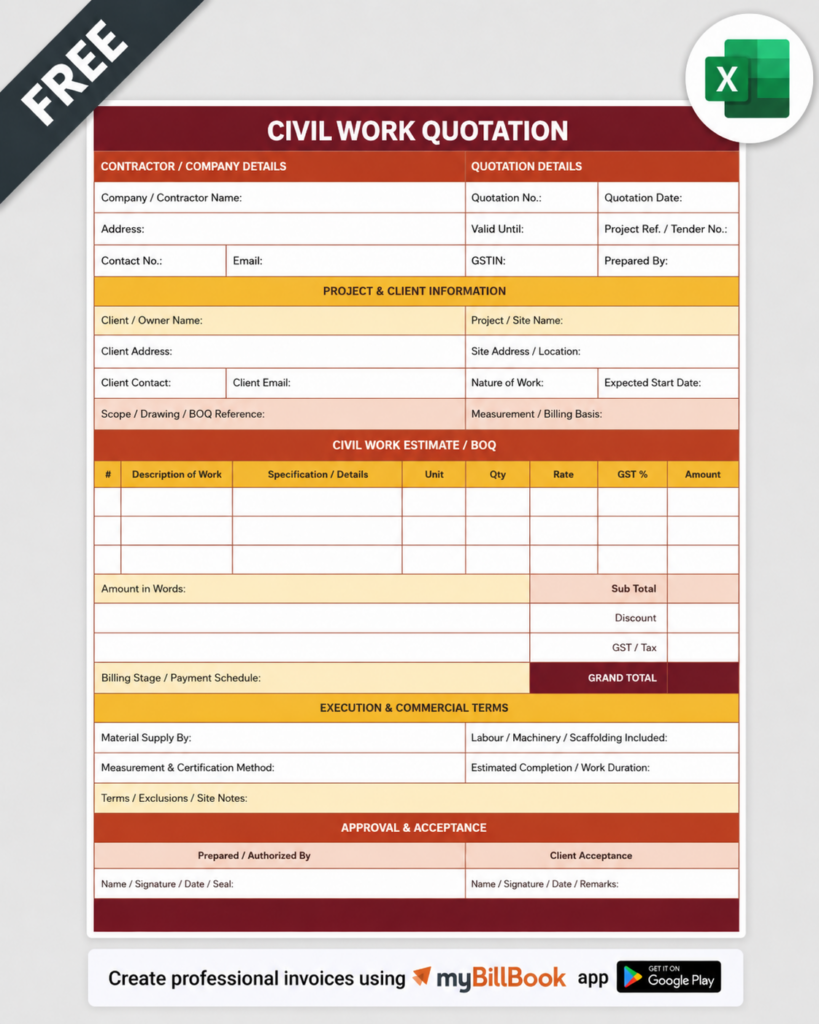
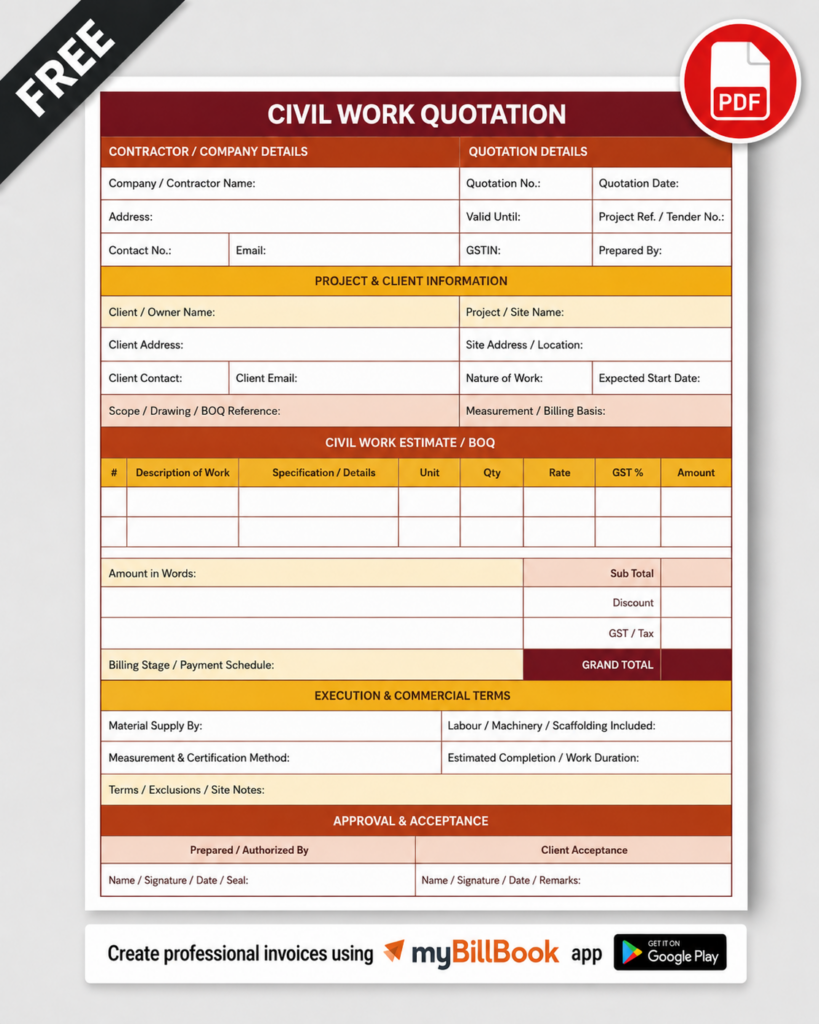
Download Civil Work Quotation Format Samples
Choose a format based on how you estimate, calculate, edit, and share civil work quotations.
How to Prepare a Civil Work Quotation
Civil Work Quotation Sample: Item-Wise Structure
A practical civil work quotation format sample should resemble a compact BOQ-style estimate without becoming a full engineering bill of quantities. A simple item table can contain:
| S.No. | Work Description | Unit | Qty | Rate | Amount |
| 1 | Excavation for foundation as per required depth | Cu. m. | — | ₹ — | ₹ — |
| 2 | PCC below footing / foundation | Cu. m. | — | ₹ — | ₹ — |
| 3 | RCC work including shuttering as specified | Cu. m. | — | ₹ — | ₹ — |
| 4 | Reinforcement steel cutting, bending and placing | Kg | — | ₹ — | ₹ — |
| 5 | Brick / block masonry | Cu. m. | — | ₹ — | ₹ — |
| 6 | Internal / external plaster | Sq. m. | — | ₹ — | ₹ — |
After the item table, add subtotal, discount if any, tax, grand total, payment schedule, validity, execution timeline, inclusions, exclusions, and authorised acceptance.
Essential Details to Include in a Civil Construction Work Quotation
Contractor and Client Details
Add contractor name, address, contact information, GSTIN if applicable, client name, site address, quotation number, and quotation date.
Scope and Specification Reference
Define the work package clearly and reference drawings, site instructions, material grade, mix, thickness, finish, or workmanship standard where necessary.
Work Description
Describe each activity precisely. Avoid vague rows such as “civil work complete” when separate activities can be measured and priced independently.
Unit of Measurement
Use units appropriate to the work item, such as sq. ft., sq. m., cu. ft., cu. m., running ft., running m., kg, tonne, number, or lump sum.
Quantity, Unit Rate and Amount
Show estimated quantity and rate separately so the client can understand how the total has been calculated.
Labour and Material Split
For labour-only or material-plus-labour jobs, specify the cost responsibility clearly. This is especially important in a civil labour contract quotation format.
Taxes and Other Charges
State whether rates include or exclude GST, transport, loading, unloading, machinery, scaffolding, testing, wastage, or other site-related charges.
Payment Schedule
Define advance, running-account or milestone payments, retention if any, and the point at which final payment becomes due.
Validity and Price Variation
Mention how long the quote remains valid and whether sharp changes in cement, steel, fuel, labour, or other major inputs require rate revision.
Timeline and Handover Conditions
Include expected start, execution duration, dependencies, site-readiness conditions, and circumstances that may affect completion.
Inclusions, Exclusions and Client Responsibilities
Clarify items such as electricity, water, debris disposal, permits, curing arrangements, storage space, testing, and access to prevent disputes later.
Civil Labour Contract Quotation vs Material + Labour Quotation
Civil Labour Contract Quotation
A labour contract quotation prices workmanship separately from materials. The contractor can quote activity-wise labour rates for masonry, plastering, RCC support work, flooring, tile fixing, painting, shuttering, bar bending, or other site tasks. It should clearly identify who supplies tools, scaffolding, consumables, machinery, water, electricity, and safety arrangements.
Material + Labour Civil Work Quotation
This quotation includes both execution and specified materials. It should therefore mention grades, brands or approved equivalents, consumption assumptions, transportation, wastage, taxes, and whether quantities are estimated or measured at site for final billing.
Keeping these two commercial models separate helps the page target civil-work intent without duplicating the broader construction quotation page.
From Estimate to Approved Quotation—Without Re-entering Everything
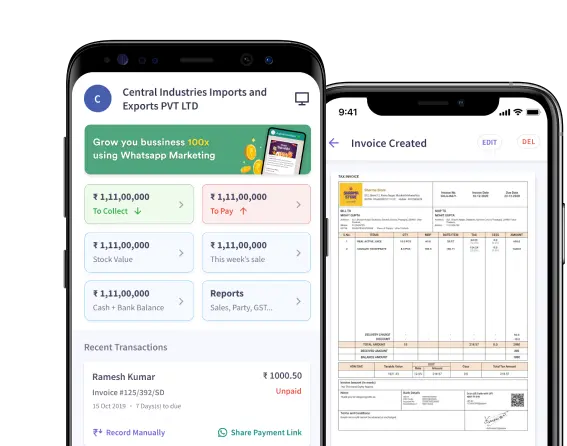
For recurring projects, manual spreadsheets become harder to track. Use myBillBook’s online quotation maker to create professional quotations, revise them, share them, and convert accepted quotes into invoices.
Civil Work Quotation Format in Word, Excel and PDF
Civil Work Quotation Format in Word
A Word format is useful when the quotation contains detailed scope notes, exclusions, specifications, payment terms, and project-specific wording. Contractors can easily edit sections, add branding, and create a clean client-facing proposal.
Civil Work Quotation Format in Excel
An Excel format is best when the estimate has many measurable items. Formulas can calculate quantity × rate, subtotals, taxes, discounts, and grand totals automatically. It is also easier to revise rates when quantities change after site measurement.
Civil Work Quotation Format in PDF
PDF is suitable for sharing the final approved or submission-ready version. It preserves the layout, prevents accidental edits, and is convenient for email, WhatsApp, printing, tender submission, and record keeping.
Frequently Asked Questions
What should be included in a civil work quotation?
It should include contractor and client details, project location, scope of work, item descriptions, unit of measurement, quantity, material and labour rates where relevant, item totals, taxes, exclusions, payment terms, validity, timeline, and approval details.
How is a civil work quotation different from a general construction quotation?
A civil work quotation is usually more execution-focused and itemised around measurable site work such as excavation, RCC, masonry, plastering, flooring, waterproofing, and labour. A general construction quotation may cover a broader project proposal including design, procurement, specialist services, and other non-civil packages.
Can I make a civil work quotation format in Excel?
Yes. Excel is especially useful for civil work quotations because formulas can calculate quantity multiplied by rate, subtotals, taxes, discounts, and the final estimate while keeping multiple work items organised.
Can a civil work quotation be labour-only?
Yes. For labour contract work, the quotation can list activity-wise labour rates, measurement units, quantities, inclusions, exclusions, payment stages, and site responsibilities without including material costs.
Which units are commonly used in civil work quotations?
Common units include square feet, square metres, cubic feet, cubic metres, running feet, running metres, kilograms, tonnes, numbers, and lump-sum quantities depending on the work item.
Should GST be added to a civil work quotation?
Add GST only where it applies to the contractor and transaction. The quotation should clearly show whether rates are inclusive or exclusive of GST and display the applicable tax separately when required.
How long should a civil work quotation remain valid?
Validity depends on material-price volatility and project conditions. Contractors commonly specify a defined validity period so changes in cement, steel, labour, transport, or other input costs can be handled clearly.
Can I convert an approved quotation into an invoice?
Yes. Once the client accepts the scope and price, the approved quotation can be used as the commercial reference for work orders, progress billing, or final invoicing. Billing software can reduce repeated data entry when converting approved estimates into invoices.