
Payment Receipt Word Format – Free Editable Template
Download a ready-to-edit payment receipt Word format for recording customer payments, advances, part-payments, and invoice settlements.
- Editable Microsoft Word (.docx) payment receipt template
- Customise your logo, business details, receipt number, payment reference, and signature area
- Reuse the same Word template and export completed receipts as PDF before sharing
Powered by myBillBook - India's #1 Billing Software

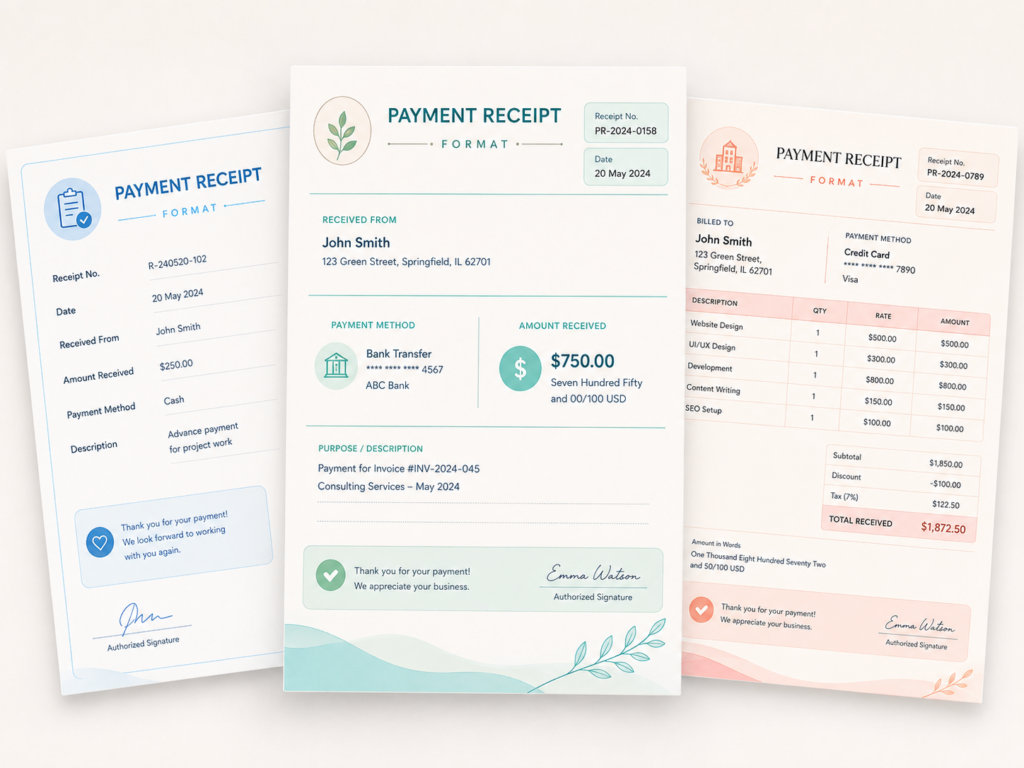
What Is a Payment Receipt Word Format?
A payment receipt Word format is an editable receipt layout created in Microsoft Word. It gives businesses a reusable document for acknowledging money received while keeping the design, wording, branding, and signature area easy to change.
Unlike the broader payment receipt format page, which explains the document across different file types and payment situations, this page focuses specifically on creating, editing, reusing, and sharing a payment receipt template in Word.
Download Payment Receipt Template in Word
Use the editable DOCX file as your master receipt template. Update the payment details in Word, keep the original copy unchanged, and save the completed customer receipt as PDF when you are ready to share it.
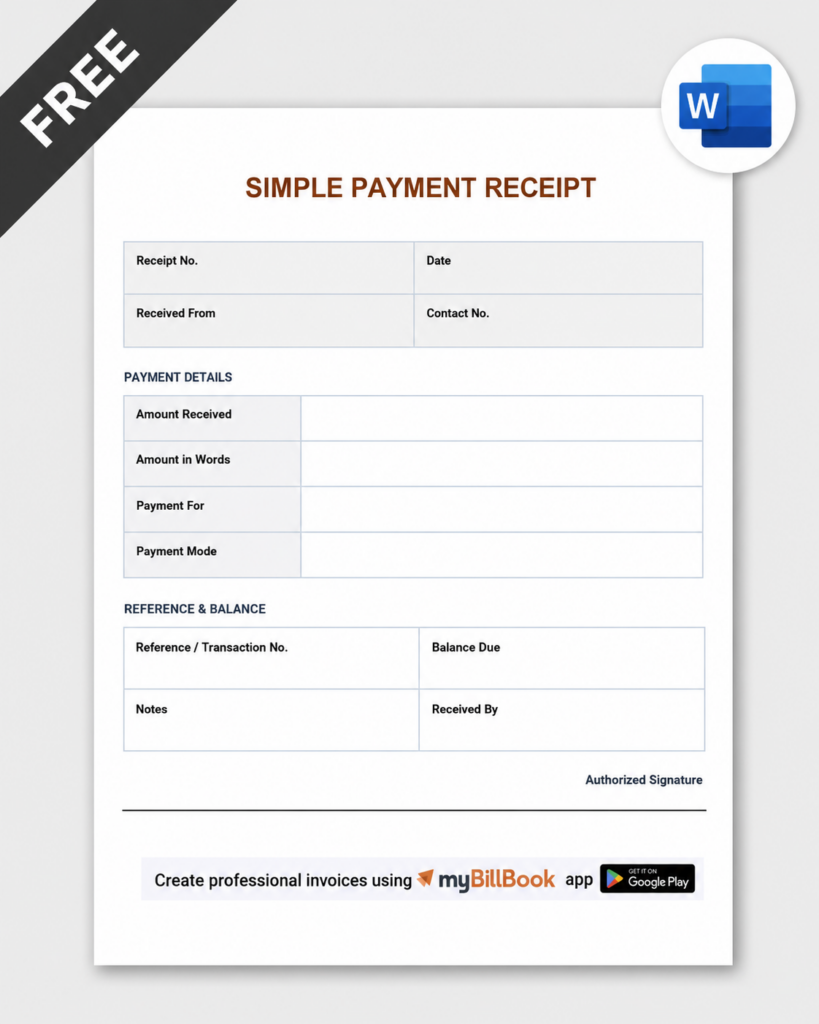
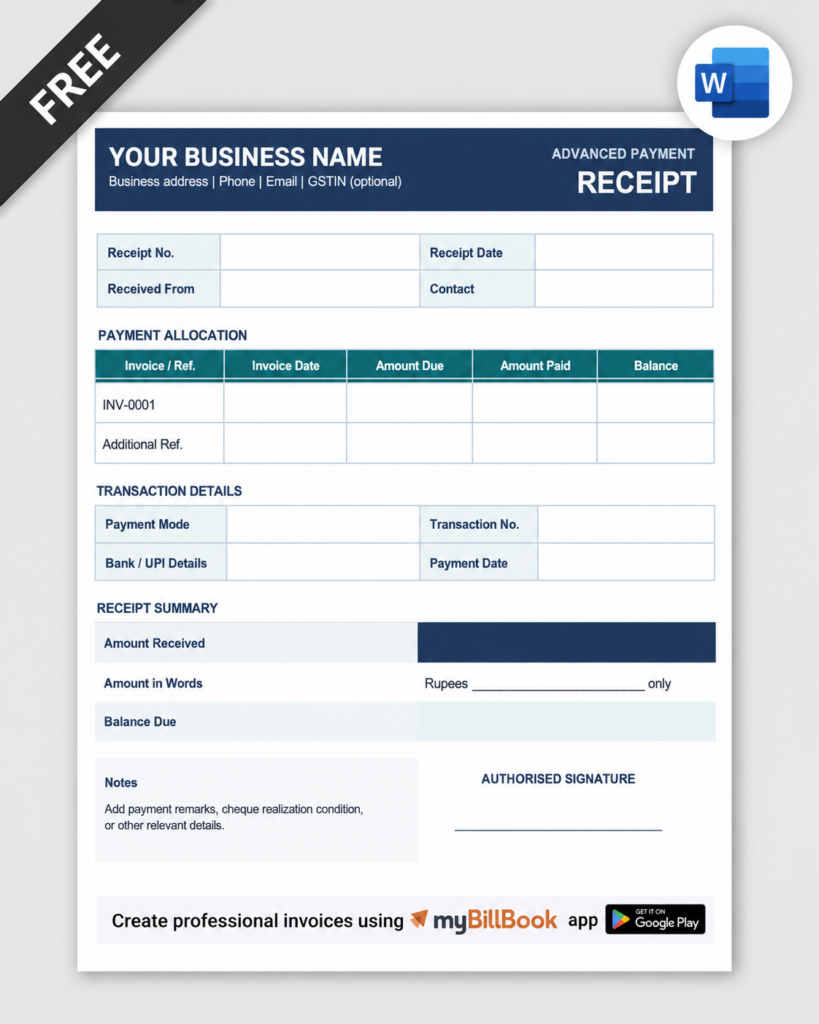
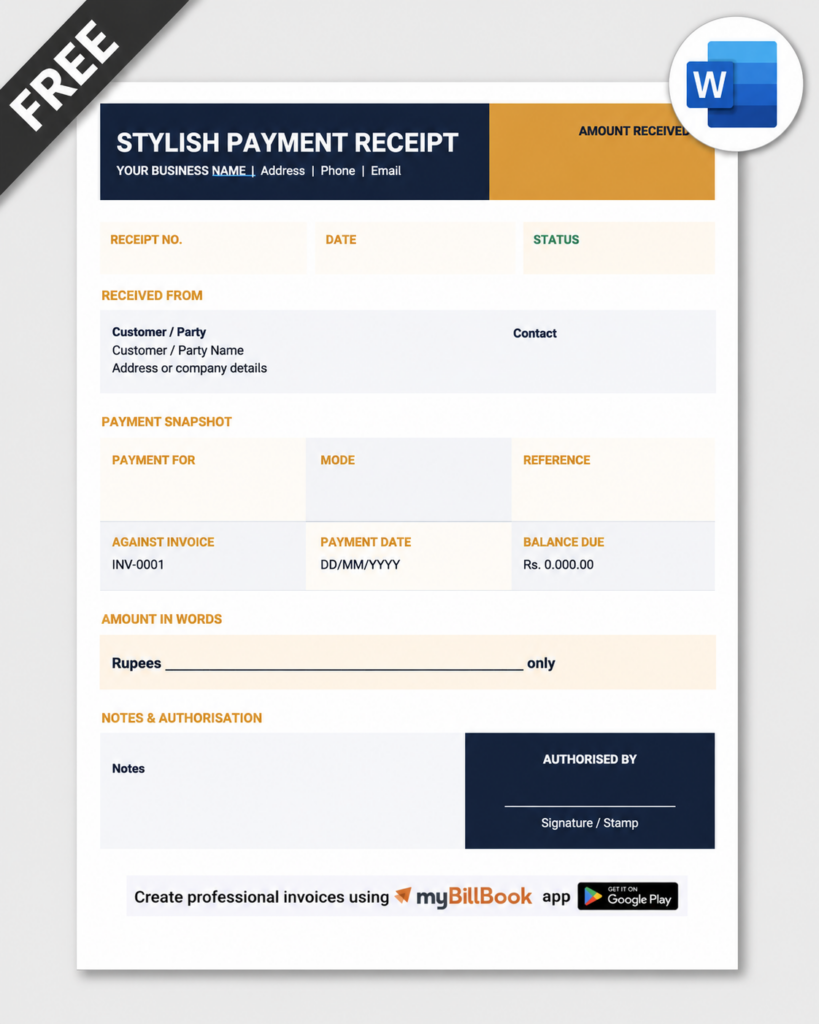
How to Use a Payment Receipt Template in Word
Stop Reformatting Every Payment Receipt Manually
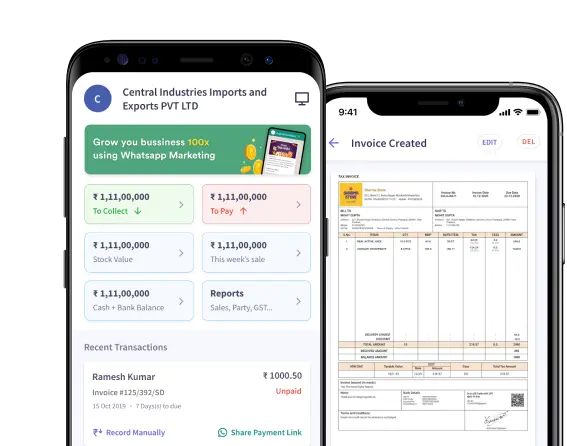
A Word template works well for occasional receipts. When payments become frequent, myBillBook helps you keep invoices, collections, outstanding balances, and customer records connected in one billing workflow.
- Create and share professional invoices
- Record customer collections and part-payments
- Track outstanding balances customer-wise
- Keep payment history organised with billing records
How to Structure a Payment Receipt in Microsoft Word
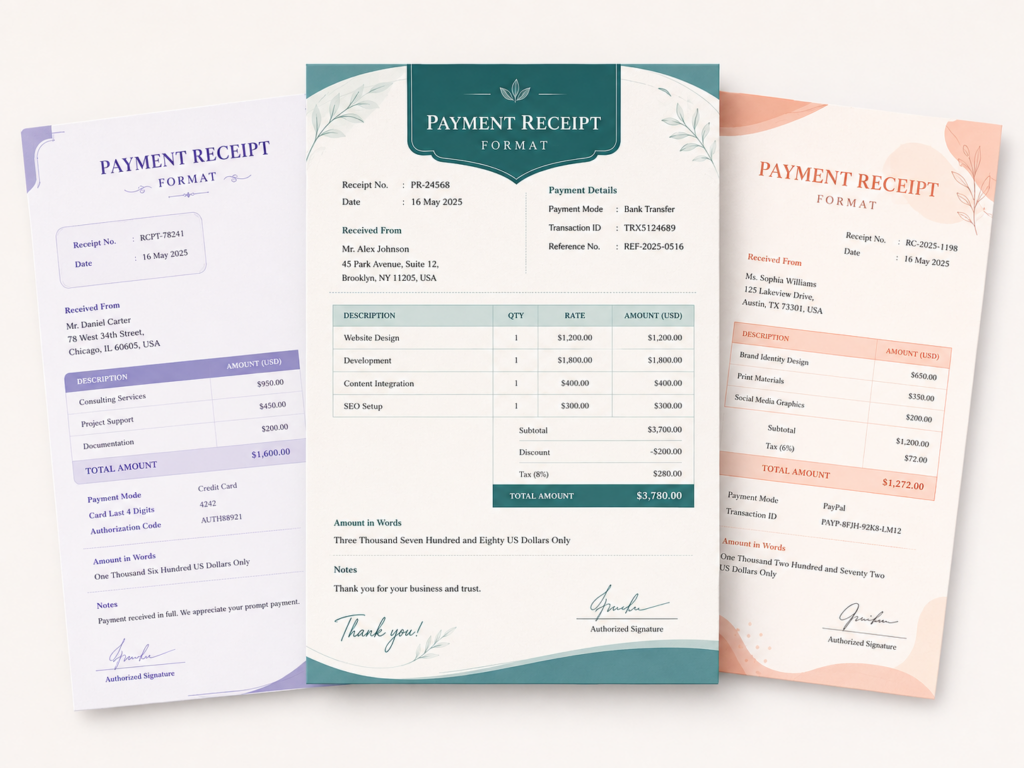
A Word receipt should be designed for fast editing without letting the layout move every time you replace text. Use tables, fixed headings, and clearly separated information blocks instead of relying on spaces or manual alignment.
1. Business Header
Keep the business name, logo, address, contact details, and GSTIN where relevant in a fixed top section. If the template will be reused, treat this as master content and avoid editing it for every receipt.
2. Receipt Number and Date Block
Place the receipt number and receipt date in a compact block near the top. Use a consistent numbering pattern so saved Word files and PDFs are easy to identify later.
3. Received-From and Invoice Reference
Create a clearly labelled area for the customer name and the invoice, order, or account reference connected to the payment. This keeps the receipt tied to the correct transaction without repeating the full invoice content.
4. Payment Details Table
Use a simple table for amount received, amount in words, payment mode, transaction ID or bank reference, payment status, and balance due. Keeping these values in a table makes manual editing cleaner and reduces alignment problems.
5. Notes and Authorisation
Reserve the bottom section for short remarks, receiver name, designation, signature, stamp, or digital signature. Keep enough white space so the receipt remains easy to print and sign.
Choose the Right Payment Receipt Template Word Layout
How to Create a Payment Receipt Word Format From Scratch
If you do not want to start from the downloadable template, you can build a clean receipt directly in Microsoft Word.
Start with a One-Page Document
Use a standard portrait page and practical margins. Keeping the receipt to one page makes it easier to print, archive, and export without unexpected page breaks.
Build the Layout with Tables
Insert tables for the receipt header and payment details. Merge cells where you need wider labels, and keep column widths consistent. Tables are more reliable than tabs or repeated spaces when the document is edited later.
Create Fixed Labels and Editable Values
Keep labels such as “Receipt No.”, “Received From”, “Invoice Reference”, “Amount Received”, “Payment Mode”, and “Balance Due” consistent. Edit only the values for each transaction.
Use Styles for Consistent Formatting
Apply the same heading, body, and table text styles throughout the document. This makes future changes to fonts and sizing faster and reduces formatting inconsistencies.
Test Before Reusing
Enter a long customer name, a large amount, and a detailed transaction reference to make sure text wraps correctly and the receipt still fits on one page.
How to Customise a Payment Receipt Template in Word
Add Your Logo Without Disturbing the Layout
Insert the logo in the header or a dedicated table cell instead of floating it over receipt text. Resize it proportionately and keep enough space around it for clean printing.
Use Brand Colours Selectively
Apply your brand colour to headings, borders, or the receipt title rather than colouring every section. A restrained layout stays readable when printed in black and white.
Keep Fonts Simple
Use one readable font family with clear size differences for the title, section labels, and values. Avoid decorative fonts for payment amounts or transaction references.
Add a Signature or Stamp Area
You can insert a scanned signature image, leave a blank signing line, or keep a fixed authorised-signatory block. Make sure the image does not move other elements when replaced.
Protect the Master Copy
Keep one untouched DOCX file as the master template. For every new payment, create a copy first and rename it using a consistent receipt number or customer reference.
How to Reuse the Word Template Without Breaking Its Formatting
A reusable payment receipt template should behave the same way every time you edit it. These Word-specific practices help keep the document stable:
- Use tables instead of spaces: labels and values stay aligned even when text length changes.
- Avoid unnecessary floating text boxes: they can shift when content is added or the document is opened on another device.
- Keep a clean master DOCX: never overwrite the original with customer-specific information.
- Save a template copy as DOTX if needed: Word template files are useful when multiple new receipts must start from the same protected layout.
- Export the final customer copy as PDF: send the editable DOCX internally only when further changes are required.
Word Template or Billing Software: Which Should You Use?
Use a Word receipt template when you issue receipts occasionally, need custom wording, or prefer manual control over the final document.
Use billing software when receipts need to stay connected with invoices, frequent collections, customer balances, and payment histories.
Best Payment Receipt Word Format for Different Needs
For Small Businesses
Use a simple one-page template with business details, customer name, receipt number, invoice reference, amount received, payment mode, and signature. Keep the design lightweight so staff can update it quickly.
For Service Providers
Use a slightly more descriptive receipt layout with a service or project reference and a remarks field. This helps clarify what the payment relates to without turning the receipt into a duplicate invoice.
For Advances and Part-Payments
Choose a layout that gives the payment status and remaining balance prominent space. This makes it clear that the receipt acknowledges only the amount received at that stage.
For Branded Customer Receipts
Use a professional Word template with a logo, consistent typography, brand colours, and an authorised signature block. Save the final version as PDF before sending it outside the business.
Frequently Asked Questions
Can I edit the payment receipt template in Microsoft Word?
Yes. The DOCX template can be opened in Microsoft Word and edited for your business name, logo, receipt number, customer details, payment references, notes, colours, fonts, and signature area.
Where can I download a payment receipt template Word file?
Use the download button on this page to get the editable Payment Receipt Format in Word (.docx) from myBillBook. Keep one clean master copy and create a duplicate for each new receipt.
Should I save the receipt as DOCX or PDF?
Keep the DOCX version when you may need to edit the receipt again. For the final customer copy, save or export the completed Word receipt as PDF so the layout stays fixed when it is printed or shared.
Can I use the Word template for a part-payment or advance?
Yes. Clearly show the amount received, payment status such as part-payment or advance, the related invoice or order reference, and the remaining balance where applicable.
How do I stop the Word receipt layout from shifting?
Use tables for labels and values, avoid aligning content with repeated spaces, keep images inside dedicated cells or header areas, and test the template with long names and transaction references before reusing it.
Can I add my logo and digital signature to the Word receipt?
Yes. Insert the logo in the header or a fixed table cell and place a signature image or signature block near the bottom. Resize images proportionately so they do not push other receipt content out of place.
What is the difference between this page and the Payment Receipt Format page?
The Payment Receipt Format page explains the standard receipt document, common fields, use cases, and file types. This page is intentionally focused on the Microsoft Word version: downloading the DOCX template, editing the layout, branding it, reusing it, and exporting the finished receipt as PDF.