
Payment Receipt Format for Invoice Payments & Dues
Use a structured payment receipt format to confirm money received from a customer against an invoice, advance, part-payment, or outstanding balance. Record the invoice reference, amount received, payment mode, transaction ID, payment status, and balance due in one clear document.
- Links every received payment to the correct invoice or customer account
- Supports cash, UPI, bank transfer, card, and cheque collections
- Designed for retailers, wholesalers, distributors, and service businesses
Powered by myBillBook - India's #1 Billing Software

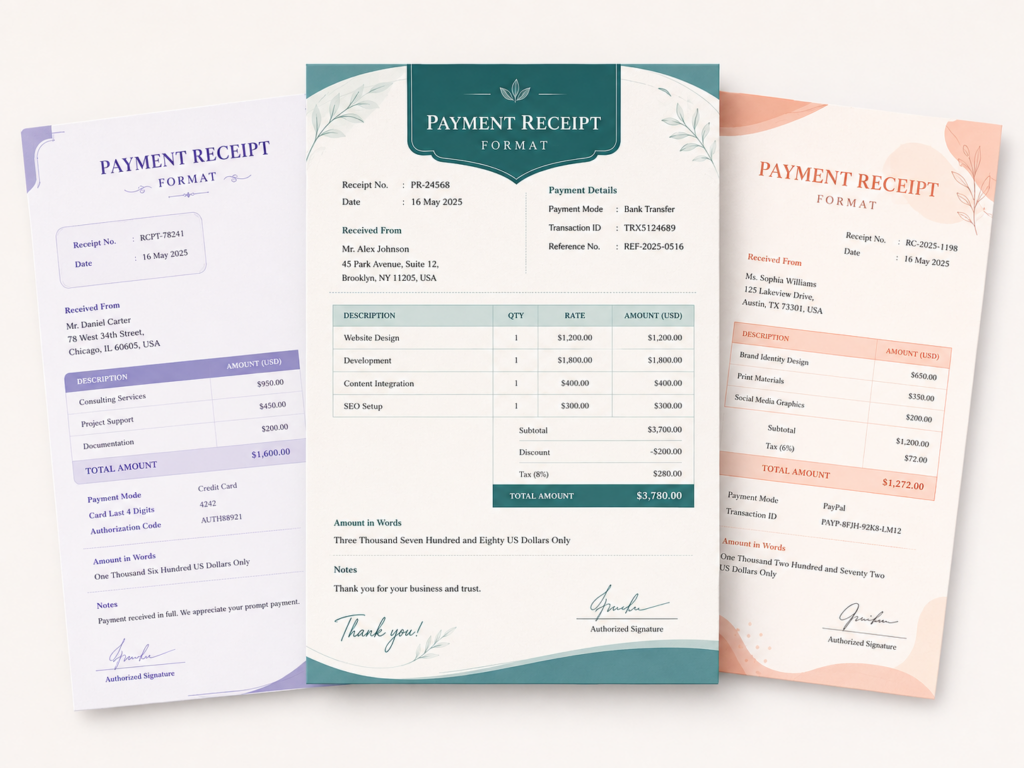
What Is a Payment Receipt Format?
A payment receipt format is a standard document used by a business to confirm that it has received money from a customer. It connects the received amount to a specific invoice, order, account, or outstanding balance and records the date, payment mode, transaction reference, payment status, and remaining amount.
A payment receipt is issued after money is received. It does not replace the original invoice, which records the sale and the amount payable. Instead, the receipt creates evidence that the customer has paid the full amount, made a part-payment, paid an advance, or cleared an earlier due.
Download Payment Receipt Format in Word, Excel, PDF
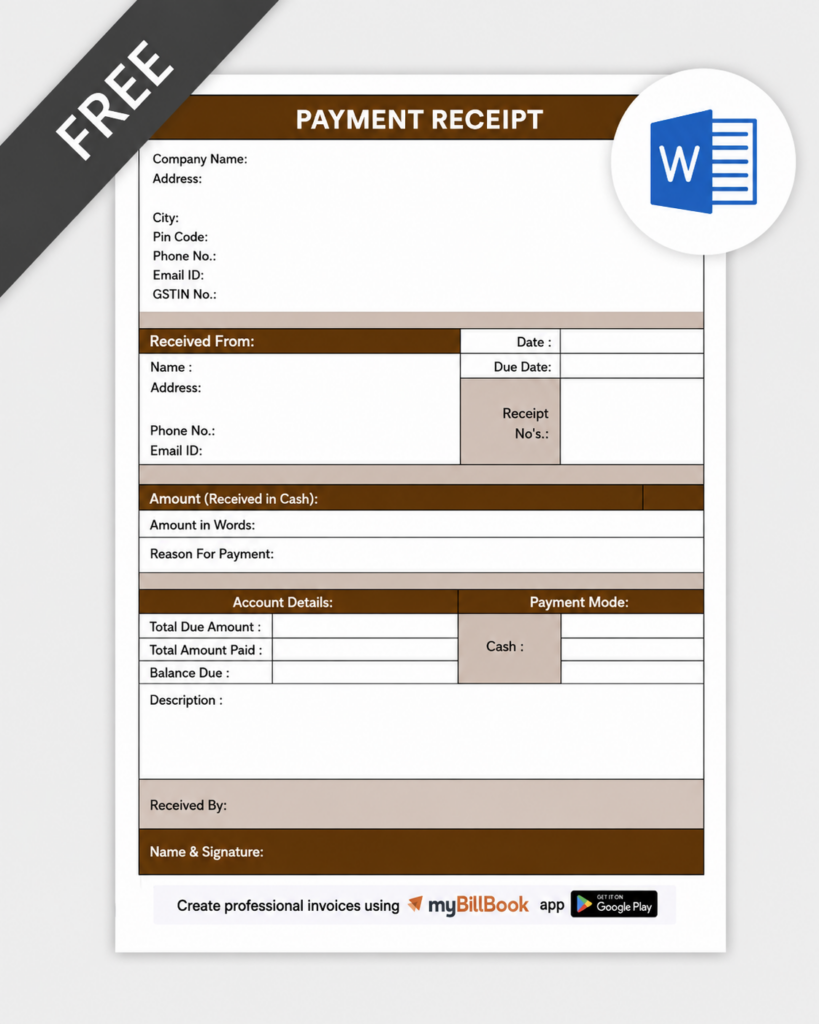
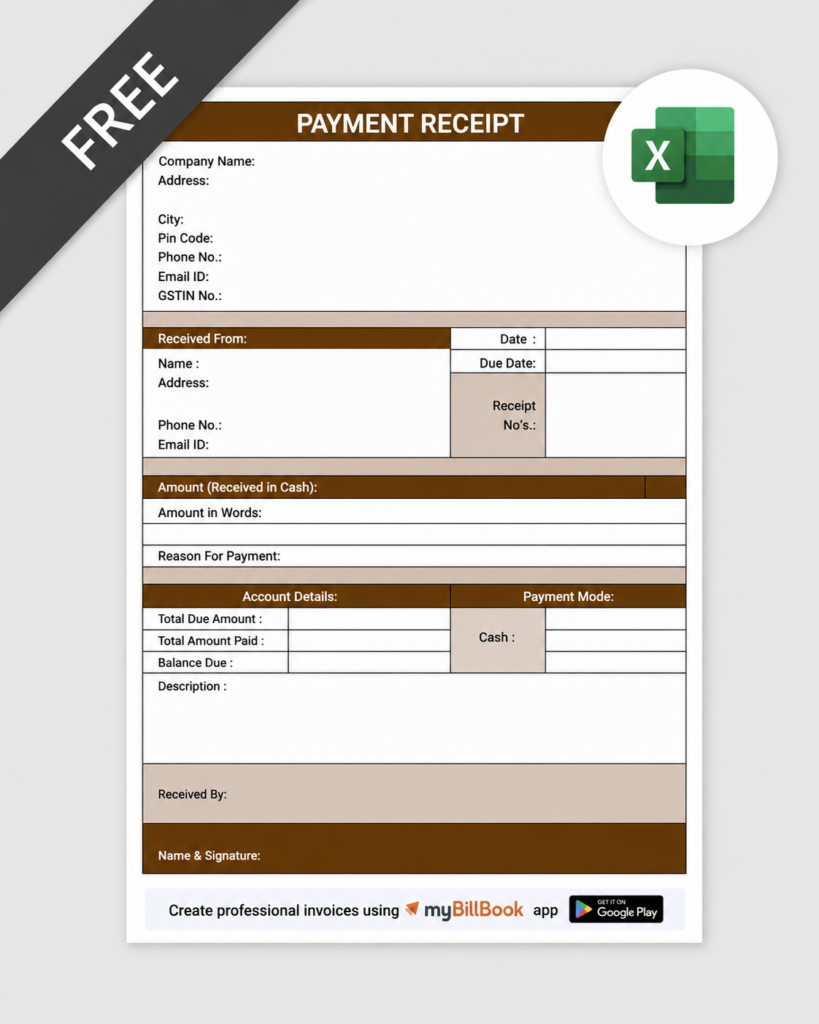
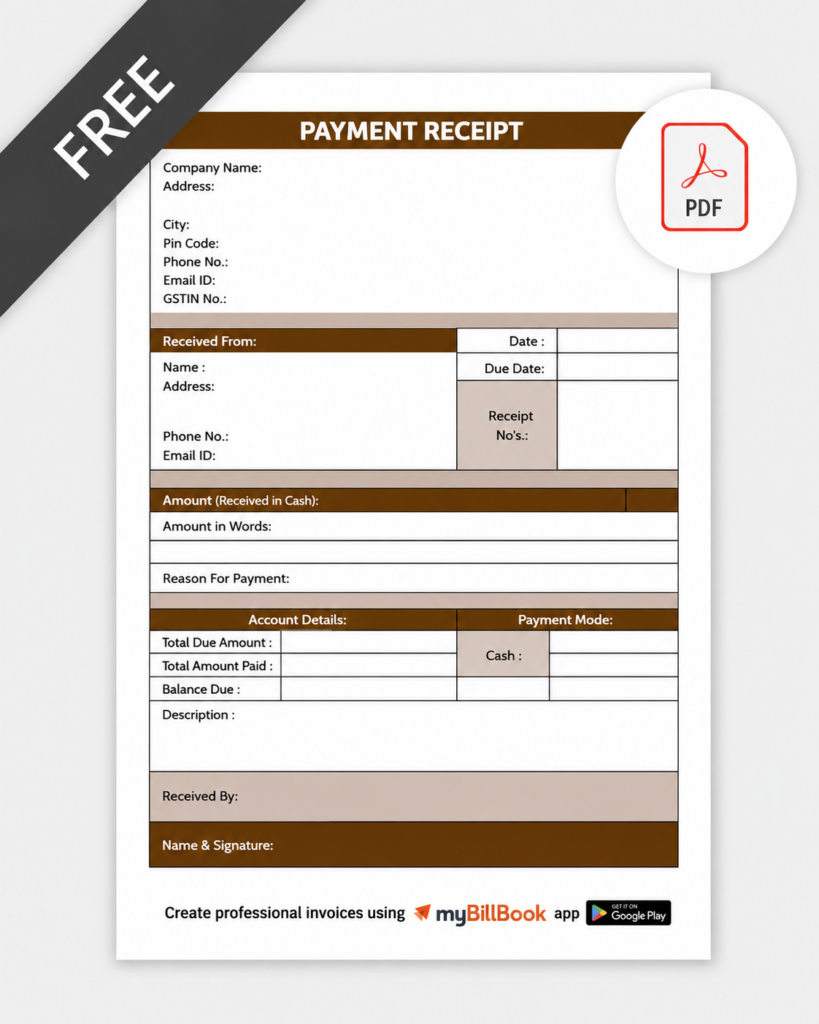
How to Create a Payment Receipt Format?
Go Beyond Creating Payment Receipts with Digital Billing
Payment receipt templates help document individual transactions. Digital billing helps businesses track invoices, part-payments, outstanding dues and payment history in one place.
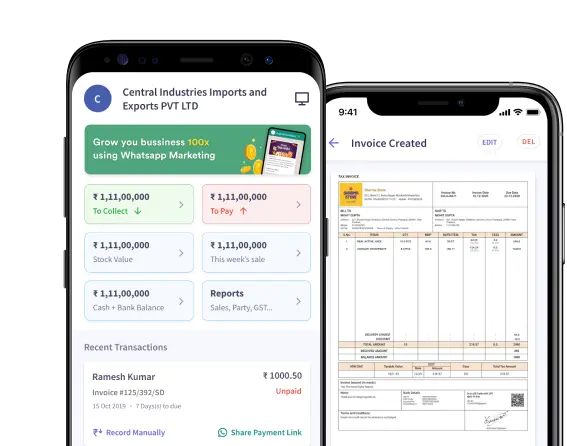
Payment Receipt Format in Word, Excel, and PDF
Essential Fields in a Standard Payment Receipt Format
Payment Receipt Number
Use a unique sequential number such as PR-2026-001. A consistent series prevents duplicate receipts and makes collections easier to search and audit.
Receipt Date and Time
Record when the payment was received. This is especially useful when several payments are collected against the same invoice or on the same day.
Business and Receiver Details
Include the business name, address, contact details, GSTIN where relevant, and the name or designation of the authorised receiver.
Customer Information
Add the customer name, billing address, phone number, customer ID, account number, or party ledger reference required for accurate identification.
Invoice or Order Reference
Mention the related invoice number, invoice date, order number, or sales reference. This is the most important field for matching the receipt to the original transaction.
Invoice Amount and Amount Received
Show the original payable amount and the amount received through this receipt. This prevents confusion when the customer pays in multiple instalments.
Amount in Words
Write the received amount in words as an additional check against data-entry errors or unauthorised alteration.
Payment Mode and Transaction Reference
Specify cash, UPI, card, cheque, NEFT, RTGS, IMPS, or another mode. Add the transaction ID, UTR, cheque number, bank reference, or card reference.
Payment Status
Clearly label the collection as full payment, part-payment, advance, instalment, or final settlement.
Balance Due
For a part-payment, show the remaining invoice or account balance after adjusting the amount received.
Remarks
Use a short note to explain what the payment covers, such as a particular invoice, multiple invoices, an advance against an order, or an overdue account.
Authorised Signature or Digital Approval
Add the receiver’s name, designation, signature, stamp, or digital authorisation to confirm that the business has acknowledged the payment.
When Should a Business Issue a Payment Receipt?
Full Invoice Payment
Issue a receipt when the customer clears the complete invoice amount. Mark the payment status as paid or fully settled and show a zero balance.
Part-Payment Against an Invoice
Use a payment receipt to record the amount received, the original invoice value, and the remaining amount. Issue a separate receipt for each later instalment.
Advance Against an Order
When a customer pays before delivery or service completion, link the receipt to the quotation, order, estimate, or proforma reference and label it as an advance.
Payment of Old Outstanding Dues
When a customer clears a previous balance, mention the invoice numbers or ledger period covered by the collection so the payment is adjusted correctly.
Payment Covering Multiple Invoices
If one payment settles several invoices, list every invoice number and the amount allocated to each. Avoid using only a generic customer name.
Cheque or Bank Payment Pending Clearance
Record the cheque or bank reference and, where needed, mark the receipt as subject to realisation until the amount is successfully credited.
Payment Receipt vs Invoice, Money Receipt, and Payment Voucher
| Document | Main Purpose | Issued By | Best Used For |
|---|---|---|---|
| Payment Receipt | Confirms a customer payment received against an invoice, order, or outstanding balance. | The seller or service provider receiving money. | Invoice settlement, advance, instalment, or customer due collection. |
| Invoice | Records a sale and states the amount the customer must pay. | The seller or service provider. | Billing for goods or services before or at the time payment becomes due. |
| Money Receipt | Broadly acknowledges money received for many personal, institutional, or business purposes. | Any person or organisation receiving money. | Rent, fees, donations, deposits, loan repayments, or general acknowledgements. |
| Payment Voucher | Records money paid out by a business to a vendor, employee, or another party. | The business making the payment. | Outgoing expenses, vendor payments, reimbursements, or cash disbursements. |
In simple terms: an invoice asks for payment, a payment receipt confirms a customer collection, a money receipt covers wider acknowledgement use cases, and a payment voucher records an outgoing payment.
How to Reconcile a Payment Receipt with an Invoice
Match the Customer and Invoice
Verify that the customer name, account reference, invoice number, and invoice date on the receipt match the original invoice.
Confirm the Amount Credited
Check the bank statement, UPI record, card settlement, cheque clearance, or cash collection before marking the invoice as paid.
Adjust the Correct Invoice Balance
Apply the amount only to the invoice or invoices listed on the receipt. For part-payments, reduce the outstanding amount without closing the invoice.
Record the Transaction Reference
Store the UTR, UPI ID, cheque number, or bank reference with the receipt so the collection can be traced later.
Update the Customer Ledger
Post the collection to the customer account and verify that the ledger balance matches the total of open invoices.
Share and Store the Receipt
Send the customer a copy and retain a searchable business copy with the related invoice and payment evidence.
Common Payment Receipt Mistakes to Avoid
Not Mentioning the Invoice Number
A receipt without an invoice or account reference is difficult to reconcile and may be adjusted against the wrong customer balance.
Confusing Amount Received with Invoice Total
Show both values separately. This is essential when customers make part-payments or pay several invoices together.
Missing Transaction Reference
For digital and bank payments, always record the available UPI ID, UTR, cheque number, or bank reference.
Marking a Part-Payment as Fully Paid
Use clear payment-status labels and display the remaining balance to avoid collection errors and customer disputes.
Using Duplicate Receipt Numbers
Maintain a single sequential numbering system. Duplicate numbers make record verification and audit review difficult.
Treating the Receipt as a Replacement for an Invoice
A payment receipt confirms collection; it does not replace the sales invoice or tax invoice for the underlying transaction.
How to Use the Payment Receipt Format in Word, Excel, and PDF
Payment Receipt Format in Word
A payment receipt format in Word is suitable for businesses that want to change the wording, logo, colours, notes, and signature area for each customer. Create a master template, protect fixed headings where possible, use a consistent receipt number, and save the completed version as PDF before sending it.
Payment Receipt Format in Excel
A payment receipt format in Excel is useful when a business handles many collections. Formulas can calculate the remaining balance, while a separate register can track receipt number, customer, invoice, date, payment mode, amount, and transaction reference. Lock formula cells to reduce accidental changes.
Payment Receipt Format in PDF
A payment receipt format in PDF is ideal for the final customer copy. It preserves the layout across devices, is easy to print or share, and helps prevent unintentional edits. Create the receipt in Word, Excel, or billing software, verify all details, and export the final version as PDF.
Need Better Control Over Customer Payments?
Use myBillBook to create invoices, record collections, track outstanding balances, and maintain customer-wise payment histories.
Frequently Asked Questions
Is a payment receipt the same as an invoice?
No. An invoice records a sale and requests payment. A payment receipt is issued after money is received and confirms how much was paid against the invoice or customer account.
What is the difference between a payment receipt and a money receipt?
A payment receipt is mainly used for customer collections linked to invoices, orders, and dues. A money receipt is broader and may acknowledge rent, fees, donations, deposits, loan repayments, or other payments.
What is the difference between a payment receipt and a payment voucher?
A payment receipt records money received by a business from a customer. A payment voucher records money paid out by a business to a vendor, employee, or another party.
Can I issue a receipt for a part-payment?
Yes. Mention the original invoice amount, amount received, payment type as part-payment, and the remaining balance. Issue a new receipt for each later instalment.
Can a payment receipt be issued for UPI or bank transfer?
Yes. Mention the payment mode and include the available UPI transaction ID, UTR, bank reference, cheque number, or card reference so the collection can be verified.
Does a payment receipt replace a GST invoice?
No. A payment receipt confirms collection but does not replace the tax invoice or sales invoice for the underlying transaction. Keep the receipt with the related invoice and payment evidence.
How should payment receipts be numbered?
Use a unique sequential series such as PR-2026-001. Avoid duplicates and maintain the same numbering logic for consistent tracking and reconciliation.
Can I create a payment receipt in Word, Excel, or PDF?
Yes. Word is useful for customised layouts, Excel supports calculations and registers, and PDF is suitable for the final fixed-layout copy shared with the customer.