

~2.5 lacs saving
from billing errors

14% increase
in Input Tax Credit

2.5x faster
receivables collection
Trusted by 1 Crore+ businesses for Billing, Inventory and Accounting
``myBillBook is designed for businesses to generate accurate GST-compliant invoices and automate their entire accounting process.``
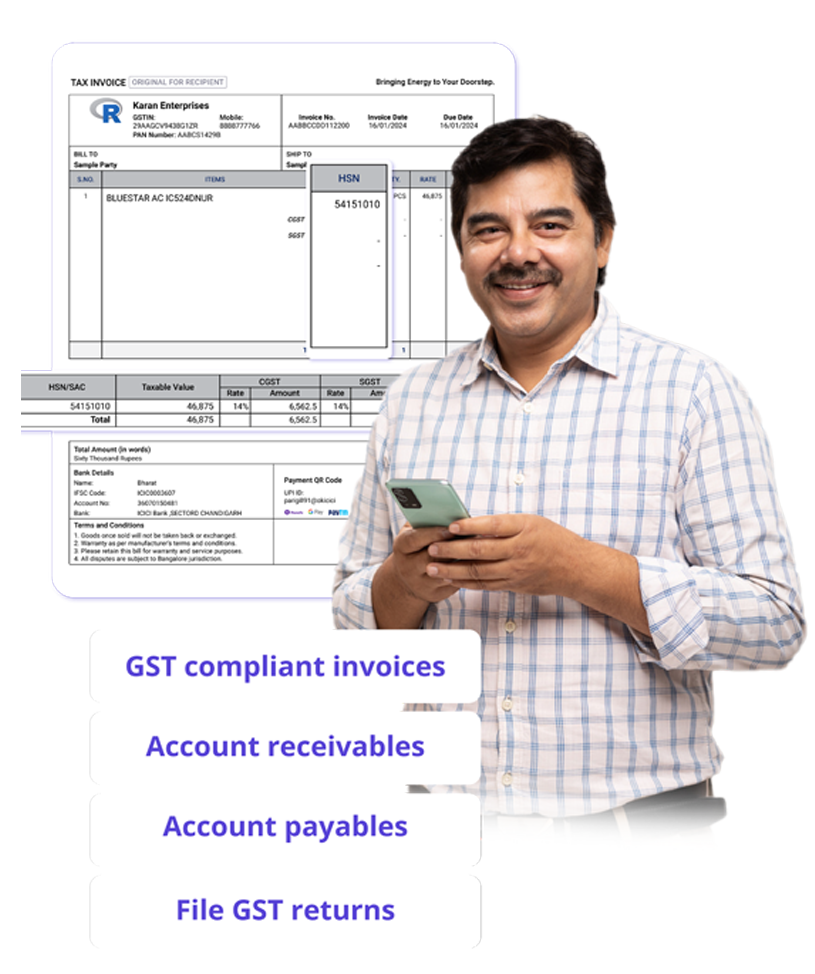
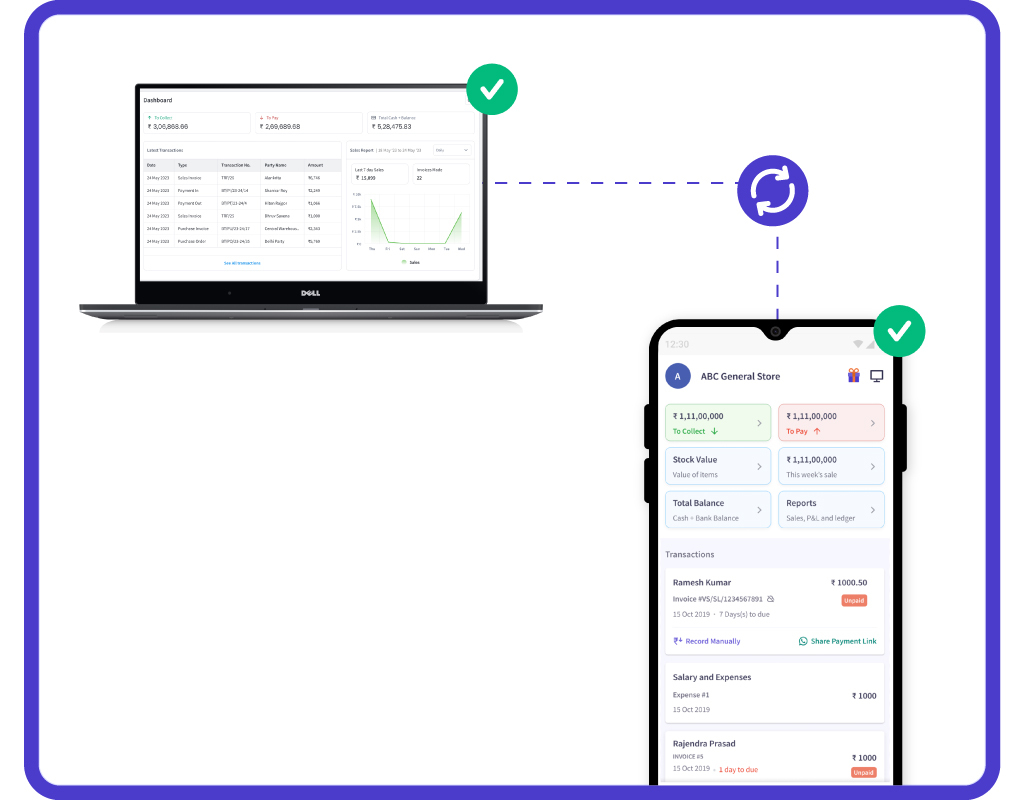
“Managing account receivables and payables was overwhelming for our retail chains on the cloud/online web with mutiple outlets. With myBillBook, we now view all account payables and receivables in real-time with 100% cloud access with real-time data sync across all devices. This has streamlined our accounting process and improved our cash flow management.”

Bhushan Sharma
Shopmore Mart, Hyderabad
Recommends myBillBook for:
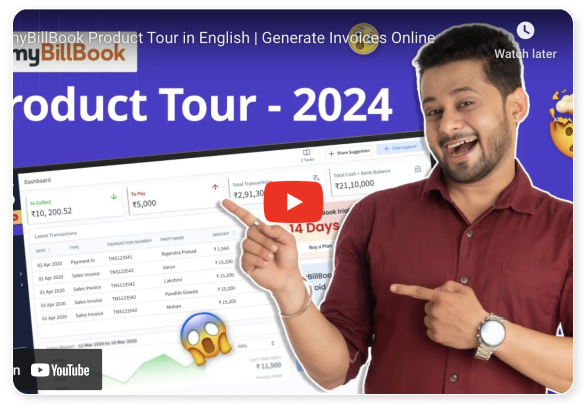
Product Demo for Computerized Accounting Software

“Superb customer service. Helped me set up my account as required”
Key Features of myBillBook Computerized Accounting Software
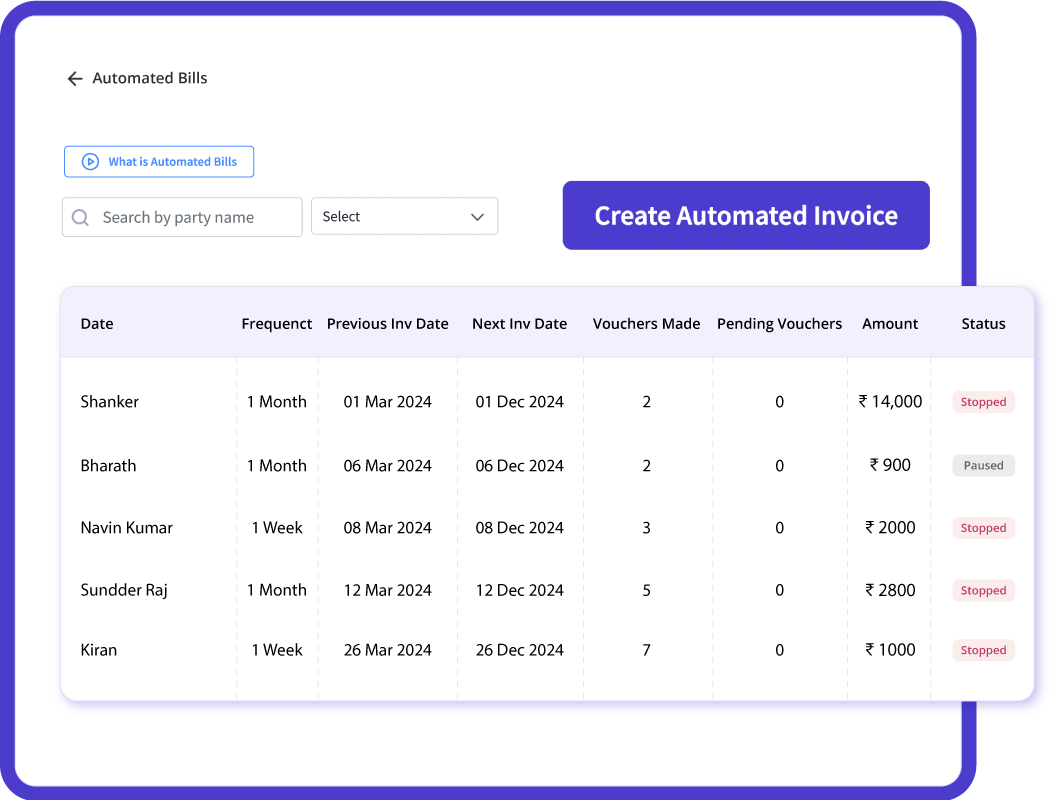
Automated Data Entry
Reduces manual bookkeeping efforts by automating transaction recording. Eliminates human errors associated with manual data entry. Enhances efficiency by allowing bulk data uploads and integration with other financial tools.
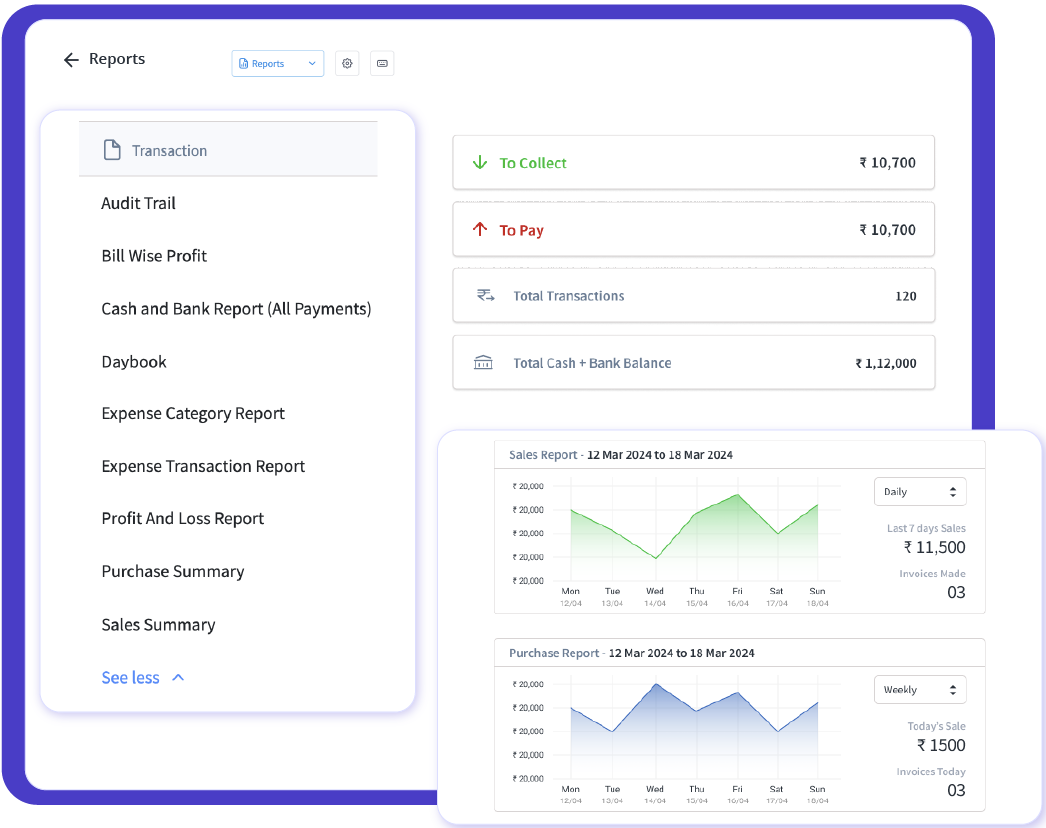
Real-Time Financial Reporting
Generates instant financial reports for better decision-making. Provides real-time insights into revenue, expenses, and cash flow. Helps in compliance tracking by generating balance sheets and profit & loss statements.
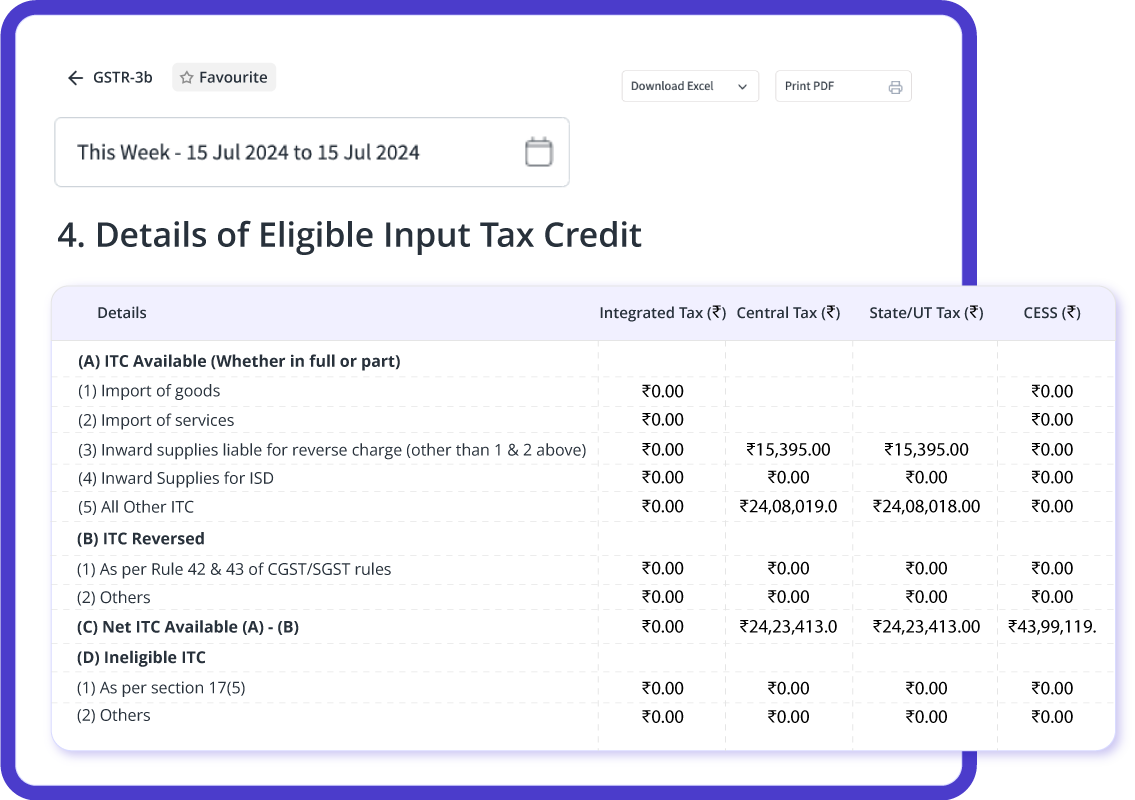
Tax Management & GST Compliance
Automates tax calculations, reducing manual workload and errors. Generates GST-compliant invoices and tax reports for hassle-free filing. Helps businesses stay compliant with government regulations and tax deadlines.
Multi-User Access
Enables multiple users to collaborate and access financial data securely. Assigns role-based access controls to ensure data integrity and confidentiality. Enhances teamwork in financial management without compromising security.
Expense & Revenue Tracking
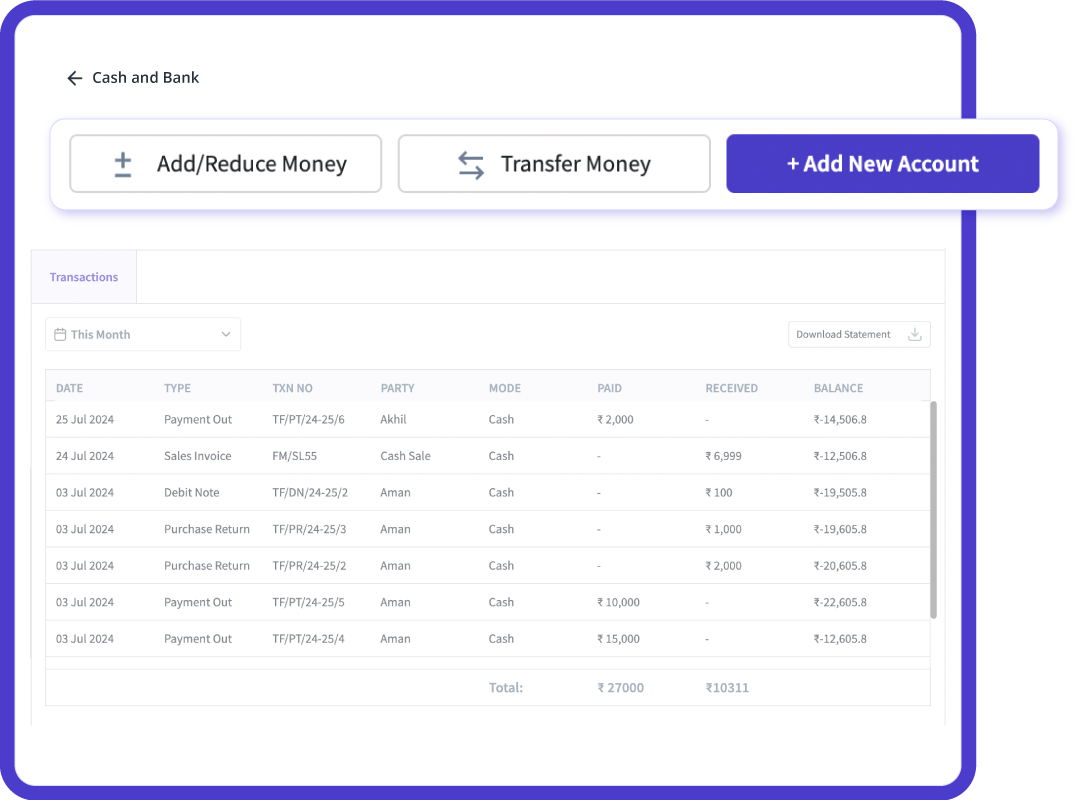
Monitors income and expenses in real-time for better financial control. Provides detailed expense categorization for budget planning. Helps businesses track profitability and manage cash flow efficiently.
Bank Reconciliation
Matches recorded transactions with bank statements to identify discrepancies. Helps detect unauthorized transactions or financial anomalies early. Streamlines reconciliation by automatically fetching bank statements.
myBillBook helps Business succeed
“Creating customized, professional invoices that comply with government mandates has never been easier. With myBillBook’s 100% cloud support and real-time data sync across both mobile and laptop, we can auto-populate essential details and generate credit/debit notes, delivery challans, and returns effortlessly on iOS and Android.”

Palak Jain,
Grocery Store owner – Chennai
“Generating e-way bills and e-invoices used to be tedious and time-consuming earlier while using the government portal. With myBillBook’s cloud support, we create e-way bills and send authenticated e-invoices electronically via GSTN for B2B transactions, managed in real-time from both mobile devices and laptops on iOS and Android.”

Mallik j,
Stationery Owner – Banglore
“Keeping track of cash at the counter and multiple bank accounts was difficult to manage with manual registers. With myBillBook’s cloud support, we manage cash registers, record payments, transfer money between accounts, and track payments across different modes, all with real-time data sync across mobile devices and laptops on iOS and Android.”

Rudresh Rane,
Clothing Retailer – Delhi

Pricing plans
- Create unlimited invoices
- Access to 1 business, 1 user & 1 CA
- Inventory management
- Android, iOS & Web
- Custom Invoice Themes
- Create your Online Store
- Generate, Print & Scan Barcodes
- Desktop app
- SMS + WhatsApp marketing*
- Unlimited Godown management
- Print Barcode (Label printer)
- Bulk Download & Bulk Print Invoices
- Access to 2 businesses, 3 users & 1 CA
- e-Way Bills (Unlimited)
- Generate e-Invoicing
- Loyalty & Rewards
- Automate Recurring Billing
- POS Billing (Desktop App, Web app)
- Data Export to Tally (on request)
- User Activity Tracker
What is Computerized Accounting Software?
In today’s fast-paced business world, managing finances efficiently is crucial. Computerized accounting software automates financial transactions, reduces human errors, and enhances business efficiency. Unlike manual accounting systems, which rely on physical records, computerized accounting systems provide accurate, real-time financial insights.
Here, lets explores the key features, types, and benefits of computerized accounting systems, along with SEO optimization strategies and how myBillBook helps businesses streamline accounting processes.
Computerized accounting software automates financial tasks such as bookkeeping, invoicing, and tax calculations. It improves accuracy, saves time, and provides real-time financial insights.

Manual Accounting System vs. Computerized Accounting System
A manual accounting system requires physical records and human intervention for calculations, whereas a computerized accounting system automates these processes for greater efficiency.
Manual Accounting System
- Involves recording transactions manually in ledgers.
- Prone to human errors, leading to miscalculations.
- Requires significant time and effort to prepare financial reports.
- Less secure, as paper records are vulnerable to loss or damage.
Computerized Accounting System
- Uses software to record and process transactions automatically.
- Ensures accuracy through automated calculations and built-in error detection.
- Generates financial reports in real-time, saving time and effort.
- Provides enhanced security with encrypted backups and cloud storage.
| Feature | Manual Accounting System | Computerized Accounting System |
| Data Entry | Handwritten records | Automated transaction recording |
| Accuracy | Prone to human errors | Eliminates errors with automation |
| Reporting | Time-consuming | Instant financial reporting |
| Accessibility | Limited to physical records | Access anywhere with cloud storage |
| Security | Risk of data loss | Encrypted backups and secure access |
Types of Computerized Accounting Systems
Different businesses require different accounting solutions. Here are the major types:
1. Single-Entry Accounting System
- Suitable for small businesses handling simple financial transactions.
- Records transactions as single entries.
2. Double-Entry Accounting System
- Used by medium and large enterprises for accurate financial tracking.
- Ensures each transaction affects two or more accounts.
3. Cloud-Based Accounting Software
- Provides remote access, real-time updates, and secure storage.
- Ideal for businesses needing flexibility and collaboration features.
4. Enterprise Resource Planning (ERP) Systems
- Integrates accounting with HR, sales, inventory, and other functions.
- Best for large enterprises managing complex financial operations.
5. Customized Accounting Software
- Designed to meet specific business needs with tailored solutions.
- Can be integrated with existing processes.
Benefits of Computerized Accounting Software
Implementing computerized accounting software provides multiple advantages:
1. Enhanced Accuracy
- Eliminates calculation errors and ensures accurate financial records.
2. Time Efficiency
- Automates tasks such as invoicing and tax calculations, saving time.
3. Better Financial Control
- Helps monitor expenses, revenue, and cash flow in real time.
4. Simplified Tax Filing
- Automatically generates tax reports and GST returns for hassle-free compliance.
5. Cost Savings
- Reduces labor costs and administrative workload.
6. Data Security & Backup
- Protects financial data with encryption and automated cloud backups.
How myBillBook Helps with Computerized Accounting
myBillBook is an efficient computerized accounting software that simplifies business accounting. It offers:
- GST-Compliant Invoicing – Generate professional invoices with auto-filled GST details.
- E-way Billing & E-Invoicing – Create and send e-invoices seamlessly.
- Easy GST Filing – File GSTR-1, reconcile GSTR-2, and generate GSTR-3B effortlessly.
- Accounts Receivable & Payable Management – Monitor payments with real-time reports.
- Bank & Cash Management – Track transactions, reconcile bank accounts, and manage cash flow.
- Inventory Tracking – Automate stock updates and receive low-stock alerts.
- Automated Billing – Generate bills with tax calculations and custom branding.
FAQs
1. What is computerized accounting software?
Computerized accounting software automates financial transactions, record-keeping, and reporting, improving accuracy and efficiency.
2. How does a computerized accounting system differ from a manual system?
A computerized system automates calculations and financial tracking, whereas a manual system relies on handwritten records and is prone to human errors.
3. What are the main types of computerized accounting systems?
The primary types include single-entry, double-entry, cloud-based, ERP, and customized accounting software.
4. Why should businesses adopt computerized accounting?
It streamlines financial management, ensures tax compliance, reduces errors, and improves overall efficiency.
5. How does myBillBook enhance accounting efficiency?
myBillBook automates GST invoicing, billing, bank reconciliation, and inventory tracking, making financial management easier for businesses.
Computerized accounting software is essential for modern businesses looking to streamline financial operations. With solutions like myBillBook, companies can enhance accuracy, efficiency, and compliance effortlessly.