


Billing Software in Excel for Small Businesses
Learn how to create invoices, manage billing, and handle tax calculations using Microsoft Excel. A practical solution used by millions of small businesses worldwide.
Trusted by 1 Crore+ Businesses

What Is Billing Software in Excel?
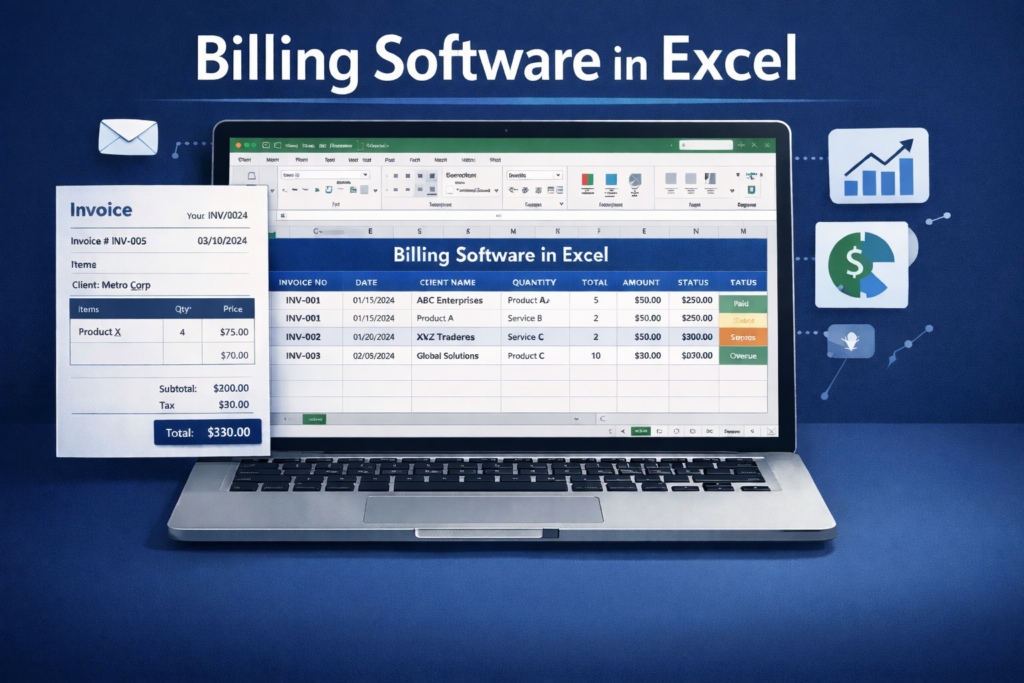
Billing software in Excel refers to using Microsoft Excel to create bills or invoices for business transactions. Instead of handwritten bills, Excel sheets are designed with rows and columns and formulas to record customer details, item descriptions, quantities, prices, taxes, and totals in a structured way.
Billing in Excel is commonly used by small businesses, freelancers, and service providers with low invoice volume who need a simple and customizable way to manage billing. While Excel can handle basic billing and record-keeping, it relies heavily on manual data entry and formula accuracy, making it suitable mainly for early-stage or small-scale operations.
Why Businesses Use Excel for Billing?
Despite the availability of specialised billing applications, many businesses continue to rely on Excel for invoicing.
Familiarity with Excel
Most business owners and staff already understand Excel, which removes the need for training and helps teams start billing quickly without changing their existing workflow.
Easy Customization
Excel gives complete flexibility to customise invoice layouts, fields, and calculations, allowing businesses to design billing formats that match their exact operational needs.
Low Setup Effort
Excel does not require a complex setup or configuration. Businesses can start billing immediately using ready-made templates or simple spreadsheets created in minutes.
Works Offline
Since Excel works without an internet connection, it is reliable for billing in locations with unstable or limited network availability.
Who Should Use Billing Software in Excel?
Limitations of Creating Bills in Excel
Manual Data Entry
Every invoice requires manual input of customer details, items, and quantities. There’s no automatic data population from a database.
Formula Errors
Incorrect formula references or accidental cell modifications can lead to calculation errors that may go unnoticed.
No Automation or Real-Time Sync
Excel files don’t sync automatically across devices or update in real-time. Each file is independent and requires manual backup.
Not Ideal for High-Volume Billing
Businesses generating hundreds of invoices daily may find Excel cumbersome compared to automated billing systems.
myBillBook Billing Software – A Better Alternative to Excel Billing Software
Built Specifically for Billing
Excel is a general-purpose spreadsheet, while myBillBook is designed specifically for billing and accounting. It simplifies invoice creation with structured fields instead of manual rows and formulas.
Reduced Manual Errors
In Excel, small formula or entry mistakes can affect entire sheets. myBillBook automates calculations, taxes, and totals, helping reduce errors caused by manual updates.
Easier Invoice & Customer Management
Managing multiple Excel files becomes difficult as transactions grow. myBillBook keeps invoices, customers, and items organised in one system, making retrieval faster and simpler.
Real-Time Updates Across Devices
Excel files need to be shared or updated manually. myBillBook syncs data automatically, so invoices, payments, and reports stay updated across users and devices.
Designed for Growing Businesses
Excel works for basic needs, but myBillBook supports higher billing volumes, better reporting, and smoother workflows as businesses scale beyond spreadsheets.
Create Invoices Without Relying on Excel Sheets
Go beyond fixed invoice formats and create invoices digitally with a simple invoicing tool.
myBillBook Billing Software Vs. Excel Billing
| Feature | Excel Billing | myBillBook Billing Software |
|---|---|---|
| Price | ✅ | ✅ |
| Quick Invoicing | ❌ | ✅ |
| Professional Invoice Themes | ❌ | ✅ |
| Accounting Integration | ❌ | ✅ |
| GST Report | ❌ | ✅ |
| GST Calculations | ✅ | ✅ |
| Data Backup | ❌ | ✅ |
| Client & Vendor Management | ❌ | ✅ |
| Client Ledger | ❌ | ✅ |
| Business Dashboard | ❌ | ✅ |
| Multi-User Access | ❌ | ✅ |
| Error-Free Transactions | ❌ | ✅ |
| Payment Reminders | ❌ | ✅ |
| Auto Calculator | ❌ | ✅ |
| Add TCS on Invoice | ❌ | ✅ |
| Access HSN Library | ❌ | ✅ |
Key Features of myBillBook Billing Software
Benefits of Using myBillBook Billing Software
Saves Time in Daily Billing
By streamlining the billing process, myBillBook helps businesses complete invoices faster and reduces the time spent on repetitive manual tasks.
Improves Accuracy Across Records
Standardised billing workflows help maintain consistency in invoices, taxes, and totals, reducing mismatches across bills, ledgers, and reports.
Provides Better Business Visibility
With billing, payments, and outstanding amounts visible in one place, businesses gain a clearer understanding of sales performance and cash flow.
Simplifies Payment Follow-Ups
Clear visibility into pending dues makes it easier to track receivables and follow up with customers without checking multiple records.
Reduces Operational Dependency
Billing does not rely on individual files or manual tracking, making day-to-day operations less dependent on specific people or spreadsheets.
Supports Business Growth
As transaction volumes increase, myBillBook continues to handle billing smoothly without the need to redesign formats or manage multiple files.
Enables Anywhere Access
Business data remains accessible beyond the shop or office, helping owners monitor billing activity even when they are not physically present.
Offers Long-Term Reliability
Compared to spreadsheets that can break or get misplaced, myBillBook provides a more dependable system for maintaining billing history over time.
Simple, Affordable Plans
Diamond Plan
₹217
Per month. Billed annually. Excl. GST @18%
✅ Create unlimited invoices
✅ Add up to 1 business + 1 user
✅ Inventory management
✅ App + Web support
✅ Priority customer support
✅ GSTR reports in JSON format Popular
Platinum Plan
₹250
Per month. Billed annually. Excl. GST @18%
Everything on Diamond Plan +
✅ Add up to 2 business + 2 user
✅ 50 e-Way bills/year
✅ Staff attendance + payroll
✅ Godown management
✅ Whatsapp and SMS marketing Popular
Enterprise Plan
₹417
Per month. Billed annually. Excl. GST @18%
Everything on Platinum Plan +
✅ Custom invoice themes
✅ Create your online store
✅ Generate and print barcode
✅ POS billing on desktop app
✅ Unlimited e-Invoices & e-Way bills
Frequently Asked Questions
What are the essential functions a billing software in Excel should perform?
A billing setup in Excel should allow invoice creation, automatic calculations for totals and taxes, basic customer and item tracking, and simple record storage. These functions help reduce manual errors compared to handwritten billing.
Why is Excel still popular for billing among small businesses?
Excel remains popular because it is familiar, low-cost, and easy to customise. Many small businesses already use Excel for records, making it a convenient starting point for basic billing needs.
Who should use Excel as their primary billing method?
Excel is best suited for freelancers, small retailers, service providers, and businesses with low invoice volumes who need simple billing without complex workflows or automation.
What are the common security and data risks of using Excel for billing?
Excel files can be accidentally deleted, overwritten, or shared without proper access control. There is also a risk of data loss if files are stored only on local devices without backups.
Why are security and backup important when using Excel for billing?
Billing data contains sensitive customer and financial information. Without proper backups and access control, businesses risk losing records or exposing data, which can affect operations and compliance.
Where can Excel billing files be stored securely?
Excel files can be stored on password-protected computers, external drives, or cloud storage with restricted access. However, managing versions and permissions still requires manual effort.
When does Excel billing become inefficient for a growing business?
Excel billing becomes inefficient when invoice volumes increase, multiple users need access, or tracking payments and inventory across files becomes time-consuming and error-prone.
When should I switch from Excel billing to dedicated billing software?
Businesses should consider switching when they need automation, better data security, real-time access, and organised tracking of invoices and payments. Tools like myBillBook help businesses move beyond spreadsheets without adding operational complexity.
What tools or software can be used instead of Excel for billing?
Dedicated billing software provides structured invoice creation, automated tax calculation, secure data storage, and organised records. Platforms such as myBillBook are designed specifically to handle billing more reliably as businesses scale.