
Mobile Recharge Bill Format – Free Word, Excel & PDF Templates
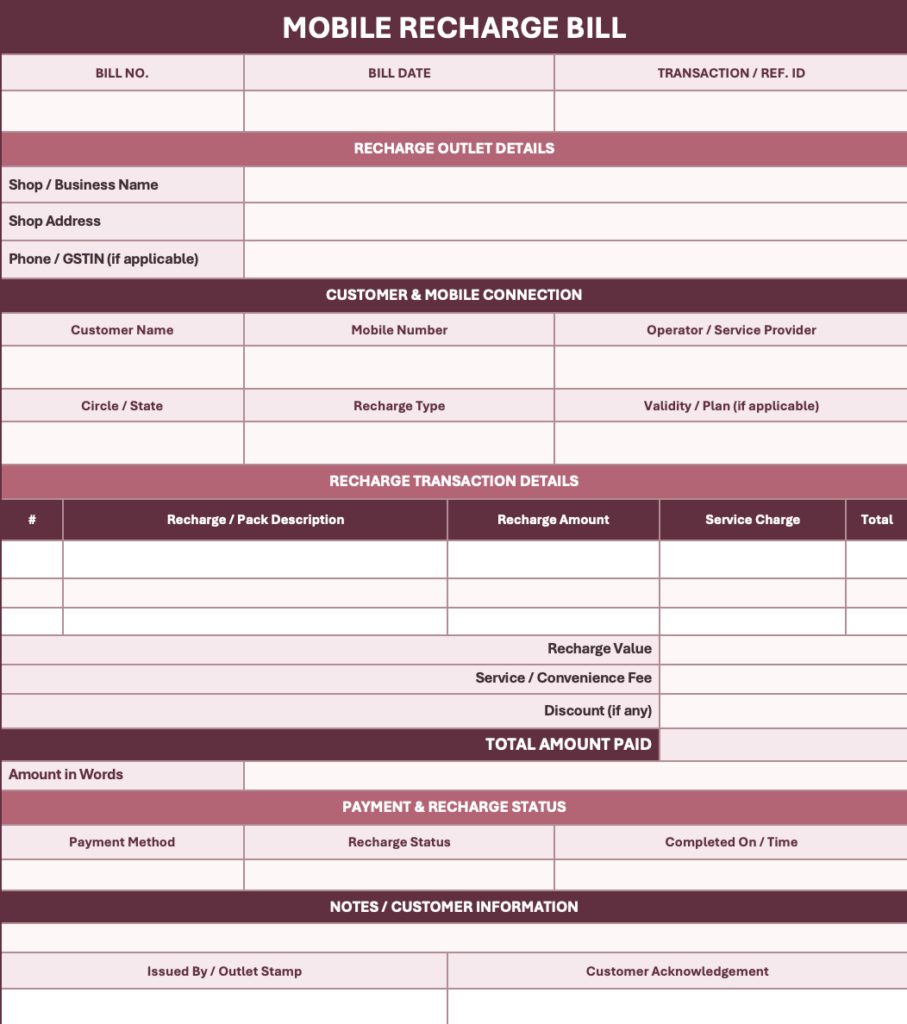
Use a simple mobile recharge bill format to record prepaid top-ups, data packs, DTH or postpaid payments at a recharge counter. Capture the operator, mobile number, amount, transaction reference and payment status in one easy-to-share receipt.
Powered by myBillBook - India's #1 Billing Software

What Is a Mobile Recharge Bill Format?
A mobile recharge bill format is a receipt layout used by a recharge shop or payment counter to document a mobile top-up or bill-payment transaction. It typically records the date, recharge amount, operator, customer mobile number (masked where appropriate), transaction ID, payment mode and whether the recharge is successful, pending or failed.
It acts as a customer-facing record of the transaction, but it is not the same as the telecom operator’s tax invoice. For recharge or bill-payment transactions, shops should distinguish the amount collected on behalf of the operator from any separately charged service fee.
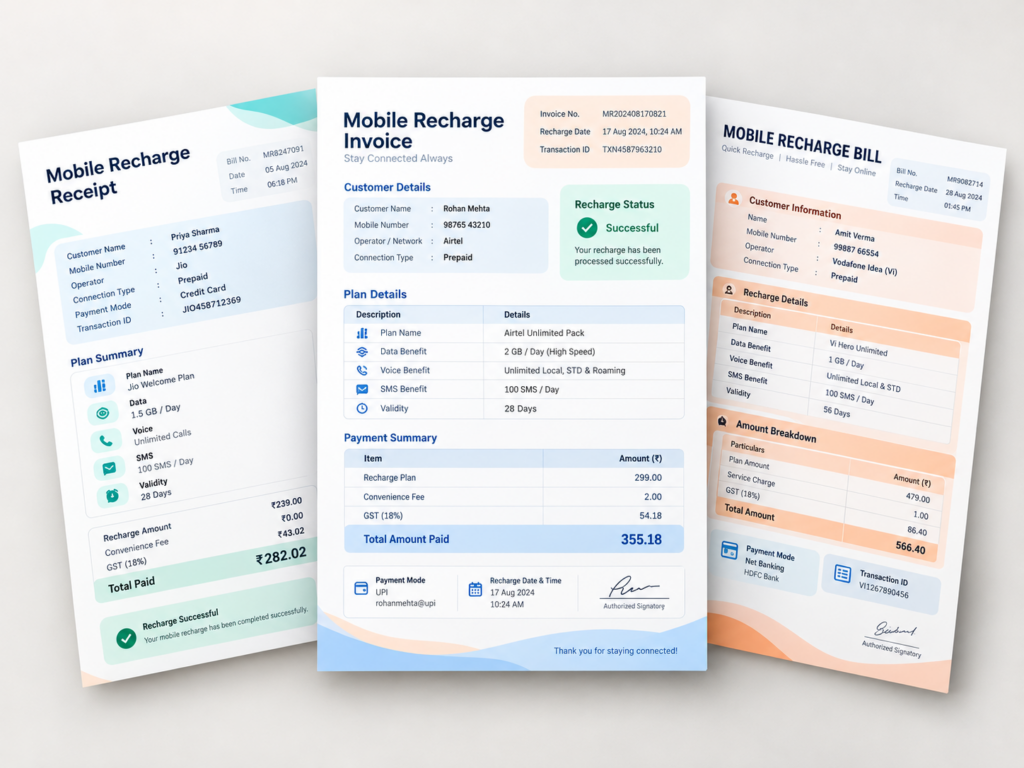
Free Mobile Recharge Bill Format in Word, Excel and PDF
Choose an editable layout for your recharge counter. Download assets will be linked once approved files are uploaded.
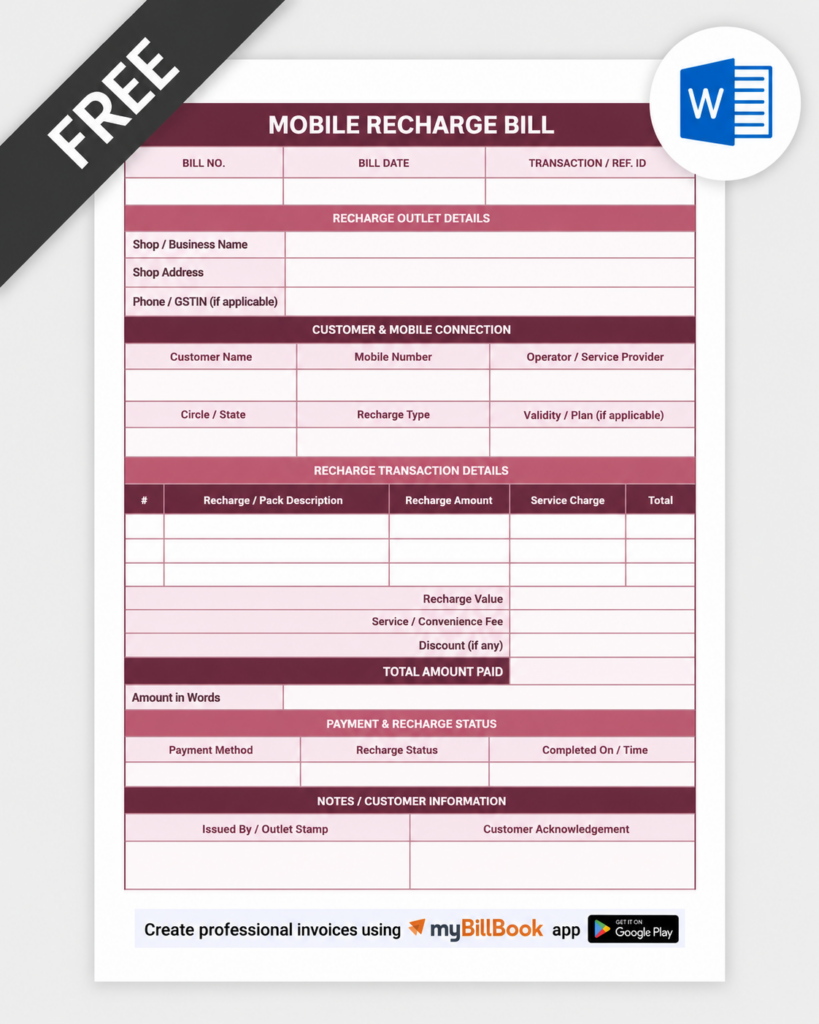
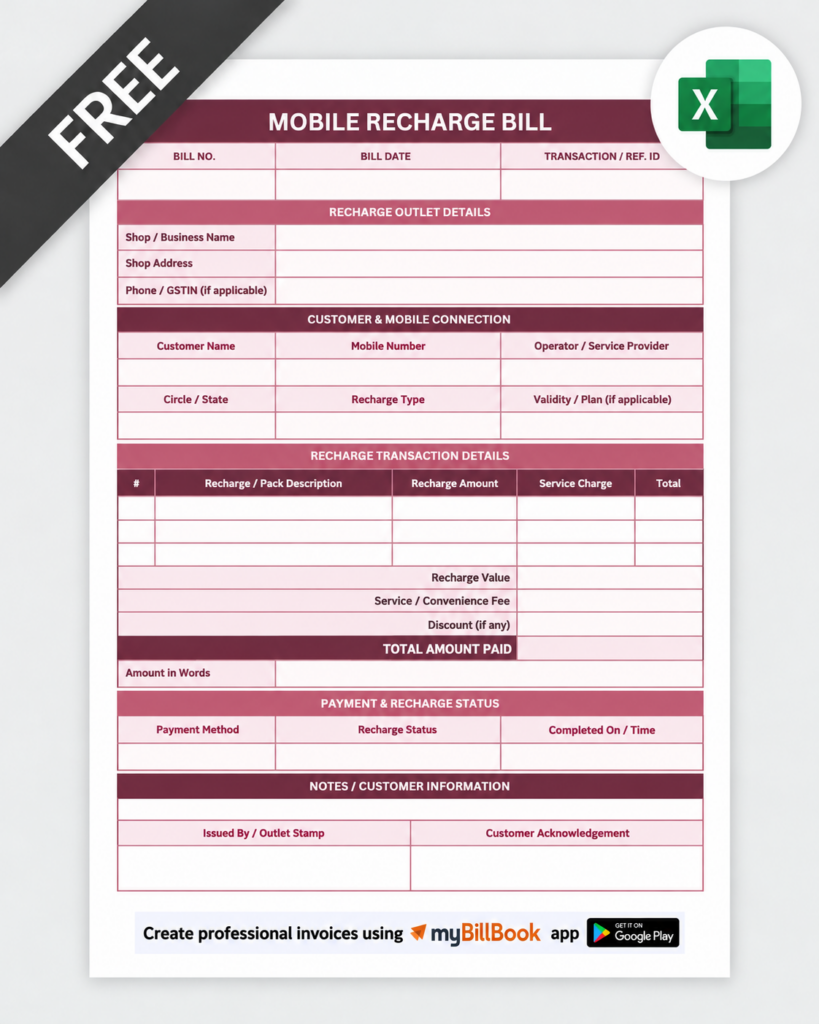
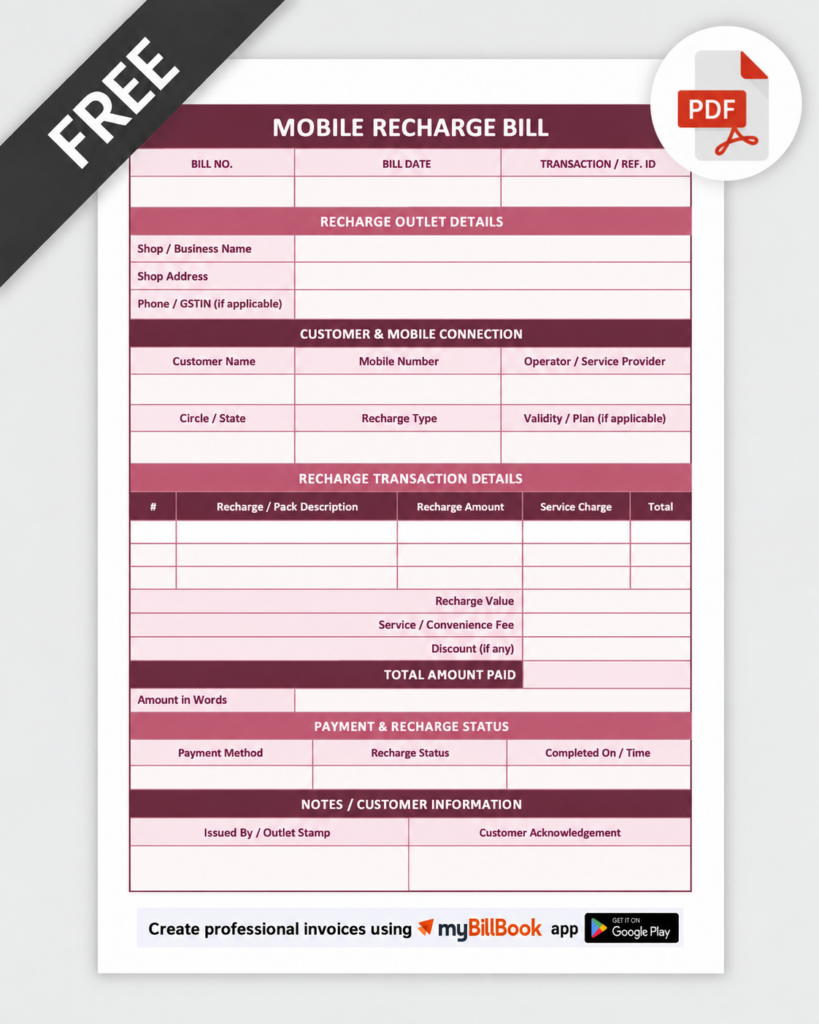
How to Make a Mobile Recharge Bill: 5 Steps
- Enter shop details: Add business name, counter address or contact, and receipt number.
- Identify the recharge: Fill in the operator, prepaid or postpaid type, date and mobile number, showing only necessary digits on a customer copy.
- Add plan and amount: Mention the top-up amount or plan name, validity if confirmed by the operator, and any distinct fee transparently.
- Capture transaction proof: Enter the operator or payment-platform reference ID, UPI/cash/card mode and timestamp.
- Check status before issuing: Mark successful only when confirmed by the recharge provider. For pending or failed payments, do not issue a success receipt.
Essential Fields in a Mobile Recharge Bill Sample
| Field | What to Record |
|---|---|
| Receipt details | Receipt number, date and recharge counter or shop name |
| Recharge details | Operator, prepaid or postpaid, masked number and plan or pack |
| Amount and payment | Recharge value, separately disclosed fee if any, total collected and mode |
| Confirmation | Transaction ID, date/time and confirmed success/pending/failure status |
| Support | Operator reference and relevant issue-resolution or refund guidance |
Prepaid Recharge Receipt vs Postpaid Mobile Bill
Prepaid mobile recharge bill format: Records a top-up or pack purchase made in advance. Include the operator, recharge number, selected pack, amount and confirmation reference. Avoid promising a validity period unless the provider confirms the selected pack details.
Postpaid bill-payment receipt: Records payment towards an existing telecom bill. Include the bill/account reference where available, amount paid, payment date, channel and acknowledgement. It does not replace the original postpaid bill issued by the telecom operator.
Mobile recharge bill receipt format: Works as a short proof-of-payment slip for a retail counter; it should not imply the transaction succeeded until confirmation is received.
Mobile Recharge Bill Sample
Mobile Recharge Bill Format in Word, Excel and PDF: Which to Use?
Mobile Recharge Bill Format in Word
Use Word to customise the counter name, layout, customer information and notes. Save a fresh copy for each transaction and export a final PDF for sharing.
Mobile Recharge Bill Format in Excel
Use Excel when you record many recharges per day and want a structured register for amounts, service fees and transaction references. Confirm all payment statuses from the provider rather than treating spreadsheet entry as recharge completion.
Mobile Recharge Bill Format PDF
Use PDF when you need a fixed layout that is easy to print or share as a receipt. A PDF receipt should still contain the unique payment or recharge reference.
Common Mobile Recharge Receipt Mistakes to Avoid
- Recording a recharge as successful before receiving an operator confirmation.
- Leaving out the transaction reference number or timestamp.
- Printing the entire mobile number when a partially masked number would be sufficient.
- Confusing a retailer acknowledgement with an operator-issued GST invoice.
- Hiding a separate service charge inside the recharge amount.
- Reusing a receipt number for multiple customer transactions.
- Omitting clear pending, failed or refund-follow-up status when a recharge is unsuccessful.
Can You Create a Mobile Recharge Bill Online?
A recharge payment confirmation normally originates from the mobile operator or recharge platform. For a shop’s separate service charges or other products sold at the counter, billing software can help record business transactions; it should not be presented as a way to execute mobile recharge or independently verify a telecom operator’s success status.
For mobile phones, accessories and repairs, see our mobile shop bill format. For a general-purpose receipt, explore the money receipt format.
Manage Your Shop Billing with myBillBook
Create bills for products and services sold at your mobile shop, track customer payments and maintain your sales records. Use the recharge provider’s confirmation for every recharge transaction.
Frequently Asked Questions
Can I use a mobile recharge bill format PDF as proof of payment?
You can share it as a shop receipt, but keep the payment gateway or operator transaction reference as the main confirmation. A shop-created PDF does not prove that a recharge succeeded.
What is the difference between a recharge receipt and a telecom bill?
A recharge receipt records a payment or top-up. The telecom operator issues the actual telecom bill or tax document, where applicable.
Can I use a mobile recharge bill format in Word for prepaid recharges?
Yes. Add the operator, pack details, amount, receipt number and confirmed transaction reference before sharing.
Should a recharge receipt include GST?
Do not invent a GST breakup. Use the operator’s tax details where relevant and show any separately supplied taxable service according to the actual transaction and applicable tax rules.