
Free Milk Bill Format in Word, Excel & PDF
Download a free milk bill format to record daily milk quantity, per-litre rates, skipped deliveries, adjustments, payments, previous balance, and the final amount due for a billing period.
Powered by myBillBook - India's #1 Billing Software

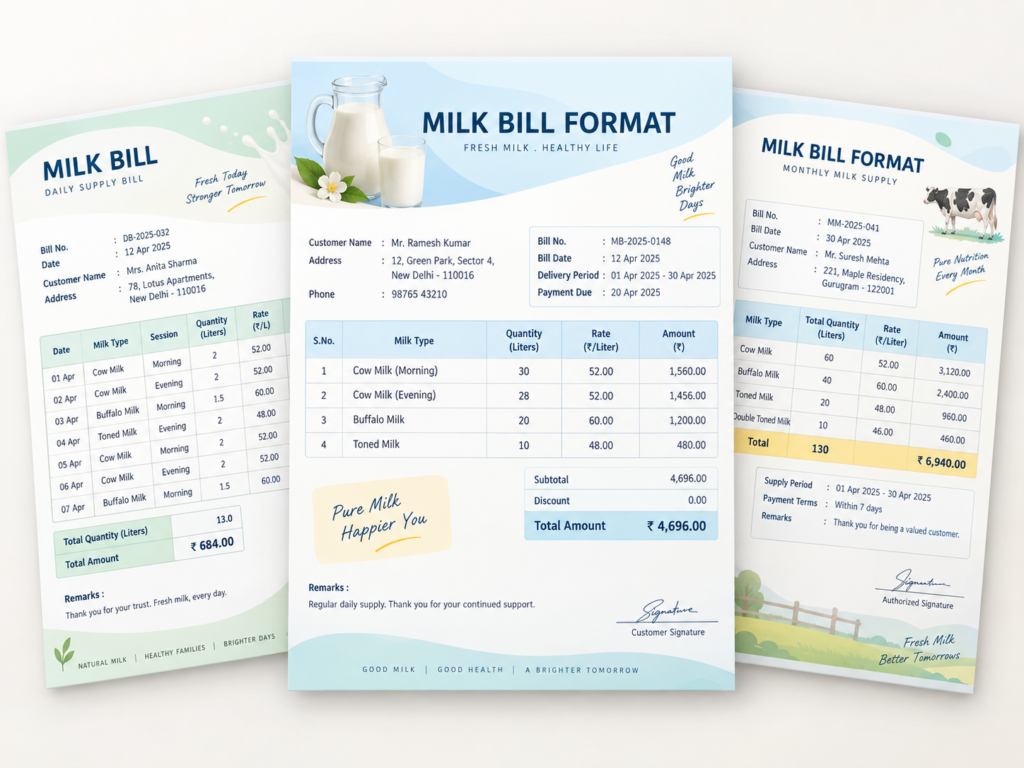
What Is a Milk Bill Format?
A milk bill format is a structured document used by dairy shops, milk vendors, milk delivery businesses, and similar sellers to record the quantity of milk supplied to a customer and calculate the amount payable for a defined billing period. Unlike a general bill format, it often needs space for repeated deliveries, changing quantities, skipped days, and customer balance adjustments.
For regular home-delivery customers, a milk bill may summarise an entire month using daily or morning-and-evening entries. For walk-in sales, the same format can be simplified to show the milk type, quantity, rate, amount, payment details, and bill date.
Download Free Milk Bill Templates
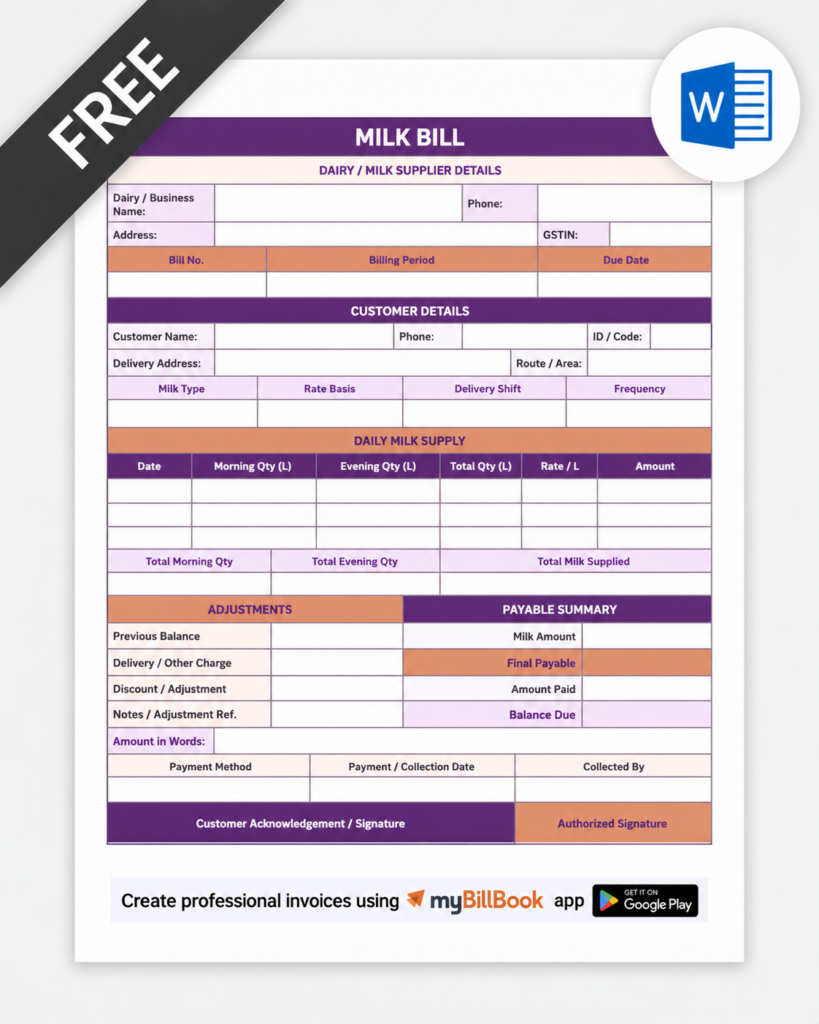
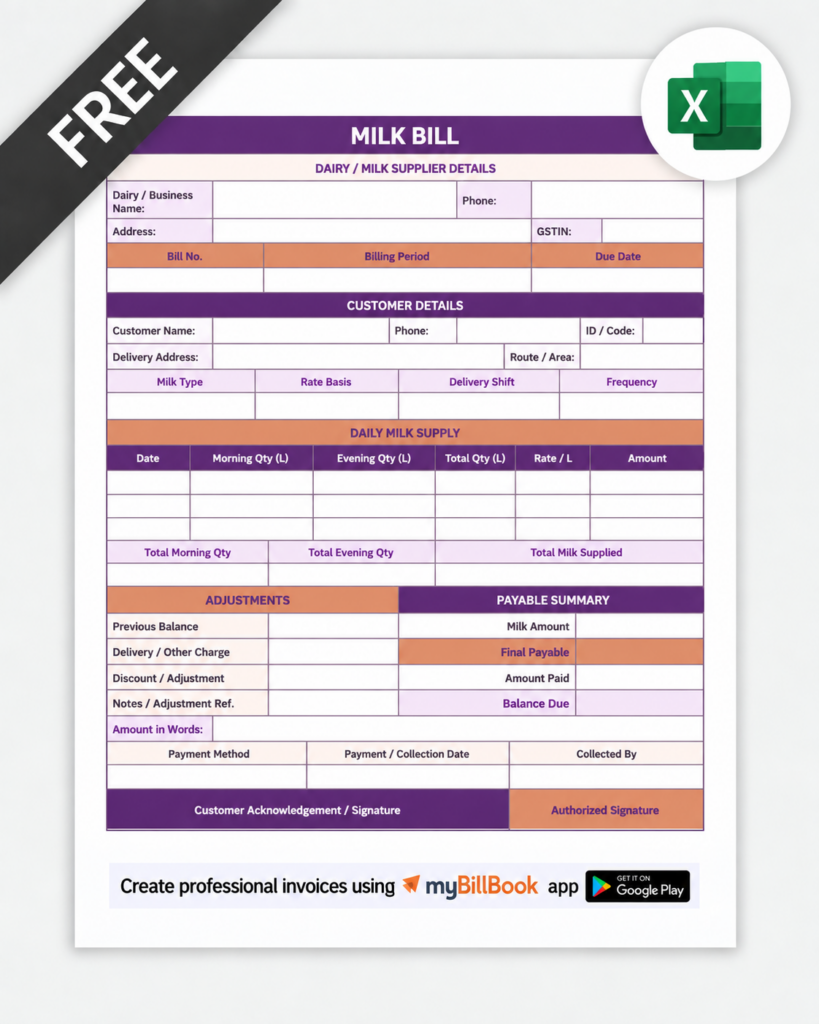
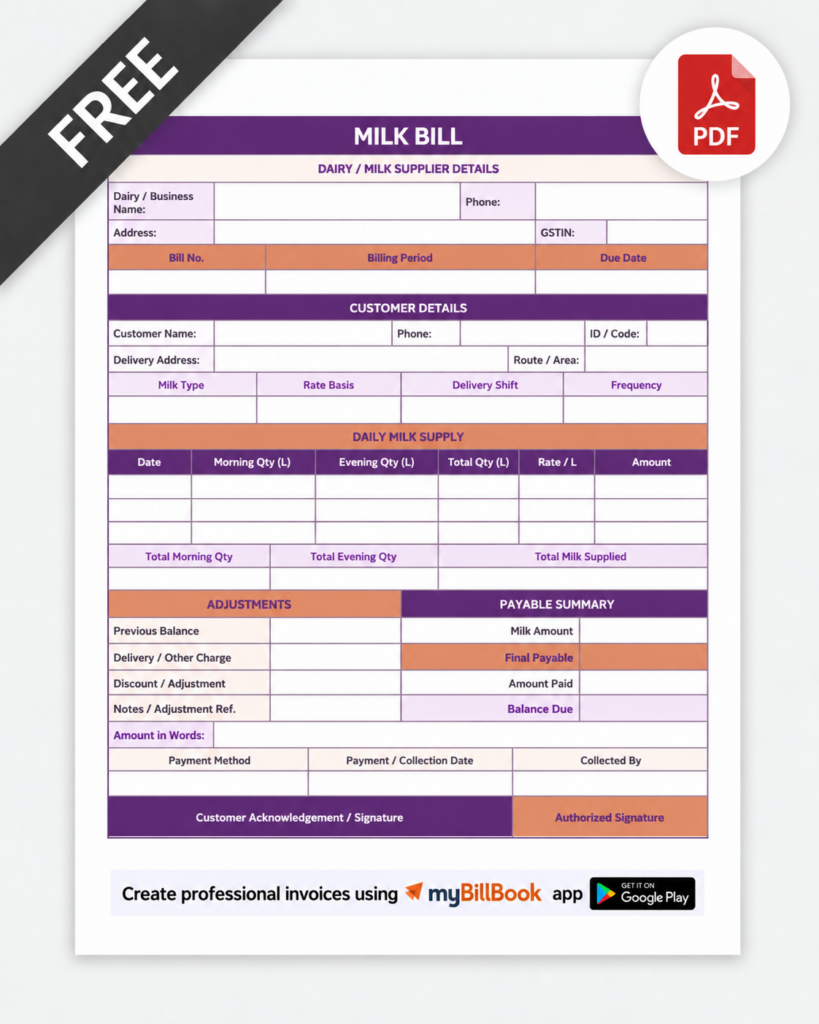
How to Fill a Milk Bill Format
A milk bill format should be filled in a fixed order so the customer can understand the bill without checking a separate register. Start with the bill identity, then enter the delivery details, calculate the amount, and finish with the payment summary.
1. Add Dairy and Customer Details
Enter the dairy or seller name, contact details, customer name, address, and customer ID if you use one.
2. Mention Bill Number and Billing Period
Add a unique bill number and clearly show the period covered, such as a single date, week, fortnight, or month.
3. Enter Milk Delivery Details
Use separate columns for date, milk type, quantity, unit, and rate. Add morning and evening columns only when the delivery pattern requires them.
4. Record Rate Changes or Adjustments Clearly
If the rate changes during the period, use separate rows or date ranges. Keep skipped deliveries, extra quantity, discounts, and corrections visible instead of hiding them inside the final total.
5. Calculate the Bill Summary
Show total quantity, milk charges, previous balance if any, payments received, adjustments, and the final payable amount in a separate summary area.
6. Review, Save, and Share
Check quantities, rates, totals, and customer details before saving the final copy. Use Word for easy editing, Excel for calculation-heavy formats, and PDF for final sharing or printing.
What Should a Milk Bill Format Include?
Seller and Customer Details
Add the dairy or milk vendor name, address, contact details, customer name, delivery address, and customer or account number if you use one.
Bill Number and Billing Period
Use a unique bill number and clearly mention whether the bill covers a day, week, fortnight, or month. Monthly bills should show the start and end date.
Milk Type and Unit
Identify cow milk, buffalo milk, toned milk, or another product separately. Keep the unit consistent, such as litres, millilitres, packets, or kilograms where relevant.
Daily or Morning-Evening Quantity
For recurring delivery customers, record the quantity supplied on each date. Separate morning and evening deliveries when customers receive both.
Rate and Rate-Change Date
Show the rate per litre or per unit. If the price changes during the billing period, record the effective date and calculate the quantities under each rate separately.
Skipped Days and Extra Deliveries
Mark no-delivery days instead of leaving them ambiguous. Also record additional milk supplied for a specific date so the monthly total matches the actual delivery history.
Previous Balance, Payments, and Adjustments
Keep outstanding balance, advance payment, discount, credit, and payment received as separate lines. This prevents the customer from confusing milk charges with carried-forward dues.
Final Amount and Payment Details
Show the gross milk charge, all adjustments, the amount already paid, and the final amount due. Add payment mode or transaction reference when useful for reconciliation.
Sample Milk Bill Format Layout
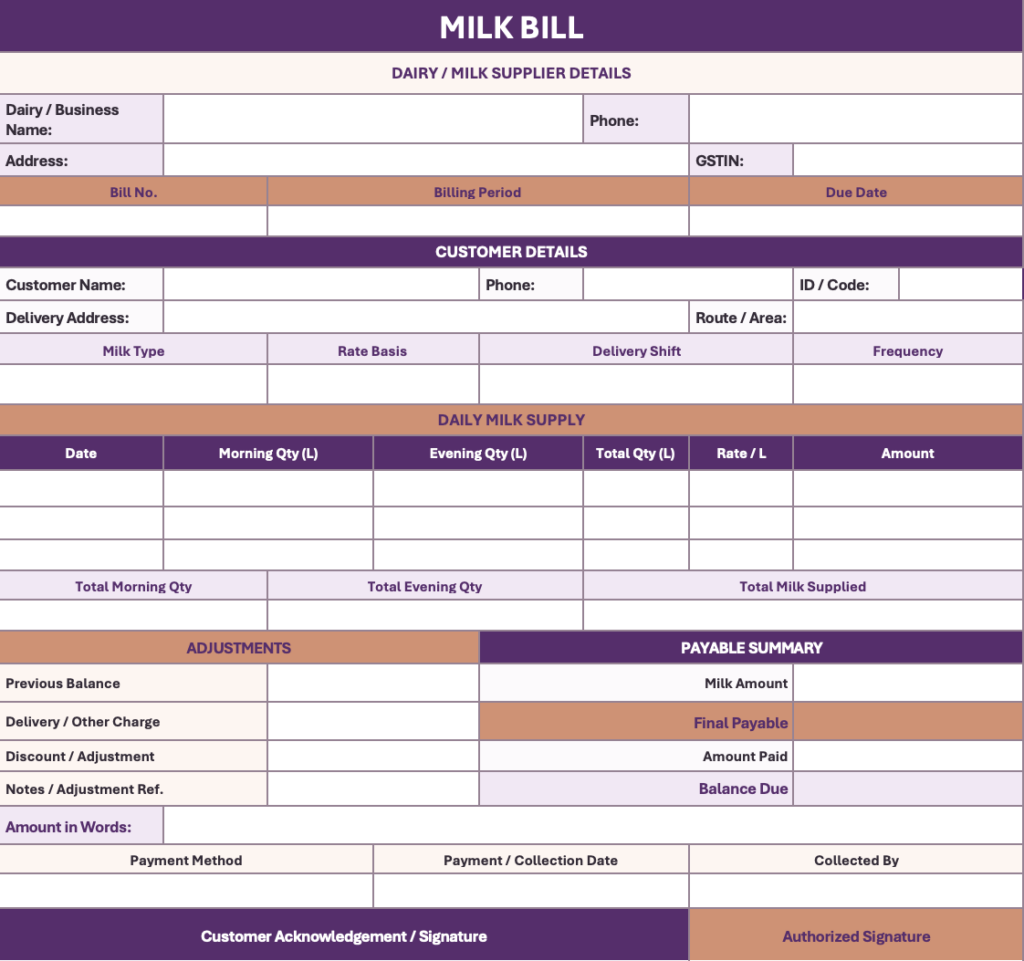
Need to Manage Repeat Milk Billing Digitally?
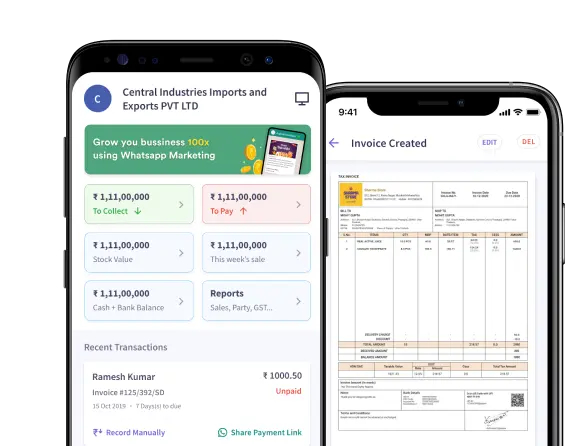
A template works well for simple billing records. Businesses handling many recurring customers can also explore dairy billing software to manage invoices, customer dues, payments, and business records digitally.
Different Milk Bill Format Types
Simple Milk Bill Format
A compact format for one-time or counter sales. It usually includes bill number, date, customer name, milk type, quantity, rate, amount, payment mode, and total.
Monthly Milk Bill Format
A date-wise format for recurring customers. It provides enough rows for daily quantities, skipped deliveries, rate changes, previous balance, payments, and closing amount.
Morning and Evening Milk Bill Format
This version uses separate morning and evening quantity columns for customers receiving two deliveries per day. It helps avoid combining quantities manually.
Milk Bill Format with Previous Balance
Useful when customers pay on account. The bill clearly separates current-period charges, previous dues or advance balance, payment received, and final amount due.
Milk Bill Format with FAT and SNF Fields
This is relevant mainly where price depends on milk quality parameters, such as procurement or producer settlement. For fixed-rate retail customer bills, these fields are usually unnecessary.
How to Choose the Right Milk Bill Format
| Billing Need | Recommended Format |
|---|---|
| One-time or walk-in milk sale | Simple milk bill format with item, quantity, rate, amount, and payment details |
| Regular home delivery | Monthly milk bill format with date-wise delivery rows |
| Two deliveries per day | Morning-evening milk bill format with separate quantity columns |
| Frequent rate or quantity changes | Excel format with separate rows and formulas |
| Customer account with dues or advances | Format with previous balance, payment received, and closing balance fields |
| Final non-editable customer copy | PDF milk bill format |
Common Mistakes When Creating a Milk Bill Format
Using Too Few Columns for Recurring Deliveries
A single quantity field may work for one-time sales, but recurring milk delivery formats need enough rows or date-wise columns to record actual supply clearly.
Not Showing the Billing Period
A monthly or weekly format should display the exact start and end dates so customers know which deliveries are included.
Mixing Current Charges and Previous Balance
Keep current milk charges, previous dues, payments received, and closing balance in separate fields. Combining them into one total makes the format difficult to verify.
Using Unclear Units
Label litres, packets, millilitres, or other units clearly. A format should not force the customer to guess how the quantity was measured.
Leaving No Space for Rate Changes
If rates can change during a billing cycle, use a format that allows separate rates by date or row instead of relying on a single fixed-rate field.
Making the Format Too Complex
Only include fields relevant to the billing workflow. For example, FAT and SNF columns may be useful for procurement-based formats but unnecessary for a simple fixed-rate household milk bill.
Milk Bill Format in Word, Excel, and PDF
Milk Bill Format in Word
Word is useful when you want an editable, printable milk bill with your dairy name, logo, customer details, terms, and a simple quantity-and-rate table. It works best when calculations are limited and you mainly need layout flexibility.
Milk Bill Format in Excel
Excel is better for monthly milk billing because formulas can total daily quantities, calculate amount by rate, separate rate-change periods, and carry previous balances or payments into the closing amount. It is also easier to maintain one sheet per customer or one monthly register.
Milk Bill Format in PDF
PDF is suitable for the final customer copy because it preserves the bill layout across devices. After completing the bill in Word, Excel, or billing software, export it to PDF for WhatsApp, email, printing, or record keeping.
Move Beyond Manual Milk Bill Calculations
Use a format when you need a simple template. For faster digital invoicing, try myBillBook’s free invoicing software.

Frequently Asked Questions
Can I customise a milk bill format with my dairy name and logo?
Yes. An editable milk bill format can include your dairy name, logo, address, contact details, payment instructions, and any additional fields required for your billing process.
Can a milk bill format include other dairy products besides milk?
Yes. Add separate rows for products such as curd, paneer, buttermilk, ghee, or other dairy items, with their own quantity, unit, rate, and amount fields.
Can a milk bill format be used for weekly or fortnightly billing?
Yes. Change the billing-period field and keep enough date-wise rows for the required week, fortnight, or custom billing cycle.
Can a milk bill format include a bottle or container deposit?
Yes. Add refundable bottle or container deposits as a separate charge or adjustment instead of combining them with milk charges.
Can I print a milk bill format on A4 paper?
Yes. A4 works well for detailed monthly formats, while a smaller layout can be used for compact counter bills.
Can I reuse the same milk bill format every month?
Yes. Keep a blank master template and create a fresh copy for each billing period, updating the bill number, dates, delivery entries, balances, and payment details.