
Accounts Receivable Software for Small Businesses in India
Track who owes you, what is due, what is overdue and what has been collected with customer-wise outstanding, receivables ageing, payment reminders and shared ledgers in myBillBook.
Trusted by 1 Crore+ Businesses Across India

What Is Accounts Receivable Software?
Accounts receivable software helps a business track money customers still owe after a sale. It connects invoices, due dates, outstanding balances, payments and ageing information so the business can see what needs to be collected and from whom.
For small businesses, this is especially useful when credit sales are spread across many customers and follow-ups are otherwise managed through notebooks, spreadsheets, calls or WhatsApp messages.
myBillBook connects receivables tracking with the billing workflow. When a credit invoice is created and payments are recorded, customer balances remain linked to the underlying transactions, helping the business maintain a clearer view of pending collections.
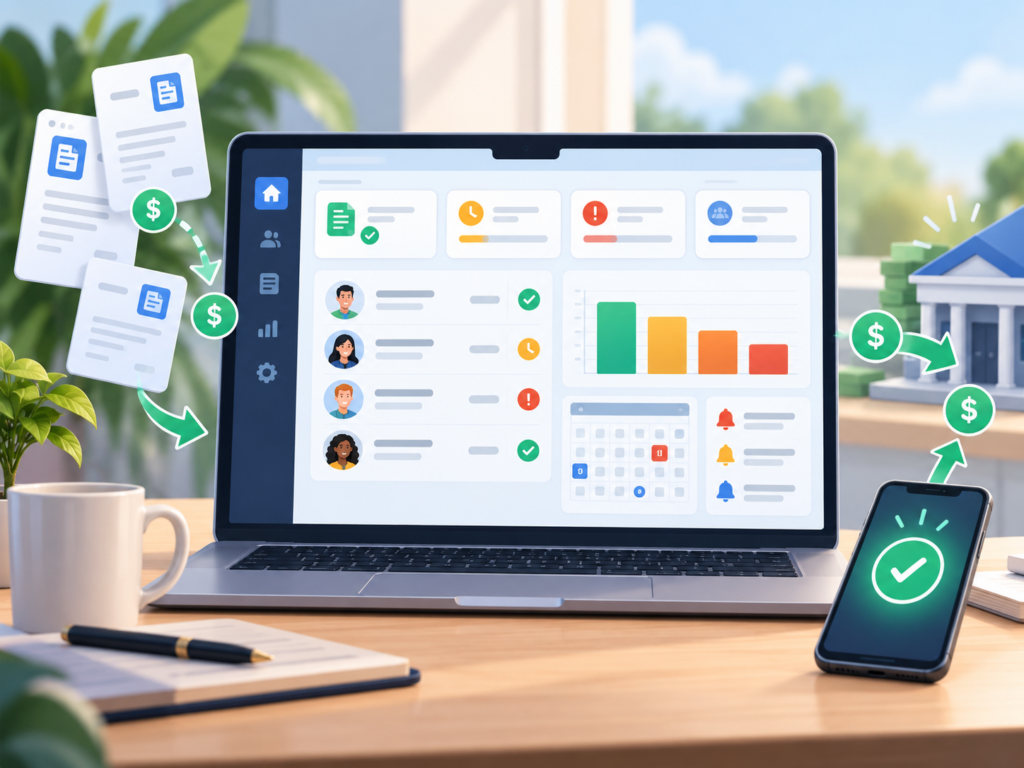
How Accounts Receivable Software Works: From Credit Sale to Collection
A receivables workflow begins when a customer is billed on credit and continues until the outstanding amount is collected and recorded.
- Create the customer invoice: Record the sale with the customer, invoice amount and applicable payment terms or due date.
- Track the outstanding balance: The unpaid amount remains visible against the customer or party until payment is recorded.
- Review ageing and pending dues: Use receivables reports to identify which balances are current and which have remained unpaid longer.
- Follow up with the customer: Share invoices, send payment reminders or provide a shared ledger so the customer can check the pending balance.
- Record the payment: Update the payment when money is received so the customer’s remaining balance and ledger reflect the latest position.
Why Use Accounts Receivable Software Instead of Manual Follow-Ups?
See Total Customer Dues in One Place
Instead of combining several invoice files or registers, review customer-wise outstanding and receivables reports from the same system used to record transactions.
Prioritise Older Outstanding Amounts
Receivables ageing helps distinguish a newly due invoice from an amount that has remained unpaid for much longer, making collection follow-up more focused.
Make Follow-Ups More Consistent
Payment reminders and shared invoice or ledger information reduce dependence on memory and make it easier to follow a repeatable collection process.
Reduce Balance Confusion
When invoices, payments and ledger entries are connected, it becomes easier to verify why a balance is pending and share the same information with the customer.
Make Better Credit Decisions
Before extending more credit to a repeat buyer, check the customer’s existing outstanding position and payment history instead of relying only on informal records.
Get a Clearer Cash-Flow Picture
Receivables are sales that have not yet turned into cash. Knowing what is pending helps business owners plan expenses and collections with better visibility.
Who Should Use Accounts Receivable Software?
Accounts Receivable Software vs Excel & Manual Tracking
| Receivables Task | Excel / Manual Follow-Up | Accounts Receivable Software |
|---|---|---|
| Customer outstanding | Calculated or updated manually | Linked to customer invoices and payment records |
| Age of unpaid dues | Requires formulas or manual sorting | Receivables ageing helps group and review older dues |
| Payment follow-up | Calls and messages managed separately | Reminder workflows can be connected to due payments |
| Invoice reference | May be stored in separate files | Invoice and ledger information remains connected |
| Customer statement sharing | PDF, screenshot or spreadsheet sent manually | Shared ledger gives customers access to relevant balance and invoice information |
| Payment updates | Must be updated in multiple sheets or registers | Recorded payments update the customer balance and ledger |
| Collection review | Depends on manual summaries | Outstanding and ageing reports support regular review |
Accounts Receivable vs Accounts Payable: What Is the Difference?
| Accounts Receivable (AR) | Accounts Payable (AP) | |
|---|---|---|
| Meaning | Money customers owe your business | Money your business owes suppliers |
| Created by | Credit sales and unpaid customer invoices | Credit purchases and unpaid supplier bills |
| Main goal | Collect customer payments on time | Pay supplier obligations on time |
| Key records | Customer invoices, dues, payments and ageing | Supplier bills, due dates and payments |
In simple terms: receivables are money coming into the business, while accounts payable are money the business needs to pay out. This page focuses specifically on managing customer receivables.
What Should Good Accounts Receivable Software Include?
The best accounts receivable software for a small business should make it easy to understand outstanding money and act on it. Before choosing a tool, check whether it provides:
- Customer-wise outstanding balances so you can see exactly who owes money.
- Receivables ageing to identify how long dues have remained unpaid.
- Invoice due-date tracking so current and overdue invoices are easy to separate.
- Payment reminders to create a more consistent follow-up process.
- Invoice and payment history for easier balance verification.
- Customer statement or ledger sharing to reduce back-and-forth over pending amounts.
- Outstanding and collection reports for regular receivables reviews.
- Mobile or multi-device access for owners and teams that do not work from a single desk.
- Connection with billing and GST invoices so receivables do not live in a disconnected tool.
- Simple usability so the team can keep records updated consistently.
When Does a Small Business Need Receivables Software?
You may have outgrown manual receivables tracking if any of these situations are common:
- You regularly sell on credit to repeat customers.
- You need to open several invoices to calculate one customer’s total pending balance.
- Payment follow-ups depend on one person’s memory.
- You cannot quickly tell which dues are 7, 30, 60 or more days old.
- Customers frequently ask for old invoices, statements or balance confirmation.
- Payments are received in parts and your team struggles to keep the remaining balance clear.
- You extend more credit without first checking the customer’s existing outstanding.
- Your sales look healthy, but cash collection is difficult to forecast because too much money remains unpaid.
If these problems are increasing with transaction volume, moving receivables into the same digital system used for billing can reduce manual reconciliation and improve visibility.
myBillBook Pricing
- Create unlimited invoices
- Access to 1 business, 1 user & 1 CA
- Inventory management
- Android, iOS & Web
- Custom Invoice Themes
- Create your Online Store
- Generate, Print & Scan Barcodes
- Desktop app
- SMS + WhatsApp marketing*
- Unlimited Godown management
- Print Barcode (Label printer)
- Bulk Download & Bulk Print Invoices
- Access to 2 businesses, 3 users & 1 CA
- e-Way Bills (Unlimited)
- Generate e-Invoicing
- Loyalty & Rewards
- Automate Recurring Billing
- POS Billing (Desktop App, Web app)
- Data Export to Tally (on request)
- User Activity Tracker
Frequently Asked Questions
How is accounts receivable software different from invoicing software?
Invoicing software creates and sends bills. Accounts receivable software focuses on what happens after a credit invoice is raised, including tracking unpaid balances, ageing, payment follow-ups and collections. In myBillBook, these workflows are connected.
Can myBillBook show customer-wise outstanding balances?
Yes. myBillBook provides party-wise outstanding information so you can review how much is pending from individual customers.
What is a Receivables Ageing Report?
A Receivables Ageing Report groups unpaid receivables by age, helping you identify newer dues and older outstanding balances so collection follow-up can be prioritised.
Can myBillBook send payment reminders?
Yes. myBillBook supports payment reminders based on due payments. Available reminder channels and access can vary by plan and settings.
Can customers view their invoice and balance details?
Yes. With myBillBook Shared Ledger, customers can view shared invoices, balances and relevant transaction history through their customer portal.
Does myBillBook update receivables when a payment is recorded?
When customer payments are recorded, the related ledger and outstanding balance can reflect the updated receivable position.
Is accounts receivable software useful for a small business?
Yes, especially for wholesalers, distributors, manufacturers, service providers and retailers that regularly sell on credit or manage multiple unpaid customer invoices.
What is the difference between accounts receivable and accounts payable?
Accounts receivable is money customers owe your business. Accounts payable is money your business owes suppliers or vendors.
Does accounts receivable software replace accounting software?
No. Accounts receivable is one part of financial operations. Businesses may still need invoicing, expenses, taxes, inventory and broader accounting functions. myBillBook connects several of these related workflows in one platform.