
Billing Software for Juice Shop
Create bills faster, record payments, track stock, and monitor daily sales with myBillBook billing software built for juice shops, juice bars, smoothie counters and beverage outlets.
Trusted by 1 Crore+ Businesses

What is Juice Shop Billing Software?
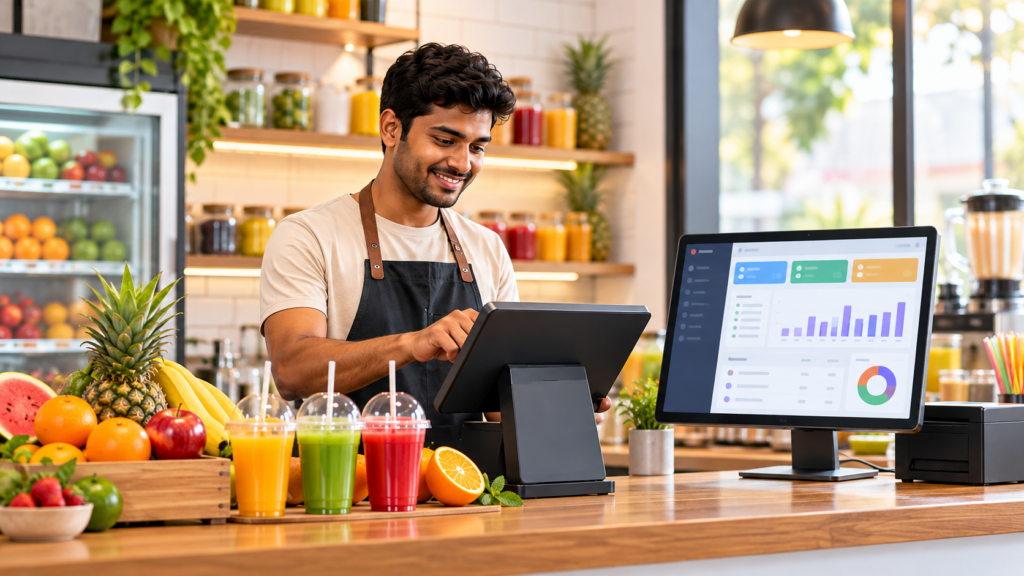
Juice shop billing software helps juice bars and beverage outlets create bills, record payments, track inventory and monitor sales from one organised system. POS-enabled billing also helps staff process frequent counter orders faster during busy hours.
myBillBook can be used by fresh juice centres, smoothie shops, beverage counters and other small retail outlets that want to move away from manual billing while keeping sales and stock records organised.
What Makes Juice Shop Billing Difficult?
Fast Counter Billing
Juice shops often handle many small orders during peak hours. Manual billing slows checkout and makes it harder to keep transaction records accurate.
Tracking Stock
Keeping track of frequently used items and available stock becomes difficult when sales and inventory are recorded separately or updated manually.
Recording Different Payment Modes
Cash and digital payments need to be recorded correctly so owners can understand collections without checking multiple sources at the end of the day.
Monitoring Daily Sales
Without organised reports, owners may struggle to compare daily sales, identify fast-moving items and understand how the outlet is performing.
Maintaining Customer and Sales Records
Paper bills and scattered records make it harder to retrieve older transactions, check customer details or maintain a consistent history of sales.
Core Features of myBillBook Juice Shop Billing Software
How Juice Shop Billing Software Works
Juice shop billing software connects billing, payments, stock and sales records in one workflow. When a customer order is billed, the transaction and payment can be recorded digitally and reflected in the outlet’s business records.
- Add your items: Add juices, shakes, beverages and other items with their prices and applicable tax details.
- Create the bill: Select the ordered items, quantities and customer details where required.
- Record payment: Record whether the customer pays through cash, UPI or another supported payment mode.
- Track sales and stock: Review sales and inventory records to monitor daily business activity.
Benefits of myBillBook for Juice Shops
Faster Billing
Use regular or POS billing depending on your outlet workflow and process frequent customer orders with fewer manual steps.
Better Stock Visibility
Keep sales and inventory records together so you can monitor available stock and plan replenishment more confidently.
Organised Payment Records
Record cash and supported digital payments alongside bills instead of maintaining separate manual notes.
Easy Business Monitoring
Use organised sales and transaction reports to check daily collections and understand how your juice outlet is performing.
What Should You Look for in Juice Shop Billing Software?
A juice shop should choose billing software that makes counter billing fast while connecting payments, stock and sales records. It should also be simple enough for staff to use during busy business hours.
- Fast POS and regular billing
- GST and non-GST billing support
- Inventory tracking
- Cash and digital payment recording
- Mobile and desktop access
- Sales and business reports
- Customer records
- Multi-user or outlet support, if required
Billing Software vs POS Software for a Juice Shop
| Billing Software | POS Software |
|---|---|
| Creates and manages bills | Designed for faster counter checkout |
| Records payments and transactions | Helps staff process frequent orders quickly |
| Maintains sales records | Optimised for high-volume billing |
| Suitable for routine billing | Useful during peak customer hours |
myBillBook combines regular billing with POS billing capabilities, allowing juice shops to use the billing workflow that suits their day-to-day operations.
FAQs on Billing Software for Juice Shop
What is juice shop billing software?
Juice shop billing software helps juice bars and beverage outlets create bills, record payments, track inventory and monitor sales from one organised system. POS-enabled billing can also help staff process frequent counter orders faster.
Why do I need billing software for my juice shop?
Billing software helps juice shops reduce manual billing work, keep transaction records organised, record payments, track stock and monitor daily sales from one system.
Can I use POS billing for a juice shop?
Yes. POS billing can be useful for juice shops that handle frequent counter orders. It helps staff select items, create bills and record payments quickly during busy hours.
Can myBillBook be used on mobile and desktop?
myBillBook supports billing workflows across supported mobile and desktop devices, helping juice shop owners and staff access billing and business records from the devices they use.