
Real-Time Ledger Sharing
Shared Ledger
Share invoices, balances, and ledgers with customers instantly
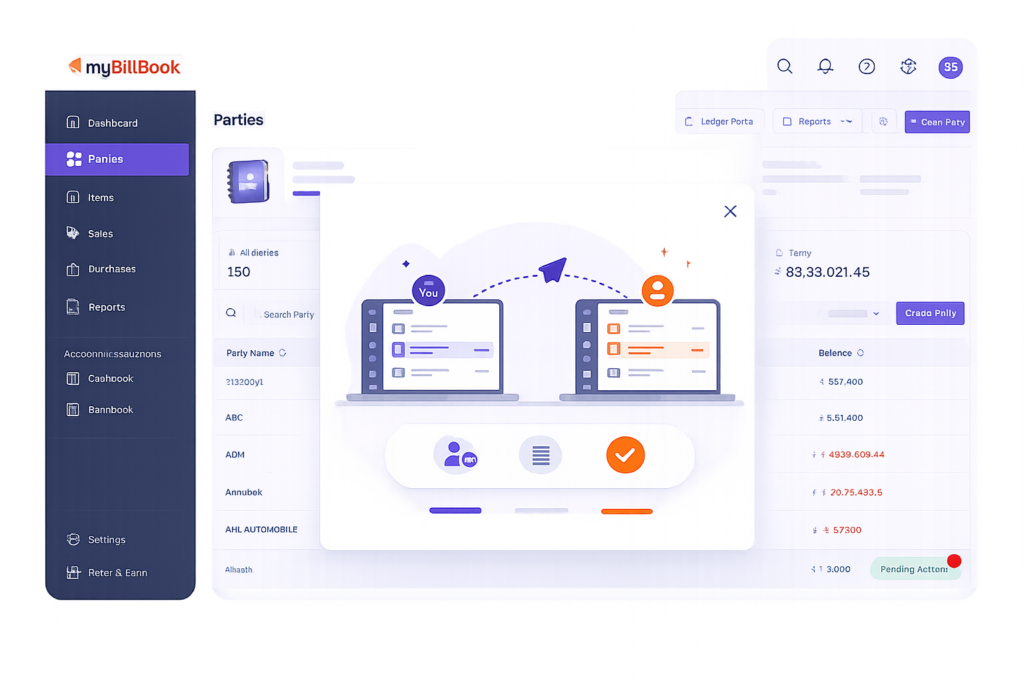
Shared Ledger Feature in myBillBook
Shared Ledger in myBillBook connects the ledger view between two businesses, such as a buyer and supplier, when both are using myBillBook and their party mobile numbers match.
It gives both sides a common view of shared vouchers such as invoices, payments, and notes. This helps reduce confusion caused by mismatched balances, missing entries, or repeated manual reconciliation.
The ledger is read-only for the counterparty, so buyers can view shared supplier vouchers safely without editing them.
How Shared Ledger Works
Step 1: myBillBook Finds Connected Parties
If both businesses have the same mobile number saved for each other in party details, myBillBook can auto-pair the ledgers.
Step 2: Shared Ledger Becomes Available
Connected ledgers can be discovered from the Parties tab banner or the new Floating Action Button. The list shows all connected books in one place.
Step 3: View Shared Vouchers
You can open the connected ledger to view shared vouchers, including invoices, payments, and notes.
Step 4: Convert Supplier Invoice to Purchase
If your supplier has shared a sales invoice, you can use Convert to Purchase to create a purchase bill in your books. Items, taxes, and dates are copied automatically.
Why Businesses Use Shared Ledger
What You Can Do with Shared Ledger
View Connected Ledgers
See shared buyer or supplier ledgers in one place when parties are paired.
Check Shared Vouchers
View invoices, payments, and notes shared between connected businesses.
Convert Sales Invoice to Purchase Bill
Turn a supplier’s sales invoice into your purchase bill with one tap.
Control Ledger Sharing
Suppliers can stop sharing for a specific party anytime.
Manage Privacy in Bulk
Bulk privacy switches are available through customer support, as mentioned in the release note you shared.
Handle Matching Edge Cases
If duplicate mobile numbers are found, myBillBook shows a party selector. Deleted parties are archived from the buyer’s view, and default cash sales are skipped from linking.
How Shared Ledger Stays Controlled
Shared Ledger Controls
Use this section to make the page accurate and expectation-safe.
Read-Only Access
The shared view is read-only for the buyer or supplier. They can view vouchers but cannot edit your books.
Auto-Pairing by Mobile Number
Shared Ledger connects parties when both sides have the same mobile number saved.
Duplicate Mobile Numbers
If the same mobile number exists in multiple parties, myBillBook shows a party selector instead of linking automatically.
Deleted Parties
If a party is deleted, the buyer’s shared view is archived.
Cash Sales
Default cash sales are skipped when linking.
Sharing Can Be Stopped
Suppliers can stop sharing at any time for a party.
Useful for Businesses That Work with Regular Buyers or Suppliers
Wholesalers
Share voucher visibility with regular buyers and reduce repeated balance confirmation calls.
Manufacturers
Give dealers or buyers visibility into shared invoices, payments, and notes.
Distributors
Manage connected ledgers with retailers, dealers, and suppliers more clearly.
Frequently Asked Questions
Is this Shared Ledger different from the SharedLedger Portal?
Yes. The SharedLedger Portal is mainly for sharing a customer portal link. This Shared Ledger feature focuses on connected buyer-supplier ledgers where both sides can view shared vouchers.
What does “See What Your Counterparty Sees” mean?
It means both connected parties can refer to the same shared vouchers, such as invoices, payments, and notes, instead of comparing separate screenshots or manual entries.
Can Shared Ledger create purchase entries from supplier invoices?
Yes. If a supplier’s sales invoice is shared, the buyer can use Convert to Purchase to create a purchase bill with copied items, taxes, and dates.
What happens if one mobile number is saved for multiple parties?
myBillBook shows a party selector so the correct party can be selected before connecting the ledger.
Are cash sales linked in Shared Ledger?
No. Default cash sales are skipped from linking, so they do not appear as connected buyer-supplier ledger entries.