
GST billing for food businesses can get confusing because restaurants, cafés, takeaway counters, and cloud kitchens do not always bill in the same way.
A dine-in restaurant may issue bills directly to customers. A café may handle both counter sales and takeaway orders. A cloud kitchen may receive orders from its own website, WhatsApp, and food delivery platforms. Each setup needs clean billing records so sales, taxes, payments, and reports can be tracked properly.
This guide explains what restaurant, café, and cloud kitchen owners should keep in mind while creating GST bills in India.
Note: GST rules and rates may change. Always verify the latest GST treatment with your CA or from official CBIC/GST sources before publishing or applying rates in your business. CBIC maintains official GST notifications and circulars through its tax information portal.
Summary
Restaurants, cafés, and cloud kitchens should create GST bills with correct business details, GSTIN, invoice number, date, item details, taxable value, GST rate, tax amount, and payment details. Food businesses should also separate dine-in, takeaway, direct delivery, and food aggregator orders properly because GST responsibility may differ based on how the order is received and billed.
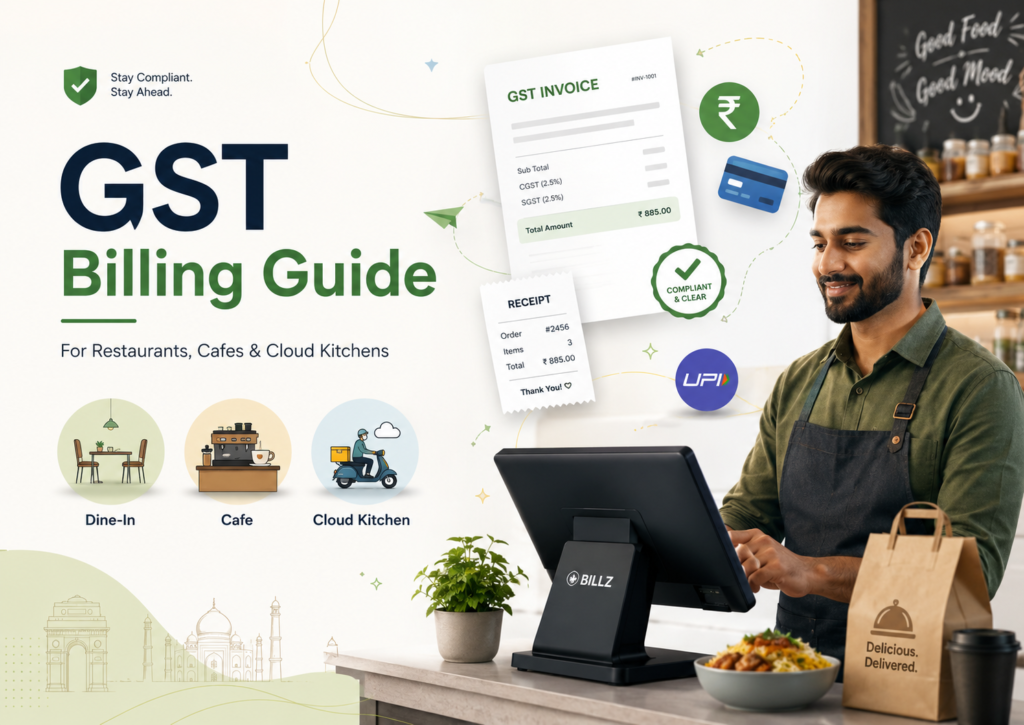
Table of Contents
- Why GST Billing Matters for Food Businesses
- What a GST Bill for a Restaurant Should Include
- GST Billing for Dine-In and Takeaway Orders
- GST Billing for Cloud Kitchens
- Handling Orders from Food Delivery Platforms
- Common GST Billing Mistakes to Avoid
- GST Billing Checklist for Restaurants and Cloud Kitchens
- Final Thoughts
Why GST Billing Matters for Food Businesses
For restaurants, cafés, and cloud kitchens, GST billing is not just about adding tax to the final amount.
A proper GST bill helps you maintain clean sales records, share details with your accountant, handle customer queries, and avoid confusion during return filing. It also helps separate different types of sales, such as dine-in, takeaway, direct delivery, and platform-based orders.
Using restaurant billing software can help food businesses create GST-ready bills, record payments, and maintain cleaner sales records for dine-in, takeaway, and direct orders.
This is important because food businesses often receive orders from multiple channels. If all sales are recorded in the same way without proper classification, it becomes difficult to understand which sales were billed directly and which came through online food platforms.
The goal of GST billing is simple: every bill should clearly show what was sold, how much was charged, what tax was applied, and how the payment was received.
What a GST Bill for a Restaurant Should Include
A GST bill for a restaurant, café, or cloud kitchen should include all important business and transaction details.
Here are the basic details to check:
| Bill Detail | Why It Matters |
|---|---|
| Restaurant or business name | Identifies the food business issuing the bill |
| Address | Shows the place of business |
| GSTIN | Required for GST-registered businesses |
| Invoice number | Helps track bills in sequence |
| Invoice date | Important for accounting and GST filing |
| Customer details | Useful for B2B or repeat customer billing |
| Item names | Shows food items sold |
| Quantity | Helps calculate order value |
| Taxable value | Amount before GST |
| GST rate | Shows tax applied on the order |
| CGST/SGST or IGST | Depends on transaction type |
| Total bill amount | Final amount payable |
| Payment mode | Helps track cash, UPI, card, or other payments |
For most small food businesses, customer details may not be required for every walk-in order. But for B2B orders, catering orders, corporate food supply, or GST-registered customers, customer GST details may be needed.
If you want to understand how a food bill should be structured, you can also refer to this restaurant bill format guide.
GST Billing for Dine-In and Takeaway Orders
Dine-in and takeaway orders may look different operationally, but both need proper billing records.
For dine-in orders, the bill should clearly show the items served, taxes applied, total amount, and payment mode. If your restaurant has table-wise billing, make sure the final invoice matches the settled order.
For takeaway orders, the bill should still show item details, quantity, tax breakup, and payment details. Do not treat takeaway as a casual sale just because the customer is not dining in.
Good GST billing practice is to keep order type visible internally, even if the final customer invoice looks simple.
For example:
- Dine-in
- Takeaway
- Direct delivery
- Platform order
- Corporate/bulk food order
This helps your accountant understand sales better at the end of the month.
GST Billing for Cloud Kitchens
Cloud kitchens need extra care because they usually receive orders from multiple channels.
A cloud kitchen may get orders from:
- Own website
- Phone or WhatsApp
- Direct customer orders
- Food delivery platforms
- Corporate or bulk food orders
For direct orders, the cloud kitchen usually creates its own bill and records the payment. For food platform orders, GST treatment can differ because certain restaurant services supplied through e-commerce operators are handled under Section 9(5) of the CGST Act. CBIC clarified that tax on restaurant services supplied through e-commerce operators is paid by the e-commerce operator under Section 9(5).
Because of this, cloud kitchens should avoid mixing direct orders and platform orders without clear classification.
A practical way to manage this is to maintain separate sales categories:
| Order Source | Billing Note |
|---|---|
| Direct customer order | Bill and tax handled by the food business |
| Own website order | Bill directly based on GST setup |
| WhatsApp/phone order | Treat like direct sale |
| Food aggregator order | Track separately as platform-based sale |
| Corporate/bulk order | Capture customer and GST details carefully |
This separation helps during accounting, GST reporting, and payment reconciliation.
Handling Orders from Food Delivery Platforms
Restaurants and cloud kitchens selling through food delivery platforms should be careful while recording platform sales.
The issue is not only the bill amount. You also need to track:
- Gross order value
- Platform commission
- Taxes handled by the platform
- Net settlement amount
- Delivery charges, if applicable
- Customer-paid amount
- Restaurant-received amount
- Cancellations and refunds
If you only record the final settlement received from the platform, your sales records may not clearly show the actual order value.
Keep platform orders separate from direct sales. This helps your accountant understand which revenue came through direct billing and which came through food aggregators.
Since GST treatment for e-commerce operator orders can be different, restaurant and cloud kitchen owners should confirm the correct reporting process with their CA. CBIC’s circular on restaurant services supplied through e-commerce operators is the key reference here.
Common GST Billing Mistakes to Avoid
Here are common GST billing mistakes restaurants, cafés, and cloud kitchens should avoid:
1. Using the same bill format for every order type
A dine-in bill, takeaway bill, platform order, and corporate food order may need different internal tracking.
2. Not updating GST details correctly
If your GSTIN, invoice numbering, or tax setup is incorrect, every bill created after that may also be wrong.
3. Mixing direct and platform orders
Direct customer orders and food platform orders should not be treated the same without checking GST responsibility.
4. Recording only payment received
For platform orders, the amount received after commission may not be the same as total sales value.
5. Ignoring cancellations and refunds
Cancelled orders, refunds, and adjustments should be recorded properly so reports do not show inflated sales.
6. Not sharing clean data with the accountant
If your CA receives only rough daily totals, GST filing becomes harder. Item-wise and order-source-wise records are easier to review.
7. Using manual bills during rush hours
Manual bills created during busy hours can later cause missing invoice numbers, wrong totals, or incomplete GST records.
GST Billing Checklist for Restaurants and Cloud Kitchens
Use this checklist to keep GST billing organised:
| GST Billing Check | Done? |
|---|---|
| GSTIN added correctly on bills | |
| Invoice number sequence checked | |
| Business name and address added | |
| Item names and quantities visible | |
| Taxable value shown clearly | |
| GST breakup added where applicable | |
| Payment mode recorded | |
| Dine-in and takeaway orders classified | |
| Direct and platform orders separated | |
| Cancellations and refunds recorded | |
| Platform settlements matched with order value | |
| Monthly reports shared with accountant | |
| GST rate verified with CA | |
| Bill format reviewed before publishing/printing |
Final Thoughts
GST billing for restaurants, cafés, and cloud kitchens becomes easier when every order is recorded clearly.
The most important thing is to avoid mixing different order types. Dine-in, takeaway, direct delivery, food platform orders, and corporate orders should be easy to identify in your records.
This helps you create cleaner GST bills, track payments better, share accurate data with your accountant, and avoid month-end confusion.
